
Bug triage automation: get ready-to-fix tickets fast
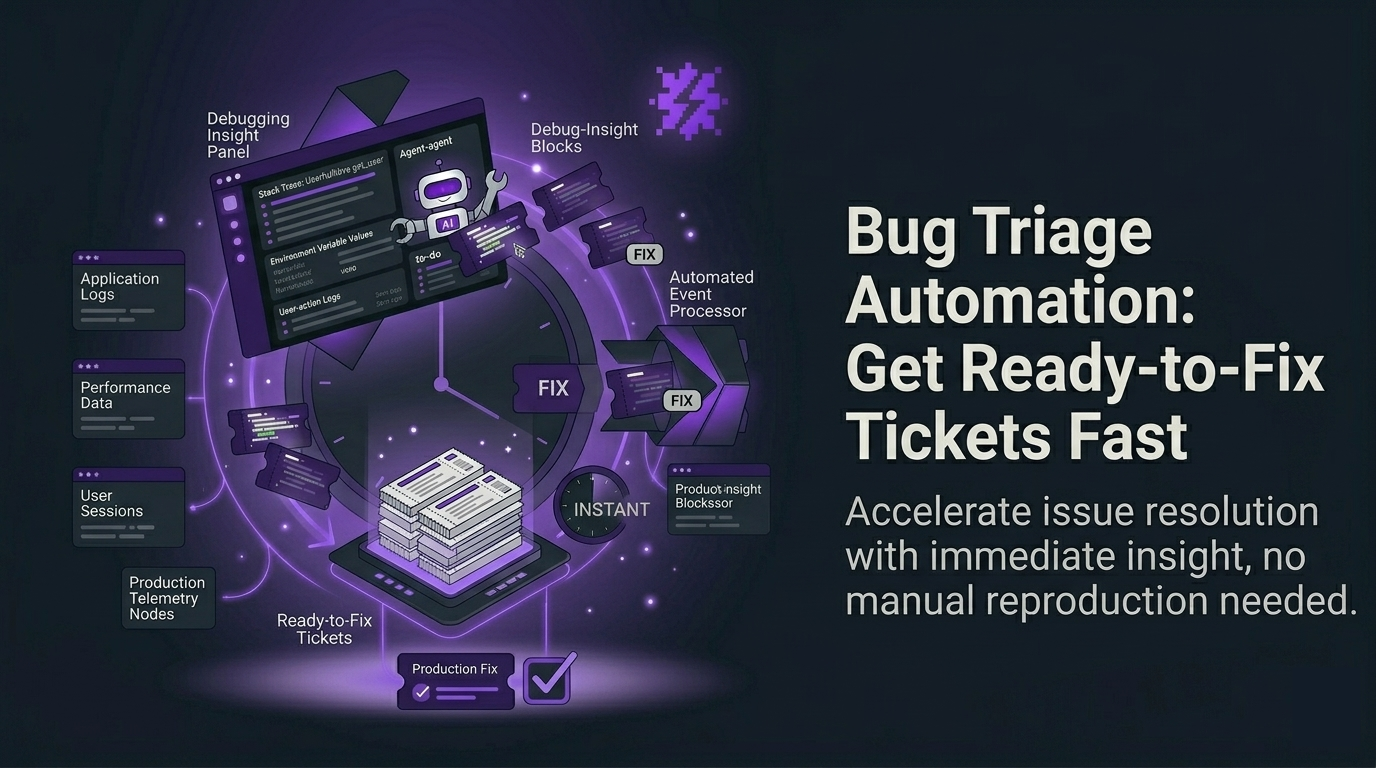
Bug triage automation is the fastest way for early-stage product teams to turn real production errors into tickets engineers can fix immediately. Instead of waiting for users to report issues (or churn), you can auto-capture bugs, dedupe them, assign severity, and push a “ready-to-fix” ticket to your tracker in under 10 minutes.
This guide is written for Seed-stage B2B SaaS teams shipping weekly or daily, with little or no QA, and a backlog that gets noisy after every deploy.
Table of contents
- What bug triage automation actually means
- The measurable outputs you should expect
- How to get first value in under 10 minutes
- The weekly usage trigger that drives retention
- When to upgrade from self-serve to team
- How to measure ROI (without vanity dashboards)
 A simple lifecycle view of automated bug capture, dedupe, prioritization, and ticket creation.
What bug triage automation actually means
Most teams think “triage” starts when a ticket exists. In reality, the slow part is everything before a ticket becomes actionable: collecting context, reproducing, deciding severity, deduping duplicates, and keeping status updated across tools.
Bug triage automation is a system that turns “an error happened in production” into “an engineer can start fixing now” with minimal human steps. For early-stage teams, the goal is simple:
- Capture real bugs even when users do not report them
- Package each issue with enough context to avoid back-and-forth
- Prioritize by impact, not by whoever shouts loudest
- Route into your existing workflow (Jira/Linear/GitHub Issues)
The measurable outputs you should expect (and why they matter)
If a tool cannot produce measurable outputs, it becomes “yet another dashboard.” For Flash Log, the outputs map directly to engineering throughput and business impact:
- Ready-to-fix tickets created: count of issues that include summary, repro steps, and technical context
- Time from error to ticket: minutes, not days
- % tickets with reproduction steps: reduces “cannot reproduce” loops
- Deduped issue clusters: fewer duplicates polluting backlog
- Weekly trend report: whether production health is improving or bleeding
If you want a deeper definition of what “actionable” means, start with ticket ready to fix and use it as your internal bar for quality.
Bug triage automation in under 10 minutes: a self-serve setup
Your activation goal is not “instrument everything.” It is: see the first high-signal issue with full context and confirm it can become a ticket.
Step 1: Install the script/SDK (5 minutes)
- Add Flash Log to your web app (common for React/Next.js stacks)
- Deploy as you normally do
Step 2: Trigger a real error (2 minutes)
Use a staging flow or a controlled production test to trigger a system-level issue (network failure, JS runtime error, backend/API failure). Flash Log is designed to avoid treating normal mis-clicks as bugs, which keeps your backlog clean.
Step 3: Verify the output (3 minutes)
You should see an AI-packaged report that includes:
- AI-generated issue summary (what broke, in plain language)
- Auto-generated reproduction steps (how to validate quickly)
- Technical context: request/response, status code, timestamp, duration, network state
- Environment: OS, browser, viewport, timezone, device context
- Customer context (when available) for CS follow-up
This is the core of ai bug reporting: fewer missing details, fewer Slack pings, faster fixes.
 Example of an AI-packaged bug report with summary, reproduction steps, and full technical context.
The weekly trigger: ship, detect, triage, fix (without manual status chasing)
Early-stage teams have a natural weekly loop: deploys create risk, and risk creates bugs. Flash Log fits that loop by automating the lifecycle signals your team typically handles manually:
- Daily summary email: what broke today, what is escalating, what can wait
- Weekly report: trends by flow/page and top-impact issues
- Priority and status mapping: align severity with your tracker workflow so “In Progress” and “Done” stay consistent
- Proactive alerts: notify the team early when conditions match your escalation rules
If your release cadence is CI/CD-heavy, connect this to your deployment rhythm. A practical next step is error monitoring with CI/CD so each deploy has a clear “did we break anything?” feedback loop.
When should you upgrade from self-serve to a team plan?
Self-serve works when one engineer owns quality and can act fast. Upgrade when coordination becomes the bottleneck. Use these concrete signals:
- More than 2 engineers regularly triaging or fixing production issues
- Multiple projects/environments need consistent rules (priority, status mapping, routing)
- Backlog hygiene matters: you need dedupe, ownership, and standardized ticket quality
- CS/Product needs visibility without living in dashboards (email reporting becomes a shared operating rhythm)
- Integrations become mandatory (Jira/Linear/GitHub Issues) to avoid manual copy-paste
In other words: self-serve proves value fast; team plan turns it into a default system for triage across the org.
How to measure ROI (simple metrics you can track this week)
Pick 3 metrics and review them weekly:
- MTTR (median time to resolution) before vs after
- Time-to-first-action: error timestamp to first “In Progress” event
- Ticket completeness rate: % issues that include repro steps plus environment plus request/response
If your team still relies on manual write-ups, standardize what “good” looks like using a bug report template, then compare it to what automated reports produce.
Need a benchmark for tooling choices? See best tools to reduce MTTR and evaluate based on cost per resolved issue, not feature count.
CTA: try bug triage automation now (self-serve), then expand to your team
If you ship weekly or daily and production bugs are stealing focus, set up Flash Log and aim for one outcome today: your first ready-to-fix ticket in under 10 minutes.
- Self-serve trial: install, trigger an issue, verify repro steps and context
- Team rollout: connect Jira/Linear/GitHub, standardize priority/status mapping, and use daily/weekly emails as your operating cadence
Once you see fewer “cannot reproduce” threads and faster time-to-first-action, you will know it is working.
Unknown Author
Stay in the loop
Weekly tactics to reduce debugging time, automate bug reporting, and ship faster without breaking production.