
lỗi javascript in Production: A Fast Triage Framework You Can Use Today
A JavaScript error can look harmless until it breaks a checkout button, freezes a form, or makes a page go blank for real customers. That moment is often when teams start hearing “it doesn’t work” without any useful details. This guide is about lỗi javascript (JavaScript errors) and how to handle them quickly in real-life situations, especially when the problem happens on users’ devices and you cannot reproduce it easily. You will learn a simple definition, how these errors typically happen, and a practical step-by-step triage process you can run in under 10 minutes to move from confusion to a fixable issue.
- Most lỗi javascript investigations fail because teams skip a structured triage and chase symptoms.
- A fast triage needs five facts: what broke, who it affected, where it happened, when it started, and what changed.
- You can cut time-to-fix by turning scattered reports into one ticket-ready issue with clear reproduction steps and impact.
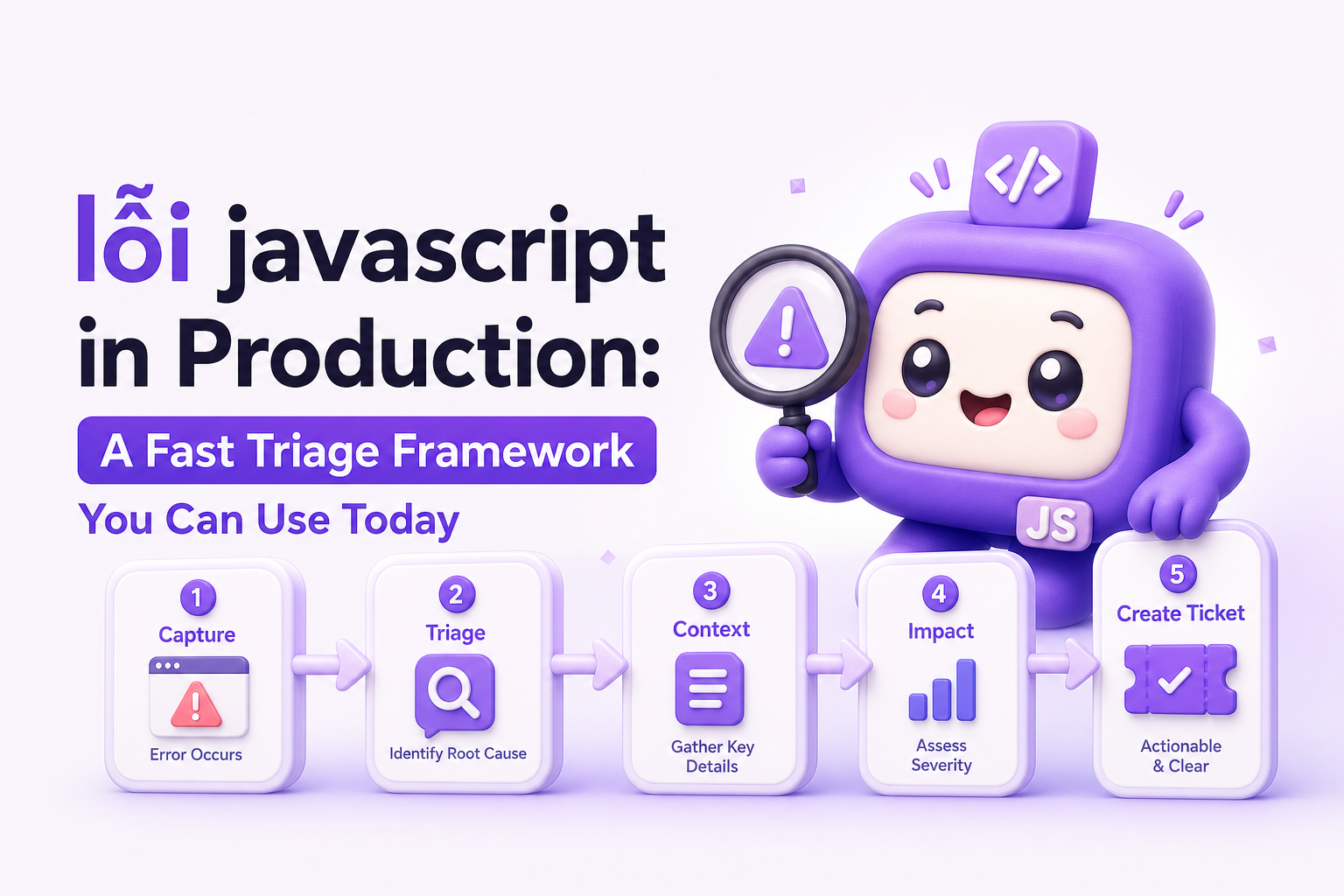
Direct answer: lỗi javascript means a JavaScript error that happens when a website or web app runs code that fails, such as calling something that does not exist, loading data in the wrong format, or running code in a browser that does not support it. In production, the fastest way to debug it is to (1) confirm user impact, (2) capture the exact error message and the user path that triggered it, (3) narrow the cause by checking what changed recently, and (4) verify the fix by repeating the same user steps on the same browser and device type.
What Is lỗi javascript?
lỗi javascript is a JavaScript error that prevents part of a website or web app from working as intended. It can show up as:
- A broken action: clicking “Submit” does nothing.
- A broken page: a section fails to load, or the page becomes blank.
- Incorrect behavior: totals calculate wrong, a modal never closes, or a button stays disabled.
In plain terms, JavaScript is the “behavior layer” of many modern sites. When that behavior fails, users often cannot complete key actions like signing up, paying, or saving changes.
What makes production errors different?
In production, the error happens on real user devices, with real data, and sometimes only under specific conditions (browser version, device type, language settings, slow connections, or a particular account state). That is why “works on my computer” is common when teams try to reproduce a lỗi javascript.
How It Works: Where JavaScript Errors Come From
Instead of guessing, use this simple model: Trigger → Failure → Impact. The goal is to identify the trigger and the failure, then measure the impact.
1) Trigger: the user action or condition that starts it
Common triggers include:
- User clicks a UI element (submit, add to cart, open modal).
- Page loads with a certain state (logged in vs logged out, empty cart vs filled cart).
- Data comes back unexpectedly (missing field, different format, empty list).
- Browser differences (a feature works in one browser but not another).
2) Failure: what actually breaks
Most production JavaScript errors fall into a few repeatable buckets. Here is a decision table you can use in triage:
| What you observe | Likely category | Fast check |
|---|---|---|
| Page goes blank or a section disappears | Runtime crash | Look for a specific error message and the last user action before the crash |
| A button click does nothing | Broken UI action | Check if the click triggers a request and whether it fails |
| Data loads but looks wrong | Data mismatch | Compare expected fields vs actual fields returned |
| Works for some users, fails for others | State-dependent bug | Check account type, permissions, language, currency, or saved settings |
| Only fails on one browser/device | Compatibility issue | Confirm exact browser version and device type affected |
3) Impact: who is affected and how badly
Impact is what turns “a bug” into a priority. Use this 4-point checklist:
- Count: How many users saw it (rough estimate is fine at first)?
- Severity: Does it block a key action like checkout or signup?
- Scope: Is it one page, one feature, or the whole app?
- Time window: When did it start (after a release, after a content update, after a pricing change)?
A 10-minute triage framework for lỗi javascript (use this as your runbook)
This is designed for speed, not perfection. The output is a ticket you can actually assign.
-
Minute 1 to 2: Write the “one-sentence failure”
- Template: “When a user [does X] on [page/feature], [bad thing] happens, blocking [goal].”
- Example: “When a user clicks Confirm Order on checkout, the page freezes and the order cannot be submitted.”
-
Minute 2 to 4: Capture the minimum reproducible path
- List 3 to 7 steps, no more.
- Include a “starting state” (logged in/out, cart filled/empty).
- Record the user’s browser and device type.
-
Minute 4 to 6: Separate “frontend error” vs “request failure”
- If the UI breaks before any data is sent, it is likely a runtime crash or broken UI action.
- If the UI breaks after sending data, it is often a failed request or unexpected response.
- Practical clue: users might report “it spins forever” or “it says something went wrong” after clicking.
-
Minute 6 to 8: Check what changed
- Did you deploy a new release?
- Did you change pricing, copy, or a form field?
- Did you add a new tracking script or widget?
If there was a release, start by comparing “before vs after” in the exact area that broke.
-
Minute 8 to 10: Create a ticket-ready issue
- Title: action + failure (example: “Checkout confirm freezes on click”)
- Impact: affected users and business action blocked
- Reproduction steps: numbered list
- Environment: browser, device, release version (if you have it)
- Expected vs actual result
Concrete example: turning a vague report into a fixable issue
Vague report: “Checkout is broken.”
Ticket-ready issue (example):
- Title: “Checkout submit fails after form completion”
- Impact: Blocks order completion for some users (reported by support, started after latest release)
- Reproduction steps:
- Open checkout page
- Fill customer details
- Click Confirm order
- Observe freeze or error message
- Environment: Chrome on desktop (ask support for version if missing)
- Notes: Started after release 2.3.1
This is the difference between spending a day guessing and spending 15 minutes fixing.
Key Benefits of Debugging lỗi javascript Systematically
A structured approach is not about being “more technical.” It is about reducing wasted cycles and making fixes predictable. Here are practical benefits, each with a measurable output.
1) Faster time to a fixable ticket
Benchmark to aim for: under 10 minutes to clarity for the first pass triage, meaning you can produce a ticket with reproduction steps and impact. If you cannot, your process is missing key inputs (usually environment details or the user path).
2) Less back-and-forth between support, product, and engineering
Use this checklist before sending a bug to engineering:
- Do we know the exact user action that triggers it?
- Do we know where it happens (page/feature)?
- Do we know who is affected (at least a rough count or segment)?
- Do we know when it started (time window)?
If any answer is “no,” expect delays.
3) Better prioritization based on business impact
Use a simple severity rubric:
- Critical: blocks payment, signup, or core workflow for many users
- High: blocks a key action for some users or causes data loss
- Medium: workaround exists, but user experience is degraded
- Low: cosmetic issue, no workflow blocked
4) Fewer repeat incidents from the same root cause
After you fix a lỗi javascript, add one prevention note to the ticket:
- What condition caused it (missing field, unexpected value, browser behavior)?
- What guard should exist (validation, fallback behavior, safer defaults)?
This turns one fix into fewer future incidents.
5) Cleaner weekly reviews, less noise
When you group duplicates and focus on real user impact, your weekly bug review becomes a short list of high-leverage fixes instead of a long list of scattered complaints.
Common Mistakes When Handling lỗi javascript
These are not “beginner mistakes.” They happen in experienced teams under time pressure.
1) Treating every report as unique
Symptom: You get 10 messages about “broken checkout” and open 10 tickets.
Fix: Use a dedupe rule: if the same page + same action + same time window, assume it is one issue until proven otherwise.
2) Skipping environment details
Symptom: Engineering cannot reproduce it, so the ticket stalls.
Fix checklist:
- Browser name and version
- Device type (desktop/mobile)
- Operating system
- Time of occurrence
3) Not writing “expected vs actual”
Symptom: The ticket is ambiguous, and people argue about what “broken” means.
Fix: Add two lines:
- Expected: what should happen
- Actual: what happens instead
4) Debugging from screenshots alone
Symptom: You see a generic error toast or a blank screen with no context.
Fix: Require a minimal “path into the bug” (the user steps). A screenshot without steps is rarely enough to fix a lỗi javascript quickly.
5) Fixing the symptom, not the trigger
Symptom: You add a quick workaround, but the error returns next week.
Fix: Ask one root-cause question: “What input or condition made the code fail?” Then add a guard so that condition does not crash the flow again.
FAQ
Is lỗi javascript the same as a “bug”?
It is a type of bug. A bug is any incorrect behavior. A lỗi javascript specifically refers to a failure in JavaScript code that breaks a page or action.
Why do JavaScript errors happen only for some users?
Common reasons are browser differences, device constraints, and user-specific data or settings. That is why capturing environment details and the user path matters.
What information should I collect before sending a JavaScript error to engineering?
At minimum: reproduction steps, page/feature, time window, browser and device type, expected vs actual, and how many users are affected (even a rough estimate).
How do I prioritize multiple lỗi javascript reports?
Prioritize by business impact first: does it block payment, signup, or a core workflow? Then consider scope (how many users) and how long it has been happening.
Conclusion: The fastest way to handle lỗi javascript is not “more debugging,” it is better triage. If you consistently capture the user path, environment, time window, and impact, you turn vague complaints into fixable issues and reduce repeat incidents. If you want an example of how teams automate capturing production errors and packaging them into ticket-ready context, you can try Flash Log to record real user failures and turn them into one clean issue your engineers can act on.
Unknown Author
Stay in the loop
Weekly tactics to reduce debugging time, automate bug reporting, and ship faster without breaking production.