
Debugging Without Context: Fix Production Bugs Faster
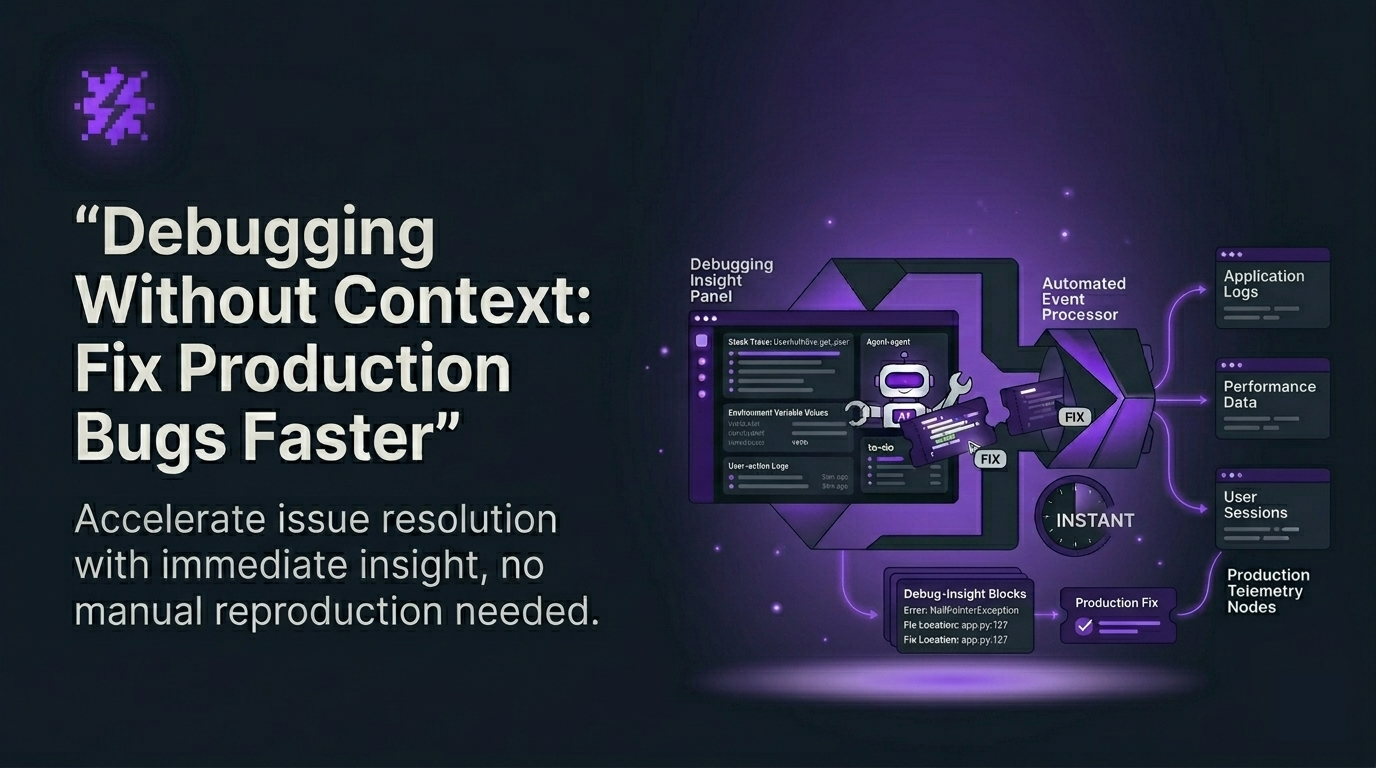
Debugging without context is the fastest way for an early-stage product team to lose velocity: you ship, users hit an issue, and Engineering burns hours asking for screenshots, browser versions, and “how did you get here?” If you deploy weekly or daily, this loop becomes your hidden tax.
This guide gives you a repeatable workflow to turn production errors into measurable outputs: (1) tickets that are ready to fix, (2) fewer “cannot reproduce” cases, and (3) shorter time from error to ownership. You can get first value in under 10 minutes.
Table of contents
- Why debugging without context keeps happening
- The outputs you should measure
- A 10-minute setup to get your first actionable bug
- Weekly triggers that keep MTTR moving
- When to upgrade for a team workflow
 From production error to an actionable bug report with reproduction steps and full context.
Why debugging without context keeps happening
In pre-seed to seed teams, the workflow is predictable:
- You ship fast (often without dedicated QA).
- Production issues show up in real user sessions, not in staging.
- Users often do not report bugs, or they report them with missing details.
- Engineers spend time reconstructing context instead of fixing.
The root problem is not “lack of logs.” It is lack of decision-grade context at the moment an issue happens: what request failed, what response came back, what environment the user had, and what steps likely reproduce the issue.
The outputs you should measure (not vanity dashboards)
If your goal is to reduce churn and protect shipping velocity, track outputs that map to action:
- % of production issues that become actionable tickets (target: increase week over week).
- Time from error to ticket (target: minutes, not hours).
- % of tickets with reproduction steps and environment (target: near 100%).
- MTTR (median time to resolve) after each deploy cycle.
- Dedupe rate: how many repeats are grouped into one issue (lower backlog noise).
If you are evaluating your stack, compare tools by time-to-first-value and cost per resolved issue. A practical starting point is best tools to reduce MTTR.
Debugging without context: a 10-minute path to first value
For early-stage teams, the fastest activation is: install once, then let real traffic generate the first issue. Here is the workflow Flash Log is designed for.
Step 1 (2 minutes): Install capture so bugs are logged even when users do not report
Add the Flash Log script/SDK to your web app (React/Next.js is a common fit). The goal is simple: when a system-level issue occurs (JavaScript runtime error, network failure, backend/API failure), Flash Log captures it automatically, without relying on a user to file a report.
Output you should see: your first production issue appears with a structured summary and technical context.
Step 2 (3 minutes): Turn each issue into an AI bug report with decision-grade context
When an issue happens, Flash Log packages it into an actionable report:
- AI-generated issue summary that highlights the core problem.
- Auto-generated reproduction steps so engineers can validate quickly.
- Full technical context: request/response, status code, timestamp, duration, and network state.
- Environment details: OS, browser, viewport, timezone, and device context.
- Customer context (when available) to support CS follow-up.
How to measure: track the % of issues that no longer require a back-and-forth to ask for repro steps. If you want the deeper model behind this workflow, read ai bug reporting.
Step 3 (3 minutes): Auto-create a ticket engineers can pick up immediately
Connect Flash Log to your tracker (for example Jira). Instead of manually copying logs into a ticket, Flash Log creates a structured issue with the summary, repro steps, and context attached.
Your target output is a ticket ready to fix, not a vague report that triggers another round of questions.
How to measure: time from error to ticket, and time from ticket created to “In Progress.”
Step 4 (2 minutes): Map priority and status so lifecycle stops being manual
Early-stage teams lose time on status churn: someone has to mark “In Progress,” chase owners, and close stale issues. With priority and status mapping, you align severity with response order and keep statuses consistent across tools, reducing manual updates.
How to measure: fewer stale tickets and fewer Slack pings asking “who owns this?”
Weekly triggers that keep MTTR moving
To get weekly retention, you need a weekly habit. Flash Log supports two that match how founders and product leads actually work:
- Daily summary email: what broke today, what is high impact, what needs attention.
- Weekly report: trends, top-impact issues, and unstable flows (so you can decide what to fix next).
Use the dashboard when you are investigating, but rely on email reports for consistent decision-making without forcing logins.
If your team ships continuously, connect the loop to releases. A practical next step is error monitoring with CI/CD so you can correlate spikes with deploys and reduce rollback time.
 A simple lifecycle: detect, triage, auto-create ticket, prioritize, and report weekly trends.
When should you upgrade from self-serve to a team plan?
Self-serve is ideal when one engineer or tech lead owns production quality. Upgrade when the workflow becomes shared and you need governance.
Upgrade signals (practical thresholds):
- 2+ engineers triaging weekly and you need consistent severity rules and ownership.
- Multiple projects/environments (prod and staging, or multiple apps) and you need separation and visibility.
- Backlog noise is rising: duplicates and non-actionable tickets are slowing prioritization.
- CS and Product need visibility without joining every debug thread.
- You need standardized reporting (weekly trends, top-impact flows) across the team.
At that point, the value is no longer “I can debug faster.” It becomes “we run production issue lifecycle as a system.”
Common friction points (and how to avoid them)
- “We already have a template.” Templates help, but only if humans fill them. Use a template as a baseline, then automate capture. Start here: bug report template.
- “Will it log user mis-clicks as bugs?” Flash Log focuses on system-level issues (runtime errors, network failures, API failures) and avoids treating normal user mistakes as product bugs.
- “Will this flood Jira?” Use dedupe and priority mapping so repeats roll up into one issue and only high-impact items escalate.
Next step: stop debugging without context on your next deploy
If your team is shipping fast and paying the “cannot reproduce” tax, install Flash Log, wait for the first real production issue, and get an actionable ticket in minutes. Start self-serve to prove impact on MTTR, then expand to a team workflow once multiple people rely on the same triage system.
Unknown Author
Stay in the loop
Weekly tactics to reduce debugging time, automate bug reporting, and ship faster without breaking production.