
PagerDuty Alternatives That Actually Compare Apples to Apples on Features and Cost
PagerDuty alternatives make sense when you can define exactly what you are replacing (alerting, on-call, incident response, and integrations) and compare vendors with the same scorecard and the same cost assumptions.
- Start by scoping what you actually use in PagerDuty (routing + schedules + escalation + chat workflow + reliability), then only compare tools that match that scope.
- Use a single scorecard and a normalized responder-count cost model (5, 15, 50, 100) so per-user and flat-rate pricing become comparable.
- Plan a parallel-run cutover with tested alert-source reroutes and rollback criteria, because schedule and routing mismatches cause the most on-call pain.
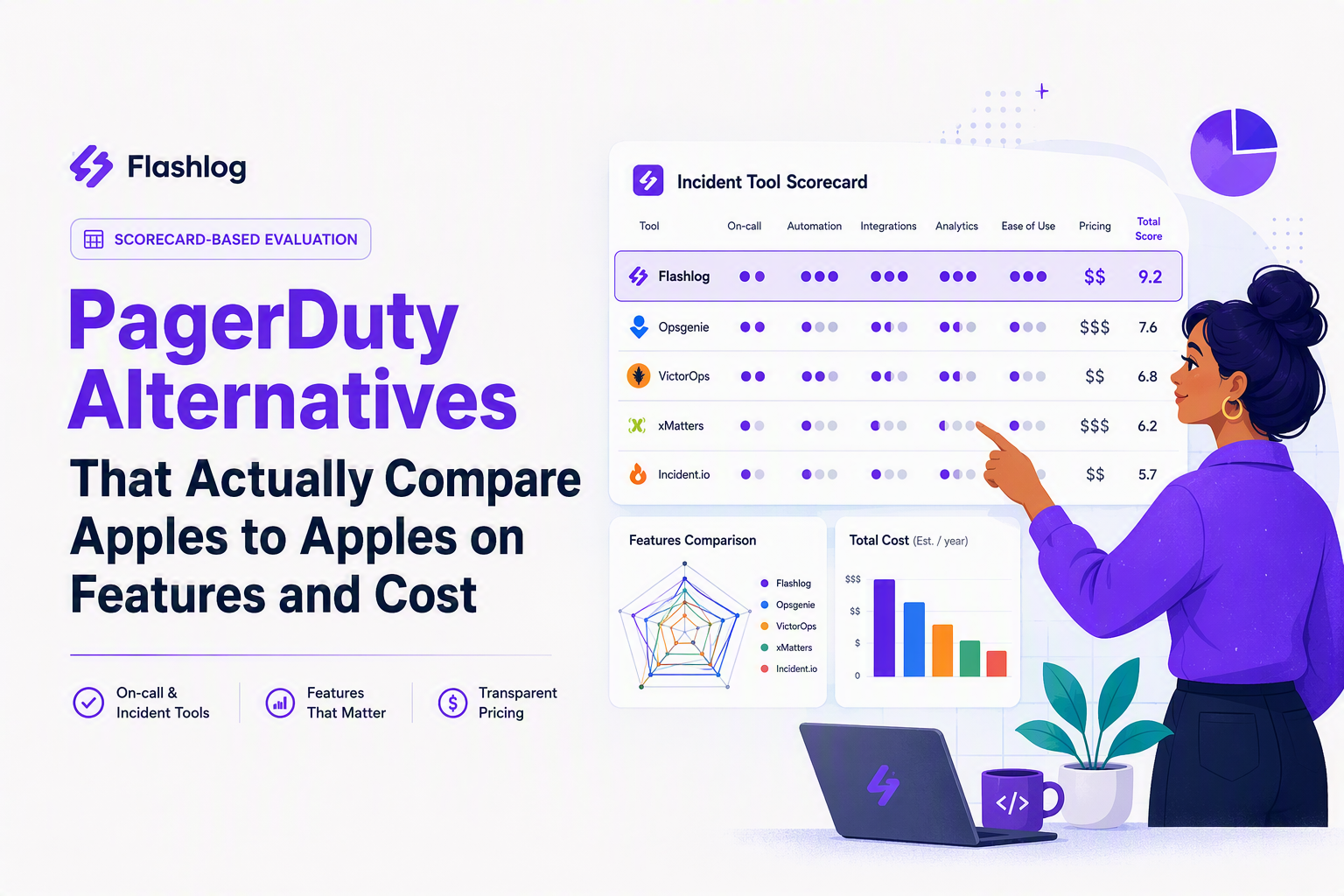
What to replace in PagerDuty before you compare vendors
PagerDuty alternatives are easiest to shortlist when you separate “alert delivery” from “incident response” and “on-call governance,” because many tools are strong in one layer but weak in another.
Step 1: map your must-haves into four layers
- Alert ingestion and routing: event sources (APM, logs, cloud monitors), routing rules, dedupe/grouping, suppression, maintenance windows.
- On-call operations: schedules, rotations, overrides, handoffs, time zones, escalation policies, acknowledgements.
- Incident response workflow: incident creation, roles, timeline, comms, postmortems, automation/runbooks, stakeholder notifications.
- Governance and reporting: audit trail, access control, on-call analytics, SLO/MTTR reporting, compliance needs.
Step 2: write your responder model as a concrete policy
On-call tools look interchangeable until you specify how responders actually work, so document these four items in one page and use it as your vendor filter:
- Responder types: “primary on-call,” “secondary,” “incident commander,” “SME pool,” and who can page whom.
- Escalation shape: time-based (5 minutes then escalate) vs condition-based (if unacked) vs manual.
- Coverage expectations: 24/7 vs business hours for certain services, and what happens outside coverage.
- Slack or Teams reality: where triage happens, and what actions must be available in chat (ack, assign, runbook link, create incident).
Step 3: decide what “reliability” means for your org, not the vendor
Reliability requirements should be written as tests you can run during evaluation, not as marketing claims. Examples that produce clear pass/fail outcomes:
- Notification latency: can you measure time from trigger to phone push/SMS under load using a test event?
- Multi-channel redundancy: can one incident notify push + SMS + voice, and can each channel be tested safely?
- Failure modes: if Slack is down, does paging still work, and do users have a fallback?
- Change safety: can you test routing and templates before enabling them globally?
In our experience, teams that skip this step end up comparing feature checklists instead of comparing operational outcomes, and they only discover gaps after the first real escalation chain breaks.
Top PagerDuty alternatives by use case, not a random long list
PagerDuty alternatives are best evaluated as categories because “best” depends on whether you need dedicated on-call scheduling, incident workflow, ITSM alignment, or simply better alert noise control.
Alerting and on-call first
- Opsgenie (Atlassian): Best for teams that want on-call + alerting tightly connected to Atlassian tooling; trade-off is potential complexity if you are not already living in Atlassian.
- Splunk On-Call (VictorOps): Best for Splunk-heavy environments that want paging integrated with existing observability; trade-off is that your stack becomes more dependent on a single ecosystem.
- xMatters: Best for complex notification workflows and enterprise-grade routing scenarios; trade-off is heavier setup and governance overhead for smaller teams.
Incident response workflow and coordination first
- Rootly: Best for Slack-native incident management where coordination, roles, and timelines are the center of gravity; trade-off is you may still pair it with a paging/on-call tool depending on needs.
- FireHydrant: Best for teams that want strong incident process, retrospectives, and integrations around response; trade-off is similar: incident workflow does not automatically mean “best paging.”
ITSM-aligned alternatives (when Service Desk is the system of record)
- Jira Service Management (JSM): Best when incidents, changes, and requests must live in Jira with approval flows; trade-off is you must validate on-call depth and notification ergonomics for 24/7 responders.
- ServiceNow (ITSM): Best for large orgs needing deep workflows, CMDB alignment, and compliance; trade-off is cost and implementation effort, and paging may still be handled by a specialized layer.
Status page and comms (not a PagerDuty replacement, but often bought together)
- Atlassian Statuspage: Best when you need customer-facing status and subscriptions; trade-off is it does not replace on-call scheduling or alert routing.
Open-source and self-managed options (fit depends on your ops maturity)
- Grafana OnCall: Best for teams already standardized on Grafana who want self-managed on-call; trade-off is you own reliability and upgrades.
- Prometheus Alertmanager: Best for alert routing and dedupe close to Prometheus; trade-off is that on-call scheduling and incident workflow are separate problems.
A practical “best-for” filter you can apply in 15 minutes
Use these questions to drop options quickly before you invest in demos and security reviews:
- If you need scheduling depth: does the tool support rotations, overrides, and timezone-safe handoffs without manual spreadsheets?
- If you need Slack-native response: can responders ack/assign/escalate from Slack or Teams, and does it create a durable incident record?
- If you need ITSM: can incidents map cleanly into your service desk objects (ticket, change, CI) without double-entry?
- If you need lower noise: can you suppress by condition, group repeats, and route based on service ownership and severity?
PagerDuty pricing vs alternatives, a normalized cost model for 5, 15, 50, 100 responders
Pricing comparisons across PagerDuty alternatives only become defensible when you normalize three inputs: who counts as a paid responder, what “alerts” include, and which add-ons are required for your workflow.
Normalize the assumptions first (otherwise every quote is misleading)
- Responder definition: count only people who must receive pages and take on-call, not read-only stakeholders.
- Notification channels: verify whether phone calls, SMS, and push are included or billed/limited differently.
- Integrations you truly use: list your top alert sources (cloud monitor, APM, error tracking, CI) and confirm they are supported without paid connectors.
- Incident workflow scope: decide whether you are buying just alerting/on-call, or incident coordination plus postmortems.
Use a single table for your procurement deck
The table below is intentionally structured so finance and engineering can agree on inputs before talking about vendor rates. Fill it with vendor quotes once you confirm packaging.
- Scenario A: 24/7 product team with 1 primary and 1 secondary rotation per service.
- Scenario B: business-hours support for some services, 24/7 for core.
- Scenario C: platform SRE shared on-call across many services (higher paging volume, more noise risk).
What surprised our team was how often the “cheaper per-user” quote becomes more expensive after you add the features you assumed were baseline, like advanced routing, multiple escalation paths, or incident analytics.
Hidden cost drivers to call out explicitly
- Add-ons for automation: runbook automation and workflow integrations can move you into higher tiers.
- Premium integrations: some ecosystems gate certain connectors, outbound webhooks, or service mappings.
- Audit and compliance: SSO, SCIM, and audit logging are commonly packaged higher.
- Multi-team scaling: as you add services and teams, ownership mapping and permissions become the real cost, not alerts.
Does PagerDuty have a free plan and what you actually get
Free tiers in PagerDuty alternatives are usually good for validating alert ingestion and basic notifications, but they rarely cover the on-call governance and reporting needed for production paging.
Free-tier capability checklist to evaluate in one sitting
- On-call schedules: does the free tier support real rotations and overrides, or only simple user assignments?
- Escalations: can you define multi-step escalation policies, or only notify one person?
- Noise controls: are grouping, dedupe, and suppression available, or do you get raw alert spam?
- Integrations: do you get the connectors you need (and are webhooks supported) without upgrading?
- Access control: are roles and audit logs available if you need them?
Practical triggers that force an upgrade
- More than one escalation step (primary plus secondary, or time-based escalations).
- Multi-service routing where different teams own different systems and need different schedules.
- Compliance requirements like SSO, audit trails, and access reviews.
- Post-incident learning where you need consistent timelines, action items, and reporting.
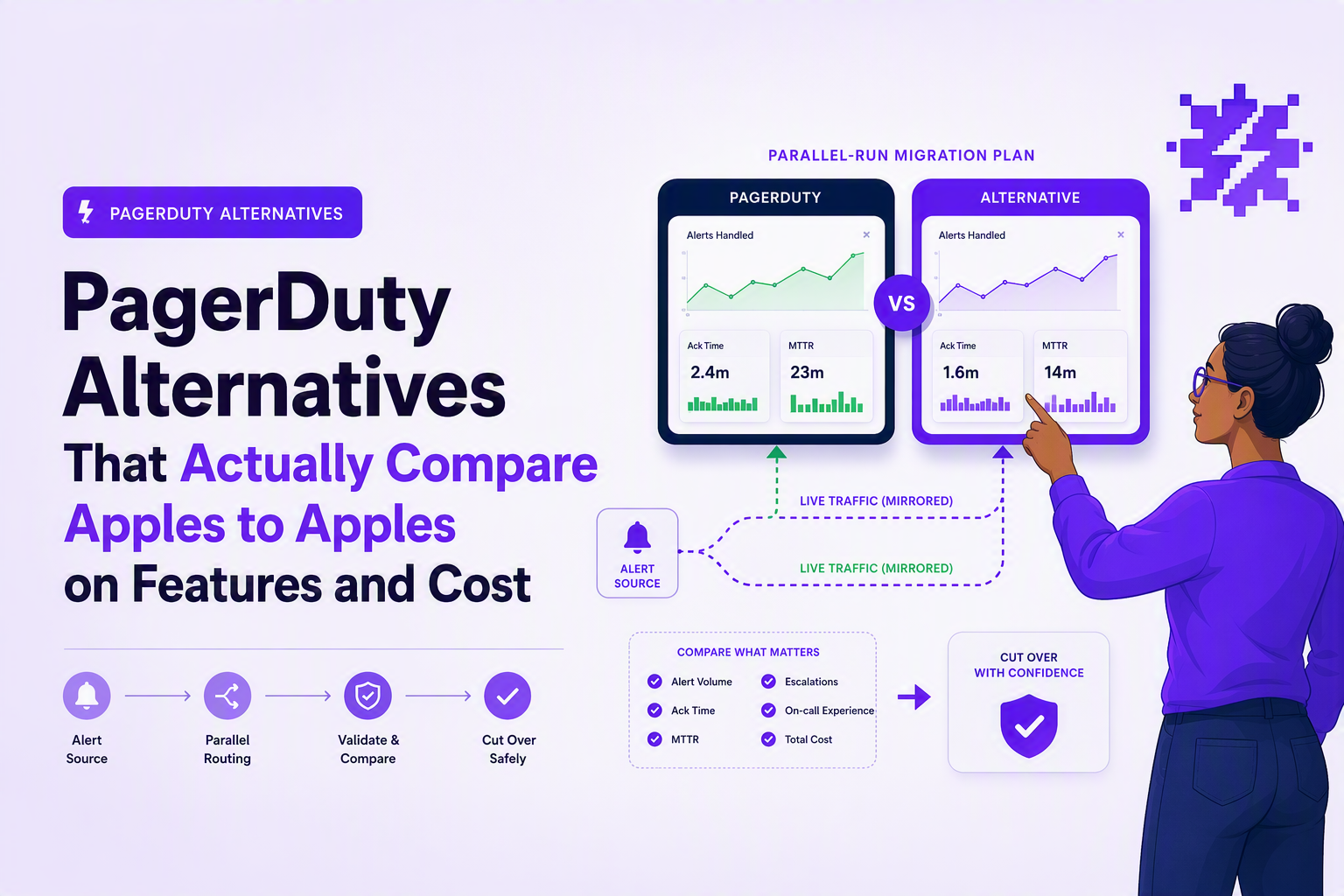
Side-by-side comparisons people search for, Opsgenie, JSM, xMatters, Rootly
Side-by-side evaluation of PagerDuty alternatives should focus on five match points: scheduling depth, automation, chat ops, integration fit, and pricing model risk.
Opsgenie vs PagerDuty style stacks
- Scheduling depth: confirm overrides, rotations, and timezone support match your current patterns.
- Automation: validate whether event enrichment and routing rules can express your existing service ownership logic.
- Chat ops: check how responders ack, reassign, and escalate from Slack or Teams.
- Integration fit: if Atlassian is your system of record, measure the reduction in tool-switching for responders.
- Migration risk: import schedules and escalation policies, then run parallel paging for at least one full rotation.
Jira Service Management vs dedicated paging tools
- Best fit: JSM shines when incident records must live alongside requests, problems, and changes in Jira.
- Watch-outs: evaluate whether the on-call experience is fast and reliable enough for 3 a.m. paging, including mobile UX and fallback channels.
- Process alignment: if you already have ITIL-style flows, the biggest win is less duplication of incident data across systems.
xMatters vs PagerDuty for complex routing
- Best fit: xMatters is often selected when notification workflows need advanced branching and multi-stakeholder comms.
- Watch-outs: confirm the implementation effort, change control, and who will own workflow maintenance over time.
Rootly vs paging-first tools
- Best fit: Rootly is commonly chosen when incidents are coordinated in Slack and you want structured roles, timelines, and retrospectives.
- Watch-outs: check whether you still need a separate on-call scheduling and paging layer, and whether the two integrate cleanly.
After running multiple on-call tooling audits, the pattern was clear: teams regret switching for “more features,” but they are happy switching when the new tool makes their exact Slack workflow and escalation model faster with fewer clicks.
Migration checklist from PagerDuty without breaking on-call
A safe migration from PagerDuty to PagerDuty alternatives requires a parallel-run cutover with tested reroutes and a rollback plan, because schedules and routing are where incidents get missed.
Phase 1: inventory and export what actually matters
- Services and ownership: list services, their alert sources, and the owning team.
- Escalation policies: capture who gets paged first, second, and under what timing.
- Schedules: export rotations, overrides, and time zone rules.
- Routing rules: document any event rules that change severity, dedupe, or suppression.
Phase 2: build and test in the new system before you cut traffic
- Recreate schedules and policies with the same names so responders can sanity-check quickly.
- Send test alerts from each major source (APM, cloud monitor, error tracking) into the new routing.
- Verify every channel: push, SMS, voice, email, and Slack or Teams actions.
- Measure acknowledgment workflow: can on-call ack within your SLA with the new mobile experience?
Phase 3: parallel-run paging with clear ownership
- Mirror alerts for at least one full on-call rotation so edge cases appear naturally.
- Define “source of truth” during parallel run: which system responders must acknowledge in, to avoid split-brain.
- Track misses and duplicates: keep a simple log of any alert that arrived late, twice, or not at all.
Phase 4: cutover and rollback criteria
- Cutover method: reroute at the alert source (preferred) or via a routing bridge, then disable the old route.
- Rollback trigger: define thresholds like “any P1 not delivered” or “more than X duplicated pages in 24 hours.”
- Freeze window: avoid major routing changes during releases; treat the migration like a production change.
When we tested parallel-run cutovers, the most reliable approach was to reroute one alert source at a time and keep a rollback switch documented, rather than trying to migrate every integration in a single night.
| Evaluation dimension | What to verify in demos | Evidence to collect |
|---|---|---|
| On-call scheduling | Rotations, overrides, time zones, handoffs | Imported schedule matches current, test page to current on-call |
| Routing and noise control | Deduping, grouping, suppression, maintenance windows | Replay test events, show grouped vs ungrouped behavior |
| Escalation | Time-based steps, conditional escalation, fallbacks | Screen recording of escalation firing on unacked test |
| Chat workflow | Ack/assign/escalate actions in Slack or Teams | Live demo from chat plus audit trail of actions |
| Reporting and governance | Audit logs, roles, SSO/SCIM needs | Admin screenshots, security documentation links |
| Cost model | Per-user vs flat-rate, add-ons, integration gating | Quote with assumptions for 5, 15, 50, 100 responders |
FAQ on switching and comparing
If you are switching paging tools but also want fewer incidents hitting on-call in the first place, Flash Log can complement your stack by automatically capturing and classifying bugs with AI even when users do not report them, helping engineering teams reduce incident volume and business impact; book a demo to see how it fits alongside your chosen alerting and incident workflow.
AI Alerting That Cuts Noise, A Practical Setup Playbook for SRE and DevOps Teams
ai alerting playbook for SREs: reduce noise with dedup, suppression, baselines, routing, runbooks, and a 2-week quality eval checklist.
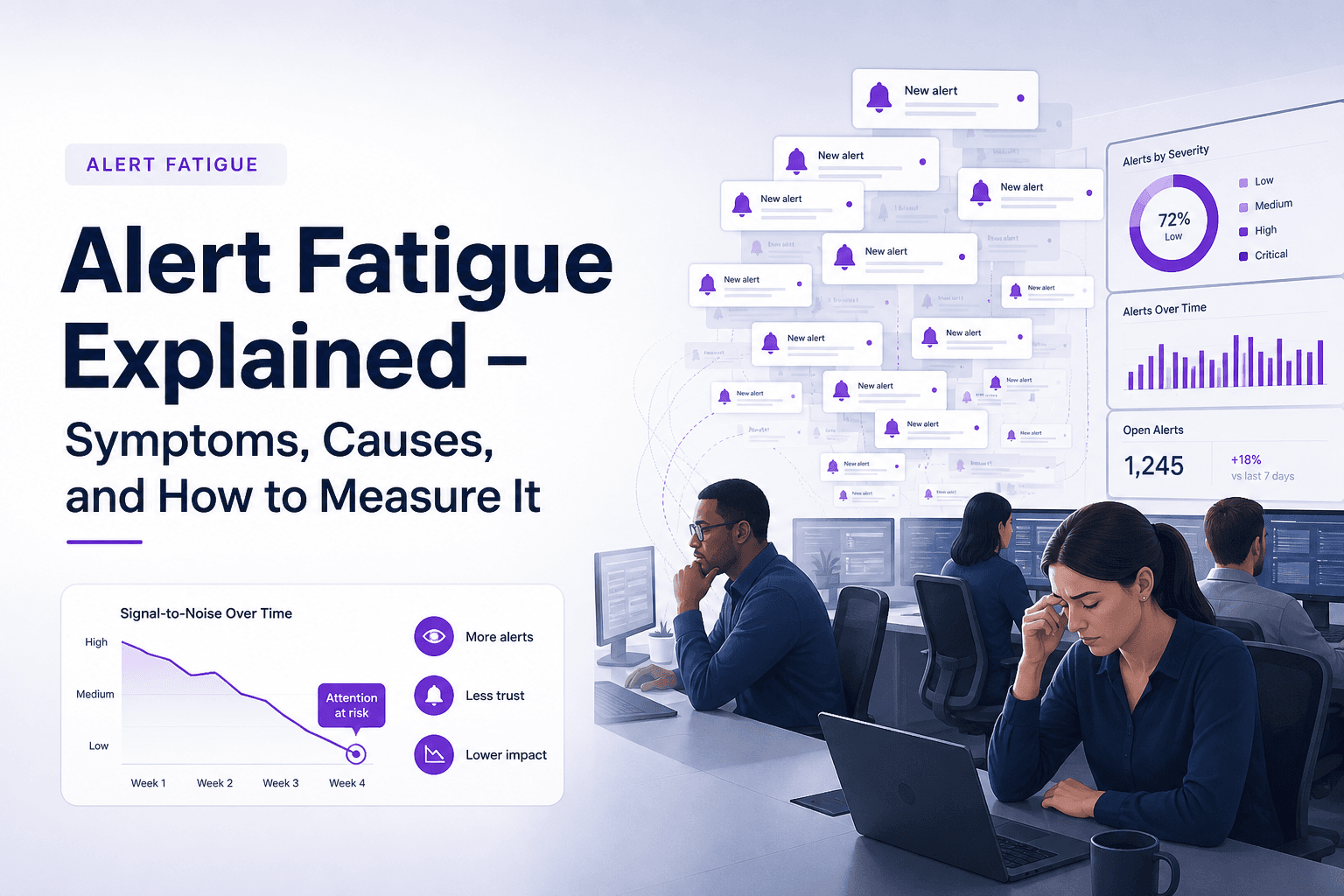
Alert Fatigue Explained - Symptoms, Causes, and How to Measure It
Learn what alert fatigue is, the symptoms to watch for, the main causes, and how to measure alert fatigue before incidents are missed.

Log File Analyzer Workflow That Cuts Noise, A Practical Step-By-Step Guide
A practical log file analyzer workflow to filter noise, find real errors fast, and know when online tools or AI triage make sense.