
Alert Fatigue Explained - Symptoms, Causes, and How to Measure It
Alert fatigue happens when people receive so many alerts that they stop responding with the right urgency, and that drop in attention can lead to slower triage, missed incidents, and lower trust in monitoring. The term shows up in healthcare, cybersecurity, software operations, and support workflows because the pattern is the same: once noise overwhelms signal, teams adapt by delaying, muting, or mentally discounting notifications.
- Alert fatigue is a response to sustained noise, not simply a high alert count, and it usually shows up as slower action, lower trust, and more routine muting.
- The clearest way to diagnose it is to combine volume, repetition, response behavior, and outcome metrics instead of looking at one number alone.
- Teams reduce alert fatigue fastest when they remove expected events, group duplicates, add context, and assign ownership for threshold reviews.
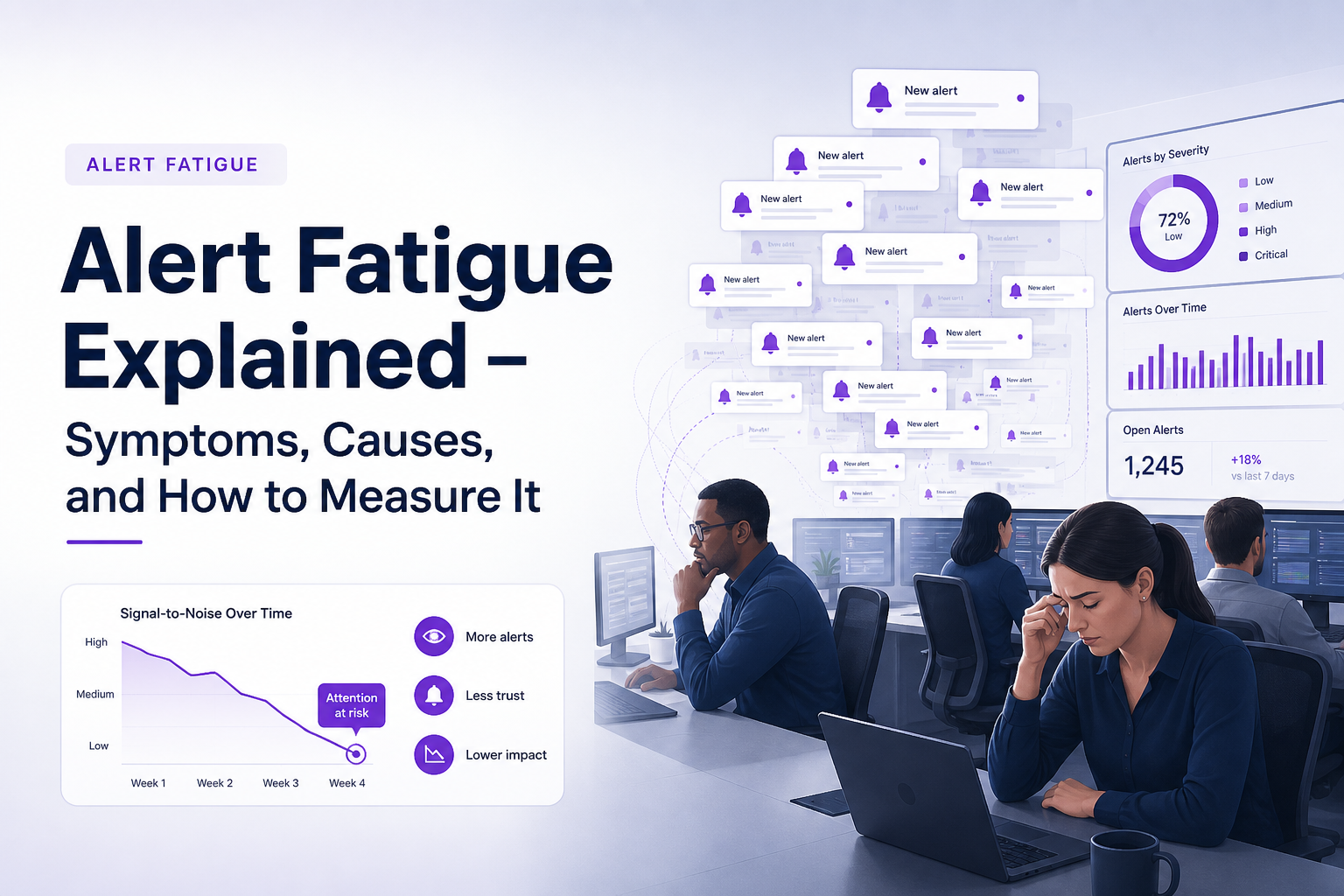
What Alert Fatigue Means and Why It Happens
Alert fatigue is the operational condition where repeated notifications reduce a person’s ability to distinguish what needs action now from what can wait or be ignored. In healthcare, many sources call a similar pattern alarm fatigue because bedside devices produce audible alarms; in software, security, and reliability work, alert fatigue is the more common term because notifications often arrive through dashboards, email, chat, ticketing systems, or paging tools rather than a physical alarm.
The distinction matters because an alert is a workflow event while an alarm is often an urgent device or system signal, but the human consequence is similar. Too many low-value interruptions train people to assume the next interruption is also low value. That is why teams can have serious problems even when each individual rule looked reasonable when it was created.
Most alert fatigue comes from five noise sources. First, expected events such as validation failures, permission denials, payment declines, or rate limits are often treated like engineering defects even when they are normal business outcomes. Second, duplicate events turn one root cause into dozens or hundreds of notifications. Third, poor thresholds generate alerts for conditions that are noisy but not actionable. Fourth, missing context forces responders to open several tools before they can decide whether the alert matters. Fifth, tool sprawl means multiple systems notify the same event in parallel.
In our experience working with engineering teams, the turning point is rarely a single bad alert. The real damage starts when people can no longer predict whether an alert represents risk, because unpredictability drives both stress and avoidance.
One practical definition helps during audits: an alert is useful only if it points to a condition with a clear owner, a plausible action, and a meaningful consequence if ignored. If any one of those is missing, the notification is likely contributing to alert fatigue rather than reducing risk.
A quick test for whether an alert is actionable
Use these three criteria on any noisy rule: does someone own it, does the message explain what changed, and would a delayed response create user, business, or safety impact? A no on any of the three is a strong sign that the alert should be redesigned, grouped, or removed.
How Alert Fatigue Looks in Healthcare, Security, and SRE
Alert fatigue looks different by industry, but the shared pattern is excess interruption paired with lower response quality. The table below compares common triggers, failure modes, metrics, and consequences across healthcare, cybersecurity, and site reliability work so mixed-intent readers can map the concept to their own environment.
| Context | Typical triggers | Failure mode | Useful metrics | Consequence |
|---|---|---|---|---|
| Healthcare | Frequent monitor alarms, noncritical threshold breaches, repeated device warnings | Clinicians silence, delay, or overlook alarms | Alarm frequency per patient or bed, actionable alarm rate, response delay, override rate | Delayed intervention, stress, reduced patient safety |
| Cybersecurity | Detection rules with broad signatures, duplicate detections, low-confidence events | Analysts close alerts too quickly or defer investigation | True positive rate, time to triage, backlog age, duplicate rate | Missed threats, analyst burnout, unstable escalation quality |
| SRE and software ops | Noisy thresholds, repeated exceptions, dependency failures, overlapping monitors | On-call engineers mute channels or ignore repeated pages | Alerts per incident, alert storm frequency, MTTA, false positive rate | Missed production bugs, longer outages, lower trust in monitoring |
Healthcare often carries the highest immediate safety stakes, but the operational mechanism is recognizable everywhere. Security teams may see the pattern as a queue problem, while SRE teams feel it as page load and Slack noise. The labels differ, yet the same behavioral shift appears: people start assuming that most alerts will resolve, repeat, or prove harmless.
Software teams are especially vulnerable when alert channels mix infrastructure incidents with product-level failures. A burst of runtime exceptions, payment declines, and dependency timeouts can all arrive together even though each type needs a different response. Without separation and grouping, a single customer-facing bug can look like ten unrelated issues.
A useful cross-industry metric is the actionable rate: the share of notifications that lead to a meaningful intervention. Teams do not need a universal benchmark to benefit from this metric. They need a trend line. If alert volume rises while actionable rate falls, the system is almost certainly moving toward alert fatigue.
Where terminology causes confusion
Alarm fatigue usually appears in clinical and device-heavy settings, while alert fatigue is more common in digital operations. For most readers, the important question is not which term is correct but whether the current notification pattern is degrading judgment and slowing response.
The Symptoms That Signal Your Team Already Has It
Alert fatigue shows up first in behavior, then in outcomes, and finally in missed work. Teams rarely announce that they have the problem. They reveal it through habits such as muting channels, delaying acknowledgment, skipping ticket review, and treating repeated notifications as background activity.
A practical diagnostic checklist works best when grouped into three categories: cognitive signs, behavioral signs, and operational signs. Cognitive signs include uncertainty about priority, difficulty remembering which alerts matter, and a default assumption that a new notification is probably harmless. Behavioral signs include muting or filtering messages without review, broad acknowledgment patterns, and handoffs that say “someone should check this later.” Operational signs include growing backlogs, recurring duplicates, slower time to triage, and incidents discovered by customers rather than internal systems.
After running alert audits, the pattern was clear: the strongest symptom was not always a high count. The strongest symptom was a drop in trust, because once responders stop believing that alerts represent real operational pressure, every downstream metric gets worse.
Use the checklist below as a yes or no screen. If a team answers yes to four or more items, alert fatigue is probably affecting judgment already:
Diagnostic checklist
- More than one team member has muted or filtered an alert channel in the last 30 days.
- Repeated notifications about the same issue arrive as separate messages or tickets.
- Responders often need to open multiple tools before they know whether an alert matters.
- Expected business outcomes, such as declined payments or validation failures, still create engineering noise.
- On-call staff mention that most pages are not actionable.
- Backlog items created from alerts are often closed as duplicates or not reproducible.
- Customers or internal users discover issues before monitoring or triage workflows do.
- Review meetings focus on alert volume but not on actionability or outcome quality.
The most serious symptoms combine human behavior with workflow drift. For example, when duplicate alerts create separate tickets, the team not only wastes time but also loses visibility into true occurrence count. That fragmentation makes impact look smaller in some places and larger in others.
For software teams, a related sign is growing dependence on manual triage. If engineers are still sorting raw production bug intake by hand, every new event competes for attention even before anyone knows whether it is a real defect. Systems that automatically capture failures and classify likely bugs before they become tickets can reduce that cognitive load, which is one reason noise control matters upstream of paging.
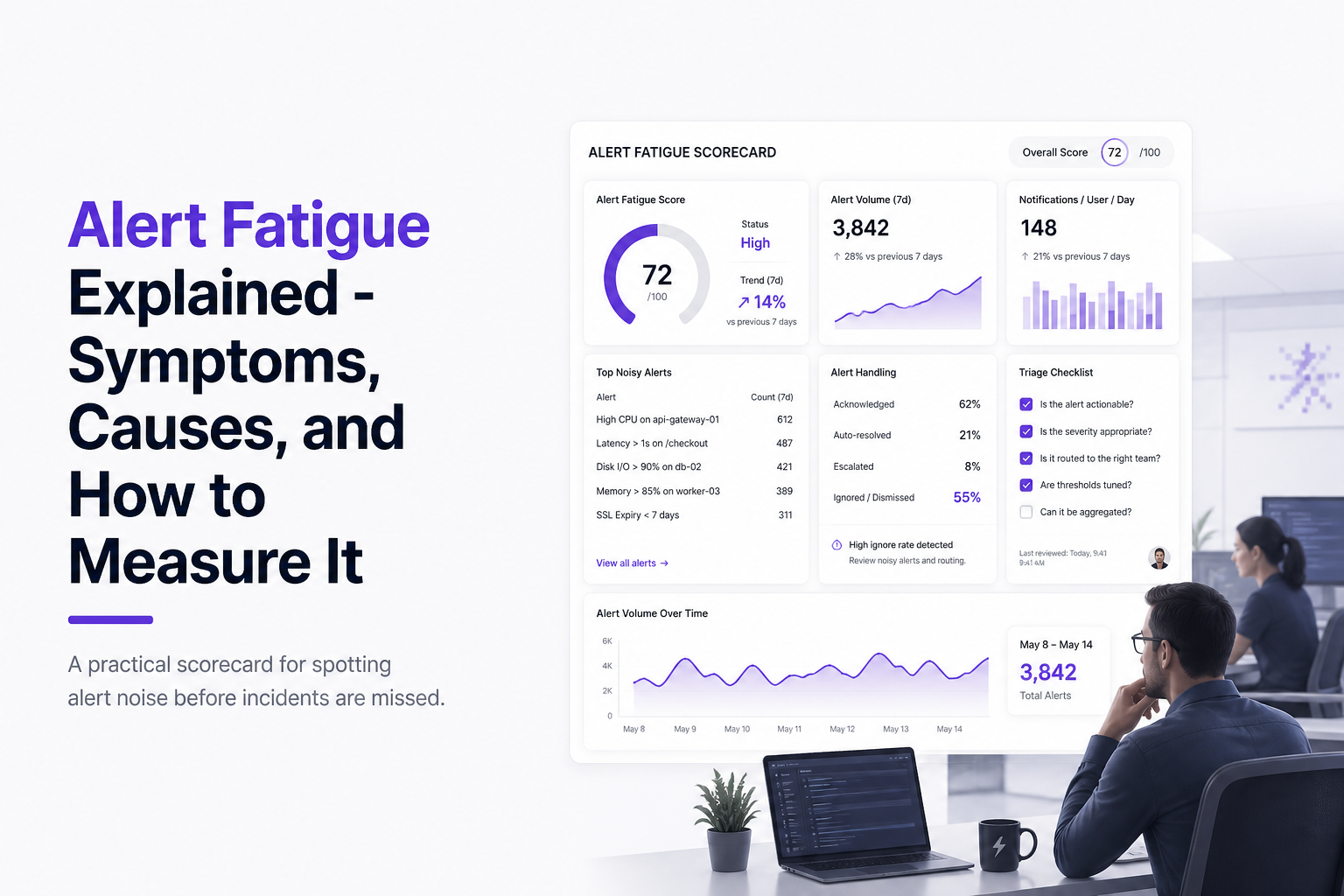
How to Measure Alert Fatigue Before It Causes Missed Incidents
Alert fatigue becomes measurable when teams track noise, response, and outcome together instead of counting alerts alone. A single metric such as alert volume is too blunt because a high-severity service may legitimately produce more notifications than a low-risk workflow. The better approach is a scorecard reviewed on a fixed cadence.
A starter scorecard can fit on one page and use six measures. Track total alerts per week, duplicate rate, actionable rate, median time to acknowledge, median time to triage, and incidents first detected outside the alerting system. Review weekly for active operations teams and monthly for quieter environments. The goal is not to hit a universal number. The goal is to detect deterioration before it becomes normalized.
Here is a simple scoring model:
Starter scorecard
- Volume: count total alerts by source and team. Rising counts need source-level review, not just a summary total.
- Duplicate rate: measure what share of alerts map to the same root cause, fingerprint, rule, host, endpoint, or user flow.
- Actionable rate: record how many alerts led to an intervention, ticket, escalation, rollback, fix, or documented decision.
- Acknowledgment delay: track median time to first response for pages and high-priority notifications.
- Triage delay: track median time until someone can explain what happened and whether action is required.
- Escape rate: count incidents found by users, support, or business teams before monitoring workflows flagged them.
What surprised our team was how often duplicate rate predicted trouble earlier than raw volume. Two weeks with stable volume but sharply higher repetition usually meant a root cause was being sprayed across channels or tools.
Use a red-yellow-green review to keep the model practical. Green means stable or improving actionable rate with flat or lower delay. Yellow means volume or duplication is rising while actionability is flat. Red means delays rise, outside discovery rises, or teams start muting channels. Those red signals matter because they show the system is degrading in both human and operational terms.
Teams that already use log correlation often have an advantage here because they can connect repeated events to one flow or dependency chain instead of counting each event as a separate surprise. The same principle applies to bug workflows: grouping by fingerprint and storing occurrence count creates a truer picture of pressure than letting every repeat failure create new work.
Why Teams Create Too Much Alert Noise in the First Place
Most alert noise is created by design choices that favor detection volume over decision quality. Teams often start with the right intention, which is to avoid missing real issues, but they end up routing too many raw signals directly into human workflows.
The first major cause is false positives. A broad rule may catch some real incidents, but if it also catches routine conditions, responders learn that the rule is not trustworthy. The second cause is poor thresholds. Static thresholds often ignore time of day, traffic mix, user intent, or service criticality, so they fire on normal variation. The third cause is duplicate generation, where one underlying failure appears in monitoring, logs, exceptions, support tickets, and chat notifications as separate items.
The fourth cause is missing context. A message that says “checkout failed” without endpoint, impact, occurrence count, or recent change context forces manual investigation just to answer basic questions. The fifth cause is fragmented ownership. If no team owns the lifecycle of an alert, the rule stays noisy because nobody is accountable for tuning or retirement. The sixth cause is tool sprawl, where every platform has its own default notifications and no one audits overlap.
A common software example is the difference between a business rejection and a product defect. A declined card may be an expected user outcome, while a checkout crash that blocks completion is a real bug. If both become tickets and Slack alerts, the queue teaches engineers to distrust what they see. The better pattern is to filter expected failures, group repeats into one issue, and hold back low-confidence events until there is enough context to classify them.
Alert storm conditions are an extreme version of the same problem. They usually happen when thresholds, deduplication, and routing rules interact badly during a single outage. If the system lacks a decision layer between raw events and downstream notifications, one customer-facing bug can create hundreds of interruptions before anyone identifies the root cause.
A simple root-cause map
Map noisy alerts into four buckets: expected event, duplicate event, low-context event, and threshold problem. The category matters because each bucket has a different fix. Expected events need ignore rules or policy logic. Duplicate events need grouping. Low-context events need enrichment. Threshold problems need service-aware tuning and review ownership.
What to Do First to Reduce Alert Fatigue
Reducing alert fatigue starts with a short remediation sequence that removes noise before adding new rules or tools. Teams usually improve faster with a 30-day cleanup plan than with a large redesign because the main gains come from ranking, filtering, grouping, and ownership rather than from a full platform replacement.
Step one is inventory. Pull the last 14 to 30 days of alerts and sort them by source, frequency, duplicates, and outcomes. Mark which alerts caused action, which were ignored, and which turned into tickets that were later closed as duplicates or expected behavior. Step two is classification. Put each noisy stream into the four buckets from the previous section: expected, duplicate, low-context, or threshold problem.
Step three is prioritization by harm, not just count. Start with notifications that either wake people up, create many duplicate tickets, or hide real incidents by crowding the queue. Step four is ownership. Every alert class needs an owner, a review date, and a retirement rule. Step five is redesign. Remove or mute expected business outcomes, group repeated failures under a single fingerprint, enrich messages with endpoint and impact context, and tighten thresholds using service-specific logic.
When we tested this sequence with engineering teams, the fastest wins almost always came from duplicate reduction and expected-event filtering rather than from adding more dashboards. Cutting manual sorting work improved triage quality because engineers were looking at fewer, cleaner issues.
For teams dealing with production bugs, the same sequence applies to issue intake. Rather than turning every captured event into a ticket, use a gate that checks known harmless patterns first, groups repeated failures, and classifies whether the event looks like a genuine bug or expected behavior. That approach is where products such as Flash Log fit: automatic capture can catch failures even when users never report them, while AI-based classification and grouping reduce the manual triage burden before work reaches engineering. The value is not more raw data. The value is a cleaner handoff.
If the team needs a simple operating rhythm, run a weekly 20-minute review with three outputs only: one alert to remove, one alert to rewrite, and one source to group or deduplicate. That cadence is small enough to sustain and concrete enough to improve metrics over time. Teams that also formalize issue triage tend to hold gains longer because they are no longer mixing every raw event with every real incident.
FAQ About Alert Fatigue
Flash Log is one example of how teams can reduce noisy manual bug intake after they audit symptoms and metrics. By capturing production failures automatically, classifying likely bugs with AI, and keeping expected or duplicate events from becoming cluttered tickets, it supports the same goal outlined in this guide: fewer interruptions, clearer triage, and more trust in what reaches engineering.
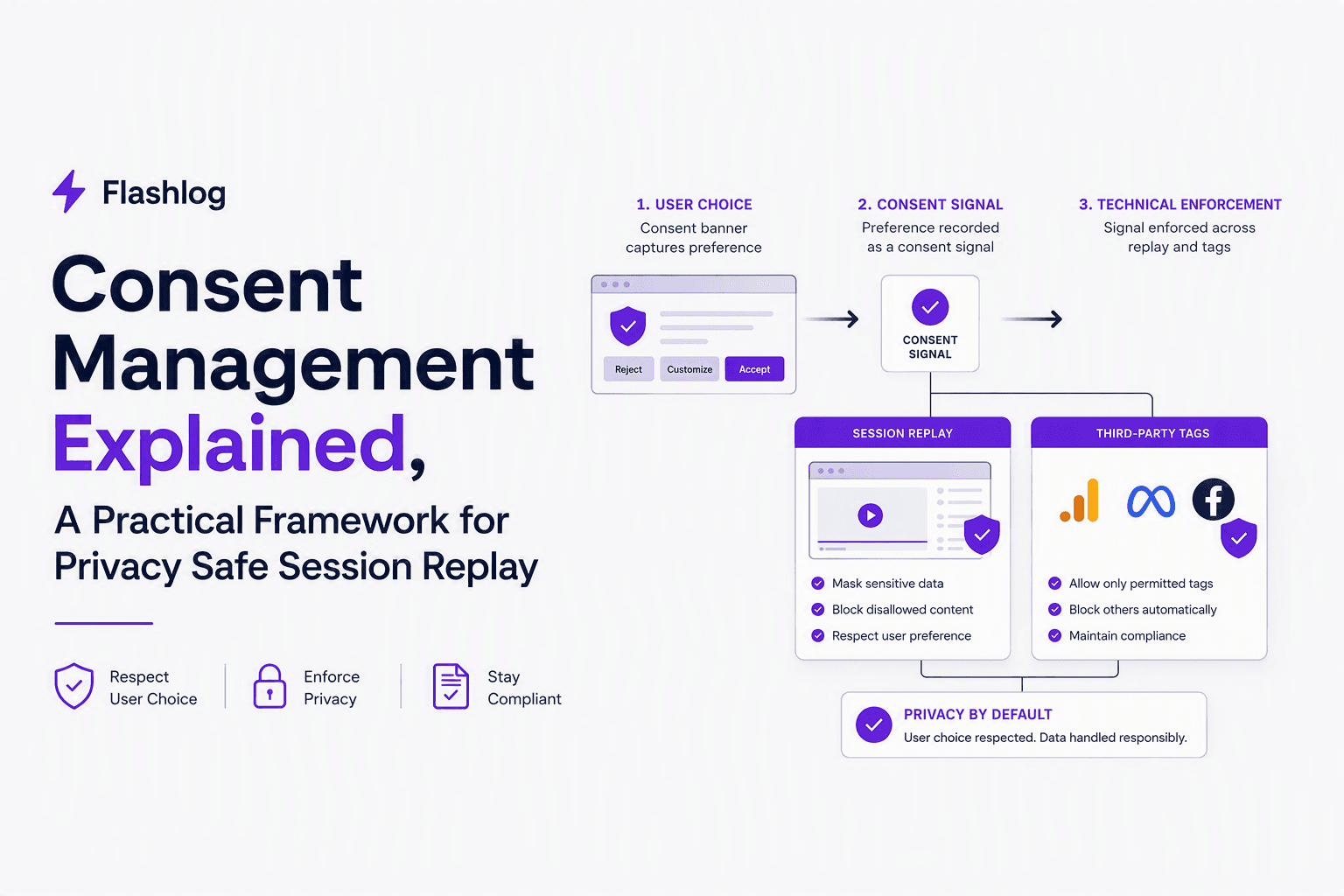
Consent Management Explained, A Practical Framework for Privacy Safe Session Replay
Learn consent management for session replay: laws, lifecycle architecture, examples, and standards (TCF, GPP, GPC, Consent Mode) with checklists.
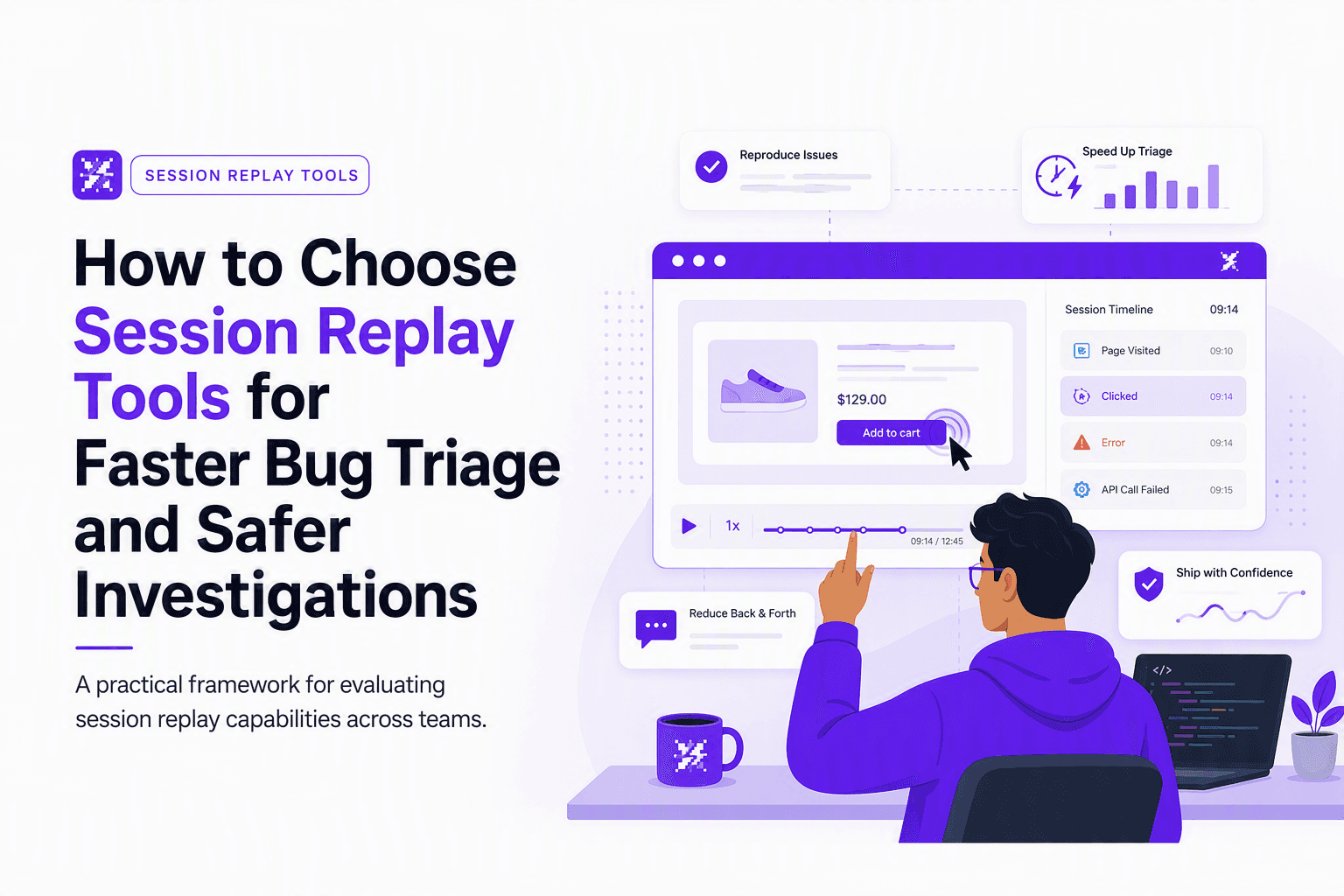
How to Choose Session Replay Tools for Faster Bug Triage and Safer Investigations
A practical framework to choose session replay tools: capture quality, integrations, privacy controls, hosting tradeoffs, and a pilot plan to cut triage time.
On-Call Software Buyers Guide, How to Compare PagerDuty Alternatives Beyond Alert Routing
Compare on call software beyond alert routing with a practical scorecard for PagerDuty alternatives, fit-by-team, integrations, and total cost.