
Runtime Exceptions Are Not a Backlog, A Workflow to Turn Noise Into Fixes
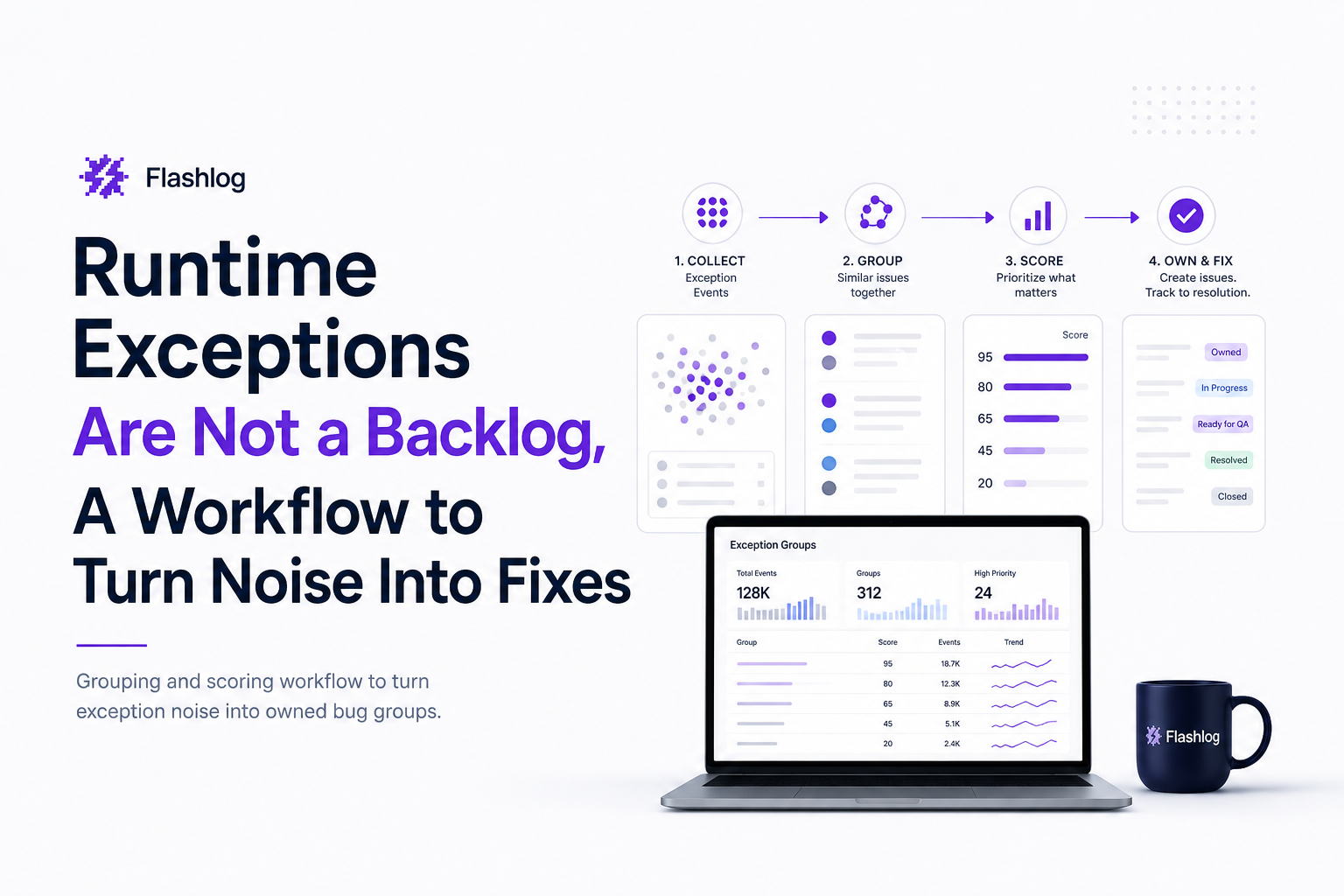
Runtime exceptions in production rarely arrive as one clean, fixable bug. They arrive as a flood: the same error repeated across devices, releases, and user paths, often without the one detail you need to reproduce it. Teams then treat the stream like a backlog, counting exceptions, opening tickets, and hoping volume correlates with priority. It usually does not. What matters is which runtime exceptions block key actions, who owns the fix, and whether you can group duplicates into one piece of work. This guide gives you a practical workflow to turn noisy exceptions into a small number of ticket-ready bug groups with clear impact and routing.
- Group runtime exceptions by stable fingerprints (type + message + top frames + release) so duplicates collapse into one bug group.
- Prioritize by impact scoring (affected users, blocked flows, revenue paths, and recency), not raw exception counts.
- Route each bug group to an owner using deterministic rules (service, code ownership, endpoint, and UI surface) to cut time-to-fix.
What is runtime exceptions
A runtime exception is an error thrown while your application is running, typically triggered by a real user action or a production state your code did not anticipate. In web and mobile apps, runtime exceptions often show up as JavaScript TypeErrors, null reference exceptions, unhandled promise rejections, or crashes caused by unexpected API responses.
Why teams struggle with runtime exceptions
- Duplication: One root cause can generate thousands of events, across many users and sessions.
- Missing context: A stack trace without the user path, release, and failing request often cannot be reproduced.
- Misleading volume: High-frequency exceptions are not always high-impact. A rare exception that blocks checkout can be more urgent.
Direct answer
To turn runtime exceptions into fixable work, do three things consistently: (1) fingerprint and group duplicates into one bug group, (2) score impact using affected users plus business-critical flow disruption, and (3) route each group to a clear owner using code ownership and surface area rules. This reduces alert fatigue and converts raw exception noise into a small set of actionable tickets.
How it works
The workflow below is designed for teams drowning in exceptions, where “open a ticket per error” creates more process than progress. The goal is to produce a weekly or daily list of bug groups that are both real (not noise) and owned (someone can fix them without extra triage).
Step 0: Define what counts as a triage-worthy exception
Before fingerprinting, set a minimum bar so you do not convert expected errors into engineering work.
- Include: unhandled exceptions, crashes, broken UI actions, API 5xx tied to user actions, websocket/realtime failures that block core flows.
- Exclude: expected validation errors, user cancellations, known bot traffic patterns, and exceptions from unsupported browsers if you do not support them.
Rule of thumb: if an exception does not change the user outcome, it should not page or create a ticket. It can still be logged for diagnostics.
Step 1: Fingerprint and group duplicates (exception grouping)
Grouping is the difference between “2,000 runtime exceptions this week” and “3 bugs we can fix.” A good fingerprint is stable across users but different across root causes.
Recommended fingerprint fields (use as many as you can reliably capture):
- Exception type (TypeError, NullReferenceException, etc.)
- Normalized message (strip IDs, GUIDs, dynamic values)
- Top stack frames (for example, first 3 in-app frames, ignoring library frames)
- Release version (grouping across releases can hide regressions)
- Surface area (route or page, component name, endpoint)
Fingerprinting checklist (copy/paste for your team)
- Normalize messages: replace numbers, UUIDs, emails with placeholders.
- Keep stack frames that point to your code, not vendor bundles.
- Store release/build ID with every event.
- Capture the “user path into the bug” (last 5 to 20 actions or navigation steps).
- Deduplicate within a time window (for example, 24 hours) to avoid ticket spam.
If you need a concrete reference for interpreting stacks, keep a shared internal guide and point engineers to a stack trace example that matches your platform.
Step 2: Score impact so priority matches business reality
Once grouped, prioritize bug groups using an impact score that reflects user harm, not exception volume. Here is a scoring model you can implement in a spreadsheet, dashboard, or your logging pipeline.
Impact score = Severity weight + Flow weight + User impact + Recency + Regression bonus
- Severity weight (0 to 5): crash/blocker = 5, broken action = 4, degraded UX = 2, cosmetic = 1
- Flow weight (0 to 5): checkout/payment/auth = 5, onboarding/core creation flow = 4, settings/admin = 2
- User impact (0 to 5): based on affected users in the last 24 to 72 hours, using log-scale buckets
- Recency (0 to 3): last seen within 1 hour = 3, 24 hours = 2, 7 days = 1
- Regression bonus (0 to 3): first seen in current release = 3, reintroduced = 2
Log-scale bucket for affected users (prevents one noisy edge case from dominating):
- 1 to 2 users = 1
- 3 to 10 users = 2
- 11 to 50 users = 3
- 51 to 200 users = 4
- 200+ users = 5
This approach helps you avoid a common failure mode: a high-frequency runtime exception that happens on a non-critical page outranking a lower-frequency exception that blocks checkout.
Step 3: Route each bug group to an owner (no orphan exceptions)
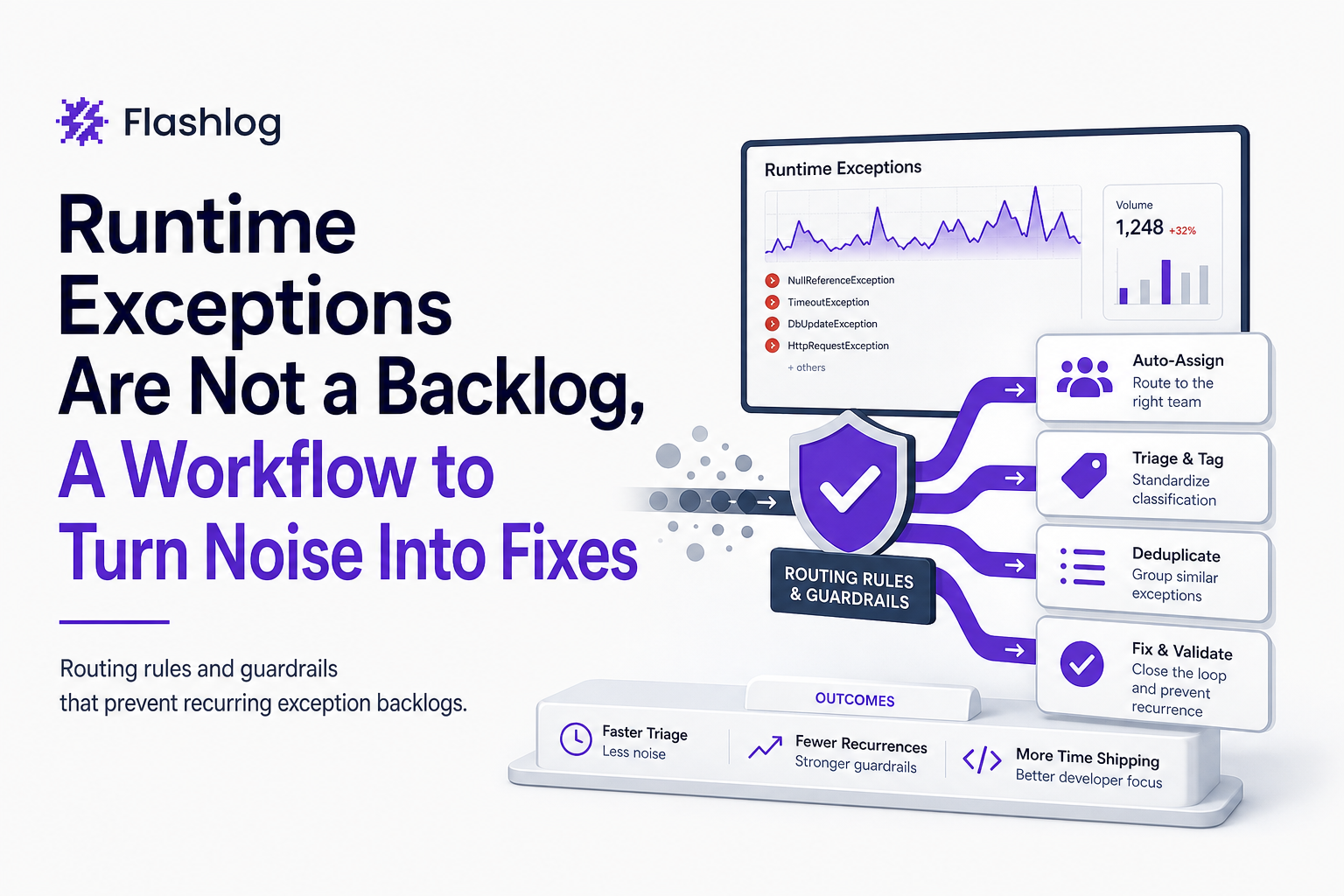
After grouping and scoring, you need ownership routing rules so every bug group lands with the team that can fix it. Without routing, runtime exceptions become a shared inbox and rot.
Routing rules hierarchy (use the first match):
- Service or endpoint match: if the failing request is
POST /api/checkout, route to the checkout backend owner. - UI surface match: if the top in-app frame maps to
PricingModal.tsx, route to the web frontend owner for pricing. - Code ownership file map: match stack frame paths to CODEOWNERS or repo directory ownership.
- Fallback triage owner: a rotating on-call engineer for unowned groups.
Make routing deterministic and visible. If ownership is unclear, fix the ownership map, not the symptom.
Key benefits
This workflow is not about collecting more logs. It is about changing the unit of work from “an exception event” to “a bug group with impact and an owner.” The benefits are measurable.
1) Fewer tickets, higher signal
Grouping turns hundreds or thousands of runtime exceptions into a handful of bug groups. Teams that implement fingerprinting typically see ticket volume drop sharply because duplicates collapse. The exact reduction depends on product maturity, but the pattern is consistent: fewer issues, better issues.
2) Faster time-to-fix because reproduction is built in
When you capture the user path, environment, release, and failing request alongside the exception, engineers spend less time asking support for screenshots or trying to guess steps. This is the core of effective production debugging: rebuilding enough context to act without a local repro.
3) Less alert fatigue, fewer “false priorities”
Impact scoring prevents raw exception counts from driving priority. A bug group that affects 12 users in checkout can outrank a bug group affecting 300 users on a non-critical settings screen, depending on your flow weights.
4) Clear accountability across teams
Routing rules eliminate the shared “someone should look at this” inbox. Each bug group has an owner, and teams can measure SLA adherence.
5) A healthier weekly rhythm for engineering and product
Instead of debating individual runtime exceptions, you review the top bug groups by impact. This creates a stable cadence for issue triage and reduces backlog churn.
Common mistakes
Most exception programs fail for predictable reasons. Use this section as a pre-mortem.
Mistake 1: Treating exception volume as priority
“Top exceptions by count” is a useful starting view, but it is not a prioritization system. Add flow weights and affected-user buckets, or you will repeatedly fix noisy low-impact issues while high-impact breakages linger.
Mistake 2: Fingerprints that are too broad or too narrow
- Too broad: grouping all
TypeErrortogether hides multiple root causes. - Too narrow: including dynamic message tokens creates one group per user, which defeats deduplication.
Fix by normalizing messages and using top in-app frames as the anchor.
Mistake 3: No release awareness
If you group across releases without a regression signal, you miss “this started after deploy” moments. Always store build/release IDs and add a regression bonus to the impact score.
Mistake 4: Shipping tickets without context
A ticket that says “TypeError in production” is not actionable. Require a minimum ticket payload: reproduction hints, environment, release, and the failing request or UI action. If you are building a crash reporting workflow, enforce this as a gate before creating issues.
Mistake 5: No ownership map, no SLA
Without CODEOWNERS style routing and response targets, runtime exceptions accumulate until a customer escalates. Define who owns what, and set a time box for triage.
Make it stick, metrics and guardrails that prevent exception backlogs
The workflow only works if it becomes routine. These guardrails keep runtime exceptions from re-accumulating.
Guardrail 1: SLAs by severity and flow
Set response SLAs on bug groups, not raw events. Example SLA targets you can adopt:
- Critical blocker on checkout/auth: triage within 30 minutes, mitigation within 4 hours
- High impact core flow: triage within 4 hours, fix scheduled within 2 business days
- Medium impact: triage within 1 business day
These are operational targets, not guarantees. Adjust to your on-call coverage and release cadence.
Guardrail 2: A weekly “top bug groups” review, capped list
Keep the review list capped (for example, top 10 by impact score). If more than 10 groups qualify, your thresholds are too low or you have a release quality issue. A cap forces prioritization and prevents backlog theater.
Guardrail 3: Dashboards that show trend, not just totals
Track:
- Bug groups created per day (should stabilize)
- Mean time to clarity (time from first seen to “owned and reproducible”)
- Mean time to fix for top 10 groups
- Regression rate (groups first seen in current release)
For incident response metrics definitions, you can align with common SRE guidance such as Google’s SRE resources on error budgets and reliability measurement: https://sre.google/books/.
Guardrail 4: Feedback loop into engineering practices
Every month, pick the top 1 to 3 recurring runtime exceptions and ask “what would prevent this class of bug?” Examples:
- Add contract tests for an endpoint that frequently returns unexpected shapes.
- Add runtime validation (for example, schema validation) at boundaries to fail gracefully.
- Add feature-flag kill switches for risky UI flows.
| Stage | Input | Output | Definition of done |
|---|---|---|---|
| Capture | Raw exception events | Events with release, environment, user path | Each event has build ID and last actions |
| Group | Events | Bug groups (fingerprints) | Duplicates collapse; groups are stable across users |
| Score | Bug groups | Ranked list by impact score | Top list reflects business-critical flows |
| Route | Ranked groups | Owned work items | Every group has an owner and SLA clock starts |
| Review | Owned items + trends | Fixes, mitigations, prevention work | Recurring groups shrink month over month |
FAQ
If you want this workflow to run with less manual effort, Flash Log is designed to capture production failures including runtime exceptions with the user path, environment, and release context, then package them into cleaner, deduplicated issue records your team can route and fix faster. Start small: implement fingerprinting and impact scoring first, then automate the capture and routing as your volume grows.

Bug Tracking Tools That Fit Your Team, A Decision Matrix and 2026 Shortlist
Choose bug tracking tools with a 6-criteria matrix, compare top options, and adopt a complete workflow for faster triage and higher-quality fixes.
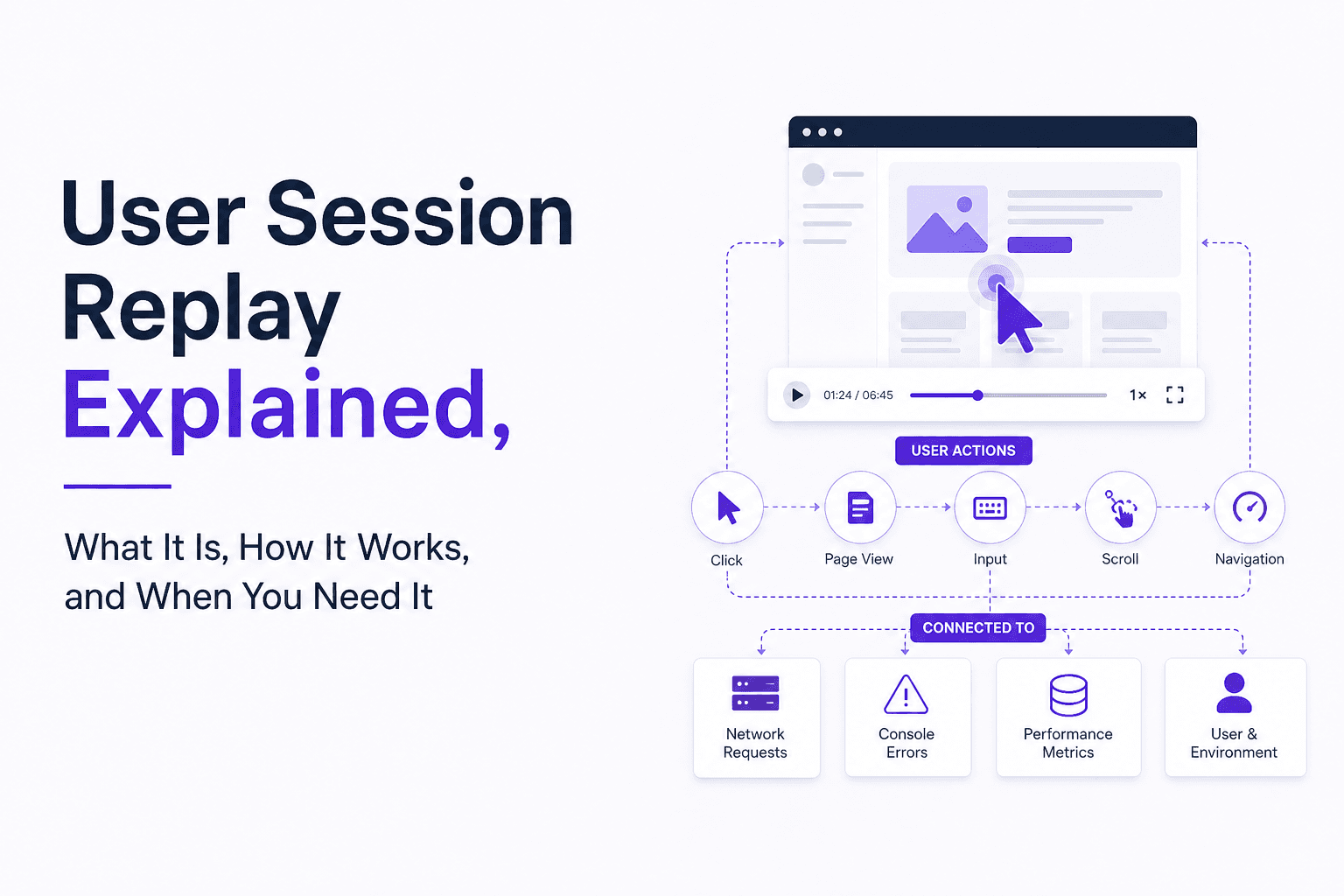
User Session Replay Explained, What It Is, How It Works, and When You Need It
Learn what user session replay is, how it works, what problems it solves, and a checklist to decide if you need user session replay.

Log Analyzer Workflow For Noise Reduction, Queries, Correlation, And AI Triage
Learn how a log analyzer workflow reduces noise with queries, correlation, AI triage, and practical evaluation steps for production teams.