
Bug Tracking Tools That Fit Your Team, A Decision Matrix and 2026 Shortlist
Choosing bug tracking tools in 2026 is less about “which app is best” and more about whether your team can consistently capture complete reports, triage fast, and close the loop to verified fixes without backlog noise.
- Use a 6-criteria scoring matrix (workflow fit, intake quality, triage speed, QA rigor, integrations, and cost of change) to pick the right bug tracker for your team.
- Adopt a weekly bug lifecycle with clear roles, SLAs, and a QA-grade field template so issues are reproducible and verifiable.
- If bugs go missing or reports are incomplete, automated production capture can reduce triage time by turning failures into ticket-ready context.
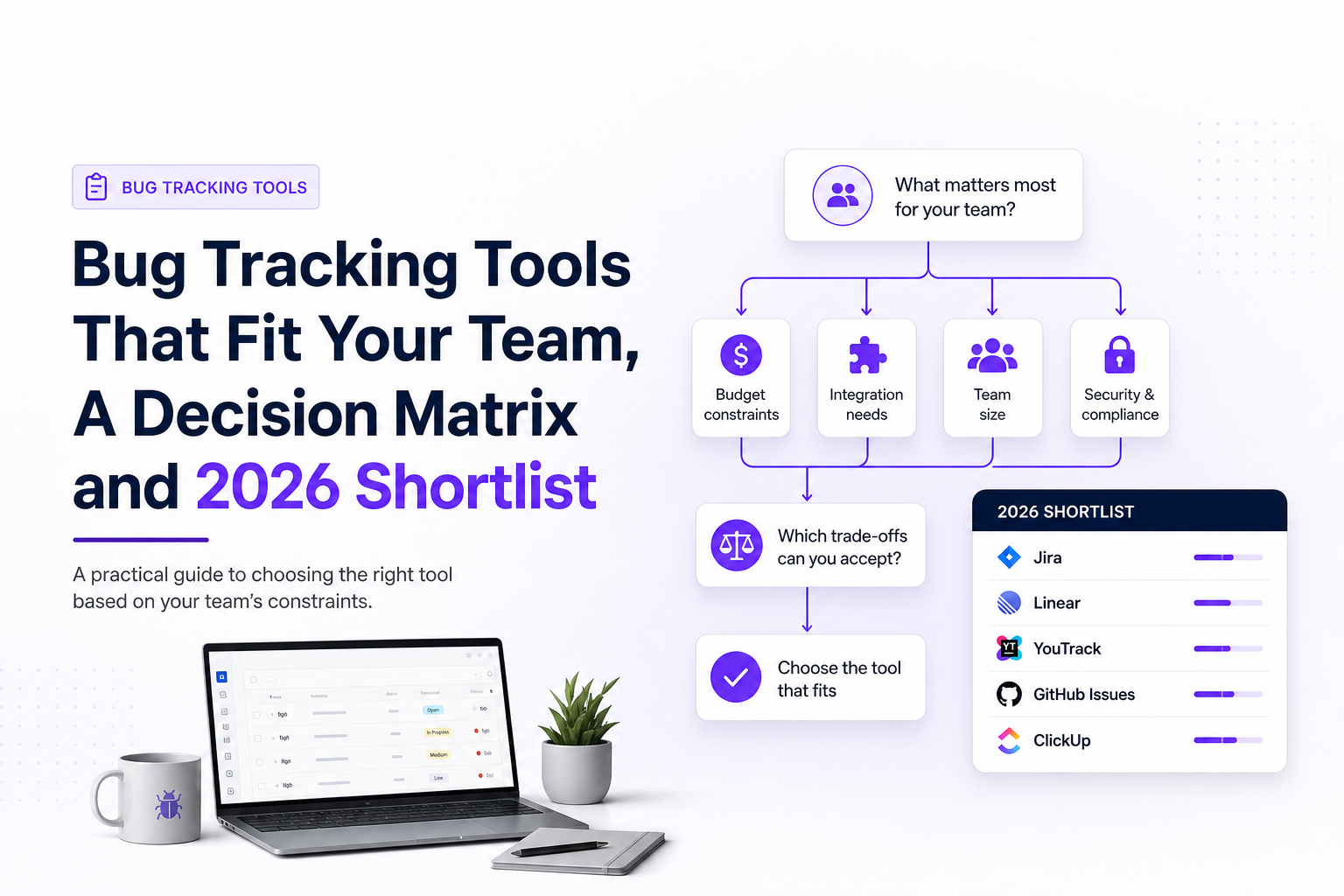
Bug tracking tools vs issue tracking vs error monitoring, what you actually need
Most teams buy one tool and expect it to do three jobs. In practice, you get better outcomes when you separate the categories and decide where each belongs in your stack.
1) Bug tracking and issue tracking are overlapping, not identical
- Issue tracking is the system of record for work: features, chores, incidents, bugs, and tech debt.
- Bug tracking is the workflow and data model for defects: reproducibility, environment, severity, verification, and leakage reporting.
Is Jira a bug tracking tool? Jira can be used as a bug tracker, but only if you configure fields, workflows, and permissions to enforce QA-grade reporting and verification. Out of the box, it is an issue tracker that can hold “Bug” issue types.
2) Error monitoring is not a bug tracker
Error monitoring tools capture crashes, exceptions, performance issues, and traces. They are excellent at detection, but they usually do not enforce:
- a consistent severity and priority rubric
- duplicate consolidation at the ticket level
- verification status and release linkage
- QA reporting like defect leakage or reopen rate
3) Common stacks that work in the real world
- Small product team: GitHub Issues + lightweight labels + a weekly triage ritual.
- Scaling SaaS: Linear or Jira + automated intake from monitoring + strict bug fields.
- Regulated or on-prem needs: YouTrack or self-hosted trackers + audit-friendly workflows.
If you want more options beyond this shortlist, see bug reporting and tracking tools that focus specifically on reducing triage time.
The 6-criteria scoring matrix to choose the best bug tracking tools
Vendor pages are optimized for demos, not for your constraints. Use this scoring matrix to pick bug tracking tools based on how your team actually ships.
How to score
Score each criterion 1 to 5 (1 = poor fit, 5 = strong fit). Multiply by the weight that matches your reality. Then compare totals.
Criterion A: Workflow fit (weight 1-3)
- Can you model your states: New, Needs info, Triaged, In progress, Ready for QA, Verified, Won’t fix?
- Can you enforce required fields at specific transitions?
- Can you run a weekly triage without creating chaos?
Criterion B: Intake quality (weight 2-4)
High-quality intake is the fastest way to cut investigation time. Score based on whether the tool supports:
- structured bug templates
- attachments and links that do not get lost
- environment capture (browser, OS, device, build, release)
- clear ownership of missing information
If your biggest pain is incomplete reports, consider pairing your tracker with a dedicated bug report tool approach and enforcing minimum fields before a bug is triaged.
Criterion C: Triage speed and noise control (weight 2-5)
- Deduplication and linking of related issues
- Fast filtering by severity, component, release, and customer impact
- Bulk actions for weekly triage
- Automation rules for routing and labeling
To operationalize this, borrow a lightweight issue triage framework and tie it to SLAs.
Criterion D: QA rigor and verification (weight 1-4)
- Verification status (Verified, Cannot reproduce, Needs retest)
- Linkage to test cases or checklists
- Support for multiple environments (staging, prod, canary)
- Reporting: reopen rate, defect leakage, time-to-verify
Criterion E: Integrations and API (weight 1-4)
- Does it integrate with your repo, CI, chat, and monitoring?
- Can you create issues programmatically with structured fields?
- Can you map severity and components consistently?
Criterion F: Cost of change and governance (weight 1-3)
- Migration effort: import/export quality, attachments, history
- Permissions, audit logs, and compliance needs
- Total cost: licenses plus admin time and workflow upkeep
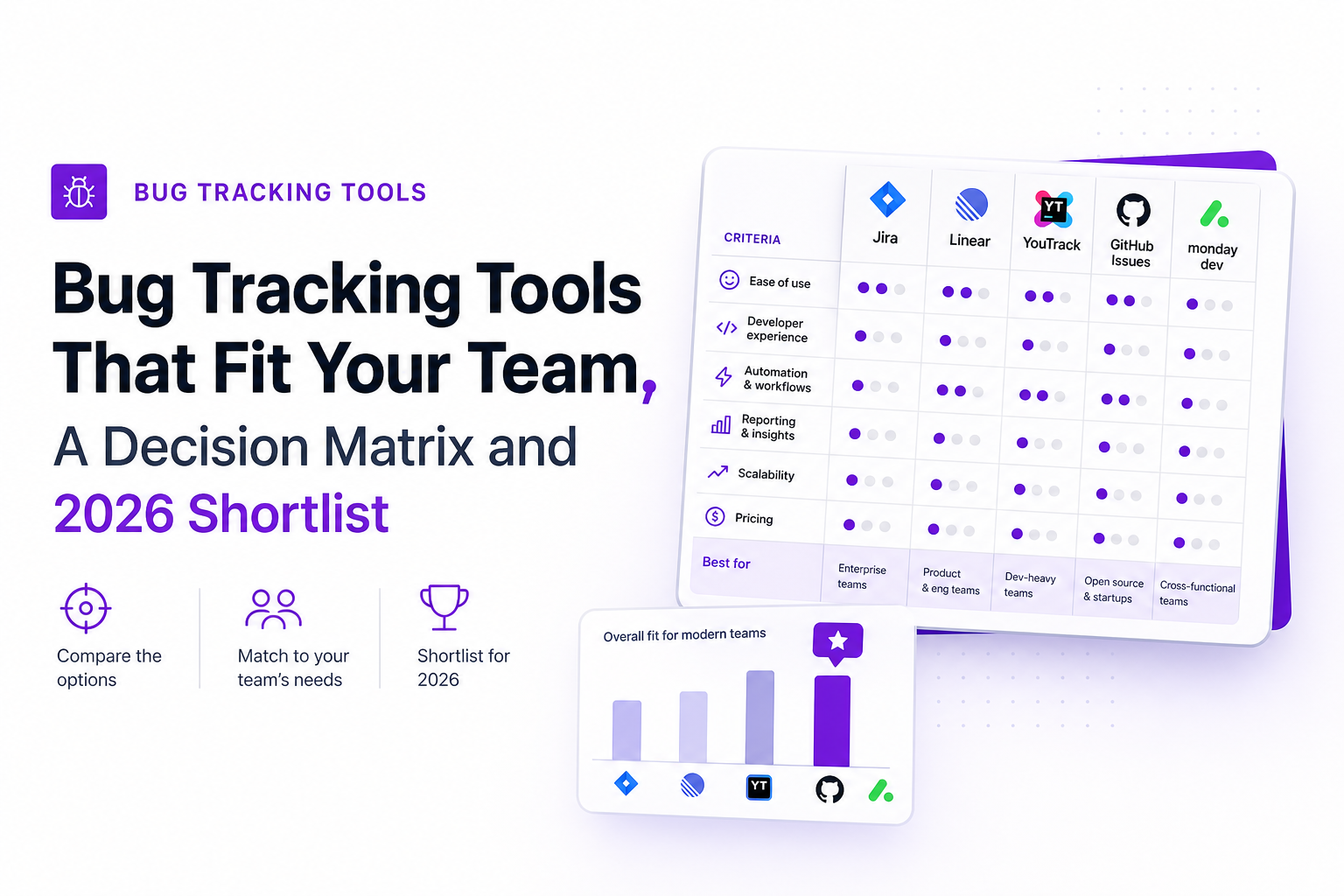
Comparison table, Jira vs Linear vs YouTrack vs GitHub Issues vs Bugzilla vs Redmine vs MantisBT
This table is intentionally opinionated and standardized so you can scan it quickly. Use it to shortlist, then apply the scoring matrix above.
Quick reads before the table
- Jira wins when you need configurable workflows and cross-team governance.
- Linear wins when you want speed and strong product-engineering ergonomics.
- YouTrack is strong for flexible workflows and self-hosting options.
- GitHub Issues is best when code and issues should live together, and your process is simple.
- Bugzilla / Redmine / MantisBT can be great for teams that prefer self-hosted, cost-controlled systems, but you may invest more in customization.
How to track bugs end to end, a workflow your team can adopt this week
Most teams do not fail because they picked the “wrong” tracker. They fail because the lifecycle is unclear. This workflow is designed to work in any of the bug tracking tools above.
Step 1: Intake with a minimum viable bug report (MVBR)
Do not accept “it’s broken” into engineering. Enforce a template that makes reproduction likely on the first pass.
Bug report field template (copy/paste)
- Title: user-visible symptom + location (example: “Checkout submit returns 500 on Safari”)
- Severity: Blocker, Critical, Major, Minor, Trivial (see rubric below)
- Priority: P0 to P3 (business urgency)
- Environment: prod/staging, app version/release, browser/OS/device
- Steps to reproduce: 3-7 steps, numbered
- Expected vs actual: 1-2 sentences each
- Evidence: screenshot/video, console/network logs, request ID if available
- Impact: affected users count if known, revenue or funnel step impacted
For examples and a reusable format, keep a dedicated template for reproduction steps so reporters do not reinvent it every time.
Step 2: Triage with roles, SLAs, and a severity rubric
Define who does what, and how fast. A simple model:
- Reporter (support, QA, engineer): submits MVBR
- Triage owner (rotating engineer or EM): validates, de-dupes, assigns severity and component
- Fix owner (engineer): investigates, patches, links PR, updates root cause
- Verifier (QA or engineer not on fix): confirms in target environment and release
Severity rubric you can enforce
- Blocker: core flow unusable, no workaround (SLA: acknowledge 1 hour, mitigate 24 hours)
- Critical: major revenue or data risk, limited workaround (SLA: acknowledge same day, fix 72 hours)
- Major: broken feature, workaround exists (SLA: triage 2 business days)
- Minor: edge-case or cosmetic with user friction (SLA: triage weekly)
Step 3: Fix with a standardized investigation checklist
- Confirm reproducibility on a clean environment
- Identify scope: which versions, which platforms, which user segments
- Link evidence: logs, traces, request IDs, screenshots
- Document suspected root cause and why
- Link PR and add a regression test note
Teams that reduce investigation time usually standardize their debugging workflow so every bug does not become a bespoke detective story.
Step 4: Verify, close, and learn
- Verification: confirm in the target environment and release, not just locally
- Closure criteria: reproduction no longer works, no new regressions, documentation updated if needed
- Learning loop: tag root cause category (validation, race condition, config, dependency, UI state)
QA and testing requirements most bug trackers underserve
Even strong bug tracking tools often leave QA needs to “process.” You can fix this by adding a few required fields and lightweight reporting.
1) Environment matrix and reproducibility evidence
Add structured fields so QA can answer “where does it fail?” without a meeting:
- Environment: prod, staging, canary
- Release/build: semantic version or build hash
- Platform: browser and version, OS, device class
- Repro rate: always, often, intermittent, cannot reproduce
2) Verification status and retest ownership
- Separate “Done” (code merged) from “Verified” (confirmed fixed)
- Assign a verifier and due date for retest
- Track reopen reason (missed edge case, wrong environment, incomplete fix)
3) Defect leakage and quality reporting
Two simple metrics that many teams can compute from their tracker within a month:
- Defect leakage rate: production bugs / total bugs found in the same period
- Reopen rate: reopened bugs / closed bugs
Use leakage to justify investment in tests, staging parity, or better production capture. Use reopen rate to improve bug report quality and verification rigor.
Why bugs go missing and how AI capture changes the economics of triage
Bugs go missing for predictable reasons, even with mature bug tracking tools:
- Silent failures: users abandon instead of reporting
- Incomplete context: no release, no endpoint, no steps, no evidence
- Duplicate spam: the same failure becomes five tickets with different screenshots
- Privacy concerns: teams avoid capturing payloads, so reproduction takes longer
A practical rollout plan for automated capture
If you decide to add automated production bug capture, treat it like an operational change, not a shiny tool:
- Start with 2-3 signal types only: runtime exceptions, 4xx/5xx spikes on key endpoints, broken UI actions that block conversion.
- Define noise rules: ignore expected business errors, group repeats, dedupe by fingerprint and release.
- Require ticket-ready fields: severity, environment, reproduction hints, impacted users, and a short summary.
- Route to one place: Jira, Linear, or GitHub Issues, plus a weekly digest for leadership.
- Measure impact after 30 days: mean time to clarity, duplicate rate, and percent of bugs with complete reproduction info.
Where Flash Log fits (without replacing your tracker)
Flash Log is designed for the gap most teams feel after they adopt bug tracking tools: production failures still arrive as incomplete, noisy, or missing reports. It captures real production failures (API, frontend, realtime), preserves the path into the bug, summarizes technical context into a ticket-ready brief, and routes only the issues that matter into your existing workflow. For teams with privacy requirements, sensitive fields can be masked before upload so context is preserved without leaking secrets.
Shortlist and next steps, pick a tool, migrate cleanly, and prove impact in 30 days
Use this decision path to move from “we should improve bug tracking” to a measurable result.
Pick a shortlist in 10 minutes
- If you need enterprise workflow control and cross-team governance: shortlist Jira and YouTrack.
- If you want speed and a modern product-engineering experience: shortlist Linear.
- If your team lives in GitHub and your process is simple: shortlist GitHub Issues.
- If you need self-hosted and cost-controlled: shortlist Redmine, MantisBT, or Bugzilla.
Migrate cleanly with a “two-system” month
- Week 1: define fields, states, and severity rubric; import only open bugs
- Week 2: run triage in the new system; keep old tracker read-only
- Week 3: add automation rules and templates; train reporters with MVBR
- Week 4: review metrics and remove legacy workflows that create duplicates
Prove impact with 3 metrics
- Mean time to clarity: time from bug created to “ready to fix” (complete and assigned)
- Duplicate rate: duplicates / total incoming bugs
- Verification rate: verified fixes / total closed bugs
| Tool | Best for | Deployment | Integrations depth | Workflow + QA rigor | Pricing approach |
|---|---|---|---|---|---|
| Jira | Complex workflows, large teams, governance | Cloud and Data Center | Very broad ecosystem | High when configured | Per-user tiers |
| Linear | Fast-moving product teams | Cloud | Strong core integrations | Medium-high with conventions | Per-user tiers |
| YouTrack | Flexible workflows, optional self-hosting | Cloud and Server | Good developer integrations | High with customization | Per-user tiers |
| GitHub Issues | Code-centric teams, simple processes | Cloud and Server | Excellent with GitHub-native workflows | Medium (templates help) | Included with GitHub plans |
| Bugzilla | Traditional defect tracking, mature workflows | Self-hosted | Varies by setup | High for defect-centric teams | Open source (ops cost) |
| Redmine | Self-hosted project and issue tracking | Self-hosted | Plugin-based | Medium (depends on plugins) | Open source (ops cost) |
| MantisBT | Lightweight self-hosted bug tracking | Self-hosted | Basic to medium | Medium | Open source (ops cost) |
FAQ
If your current bug tracking tools are fine but production bugs are still missing context or never getting reported, Flash Log can sit upstream to capture real failures, summarize them into ticket-ready issues, and route only the signal into Jira, GitHub Issues, or your weekly review. Start with one critical flow, measure time-to-clarity for 30 days, and keep what proves impact.

Session Replay Explained, How It Works and When You Should Use It
Learn what session replay is, how it works, top use cases, and the privacy basics you must get right before rolling it out.

Software Bug Tracking System Buyer Guide, How To Choose The Right One In 2026
A practical 2026 buyer guide to pick a software bug tracking system using criteria, a shortlist by use case, and a rollout checklist.
Incident Alerting That Stays Actionable, An AI Noise Reduction Framework
Build incident alerting that stays actionable using AI noise reduction: dedupe, clustering, suppression, thresholds, and validation guardrails.