
Reproduction Steps for Bugs, A 5-Part Template and Real Examples
Good reproduction steps are not “click around until it breaks.” They are a precise set of instructions that lets another person recreate the same failure on demand, in the right environment, with the right data, and with enough evidence to confirm the fix. When teams get reproduction steps wrong, triage slows down, bugs get mislabeled as “can’t repro,” and engineering burns time asking for screenshots, logs, and missing context.
- High-quality reproduction steps always include environment, preconditions, exact actions, expected vs actual, and evidence.
- A repeatable template and a simple “report to verified fix” flow reduces back-and-forth and cuts time-to-triage.
- Automatic context capture (device, network, session path, failing request) makes reproduction steps faster and more reliable, especially for production-only issues.
Reproduction steps in QA, what they are and why they fail in real teams
Definition that matches how QA and engineering use it
In software QA, reproduction steps (often written as “steps to reproduce” or “STR”) are the minimal, deterministic sequence needed to trigger a specific bug. “Minimal” means no extra clicks. “Deterministic” means another person can follow the same steps and see the same result with a high success rate.
Why they fail, with concrete failure modes
- Missing environment details: “Checkout fails” without browser, OS, app version, feature flags, region, network type, or build channel. A bug that only happens on Chrome 142 + macOS + release 2.3.1 will look random without that context.
- Unstated preconditions: The bug requires a specific account role, a specific cart state, or a specific backend record. If the report doesn’t say “User must be on a trial plan with 3 seats and an expired card,” the steps won’t work.
- Non-reproducible language: “Sometimes,” “randomly,” “after using the app for a while.” If a bug is flaky, the report needs a frequency estimate and a method to increase hit rate (for example: throttle network to Fast 3G, run 10 attempts, or use a known dataset).
- Steps are not minimal: A 17-step narrative that includes unrelated navigation. Engineers will skip steps, miss the trigger, and conclude “can’t repro.”
- No expected vs actual: Without a crisp expected outcome, reviewers argue about whether the behavior is a bug or intended.
- No evidence attached: Without a timestamp, request ID, console error, stack trace, or failing endpoint, it’s hard to confirm you reproduced the same issue.
What “good” looks like in practice (a measurable bar)
A practical quality bar you can standardize on:
- Repro success rate: Another teammate can reproduce in 2 tries or fewer.
- Time-to-first-repro: Under 10 minutes for common UI/API bugs when the report includes the right evidence.
- Minimality: No more than 7 action steps unless the flow truly requires more.
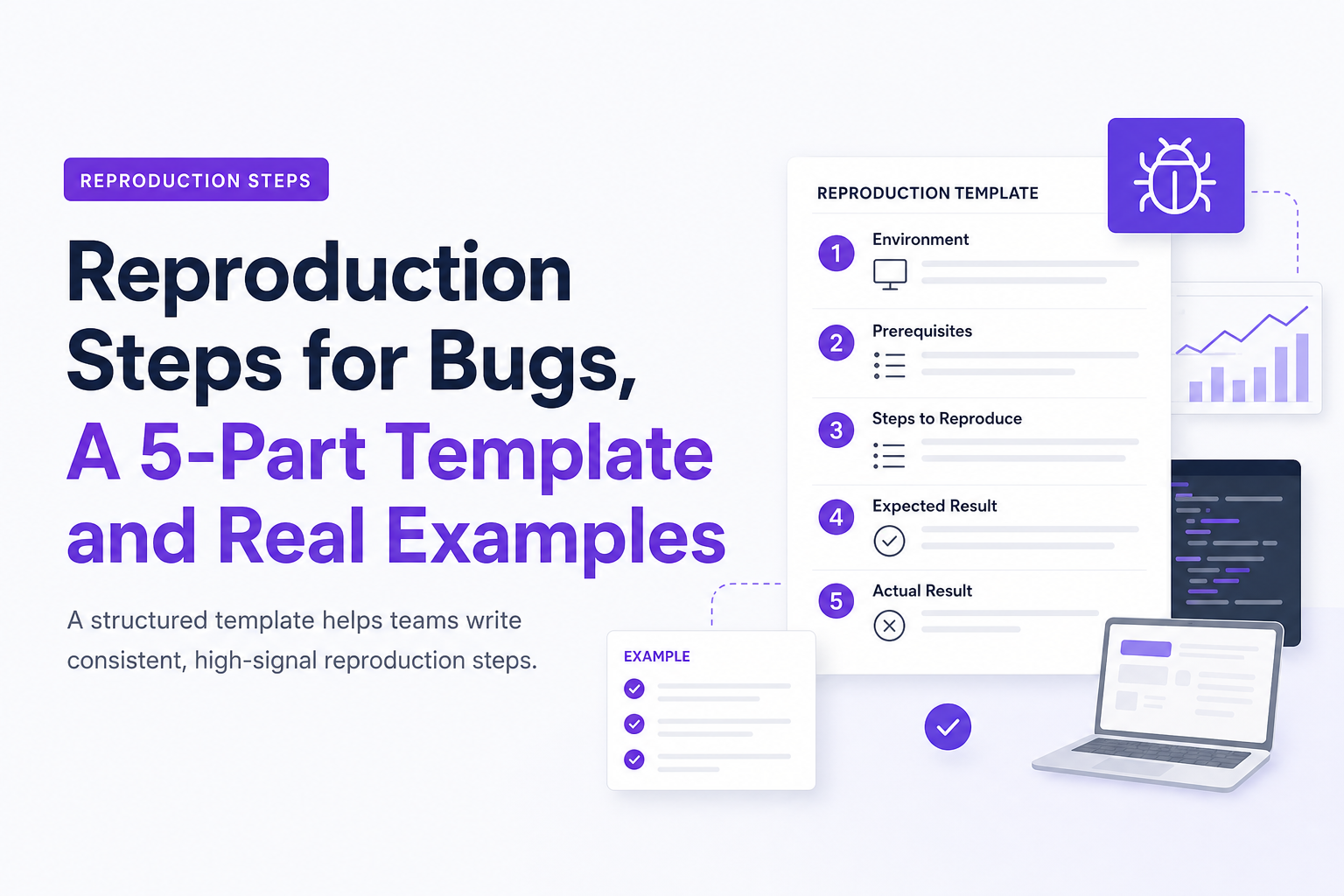
A 5-part template for high-signal steps to reproduce
Copy-paste template for Jira, Linear, or GitHub Issues
Use this structure every time. It forces clarity and makes your reproduction steps skimmable.
## Environment
- App/build: (web@2.3.1, iOS 5.12.0, Android 4.9.2, API commit SHA)
- Device/OS: (iPhone 15 iOS 17.5, Pixel 8 Android 14, macOS 14.6)
- Browser: (Chrome 142, Safari 17.5) + extensions/incognito?
- Network: (wifi, LTE, throttled Fast 3G, VPN on/off)
- Account/role: (admin, member, trial, paid) + region

## Preconditions (state that must already be true)
- Feature flags:
- Data state:
- Test account + credentials location:

## Reproduction steps
1)
2)
3)

## Expected result
-

## Actual result
-

## Evidence
- Timestamp (with timezone):
- Screenshot/screen recording:
- Console logs / stack trace:
- Network: failing endpoint + status code + request/response notes
- Correlation ID / request ID / session ID (if available):
How to write each section so it’s actually usable
- Environment: Include only variables that can change behavior. “MacBook Pro” is less useful than OS version, browser version, app release, and network conditions.
- Preconditions: Write them as checkable statements. Example: “User has 2FA enabled” or “Cart contains SKU=PRO-ANNUAL and coupon=WELCOME10.”
- Reproduction steps: Each step should be one action with a concrete target and value (button label, URL path, field input).
- Expected vs actual: Keep it observable. “Expected: order confirmation page loads.” “Actual: spinner persists 30s, then error toast ‘Something went wrong’.”
- Evidence: Prefer machine-verifiable artifacts: endpoint + status, error message, stack trace, request ID. If you have a stack trace, link to a relevant stack trace example format your team can standardize on.
A quick “minimality pass” to tighten steps
After writing, run this 60-second pass:
- Delete any step that doesn’t change state (for example: “Look at dashboard”).
- Replace vague steps with exact selectors: “Click Save” becomes “Click Save changes in Billing settings.”
- Move setup into Preconditions so steps stay short.
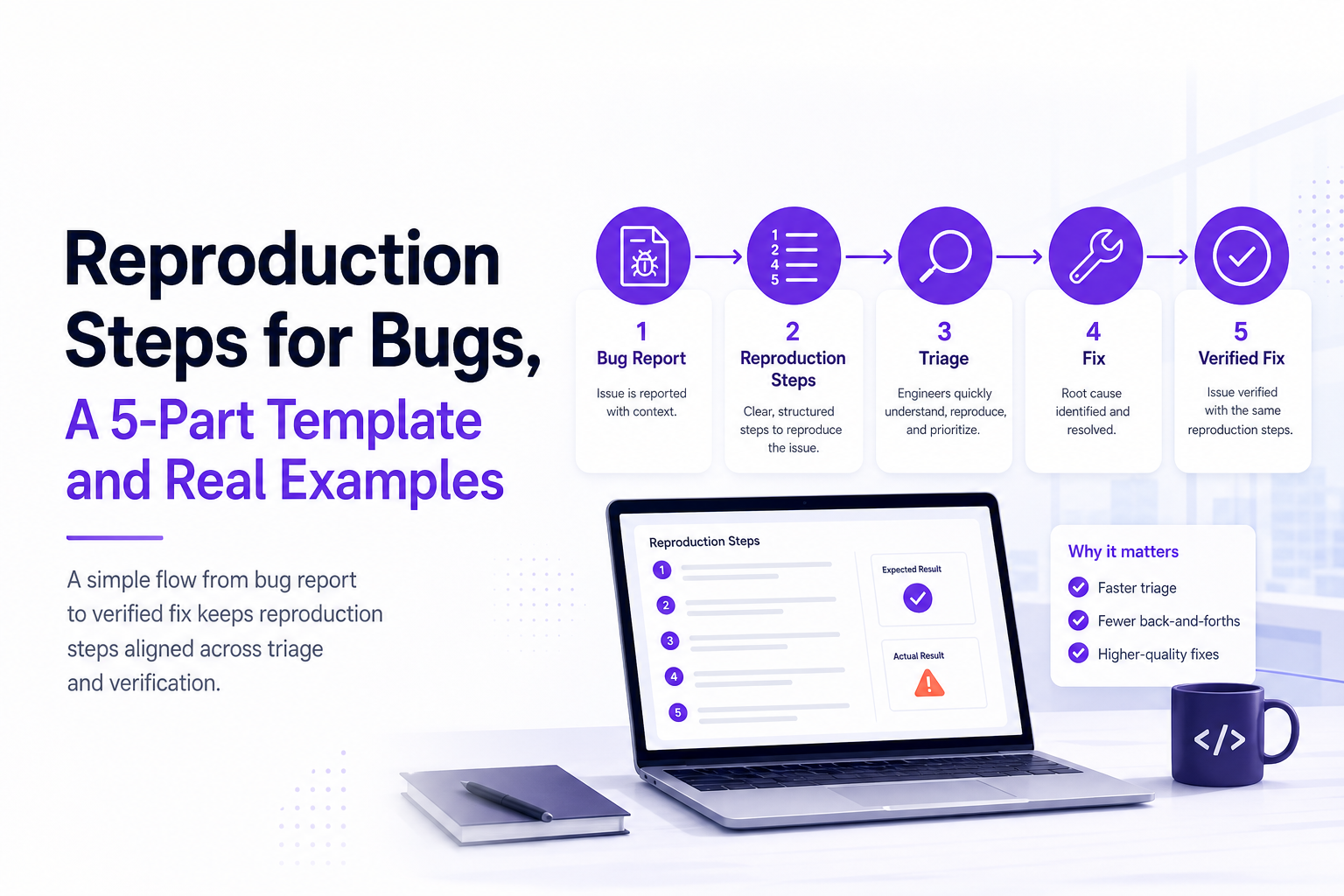
Reproduction steps diagram, from report to verified fix
Simple end-to-end flow you can paste into a doc
[Bug observed]
     |
     v
[Capture context]
 (env + user path + logs + failing request)
     |
     v
[Triage]
 (severity, dedupe, owner, missing info?)
     |
     v
[Reproduce]
 (follow reproduction steps)
     |
     v
[Isolate cause]
 (narrow scope, find trigger, confirm hypothesis)
     |
     v
[Fix]
     |
     v
[Verify fix]
 (same reproduction steps + expected result)
     |
     v
[Regression check]
 (adjacent flows + automated test if appropriate)
Where teams lose time in this flow
- Between capture and triage: missing context causes a ping-pong loop with support or QA.
- Between triage and reproduce: duplicates and noise mean engineers try to repro the wrong instance of the issue. A lightweight issue triage routine helps decide what’s real and what’s expected behavior.
- At verify fix: teams change the steps mid-stream, so it’s unclear whether the fix truly addressed the original bug.
Examples of great reproduction steps for web, mobile, and API bugs
Example 1, Web checkout 500 error (high confidence repro)
## Environment
- App/build: web@2.3.1 (prod)
- Device/OS: macOS 14.6
- Browser: Chrome 142 (no extensions, normal mode)
- Network: wifi (no VPN)
- Account/role: customer account (region=US)

## Preconditions
- Cart contains SKU=PRO-MONTHLY
- Shipping address is valid US address
- Payment method: Visa test card ending 4242 is saved

## Reproduction steps
1) Go to https://app.example.com/checkout
2) Confirm cart shows PRO-MONTHLY
3) Click "Confirm order"

## Expected result
- Order is created and confirmation page loads with order ID

## Actual result
- UI shows spinner for ~5s then error toast "Something went wrong"
- Order is not created

## Evidence
- Timestamp: 2026-07-02 10:14 PDT
- Network: POST /api/checkout returns 500
- Response body: {"error":"Internal Server Error"}
- Request ID header: x-request-id=9f2c1d...
Why this works: anyone can follow it, it identifies the failing endpoint, and it includes a request ID to find the exact server-side error quickly during production debugging.
Example 2, Mobile app crash after permission change (stateful precondition)
## Environment
- App/build: iOS 5.12.0 (TestFlight build 812)
- Device/OS: iPhone 15, iOS 17.5
- Network: LTE
- Account/role: signed in as member (not admin)

## Preconditions
- App has previously been granted Photos permission
- User has at least 1 existing profile photo

## Reproduction steps
1) Open iOS Settings > AppName > Photos
2) Change Photos permission from "All Photos" to "None"
3) Open AppName
4) Go to Profile > Edit photo
5) Tap "Choose from library"

## Expected result
- App prompts for Photos permission or shows a permission guidance screen

## Actual result
- App crashes immediately when tapping "Choose from library"

## Evidence
- Timestamp: 2026-07-01 16:22 UTC
- Crash message: "Fatal error: unexpectedly found nil while unwrapping an Optional"
- Last screen: Profile > Edit photo
If you have crash tooling, attach the full crash log. If you need a workflow that engineers actually act on, standardize how crashes are written up and routed, similar to what this crash reporting guide recommends.
Example 3, API bug with exact payload and edge condition
## Environment
- API: prod
- Client: curl 8.5.0
- Auth: Bearer token for service account "billing-bot"

## Preconditions
- Customer exists with id=cus_123
- Customer has 1 active subscription

## Reproduction steps
1) Send request:
   POST https://api.example.com/v1/invoices
   Headers:
     Authorization: Bearer ***
     Content-Type: application/json
   Body:
   {
     "customer_id": "cus_123",
     "currency": "USD",
     "line_items": [{"sku":"PRO-MONTHLY","qty":1}],
     "notes": "AAAAAAAAAA..." (length = 5001)
   }
2) Observe response

## Expected result
- 400 with validation error: "notes must be <= 5000 characters"

## Actual result
- 500 Internal Server Error

## Evidence
- Timestamp: 2026-07-02 09:03 UTC
- Response headers include x-request-id=ab12cd...
This is strong because it includes an edge-case boundary (5001 characters) and a clear expected behavior. It also gives a deterministic payload, which makes reproduction steps reliable across environments.
How to make reproduction steps faster with automatic context capture
What to auto-capture so reports become “ticket-ready”
The fastest way to improve reproduction steps is to reduce what humans must remember. For user-facing bugs, the most useful context to capture automatically is:
- User path: the navigation and actions immediately before the failure (last 10 to 30 events).
- Network evidence: failing endpoint, method, status code, and timing. For many bugs, “POST /api/checkout returns 500” is the repro clue that matters most.
- Runtime errors: exception message, component/screen, and stack trace when available.
- Environment fingerprint: app release, browser/OS/device, and whether the issue happened in production.
- Impact: how many users affected and whether it blocks a key action (signup, checkout, save).
How this reduces back-and-forth (a practical workflow)
- Capture: when a real production failure occurs, record the trail automatically.
- Summarize: generate a short issue brief that includes reproduction steps hints, the failing request, and environment.
- Route: send one deduplicated issue into the tracker instead of five partial reports.
This is where tools like Flash Log fit: it captures production failures (API errors, frontend exceptions, realtime/socket issues), preserves the path into the bug, and packages context including reproduction steps hints and the failing request so engineers can reproduce faster without chasing screenshots in chat. The goal is not more logging. The goal is a cleaner debugging workflow where the first report is already actionable.
Repro quality checklist and a printable worksheet teams can standardize on
One-page repro checklist (copy into your issue template)
- [ ] Environment includes app version + browser/OS/device (or API client + commit SHA)
- [ ] Account role and region are specified
- [ ] Preconditions are checkable (feature flag, data state, permissions)
- [ ] Reproduction steps are 3 to 7 steps and each step has a concrete target/value
- [ ] Expected result is observable and specific
- [ ] Actual result includes exact error text or behavior
- [ ] Evidence includes at least one of: screenshot, console error, stack trace, failing endpoint + status, request ID
- [ ] Flaky? Includes frequency estimate and a way to increase hit rate
- [ ] Security/privacy reviewed (redact secrets, tokens, PII)
Printable worksheet concept (PDF your team can generate)
Turn the template into a single page your team can print or export as a PDF. Structure it as:
- Top box: Title, severity, affected area (web/mobile/API), first seen timestamp.
- Left column: Environment and Preconditions checkboxes.
- Center: Numbered reproduction steps (7 lines max).
- Right column: Expected vs Actual.
- Bottom: Evidence fields (request ID, endpoint, logs) and “privacy redaction” reminder.
If you standardize this across Jira/Linear/GitHub Issues, you will see fewer “needs info” loops and fewer duplicates.
| Report element | Low-signal example | High-signal example |
|---|---|---|
| Environment | “Latest Chrome” | “Chrome 142 on macOS 14.6, web@2.3.1, prod” |
| Preconditions | “Have stuff in cart” | “Cart contains SKU=PRO-MONTHLY, saved card ends 4242” |
| Steps | “Try to buy” | “Go to /checkout, click Confirm order” |
| Expected vs actual | “Doesn’t work” | “Expected confirmation page, actual spinner then toast error” |
| Evidence | “See screenshot” | “POST /api/checkout returns 500, x-request-id=…” |
FAQ about reproduction steps
If you want reproduction steps to be faster to write and easier to trust, use a standard template plus automatic context capture for production failures. Flash Log is designed to record the path into real production bugs, keep the technical evidence (like failing requests and environment), and turn it into a clean issue your engineers can act on with less back-and-forth.

Bug Tracking Tools That Fit Your Team, A Decision Matrix and 2026 Shortlist
Choose bug tracking tools with a 6-criteria matrix, compare top options, and adopt a complete workflow for faster triage and higher-quality fixes.

Software Bug Tracking System Buyer Guide, How To Choose The Right One In 2026
A practical 2026 buyer guide to pick a software bug tracking system using criteria, a shortlist by use case, and a rollout checklist.

Anomaly Detection With Machine Learning, A Practical Playbook For Reducing Alert Noise
Anomaly detection with machine learning without alert noise: choose setup, build features, calibrate thresholds, evaluate incidents, ship safely.