
Software Bug Tracking System Buyer Guide, How To Choose The Right One In 2026
Choosing a software bug tracking system in 2026 is less about which UI looks nicest and more about whether the tool can take bugs from every intake source (QA, support, production) and move them cleanly through triage, fix, verification, and release notes without creating backlog noise.
- Score tools on end to end flow: capture, context, triage controls, workflow fit, and reporting, not just “issue tracking.”
- Pick from a shortlist by scenario (GitHub native, regulated teams, self hosted, small startup) to avoid paying for features you will not use.
- Launch with a week one checklist: required fields, severity rules, dedupe expectations, and integrations to prevent triage chaos.

What a software bug tracking system must do end to end
A bug tracker that only stores tickets is not enough. The full lifecycle has predictable handoffs. Use this lifecycle map to evaluate any software bug tracking system and spot where your current process breaks.
Lifecycle map with handoffs and “definition of done”
- Capture: bug enters from QA, support, monitoring, or production signals.
- Enrich: attach minimum reproducibility context (environment, steps, expected vs actual, impact).
- Triage: dedupe, classify, set severity and priority, assign owner, decide fix now vs later.
- Fix: engineer links code changes and references build or commit.
- Verify: QA or automated checks confirm fix in staging and production.
- Release notes: user facing summary and internal audit trail.
Minimum bug record that prevents back and forth
Regardless of tool, require these fields for any ticket that reaches engineering:
- Title that includes the failing action and symptom (example: “Checkout submit returns 500”).
- Impact quantified (affected users, revenue event blocked, frequency, first seen time).
- Environment: app version or release, browser, OS, device, region.
- Evidence: logs, request endpoint, stack trace, screenshot, video, or replay.
- Reproduction: steps, expected, actual. If unknown, mark as “needs repro.”
- Routing: component or service, owner team, and severity.
Where most teams fail: intake and noise control
Teams often over invest in workflow states and under invest in intake quality. If your “bugs” arrive as five screenshots, a Slack thread, and a vague support note, your software bug tracking system becomes a backlog of confusion. The deciding capability is whether you can reliably turn raw signals into one actionable issue with enough context to reproduce.
Decision framework to choose the best software bug tracking system
Use this scoring rubric to compare options quickly. Score each category 1 to 5, then weight based on your team’s reality. A support heavy SaaS will weight intake and dedupe higher than a QA heavy mobile app team.
Scoring rubric (1 to 5) with suggested weights
- Intake coverage (weight 25%): QA, support, email, monitoring, production errors, API failures, crashes.
- Context quality (weight 20%): environment, logs, stack traces, attachments, links to sessions, structured fields.
- Triage controls (weight 20%): dedupe, grouping, severity rules, templates, automation, SLAs.
- Workflow fit (weight 15%): GitHub native, Jira based, Linear based, custom statuses, permissions.
- Integrations and routing (weight 10%): bi directional sync, webhooks, Slack, email, CI links.
- Reporting and auditability (weight 10%): time to triage, reopen rate, escape rate, release notes, exports.
Decision tree by team scenario
- If engineering lives in GitHub: start with GitHub Issues and Projects, then add intake enrichment if production bugs are the gap.
- If you have multiple teams and compliance needs: Jira is usually the center, with strict fields and permissions.
- If speed and low overhead matter most: Linear or GitHub Projects, with strong templates and automation.
- If you require self hosted: plan for admin time, upgrades, backups, and SSO integration.
Benchmarks to ask vendors or validate in a trial
Do not accept “we integrate with everything” as proof. In a trial, measure:
- Mean time to clarity: time from first report to an engineer having enough context to attempt a fix. Many teams target under 30 minutes for high severity issues.
- Dedupe rate: percent of incoming reports merged into existing issues. If you cannot dedupe, your backlog grows faster than you can ship.
- Reopen rate: percent of bugs reopened after “done.” High reopen usually means missing repro details or weak verification.
For a fast, repeatable triage process, pair your tool choice with a lightweight issue triage routine and enforce it in templates and automation.
Shortlist by use case including free and open source options
This shortlist is organized by the most common buying scenarios. The “best” software bug tracking system is the one that matches your intake sources and workflow without forcing extra process.
1) Jira Software for multi team workflows and strict governance
- Best for: larger teams, cross functional programs, regulated environments, heavy customization.
- Why it wins: permissions, workflows, custom fields, and mature reporting.
- Watch outs: configuration overhead, risk of too many fields and states, and noisy boards if intake is not controlled.
2) GitHub Issues and Projects for developer first teams
- Best for: teams shipping from GitHub, open source, smaller SaaS teams that want tight code linkage.
- Why it wins: issues linked to PRs, labels, milestones, and automation with Actions.
- Watch outs: limited intake enrichment out of the box, and triage can become label sprawl without discipline.
3) Linear for fast moving product engineering teams
- Best for: teams that prioritize speed, a clean workflow, and minimal admin.
- Why it wins: opinionated flows, good keyboard driven triage, and strong product engineering ergonomics.
- Watch outs: less suited to complex governance and highly customized compliance workflows.
4) Self hosted options when data residency is non negotiable
- Best for: teams that must keep data on prem or inside a private network.
- Tradeoff: you gain control but pay in maintenance: upgrades, backups, access control, and incident response.
- Reality check: budget at least a few engineering hours per month for administration, more during upgrades.
5) Free tiers and “good enough” setups for early stage teams
- Best for: very small teams that need a lightweight system now.
- Recommendation: choose one tracker and enforce templates. Avoid splitting bugs across email, spreadsheets, and chat.
- Upgrade trigger: when production bugs and support reports outpace your ability to triage daily.
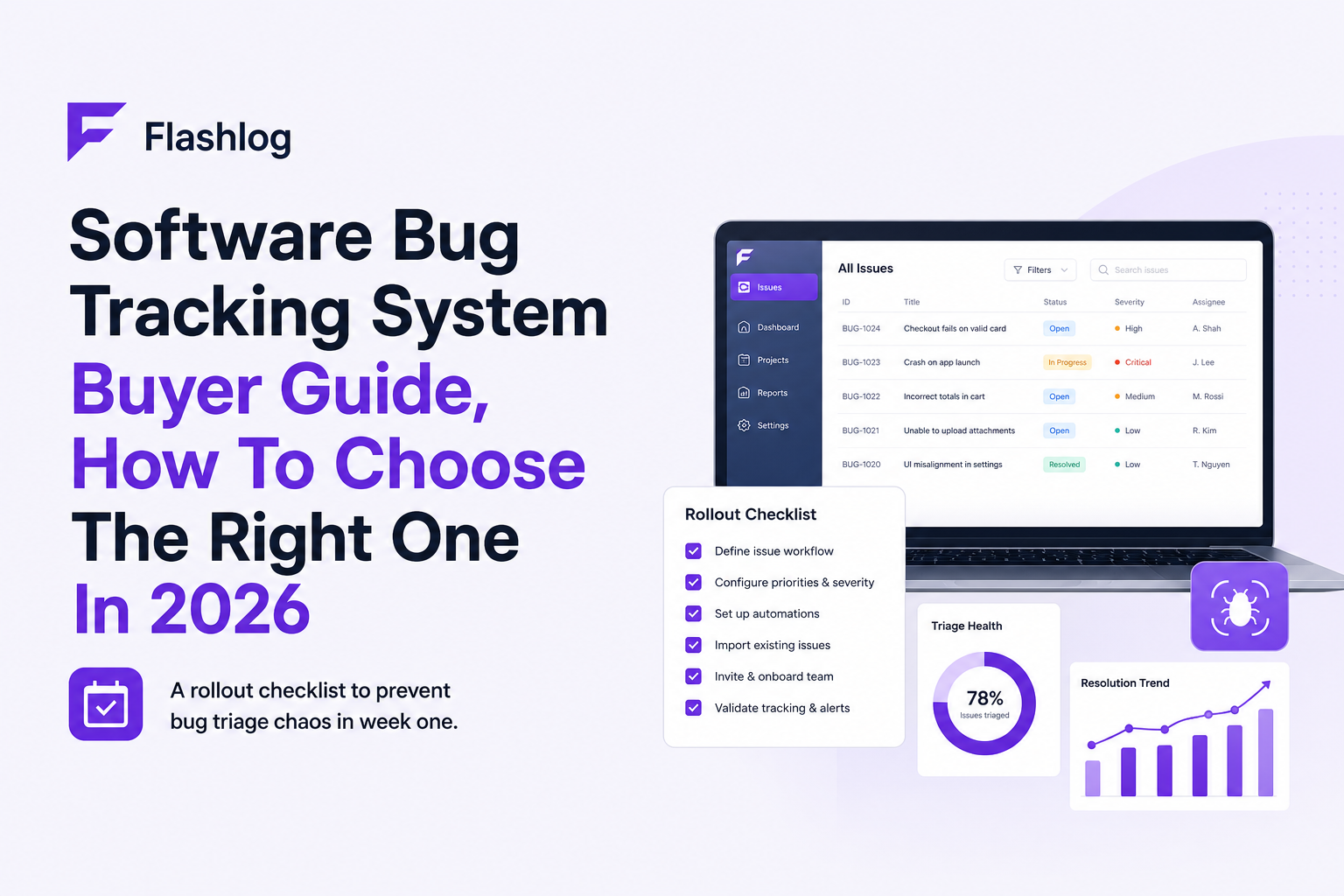
Implementation checklist that prevents triage chaos in week one
Most rollouts fail because teams import old mess into a new tool. Use this checklist to make your software bug tracking system usable immediately.
Required fields and templates
- Template with: expected vs actual, environment, evidence, and owner component.
- Severity as a required field, not optional. Define it with impact language, not feelings.
- Customer impact: affected users count or percent when available.
- Repro status: “reproducible”, “intermittent”, “needs repro”.
Severity and priority rules you can copy
- Severity 1: blocks revenue or core action (checkout, login), security issue, or widespread crash.
- Severity 2: major feature broken with workaround, affects a meaningful segment.
- Severity 3: minor bug, cosmetic, edge case with low frequency.
Then define priority separately based on timing and commitments (example: “P0 fix today”, “P1 this sprint”, “P2 scheduled”, “P3 backlog”).
Dedupe and routing automation
- Auto label by component, platform, and environment (prod vs staging).
- Auto assign by service ownership map.
- Dedupe rule: if same endpoint and error signature appears, merge into the existing issue and update impact counts.
Weekly operating rhythm
- Daily: 10 to 15 minute triage to keep the queue small.
- Weekly: review top recurring issues, decide fix vs ignore, and close stale low signal tickets.
If you struggle to standardize, start by enforcing consistent reproduction steps and a single intake path for support and QA.
Why Flash Log wins when bug intake is the bottleneck
Many teams already have Jira, GitHub Issues, or Linear. The gap is upstream: production failures are discovered late, reported inconsistently, or not reported at all. When intake is the bottleneck, adding another tracker does not help. You need a system that can capture and classify bugs before humans write tickets.
What “intake bottleneck” looks like in practice
- Support shares screenshots but engineering asks for logs, environment, and the failing request.
- Users churn after a broken flow, but no one files a bug because no one saw the error.
- Monitoring shows spikes, yet the tracker fills with duplicates and low context issues.
How Flash Log fits with your existing tracker
Flash Log is designed to sit in front of your existing software bug tracking system and turn production failures into ticket ready issues with enough context to reproduce. It focuses on capturing real production failures (network errors, 4xx or 5xx responses, runtime exceptions, and realtime socket rejections), preserving the path into the bug, and controlling noise so engineering gets one clean issue instead of five partial reports.
What to verify in a trial
- Coverage: can it capture API failures, frontend crashes, and realtime failures at the moment users hit them?
- Context completeness: does the issue include endpoint, environment, release, and reproduction hints without manual follow up?
- Noise control: can it deduplicate repeat failures into one issue and ignore expected business errors?
- Privacy: can sensitive fields be masked before upload? For guidance, align to OWASP logging recommendations such as avoiding secrets in logs: OWASP Logging Cheat Sheet.
Flash Log complements a tracker, it does not replace your workflow. Think of it as an automated bug report tool for production that outputs structured issues your engineers can act on.
Buying and rollout plan, timeline, risks, and a clear next step
Use this plan to buy and roll out a software bug tracking system without stalling engineering.
30 day timeline you can follow
- Days 1 to 3: confirm intake sources, define severity and required fields, pick owners.
- Days 4 to 10: configure templates, permissions, routing rules, and one integration (Slack or email).
- Days 11 to 20: migrate only active bugs, not the entire historical backlog. Map labels and components.
- Days 21 to 30: enforce triage rhythm, measure time to clarity, reopen rate, and backlog growth.
Migration risks and mitigations
- Risk: importing thousands of stale tickets creates immediate noise. Mitigation: migrate only open, high value issues and archive the rest.
- Risk: inconsistent severity usage. Mitigation: make severity required and define it with examples.
- Risk: production bugs bypass the tracker and live in chat. Mitigation: create one intake rule and automate routing.
Success metrics to track after rollout
- Time to clarity for Severity 1 and 2 issues.
- Duplicate rate and how often engineers merge tickets.
- Escape rate: bugs found in production vs before release.
- Backlog health: percent of tickets without repro or without owner.
Security and privacy questions to ask
- How is data encrypted in transit and at rest?
- Can you redact sensitive fields before upload?
- What access controls and audit logs exist?
| Criteria | What to look for | Good fit when |
|---|---|---|
| Intake coverage | QA + support + production signals, not just manual tickets | Production issues are a major source of churn or support load |
| Context quality | Environment, failing endpoint, stack trace, evidence attached | Engineers waste time asking for details |
| Triage controls | Dedupe, grouping, ignore rules, severity enforcement | Your backlog grows faster than you can fix |
| Workflow fit | Native fit with Jira, GitHub, or Linear | You want minimal process change |
| Reporting | Cycle time, reopen rate, escape rate, exports | You need to prove quality improvements to leadership |
FAQ
If your current software bug tracking system is fine but production bug intake is slow, inconsistent, or missing entirely, try Flash Log to automatically capture and classify real production failures and route one ticket ready issue into Jira or GitHub Issues. Start with a small rollout on your highest value user flow and measure time to clarity and duplicate rate in the first week.
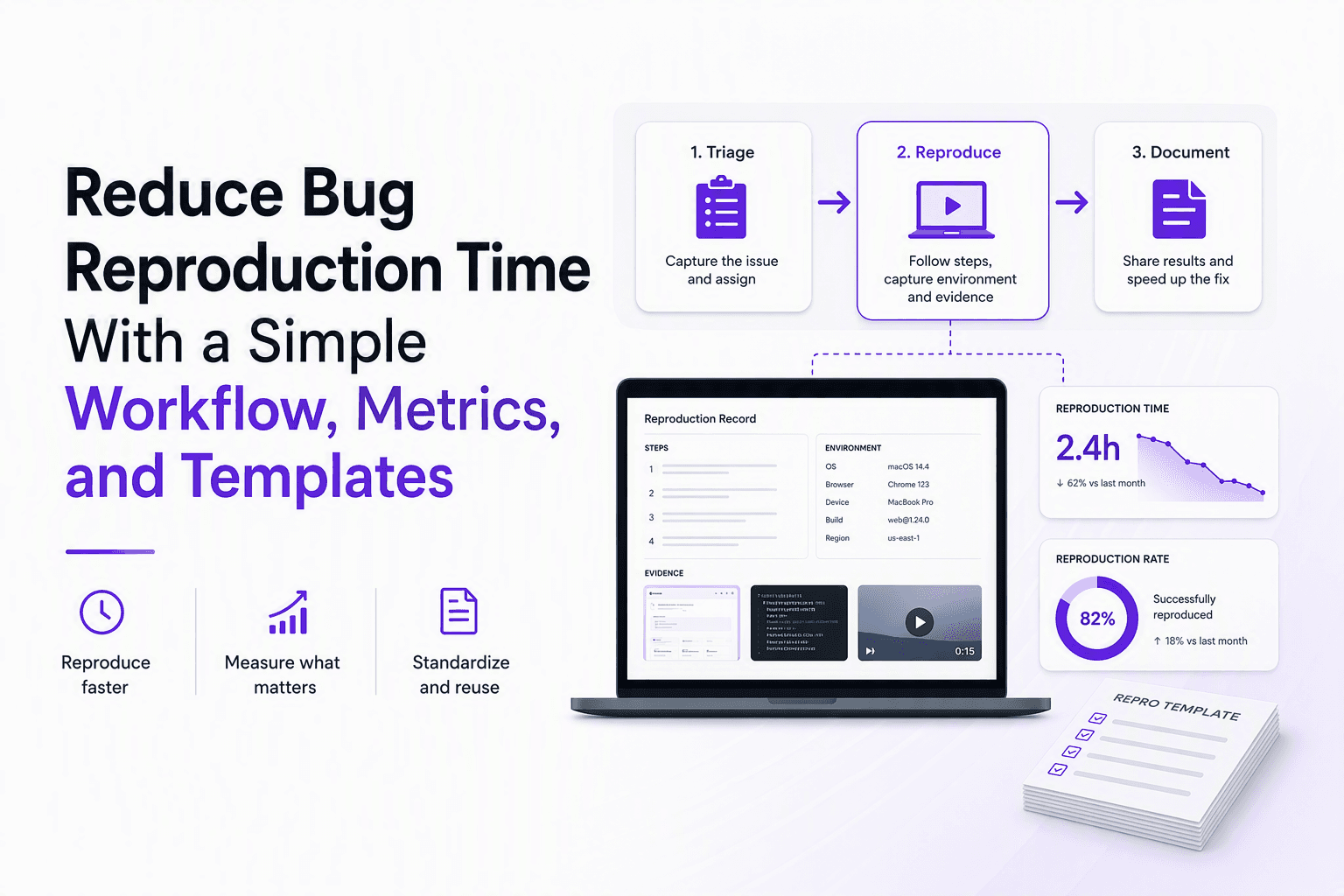
Reduce Bug Reproduction Time With a Simple Workflow, Metrics, and Templates
Learn how to reduce bug reproduction time with clear metrics, a triage-to-repro workflow, and copy-paste templates that cut back-and-forth.
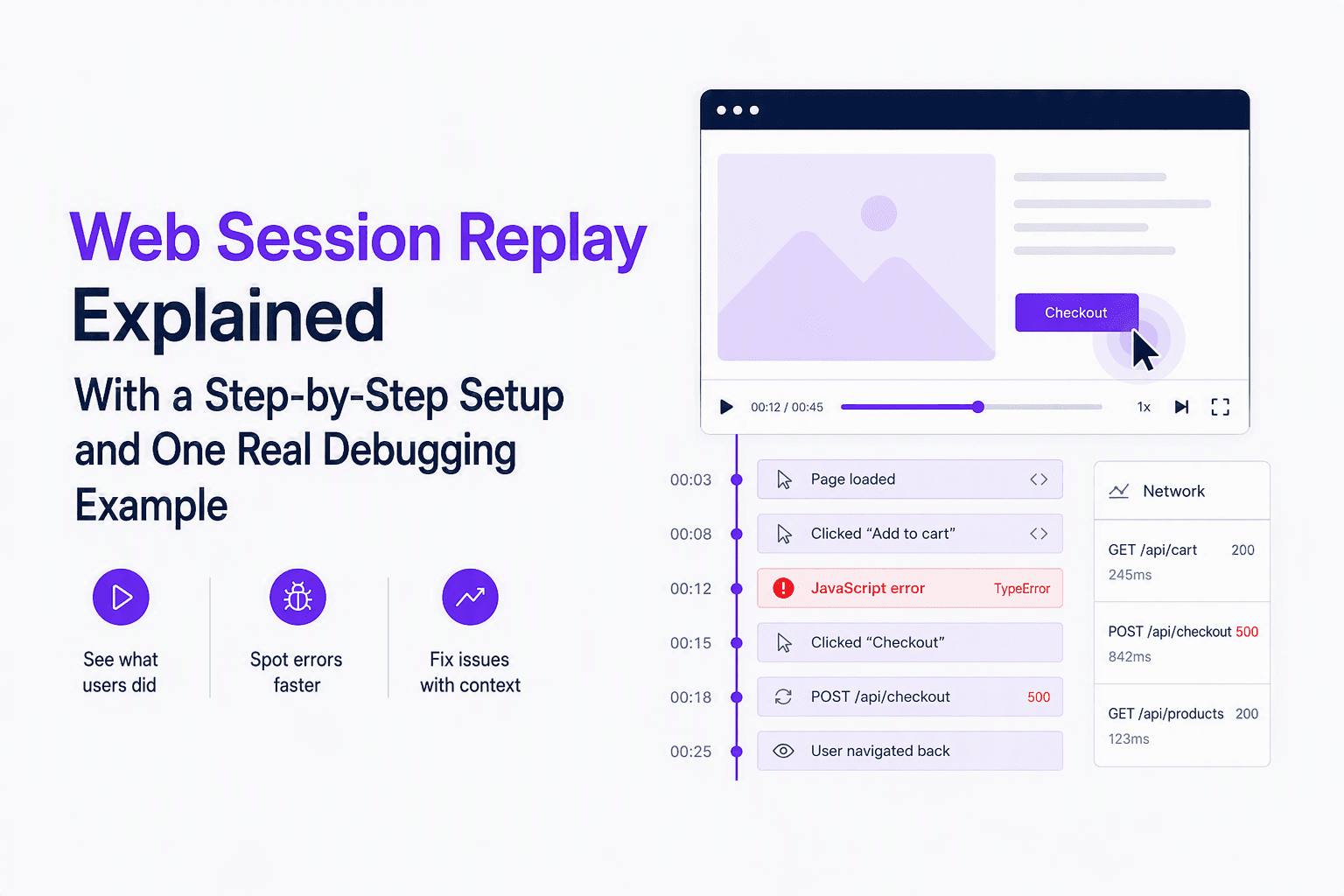
Web Session Replay Explained With a Step-by-Step Setup and One Real Debugging Example
Learn web session replay fundamentals: what it captures, how it works, and a step-by-step setup plus a real timeline walkthrough to find root cause.

Escalation Policy Template And Matrix For On-Call Teams
Use a practical escalation policy template and SEV matrix with timelines, roles, and targets to reduce missed pages and time-to-ack.