
Best Bug Report Tool for Production Bugs - What To Choose and What To Avoid
When a production bug hits, the worst outcome is not the error itself, it is the slow, messy handoff: a vague support note, a screenshot with no steps, and engineers burning hours trying to recreate what a real user just experienced. A modern bug report tool should do more than create tickets. It should capture the failure automatically, preserve the path into the bug, and package enough technical context that the next engineering step is obvious. This guide gives you a practical, trial-friendly way to choose a tool for production-grade reporting, plus a shortlist of options by use case and a clear list of deal-breakers to avoid.
- Demand automatic capture plus reproducible context (request, environment, user path), not just a “submit a ticket” form.
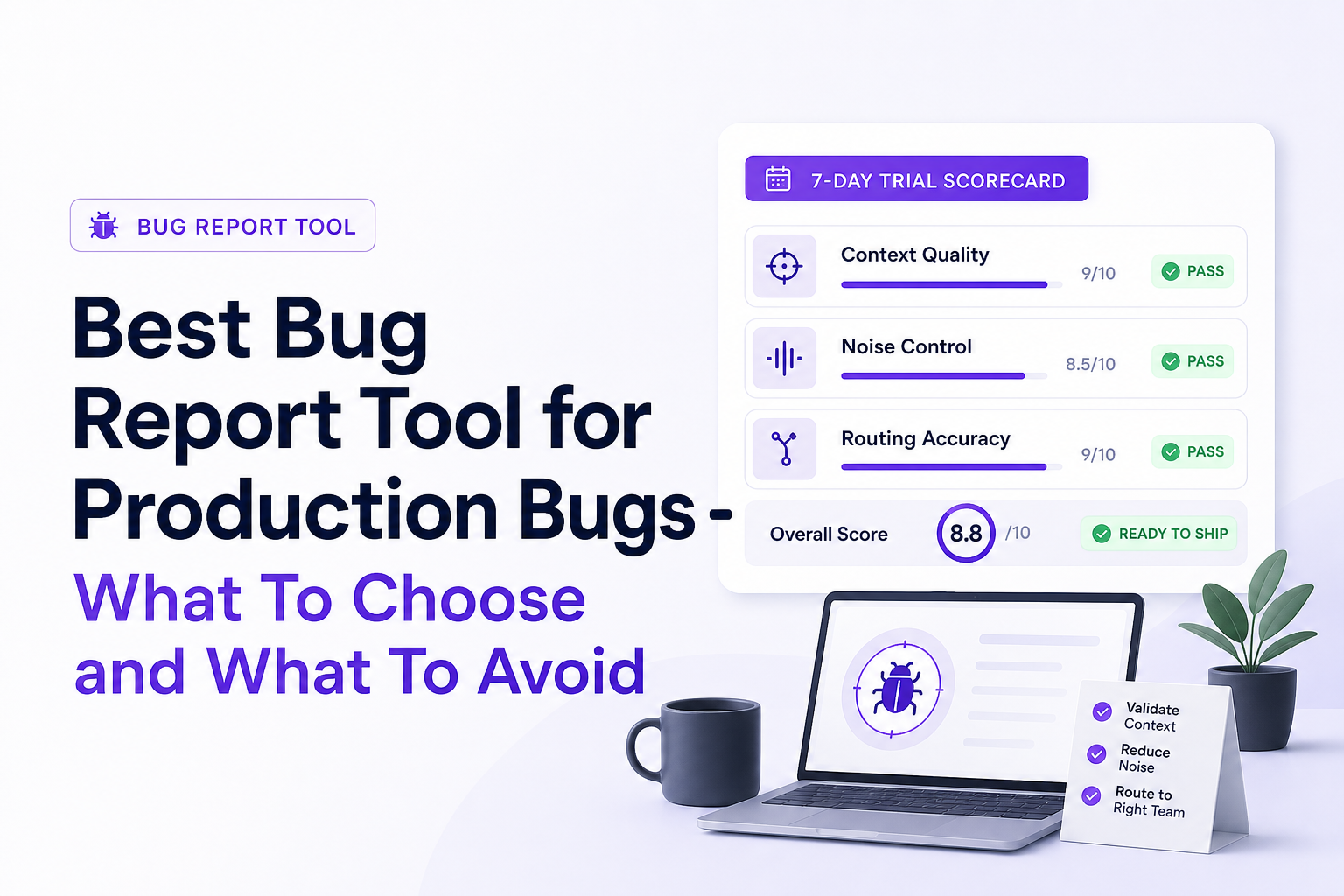
- Evaluate in a 7-day trial with a scorecard: setup time, context completeness, noise control, and workflow fit.
- Pick by use case: session replay for UX flows, crash reporting for app stability, observability for deep debugging, and AI capture for “bugs users never report.”
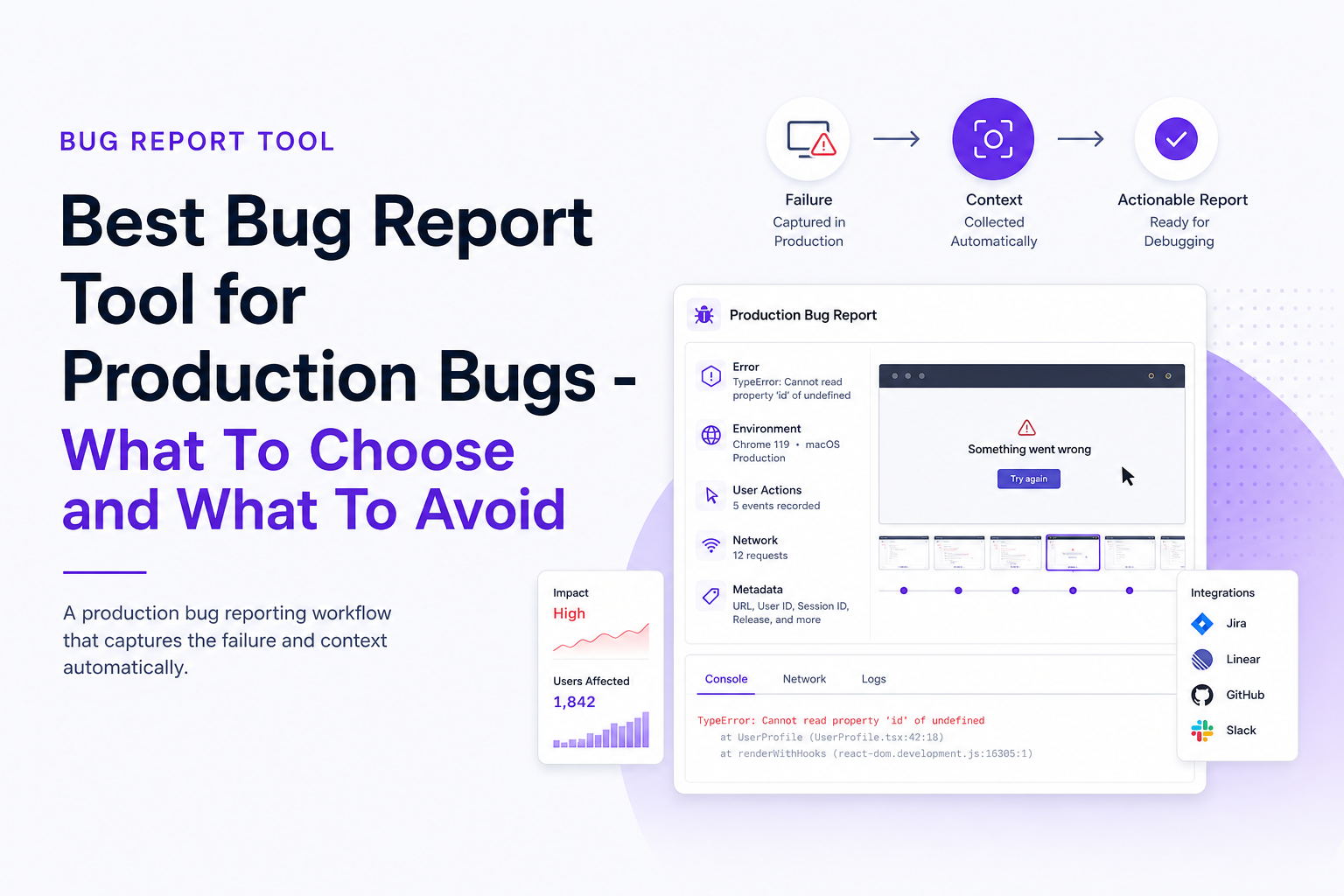
What is a bug report tool
A bug report tool is software that helps teams capture, structure, and route software defects into a workflow where they can be reproduced, prioritized, and fixed. In 2026, the bar is higher than “a form that creates a ticket.” Production-focused tools increasingly behave like an evidence collector and triage assistant that:
- Detects failures automatically (network errors, runtime exceptions, broken UI actions, realtime disconnects).
- Captures context (endpoint, status code, device, browser/OS, release version, user actions, timestamps).
- Controls noise (deduplication, grouping, ignore rules, severity mapping).
- Routes clean issues into Jira, GitHub Issues, Linear, or a weekly review digest.
Direct answer for fast decision-making
If you are choosing a bug report tool for production bugs, prioritize automatic capture, reproducible context, and noise control. In a trial, validate that a real production failure becomes a single, ticket-ready issue with steps, environment, impact, and safe payload handling, without flooding your tracker with duplicates.
Why it matters for production bugs
Production bugs are different from QA bugs because you often cannot reproduce them locally, and the business impact is immediate. A strong reporting setup reduces time-to-triage and prevents “context debt” where engineers spend more time asking questions than fixing.
A practical benchmark: time-to-clarity
Instead of measuring “time to fix” (which depends on complexity), measure time-to-clarity: the time from first signal to a confident next step (reproduce, rollback, hotfix, or assign). In many teams, the biggest gains come from reducing clarification loops:
- Support asks the user for steps.
- User replies with partial info.
- Engineering asks for environment details.
- Someone tries to guess which release introduced it.
A production-ready bug report tool should collapse that loop by capturing the failure and the trail around it at the moment it happens.
Risk and compliance considerations
Capturing more context increases privacy risk unless the tool supports redaction and safe payload handling. If your app touches payments, healthcare, or personal data, you should treat “masking sensitive fields before upload” as a requirement, not a nice-to-have. For general privacy guidance, align your evaluation with established principles like data minimization and security controls described by OWASP ASVS.
What to demand from a bug report tool in 2026
This section is a criteria checklist you can use to evaluate any bug report tool quickly, especially during a trial. Treat each item as “show me” rather than “tell me.”
1) Automatic capture of real failures (not just user-submitted reports)
Deal-breaker question: Can it log a bug even when the user never clicks “Report”? Many production issues never get reported because users churn silently or assume “it’s just broken.” You want capture triggers such as:
- Network failures: 4xx/5xx, timeouts, slow endpoints
- Frontend runtime exceptions
- Broken UI actions (clicks that fail to complete key flows)
- Realtime/socket rejection flows
Validation step: in staging or a test environment, intentionally trigger a 500 on a key endpoint and confirm an issue is recorded without manual reporting.
2) Reproducibility context: the “minimum viable evidence” bundle
The best tools package a compact record that answers: what failed, where, who was affected, and how to reproduce. Require these fields (or equivalents):
- Failing request details: method, endpoint, status, timing
- Environment: browser, OS, device, app version/release
- User path: navigation history and key actions leading to failure
- Impact: affected users count, frequency, first seen/last seen
Validation step: ask an engineer to attempt reproduction using only the captured record. If they still need to ask support for basics, the tool is not doing enough.
3) Noise control that keeps your backlog trustworthy
Production logging can generate a lot of raw signals. Without noise control, your tracker becomes unusable and engineers start ignoring alerts. Require:
- Deduplication (same root error grouped into one issue)
- Grouping (similar failures clustered by endpoint, stack trace, or flow)
- Ignore rules (expected business errors, bots, known test accounts)
- Severity mapping tied to user impact and critical flows
Validation step: run a load test or generate repeated failures and confirm you get one clean issue, not 200 near-identical tickets.
4) Ticket-ready output that matches how engineering works
A bug report tool should not force engineers to retype or reformat. Look for structured fields that map into your issue tracker: title, severity, summary, reproduction steps, and key metadata. If the tool supports AI summaries, validate that the summary is specific (endpoint, failure mode, impact) rather than generic.
5) Privacy-safe payload handling
Production context often includes user input, headers, and payloads. Require controls that let you preserve debugging value while reducing risk:
- Field-level redaction or masking before upload
- Configurable data retention
- Access controls and auditability
Validation step: confirm you can mask sensitive fields (for example password, token, card data) and still keep enough context to debug.
Best bug report tool options by use case
There is no single “best” category for every team. The fastest way to choose is to match the tool category to the kind of production bugs you most often face, then validate against the criteria above.
Option A: In-app user reporting (best for early-stage feedback loops)
These tools focus on making it easy for users or internal testers to submit feedback with screenshots and comments. Choose this category if your main challenge is collecting qualitative feedback and you have a small surface area.
- Strength: fast feedback, simple to deploy
- Weakness: relies on users to report; often missing request-level context
- Best fit: early products, internal tools, beta programs
What to watch: if you are repeatedly asking “which browser, which release, what endpoint failed,” you have outgrown this category for production incidents.
Option B: Crash reporting and error monitoring (best for stability and exceptions)
Crash reporting shines when your dominant failures are unhandled exceptions, stack traces, and app crashes. It is a strong complement to other approaches, especially for mobile and frontend reliability.
- Strength: excellent exception visibility, stack traces, trend charts
- Weakness: may not capture the full user journey or failing request context for business-critical flows
- Best fit: apps with frequent runtime exceptions or crashes
If this is your category, also plan a workflow for turning crashes into fixes. A helpful reference is crash reporting that emphasizes reproducibility and routing.
Option C: Session replay and UX diagnostics (best for broken flows)
Session replay tools help you see what the user did before something broke, which is valuable when the bug is “the button does nothing” or “the modal freezes.”
- Strength: high clarity on user actions and UI state
- Weakness: can be heavy on privacy considerations and may still require correlation to backend failures
- Best fit: teams debugging complex UI flows and intermittent front-end issues
What to watch: session replay without strong correlation to network and backend signals can still leave engineers guessing. If you frequently need to connect frontend behavior to API failures, you will want stronger log correlation in your workflow.
Option D: Observability and APM (best for deep backend debugging)
Observability platforms are excellent for investigating performance, traces, and service dependencies. Choose this category if your main pain is distributed systems, latency, and diagnosing root cause across services.
- Strength: deep traces, metrics, and service-level visibility
- Weakness: can be too technical for turning a user-impacting failure into a clean, actionable issue; often requires manual triage
- Best fit: microservices, high scale, complex dependencies
What to watch: if engineers can find the trace but still struggle to reconstruct the user path and exact reproduction steps, you need a better bridge between “signal” and “ticket.”
Option E: Automatic AI-captured production bug reporting (best for “users never report it” bugs)
This category focuses on capturing production failures the moment they happen, preserving the trail into the bug, and generating a structured issue summary that routes cleanly into engineering workflows. Choose this when your biggest problem is missing context and slow triage, not a lack of ticketing.
- Strength: automatic capture, context packaging, noise control, faster time-to-clarity
- Weakness: you must validate privacy controls and ensure routing matches your process
- Best fit: teams where production bugs impact revenue flows and engineers need ticket-ready context fast
If you routinely need to production debugging without a local reproduction, this category can remove days of back-and-forth.
How to evaluate a bug report tool in a 7-day trial
Most teams evaluate tools by clicking around dashboards. That is a mistake. Evaluate by running a controlled set of failures through the tool and scoring the outputs. Below is a practical scorecard you can copy into a doc and use with engineering and support.
Step 1: Define 5 test scenarios that mirror real production pain
Pick scenarios that represent your highest-impact bug types:
- API failure: force a 500 on a key endpoint (checkout, login, save)
- Slow endpoint: introduce latency to a critical request
- Frontend exception: trigger a runtime error in a common UI path
- Broken flow: simulate a click that fails to advance state
- Realtime failure: reject a websocket message or close a connection
Step 2: Score setup time and operational friction
Track:
- Time to first meaningful event captured
- Engineering hours required for instrumentation
- Whether support or product can use it without engineering help
Step 3: Score context quality using a reproducibility rubric
For each scenario, grade the captured issue from 0 to 2 on each dimension:
- What failed (clear error, endpoint, failure mode)
- Where and when (release, environment, timestamps)
- User path (actions leading to failure)
- Reproduction steps (specific and ordered)
- Impact (affected users, frequency)
A strong bug report tool should routinely score 8 to 10 out of 10 across scenarios. If you are seeing 4 to 6, engineers will still be doing manual reconstruction work.
Step 4: Score noise control with a duplicate storm test
Generate the same failure 50 to 200 times (for example, a broken endpoint hit by many users or a bot). Evaluate:
- How many issues are created
- Whether they are grouped into one canonical record
- Whether you can ignore known-noise sources safely
Rule of thumb: if the tool creates more than 3 issues for one root failure pattern, it will eventually pollute your tracker.
Step 5: Validate workflow fit with a routing drill
Pick one destination (Jira, GitHub Issues, Linear, or email digest) and test the full loop:
- Does the issue arrive with the right fields pre-filled?
- Can you map severity and ownership?
- Does it support weekly review without backlog spam?
If your team struggles with prioritization, pair the trial with a lightweight framework for issue triage so you can judge whether the tool improves decision speed, not just visibility.
Common mistakes when choosing a bug report tool
These are the patterns that lead teams to buy something, ship it, and still end up debugging from screenshots and chat logs.
Mistake 1: Optimizing for ticket creation instead of time-to-clarity
If a tool makes it easy to create tickets but does not improve reproducibility, you have simply moved the pain downstream. Fix: require a reproducibility rubric score during trial, not a “looks good” demo.
Mistake 2: Treating all signals as bugs
Logging every 404, every validation error, or every expected business rule failure will destroy trust. Fix: insist on ignore rules, grouping, and dedupe, and test them with a duplicate storm.
Mistake 3: Ignoring privacy until after rollout
Teams often discover too late that payloads include sensitive fields. Fix: review redaction controls on day 1 and verify they work under real traffic patterns. For baseline privacy expectations, reference ISO/IEC 27001 principles for security management, even if you are not pursuing certification.
Mistake 4: Not testing “no user report” scenarios
Many of the most expensive production bugs are silent failures. Fix: require automatic capture and validate it by triggering failures without any manual report action.
Best practices for production-grade bug reporting
Once you have the right bug report tool, these practices make the system reliable and usable across engineering, support, and product.
Best practice 1: Define “critical flows” and map severity to business impact
Create a short list of flows that must not break (checkout, signup, login, data export). Then define severity rules such as:
- Critical: blocks a critical flow for multiple users in the current release
- High: breaks a core feature with workaround
- Medium: intermittent or limited to a segment
- Low: cosmetic or edge case
This makes routing and prioritization consistent.
Best practice 2: Standardize the “ticket-ready” template
Even with automation, agree on the minimum fields every issue should have. A simple template:
- Title: action + failure mode (for example “Checkout submit returns 500”)
- Impact: affected users count, frequency, first seen
- Reproduction: 3 to 6 steps
- Context: endpoint, environment, release
- Owner: team or service
Best practice 3: Use a weekly digest for non-urgent issues
Not every bug should become an immediate ticket. A weekly review prevents backlog spam while still capturing learning. This is especially effective when paired with a “debug safely in production” workflow. If your team is still nervous about live investigation, use a safety-first approach to debug in production.
Checklist for choosing the best bug report tool
Use this checklist to make a decision without getting stuck in feature comparisons.
Must-haves (production)
- Automatic capture of network errors, exceptions, and broken flows
- Reproducibility context: request, environment, user path
- Deduplication and grouping
- Routing into your workflow (tracker or digest) with structured fields
- Privacy controls: redaction/masking before upload
Nice-to-haves (depending on your stack)
- Release correlation and regression detection
- Realtime/socket visibility
- Custom ignore rules by endpoint, user segment, or error code
- Role-based access and audit logs
Deal-breakers
- Relies on users to report most bugs
- Creates many duplicate issues for the same root failure
- Cannot mask sensitive fields reliably
- Engineers still need multiple follow-ups to reproduce
| Evaluation area | What to test in a trial | Pass benchmark | Fail signal |
|---|---|---|---|
| Automatic capture | Trigger a 500 without any manual report | Issue recorded with context automatically | No record unless someone clicks “Report” |
| Context quality | Engineer tries to reproduce from the issue alone | Repro steps and environment are sufficient | Multiple follow-ups required |
| Noise control | Generate 50 to 200 duplicate failures | 1 canonical issue with grouping | Tracker flooded with duplicates |
| Workflow fit | Route into Jira/GitHub and check field mapping | Ticket-ready fields are pre-filled | Manual rewriting and missing metadata |
| Privacy safety | Mask sensitive fields and verify uploads | Redaction works without losing key debugging context | Sensitive data leaks into logs or tickets |
FAQ
If your trial scorecard shows you need automatic capture, strong noise control, and ticket-ready context even when users never report the problem, Flash Log is designed for that workflow: it records real production failures, preserves the path into the bug, summarizes the issue into structured context, and routes one clean issue into the tools your engineers already use. If you want, run the 7-day evaluation above against Flash Log and compare the time-to-clarity you get from your current setup.
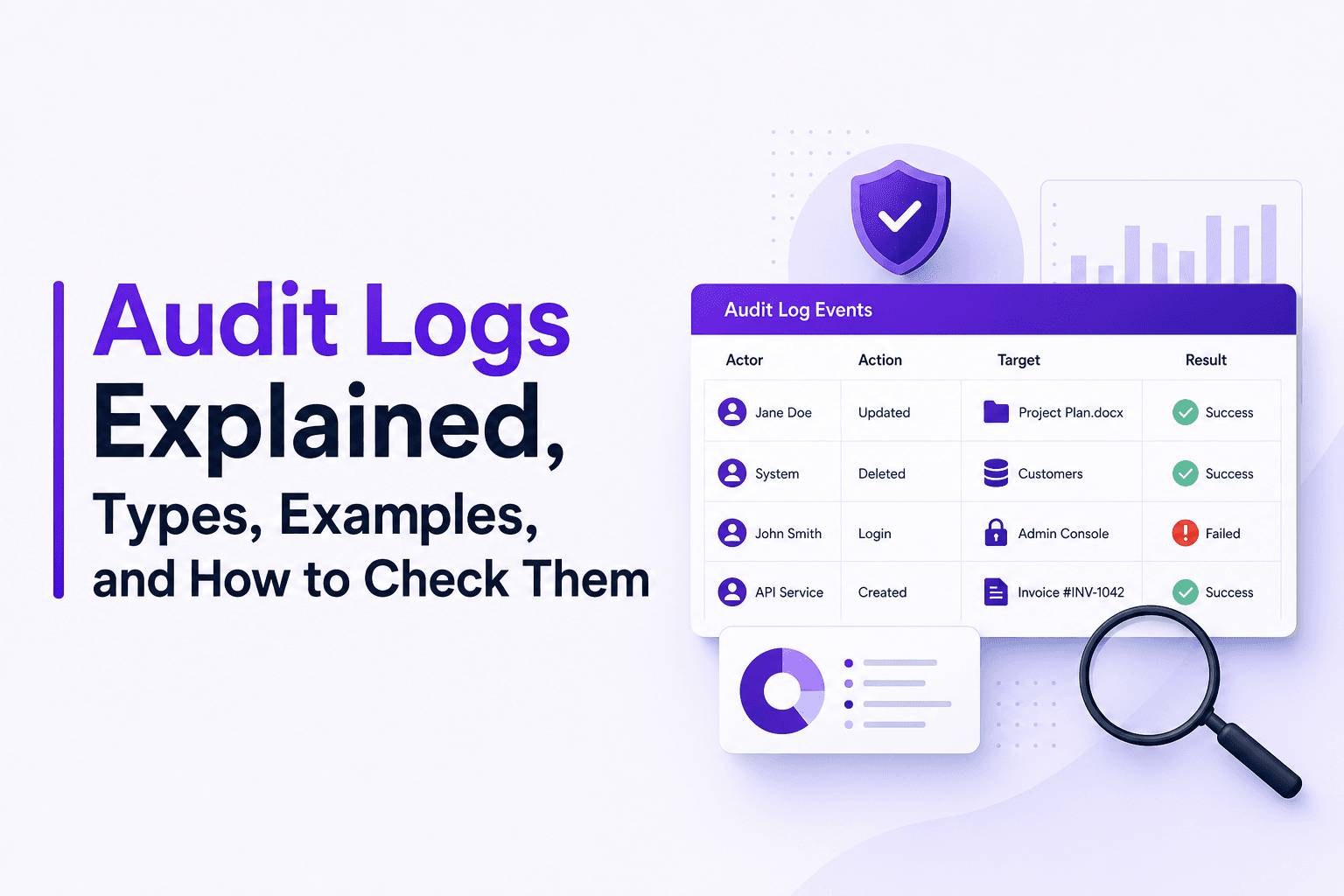
Audit Logs Explained, Types, Examples, and How to Check Them
Learn what audit logs are, the two key types, minimum fields, copyable examples, and how to check audit logs in Microsoft 365, Azure, Power BI, and Linux.
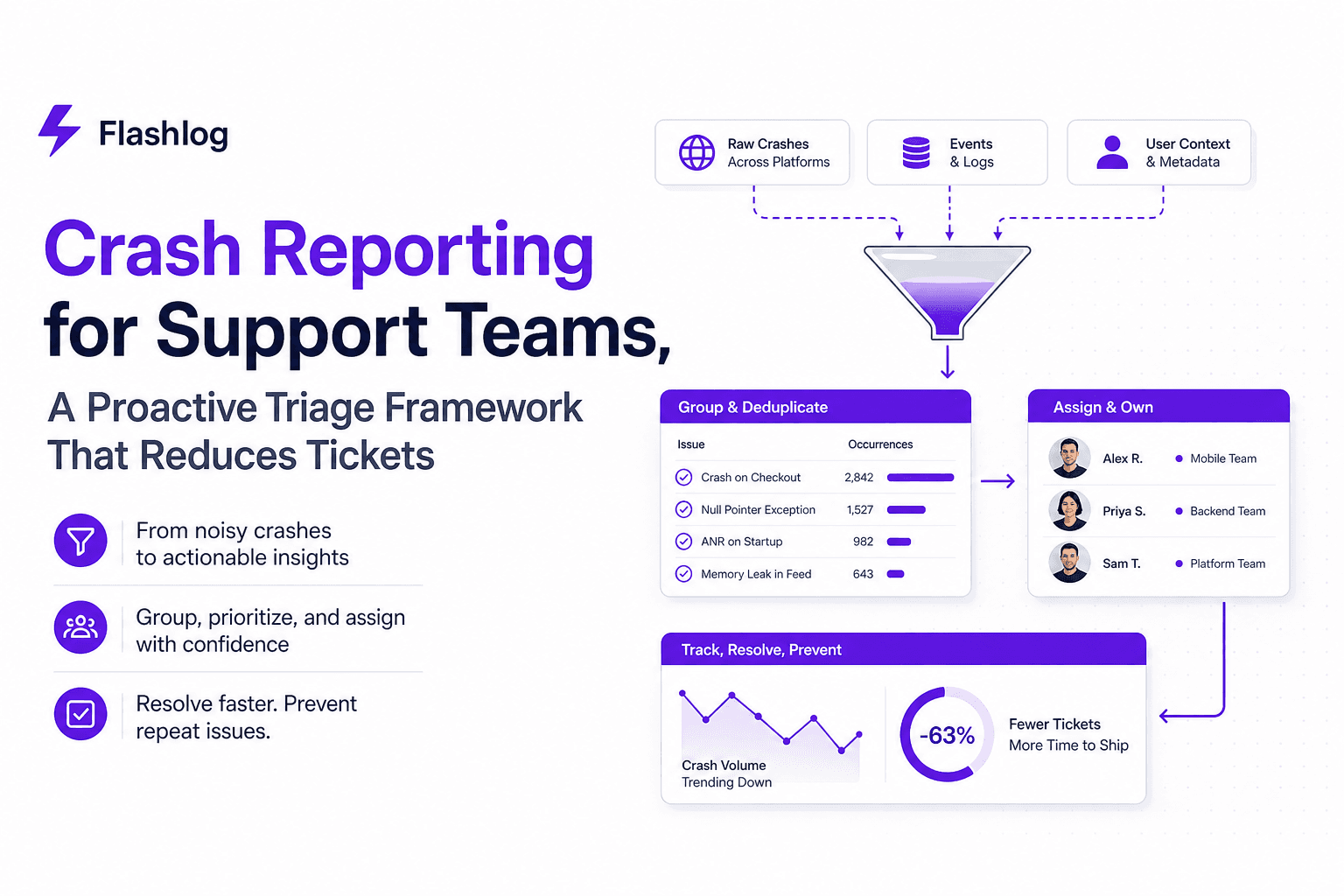
Crash Reporting for Support Teams, A Proactive Triage Framework That Reduces Tickets
Make crash reporting proactive with a support-led triage framework: dedupe, severity rules, routing, and metrics that reduce ticket back-and-forth.

Software Bug Tracking System for Support Teams, A Practical Workflow for Catching Bugs Before Users Report Them
A software bug tracking system workflow for support teams: ticket fields, triage rules, AI capture signals, routing, and metrics to cut backlog.