
Consent Management Explained, A Practical Framework for Privacy Safe Session Replay
Consent management is the operating model that collects a user’s permission signal, stores it as evidence, and enforces it across session replay, tags, SDKs, and downstream tools so you only capture what you are allowed to capture.
- Build consent as a lifecycle: collect signal, persist proof, enforce everywhere, and continuously verify drift.
- For session replay, “consent granted” must control both collection (what the SDK captures) and processing (where the data flows and how long it stays).
- Copyable artifacts matter more than theory: banner copy, preference categories, consent-log fields, and a test plan prevent regressions.
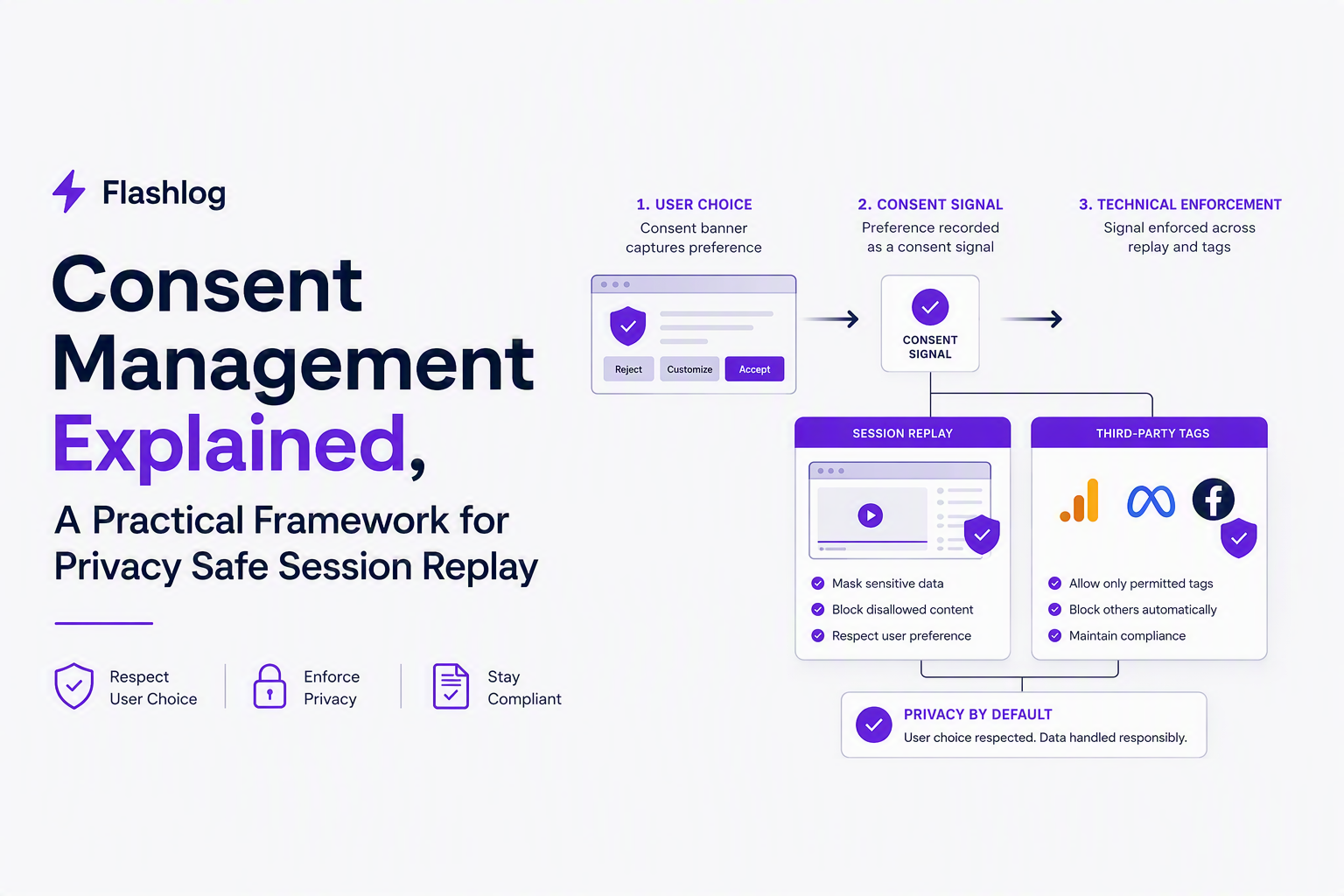
Consent Management Basics, What It Is and What It Is Not
Consent management for session replay works only when it connects three things: user choice, technical enforcement, and auditability.
Define the boundaries: consent management vs CMP vs preference management
- Consent management (operating model): the end-to-end system that (1) asks for a choice, (2) records the choice, (3) applies it across all collectors and processors, and (4) proves it later.
- CMP (Consent Management Platform): a vendor tool that usually provides the banner, preference UI, and sometimes a consent “API” to read consent state. A CMP can be part of consent management, but it is not the whole program.
- Preference management: broader user choices that may go beyond legal consent, like email frequency or product notifications. Preferences can exist even when consent is not required.
What “good” looks like for session replay specifically
Session replay is riskier than many analytics tags because it can capture page content and user inputs, so your model needs explicit control over what gets captured and what gets masked. In practice, a workable baseline is:
- Default behavior: no replay collection until the consent state says it is allowed in that jurisdiction and context.
- Scoped collection: capture only the minimum for debugging (for example, events and network metadata) if the user declines full replay.
- Always-on masking: even when consent is granted, mask high-risk inputs (passwords, payment fields) and treat them as sensitive data.
A concrete “not this” list (common failure modes)
- “Banner present” != compliant: if the SDK loads before consent, the banner is cosmetic.
- “We mask passwords” != privacy-safe replay: replay can still capture names, addresses, free-text fields, and DOM content unless configured.
- “Consent stored in localStorage” != evidence: you still need server-side records and audit logs for policy changes and access.
Where Consent Fits in Privacy Laws, Opt In vs Opt Out in Practice
Consent requirements depend on both jurisdiction and the type of data processing, so the practical question is whether session replay counts as “strictly necessary” for the service and whether it touches personal data.
Plain-English mapping: GDPR and ePrivacy vs CCPA/CPRA
- EU/EEA (GDPR + ePrivacy): consent is commonly required for non-essential trackers and similar technologies; session replay is typically treated as non-essential unless narrowly scoped for security or essential service operation. ePrivacy drives the cookie and tracking consent pattern.
- California (CCPA/CPRA): the frame is often “notice + right to opt out” for selling/sharing personal information, with additional rules for sensitive personal information. Consent can still be needed in certain contexts (for example, minors, or if you are using data in ways that require opt-in under other laws), but the dominant motion is opt-out and honoring signals like GPC.
A simple jurisdiction table you can hand to engineering
| Region | Typical default for non-essential tracking | What to implement for session replay | Notes for teams |
|---|---|---|---|
| EU/EEA + UK | Opt-in | Do not load replay SDK until consent; provide granular categories | ePrivacy-style consent banners are common for replay and analytics |
| US (varies by state) | Often opt-out | Offer opt-out controls; honor Global Privacy Control where applicable | Do not assume one US rule; align with counsel on “sharing” definitions |
| Canada | Context-dependent | Prefer opt-in for cross-site tracking; document purpose and retention | Focus on meaningful consent and purpose limitation |
| Rest of world | Mixed | Use geo rules; default to minimal capture if unknown | Build a ruleset you can update without redeploying the app |
Opt-in vs opt-out, translated into deploy-time decisions
Engineering teams usually need three binary decisions, not legal essays:
- When does the collector load? Pre-consent load is the most common violation pattern. For opt-in regions, load after consent only.
- What changes when consent flips? Consent should toggle both capture mode (full replay vs minimal) and data routing (send to analytics, CDP, support tools, etc.).
- How do we honor browser-level signals? Global Privacy Control (GPC) is a signal you can read and treat as an opt-out, where applicable.
In our experience working with product teams shipping weekly, the biggest operational win is treating “unknown consent state” as its own explicit state, not as “no” or “yes,” so you can debug edge cases like iframe-loaded banners and race conditions.
The Consent Lifecycle Architecture, Banner to Audit Log to Enforcement
A reliable consent lifecycle architecture propagates one canonical consent state from the UI layer to every collector and processor and records proof of what happened.
Step 1: Collect a versioned consent signal
- Capture the user choice (accept all, reject all, granular selections).
- Version your policy: attach a policy version string so you can prove what the user saw.
- Timestamp and jurisdiction: record when and under which geo rule the choice was taken.
Step 2: Persist consent in two places (client and server)
- Client storage (cookie/localStorage) supports instant enforcement for tags and SDKs.
- Server-side record supports auditability, incident response, and user requests.
Step 3: Enforce consent at three choke points
- Loading gate: do not initialize the replay SDK, analytics tags, or ad pixels before allowed.
- Capture gate: even if loaded, ensure capture is configured to mask and limit fields by category.
- Egress gate: prevent downstream forwarding to CDP/CRM/warehouse when the category is not allowed.
Step 4: Prove it with logs and drift monitoring
Consent management breaks quietly when teams add a new tag, change a route, or ship a new component that escapes masking, so you need verifiable telemetry. Minimum set:
- Consent event log: who changed what, when, and policy version.
- Tag/SDK inventory diff: what collectors exist in prod today vs last week.
- Access and export logs: who viewed, exported, or forwarded replay data.
What surprised our team was how often “consent is respected” failed due to ordering: the banner rendered after the replay script initialized. The fix was a hard load gate at the tag manager level plus a runtime check inside the app for single-page navigations.
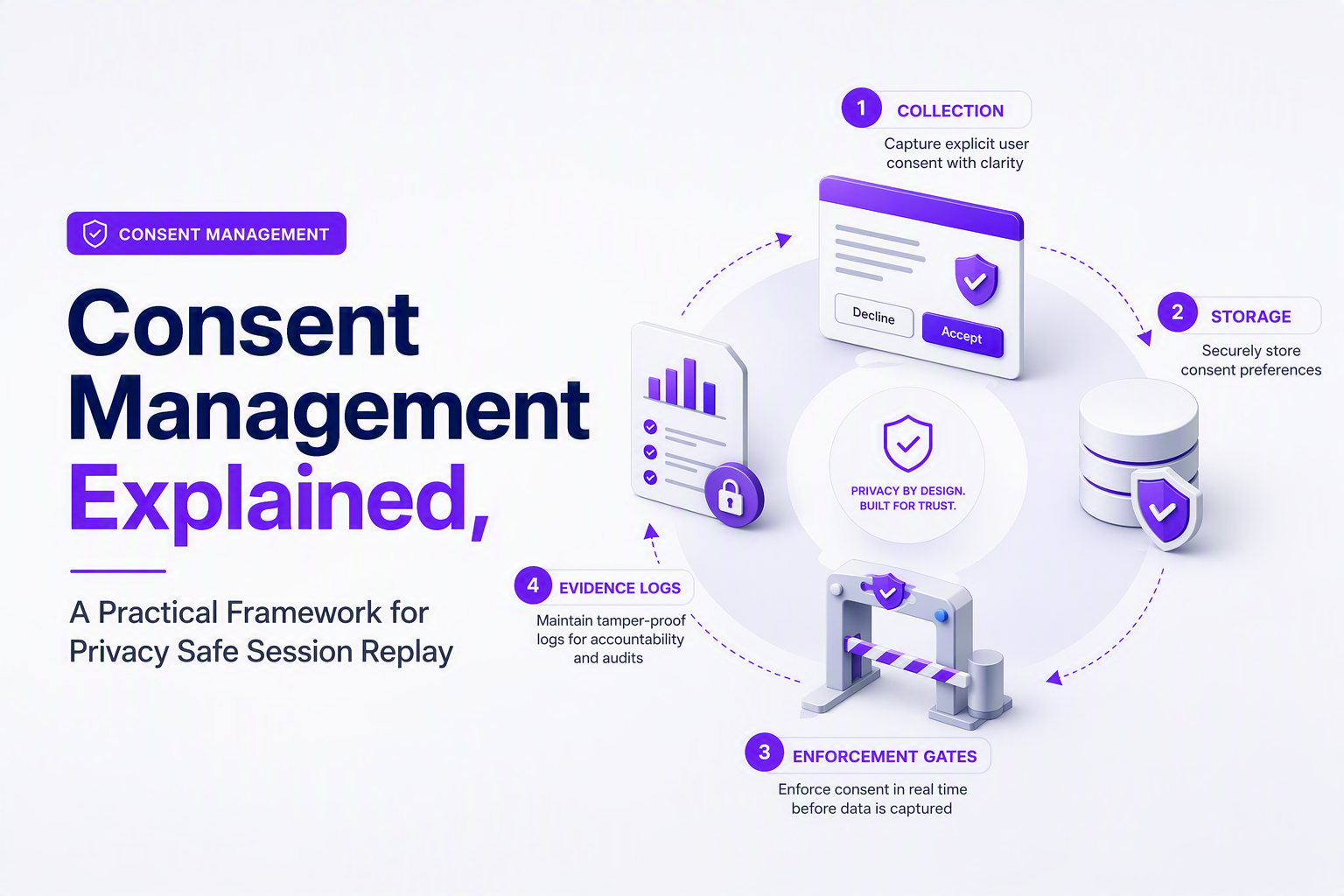
Consent Management Examples Library You Can Copy
Copyable artifacts reduce ambiguity, so the fastest way to improve consent management is to standardize copy, categories, and log fields.
Banner copy templates (short, specific, engineer-friendly)
- Opt-in default (EU-style): “We use analytics and session replay to understand usage and diagnose errors. You can accept, reject, or customize. Essential cookies are always on.”
- Minimal capture fallback: “If you reject non-essential tracking, we will still collect essential technical logs needed to keep the site reliable.”
- Granular categories hint: “Performance and debugging tools help us identify broken flows and failed requests. Marketing tools help us measure ad effectiveness.”
Preference categories that map cleanly to enforcement
| Category | Allowed examples | Replay-specific enforcement | Default in opt-in regions |
|---|---|---|---|
| Essential | Auth cookies, fraud prevention, load balancing | No visual replay; allow minimal error telemetry if truly necessary | On |
| Performance / Debugging | Error tracking, limited replay for reproduction | Enable replay with strict masking; disable text capture for free-form fields | Off |
| Analytics | Product analytics | Allow event capture; avoid full DOM capture unless explicitly disclosed | Off |
| Marketing | Ad pixels | Never share replay data to marketing destinations | Off |
Consent log fields (minimum viable evidence)
- user_id (or anonymous ID)
- consent_state (per category)
- source (banner, preference center, API, GPC)
- policy_version
- timestamp
- jurisdiction_rule (geo bucket)
- sdk_enforcement_status (loaded yes/no; capture mode)
Six scenarios with the “right” system behavior
- User in EU clicks Reject all: do not initialize replay; do not set non-essential identifiers; keep only essential operational logs.
- User in EU accepts Performance but rejects Marketing: allow debugging replay with masking; block ad pixels; block any forwarding from replay to marketing destinations.
- User toggles consent later in a preference center: record a new consent event; immediately stop capture and delete queued buffers; apply on next page load too.
- User sends a Do Not Sell/Share request (CA): honor opt-out, including downstream sharing; treat GPC as opt-out where you support it.
- Anonymous user becomes logged-in: link consent state to account only if disclosed; keep proof that the original choice existed before login.
- Support asks for a repro but user declined replay: fall back to non-replay evidence (error stack, failing request metadata) and avoid trying to “force” replay collection.
For teams using session replay technology, scenario 6 is where policy and engineering collide: you still need reproducible bug context without over-collecting.
Frameworks and Standards, TCF vs GPP vs GPC vs Google Consent Mode
Standards help consent management scale across vendors, but each standard solves a different part of the pipeline, so choosing one is about your vendor mix and geography.
Decision tree: which standard should you prioritize?
- If you run ads in Europe with many adtech partners: start with IAB TCF support in your CMP and ensure vendors actually read the string.
- If you need one signal across US state privacy regimes: add GPP support (especially if your ad stack expects it).
- If you want a browser-level opt-out signal: implement GPC reading and map it to your opt-out categories.
- If you depend on Google tags: implement Google Consent Mode so Google tags adjust behavior based on consent state.
Implementation notes that prevent “we enabled it” failures
- TCF (Transparency and Consent Framework): treat it as a contract between CMP and vendors. Verify each critical vendor reads the TCF string and respects purpose restrictions.
- GPP (Global Privacy Platform): plan the mapping from state-specific sections to your internal categories, then test the translation layer.
- GPC (Global Privacy Control): implement as a high-priority signal that can override local toggles when required by your policy; document how conflicts resolve.
- Google Consent Mode: ensure tags are configured to use consent state before they fire, otherwise you get partial mitigation without true control.
After running several consent audits across tag manager setups, the pattern was clear: standards do not replace enforcement gates. Teams still need a hard rule that no collector runs until the internal consent API returns an allowed state.
External references (for specs and definitions)
- Global Privacy Control for signal overview.
- IAB Europe TCF for framework documentation.
Operating Consent Like a Program, Owners, KPIs, and a Drift Test Plan
Operational consent management succeeds when ownership, measurable controls, and continuous verification are in place, not when a banner ships once and is forgotten.
Lightweight RACI you can adopt
| Activity | Responsible | Accountable | Consulted | Informed |
|---|---|---|---|---|
| Consent taxonomy and banner copy | Privacy/Legal + Product | Privacy lead | Engineering | Support |
| SDK/tag load gating | Engineering | Engineering lead | Privacy/Legal | Analytics |
| Masking rules and replay scope | Engineering | Security/Privacy | Support | Product |
| Consent logging and evidence retention | Data/Platform | Privacy lead | Security | Engineering |
| Quarterly drift audit | Security/Privacy | Security lead | Engineering, Analytics | Exec sponsor |
KPIs that indicate real control (not vanity)
- Pre-consent network calls: count calls to replay/analytics endpoints before consent is granted (target: 0 in opt-in regions).
- Consent-state coverage: percentage of sessions with a known consent state vs unknown.
- Category enforcement accuracy: percentage of sessions where configured category matches observed collectors firing.
- Time-to-stop: time between user toggling off and collectors ceasing capture (should be immediate within the session).
- Retention compliance: verify replay and logs follow your defined data retention schedule.
Drift test plan (run monthly or per release)
- Tag inventory scan: list all third-party scripts and SDKs in production routes.
- Geo simulation: test EU opt-in, US opt-out, and unknown-geo flows.
- Consent-state matrix: accept all, reject all, accept only debugging, accept only analytics.
- Network verification: confirm which endpoints are hit in each state and when.
- Replay spot-check: ensure masking rules still apply after UI changes and new form fields.
- Evidence check: verify consent event logs exist, are queryable, and match observed behavior.
Teams that use session recording for debugging should add one extra check: confirm the “decline” path still produces enough non-replay diagnostics (errors and failing request metadata) so engineers do not pressure product to weaken consent controls.
| Control | How to test | Pass criteria | Common breakage |
|---|---|---|---|
| Load gate | Open DevTools, reload page pre-consent | No replay/analytics requests fired | SDK loads via tag manager “All Pages” trigger |
| Capture gate | Type into form fields after consenting | Masked/redacted fields remain masked | New input type not covered by masking rules |
| Egress gate | Inspect outbound destinations | No forwarding to blocked tools | CDP forwards events without category checks |
| Stop on revoke | Toggle off mid-session | Capture stops immediately, buffers cleared | Consent change only applied on next load |
| Retention | Query stored sessions by age | Old data purged per schedule | Different systems have inconsistent TTLs |
FAQ
If you use the checklists above to audit your current consent management and find gaps in “debuggability without over-collection,” Flash Log is worth a look as a privacy-conscious way to capture and classify bugs with the surrounding technical context engineers need, even when users never file a report.

Event Sampling for Observability Teams, Cut Noise Without Missing Critical Incidents
Event sampling playbook for observability: reduce telemetry noise without hiding incidents. Define triggers, dedupe rules, and reliability checks.

Software Bug Tracking System Buyer Guide, How To Choose The Right One In 2026
A practical 2026 buyer guide to pick a software bug tracking system using criteria, a shortlist by use case, and a rollout checklist.
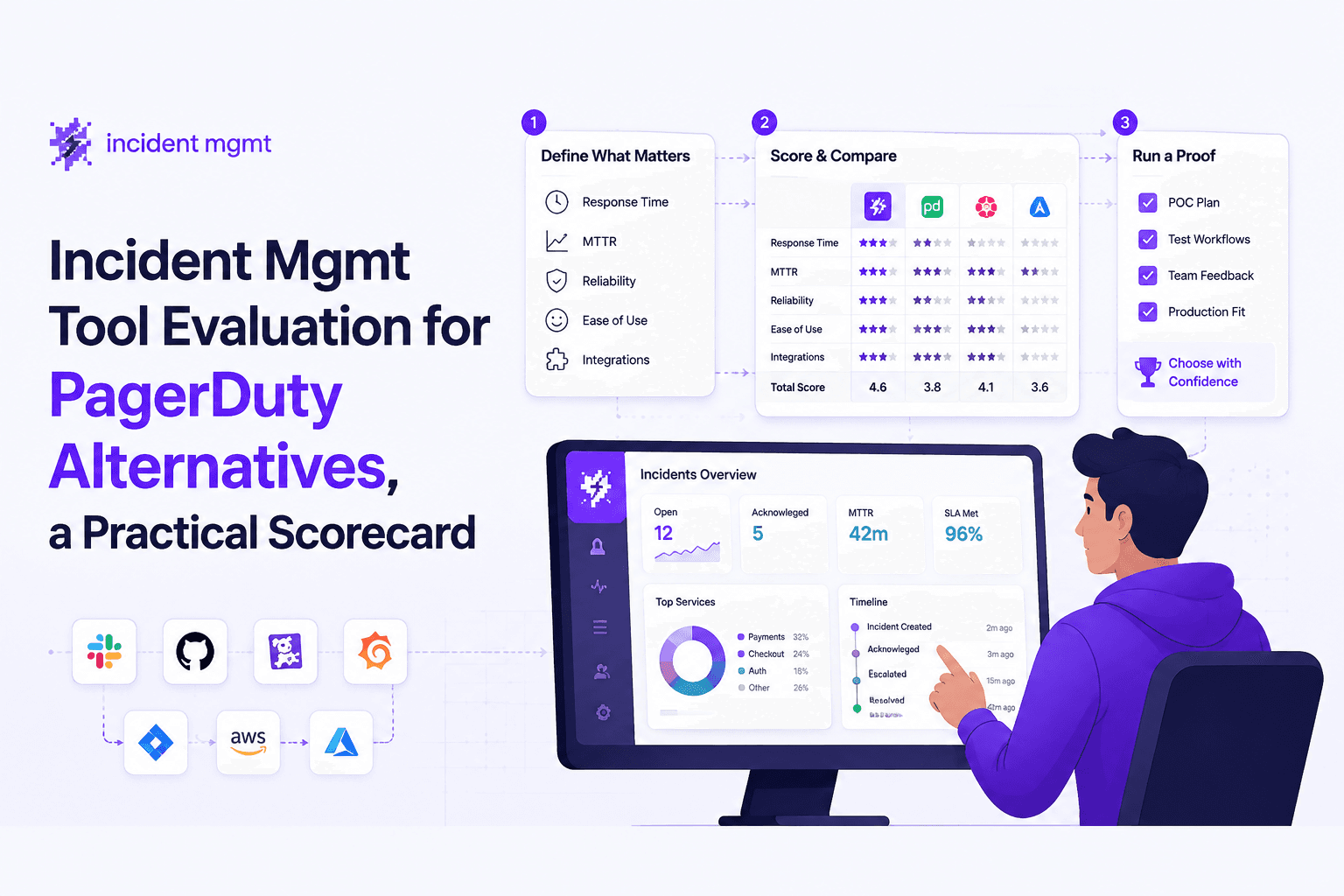
Incident Mgmt Tool Evaluation for PagerDuty Alternatives, a Practical Scorecard
Use this incident mgmt scorecard to compare PagerDuty alternatives, cut alert noise, validate workflows, and reduce MTTR with proof questions.