
Session Replay Explained, How It Works and How to Use It Safely
Session replay is a debugging and analytics method that reconstructs a user’s on-site experience from captured events (not a literal screen recording), so teams can understand what happened and why without guessing.
- Session replay typically rebuilds pages from DOM changes, clicks, inputs, and network timing, so it feels like a video but is usually event-based.
- Safe deployment comes down to minimization, masking, retention limits, and a clear notice and consent approach for your jurisdiction and risk level.
- A practical buying checklist: verify masking defaults, control what is captured, and ensure you can support deletion requests and audits.
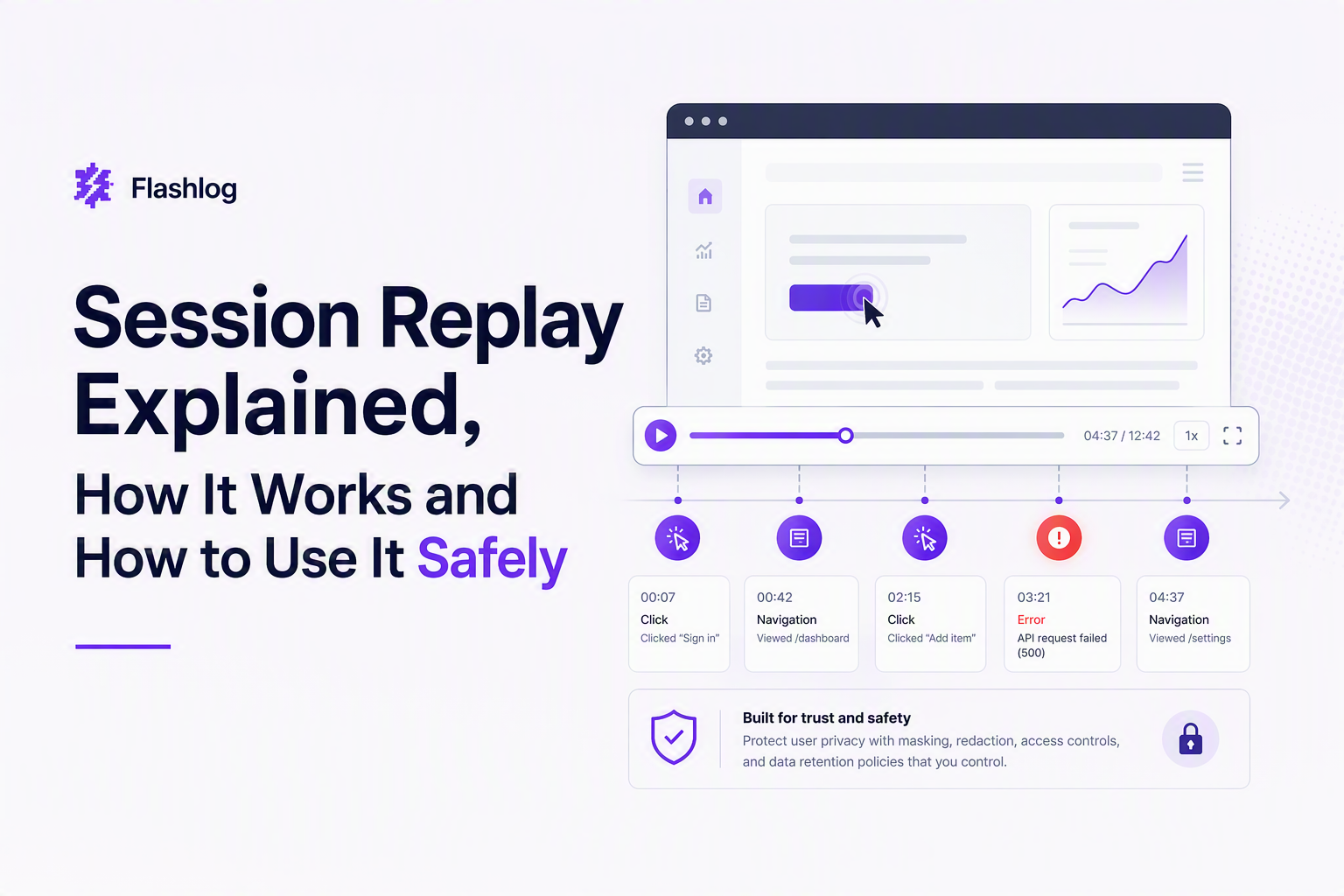
What Session Replay Is and What It Captures
Session replay helps teams reconstruct a user journey by replaying the sequence of UI and browser events that occurred during a visit.
A practical mental model: “video-like playback” built from events
The easiest way to think about session replay is a timeline: navigation, clicks, scrolling, and page changes are collected and then played back in order. Most tools are not capturing pixels like a screen recorder; they are capturing structured signals (events plus page state) and rebuilding the experience in a player.
Capture boundaries: what should be in vs out
Use a simple boundary rule: capture what you need to reproduce product behavior, exclude anything that could expose a person’s identity or secrets.
- Typically captured (low-to-medium risk): page URL/path, click/tap events, scroll depth, viewport size, browser and OS, timestamps, JavaScript errors, performance timing, and sometimes network request metadata (method, URL path, status, latency).
- Conditionally captured (high risk unless masked): form inputs, free-text fields, on-page content that might include personal data, and request payload details.
- Usually excluded or heavily redacted: passwords, payment fields, authentication tokens, full card numbers, medical/financial data, and any “special category” data where applicable.
Buyer checklist: quick questions to ask before you turn it on
- Can we default to masking all inputs and selectively unmask only what’s needed?
- Can we block capture on specific pages (checkout, account settings) or specific DOM elements?
- Do we control retention (for example, 7, 14, 30 days) and deletion workflows?
- Can we avoid collecting raw request bodies and still keep enough context to debug?
How Session Replay Works Under the Hood
Session replay works by capturing browser events and page state changes, then reapplying them in a controlled environment to reconstruct what the user saw.
What gets recorded: DOM mutations and event streams
In a typical implementation, the replay script listens for user interactions (clicks, key presses, scrolls), plus DOM mutations (what changed on the page) and timing signals. Those are batched and sent to a backend, where a player can apply the same sequence to rebuild the session.
Why playback can look “real” without being a screen recording
Because the DOM and events encode the structure of the page, the player can render a faithful approximation: it can show where the user clicked, what modals opened, and how the page responded. The flip side is that if sensitive text is present in the DOM or typed into inputs, it can be captured unless you mask it.
Performance impact: what to measure and how to limit overhead
Session replay adds JavaScript work, network egress, and storage, so performance controls matter. When we tested replay setups in production-like environments, the difference between “capture everything” and “capture only on error + sampled sessions” was mostly visible in network volume and CPU spikes during interaction-heavy screens, which is why sampling and scope controls are non-negotiable.
- Measure: added script weight, number of events per minute, replay payload size per session, and impact on core interaction paths.
- Limit: sampling rate, page allowlists, event throttling, and “capture on error” modes.
Where Session Replay Helps Most in Real Teams
Session replay is most valuable when you use it as a reproduction aid tied to concrete failure signals like errors, failed requests, or unusual interaction patterns.
Use cases by role with “what to look for” signals
| Role | Common question | Replay signals to inspect | Best follow-up artifact |
|---|---|---|---|
| Support | What did the user do right before it broke? | Last 10 actions, navigation path, form submits | Step-by-step repro note for engineering |
| Engineering | What failed technically and under what environment? | Console errors, failing requests (status, timing), device/browser | Issue with request trail + environment |
| Product | Where do users get stuck? | Rage clicks, dead clicks, back-and-forth navigation | Hypothesis for UX or flow change |
| QA | Can we reproduce reliably? | Deterministic steps, variant flags, release context | Test case and regression coverage |
A lightweight workflow that avoids “watching videos all day”
Replay works best when it is triaged like logs: start from a signal, then zoom in only when you need it. In our experience working with engineering and support teams, the fastest loop is: filter to sessions with a specific error or failing API status, review only the 30 to 90 seconds around the failure, then write down the minimal reproduction steps and environment details.
- Trigger: frontend exception, failed request (for example, 500), or a support ticket timestamp.
- Scope: last meaningful user actions leading into the failure (not the whole session).
- Confirm: did the UI state match the error (disabled button, stale form, double submit)?
- Export: steps + environment + relevant request metadata into your issue tracker.
One body mention: pairing replay with bug context capture
If your goal is engineering speed, consider tooling that packages replay context with technical evidence. Flash Log, for example, focuses on automatically capturing bugs even when users do not report them, classifying issues to reduce triage time, and attaching reproduction context like the user journey, failing request metadata, and environment details while masking sensitive inputs.
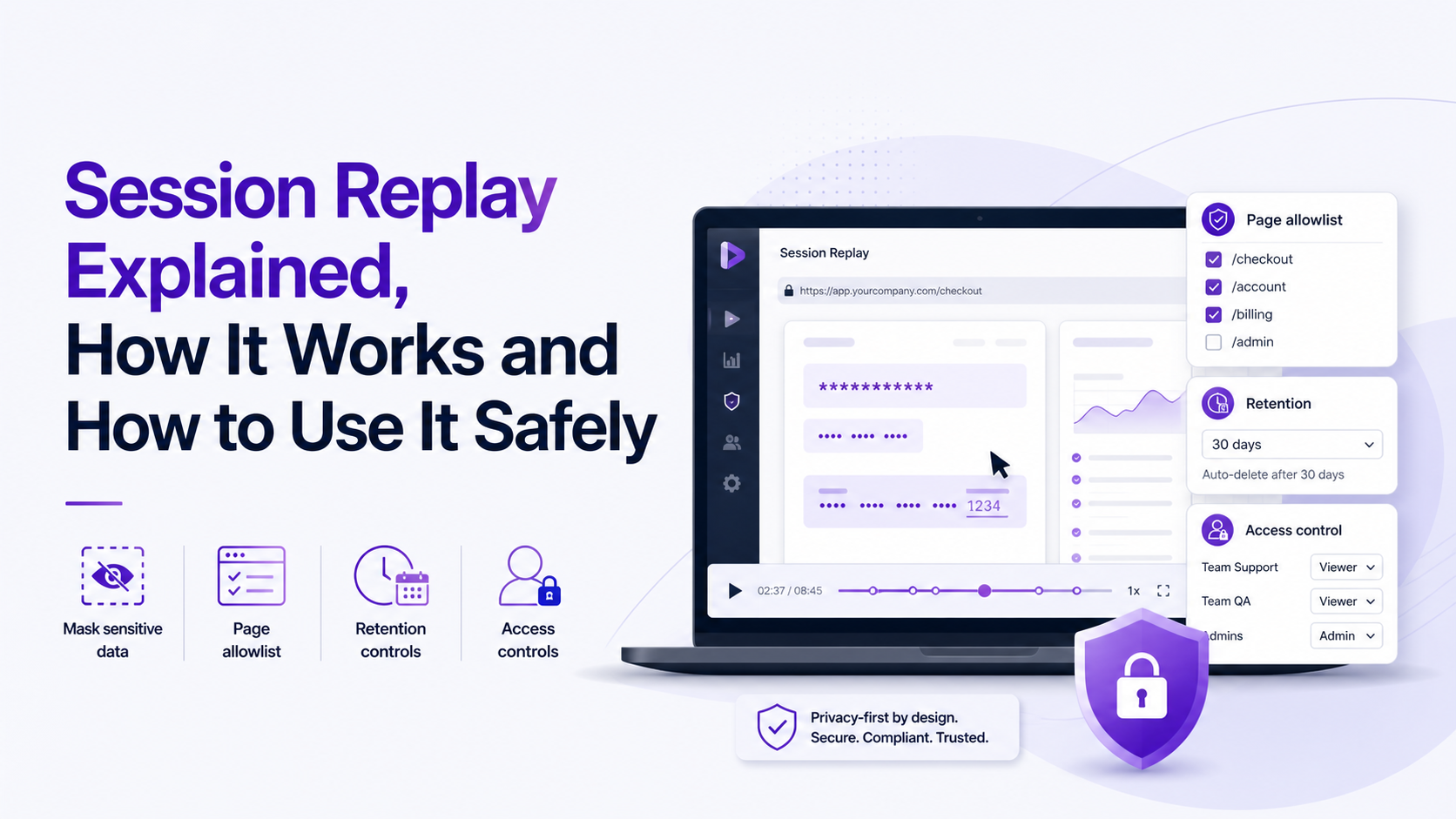
Is Session Replay Legal, A Practical Compliance Decision Tree
Session replay can be legal, but legality depends on what you capture, how transparently you disclose it, and whether you apply minimization, masking, retention limits, and user rights processes.
A decision tree teams can actually use
- Are you capturing any personal data or secrets?
- If yes or unsure, assume higher risk and require stronger controls: default masking, page allowlists, and strict retention.
- If no, you still need notice and security controls, but the compliance burden is typically lower.
- Is session replay essential to provide the service, or primarily analytics?
- If it is essential for debugging/security, document that purpose and keep capture narrow.
- If it is analytics/optimization, you may need a consent mechanism depending on jurisdiction and your legal basis.
- Can you prove minimization?
- Maintain an allowlist of captured event types and a blocklist of pages/fields.
- Set a retention period aligned to the purpose and your incident response rhythm.
- Are you ready for access and deletion requests?
- Make sure you can locate sessions tied to a user identifier and delete them on request.
- Ensure vendor contracts and subprocessors support your obligations.
Compliance checklist (privacy and security first)
- Notice: disclose session replay in your privacy policy in plain language, including categories of data captured and purpose.
- Consent (when applicable): gate replay behind a consent choice if your legal basis requires it for analytics-type capture.
- Masking defaults: mask all inputs by default, and explicitly allowlist only fields necessary for debugging.
- Redaction controls: redact DOM elements that may contain personal data (account pages, invoices, messages).
- Retention: set a time limit and enforce deletion, not “keep forever because storage is cheap.”
- Access controls: restrict replay viewing to roles that need it; log access for audits.
- Security review: verify encryption in transit, encryption at rest, and vendor breach response commitments.
Two concrete external references to align with
For shared language with legal and security teams, map your deployment to established frameworks like the EU GDPR overview and the California CCPA guidance. After running privacy reviews on replay deployments, our team found the fastest approvals came when we could demonstrate three artifacts: an element-level masking plan, a retention setting, and a DSAR-ready deletion path.
FAQ
If you want to adopt privacy-safe session replay while also reducing back-and-forth on bug reproduction, a lightweight next step is to try Flash Log alongside your replay practices to automatically capture and classify bugs, then hand engineering a masked, repro-ready context package instead of a vague ticket.
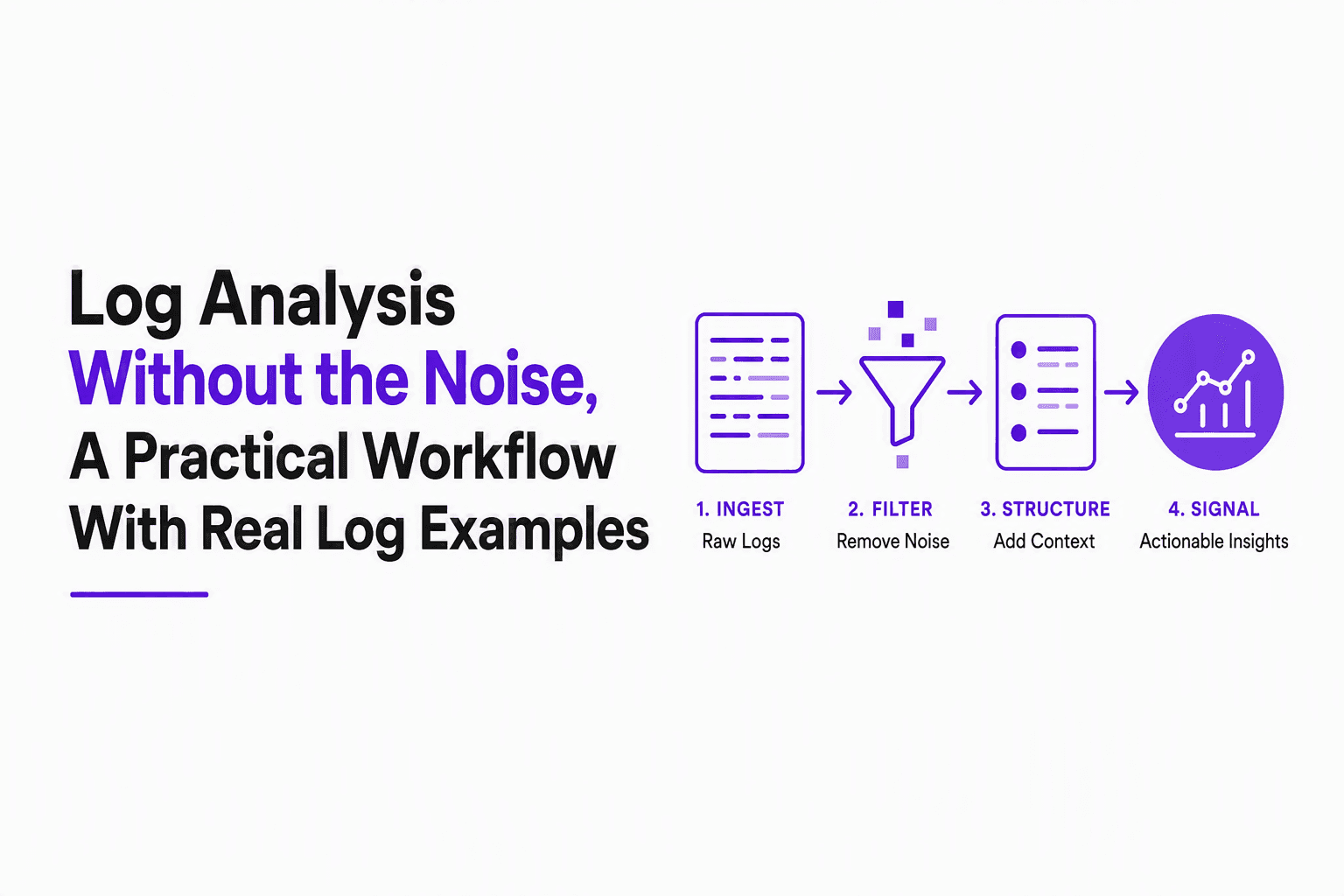
Log Analysis Without the Noise, A Practical Workflow With Real Log Examples
Learn log analysis without alert fatigue: a repeatable workflow, real log examples, Linux commands, and AI noise reduction guardrails.

Software Bug Tracking Software for Support Teams, A Ranked Shortlist and Setup Playbook
A ranked software bug tracking software shortlist for support-led teams, plus scorecard criteria and fast GitHub Issues and Jira setup playbooks.
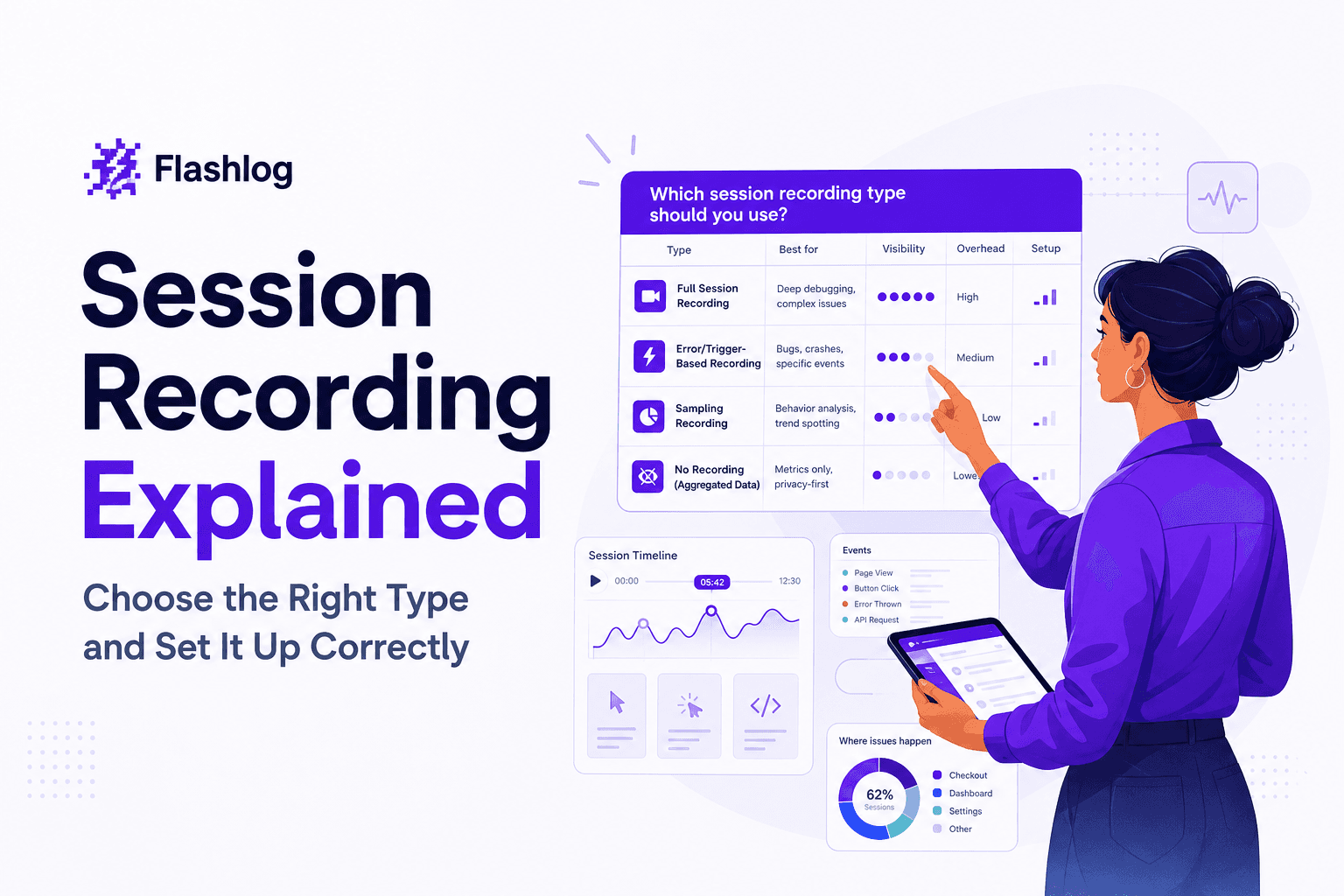
Session Recording Explained - Choose the Right Type and Set It Up Correctly
Session recording has 3 meanings: website replay, Citrix, and meetings. Use this framework to choose the right one and set retention and privacy.