
Software Bug Tracking Software for Support Teams, A Ranked Shortlist and Setup Playbook
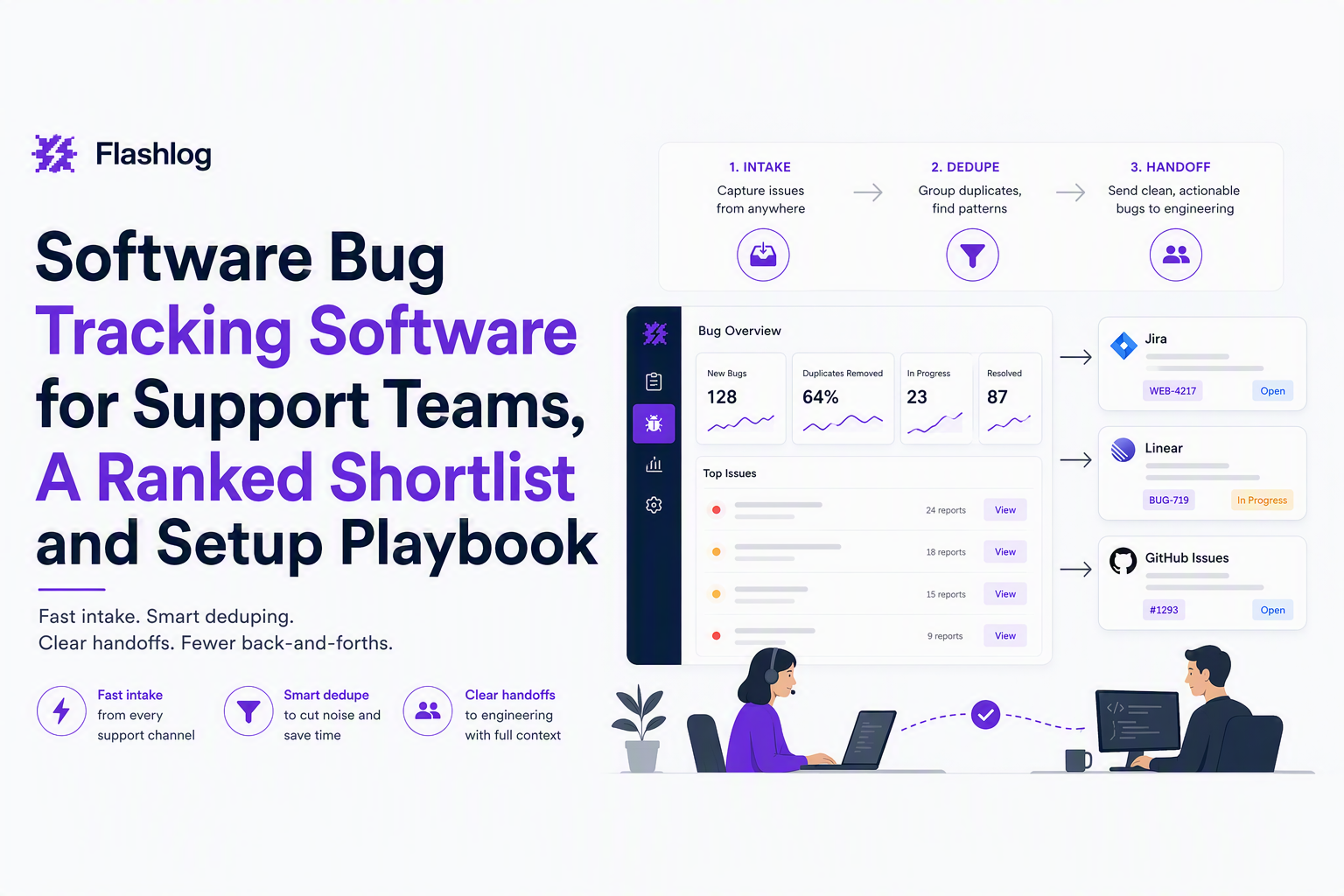
Software bug tracking software for support teams should be judged on proactive capture, triage speed, and clean handoffs to engineering, not on how many fields a form can collect. This shortlist ranks the most common options using a transparent rubric you can apply to your own workflow, then gives two setup playbooks (GitHub Issues and Jira) so you can implement immediately.
- Pick a tracker that makes “support signal” actionable: intake channels, dedupe, and fast routing matter more than deep project planning features.
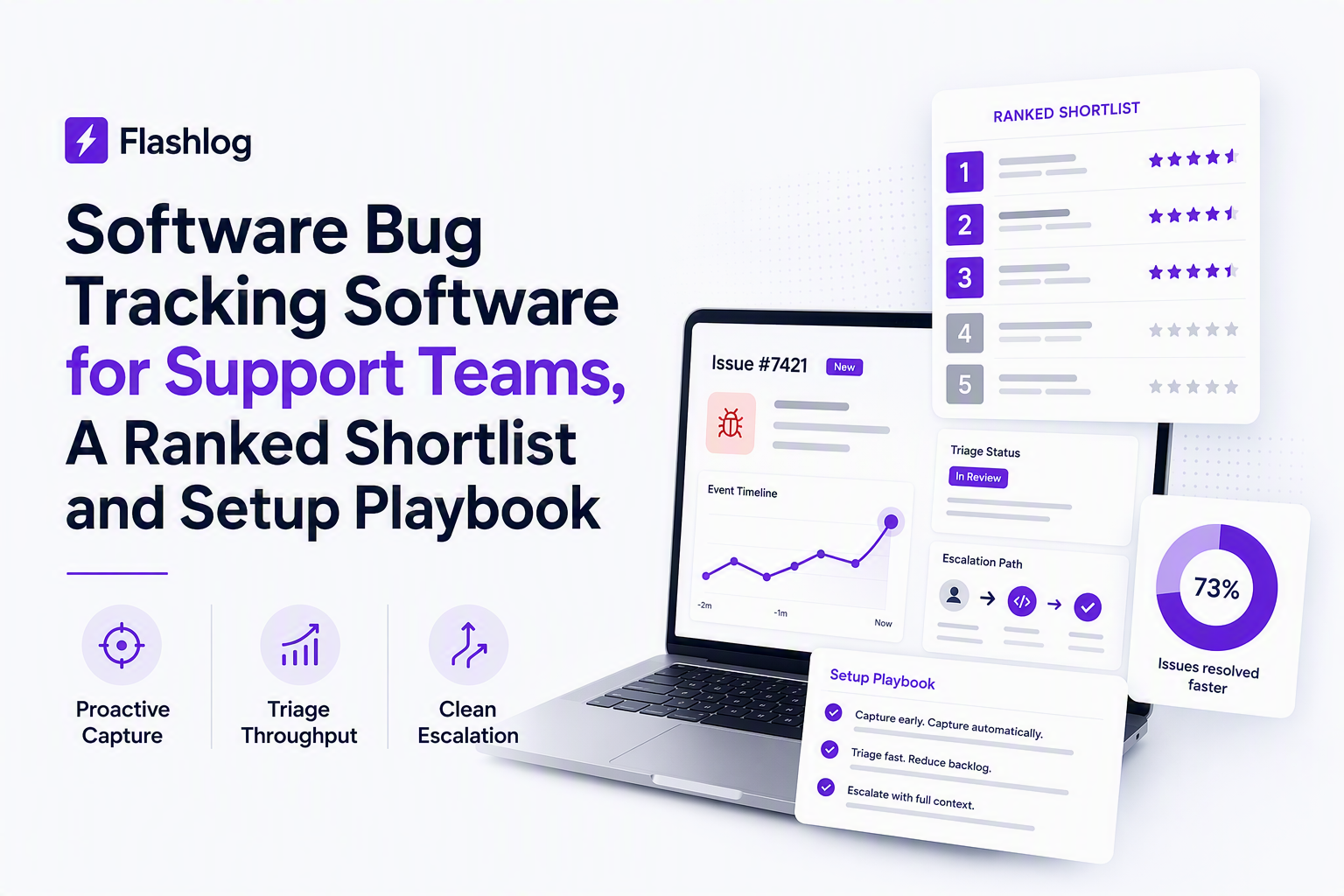
- Use a scorecard with weights: proactive detection and triage throughput should outrank reporting polish for most support teams.
- Standardize handoffs with one bug template, one triage SOP, and one engineering-facing escalation path, then layer proactive capture if you keep missing bugs.
Quick Answers to Common Bug Tracking Software Questions
Software bug tracking software decisions get easier when you map each tool to one job: capture, triage, handoff, or planning. The answers below are direct picks for support-led teams, with the tradeoff that usually trips teams up.
What is the best bug tracking tool for support teams?
For support-led workflows, the best “default” is usually Jira if your engineering team already lives there, or GitHub Issues if the product is shipped and managed in GitHub and you want the lowest-friction handoff to code. Choose Jira when you need stricter workflows, permissions, and cross-project reporting; choose GitHub Issues when speed, developer adoption, and lightweight process matter most.
What should support look for first when choosing software bug tracking software?
Start with time-to-triage and handoff quality. In practice, that means: (1) can you route intake from support channels, (2) can you dedupe repeats into a single issue, (3) can engineering reproduce without a back-and-forth, and (4) can you measure “bug pressure” without flooding chat with raw errors.
Is it better to track bugs in a helpdesk or a dedicated tracker?
Track bugs in a dedicated tracker when you need engineering ownership, backlog hygiene, and an auditable resolution trail. Keep the helpdesk as the system of record for customer communication. The exception is very small teams with one shared queue, but even then you will want a clean bridge once volume grows.
How do you avoid duplicates and noisy bug reports?
Duplicates drop fastest when you enforce two controls: (1) one intake form that forces environment and expected vs actual behavior, and (2) one triage step that groups repeats before engineering work starts. If you want to go further, add proactive capture so the report contains objective context even when the user cannot explain what happened.
The Scorecard Support Teams Should Use to Evaluate Bug Tracking Tools
A support-ready scorecard for software bug tracking software should overweight intake and triage mechanics because those are the bottlenecks that create backlog debt. The rubric below uses 100 points and a consistent definition for each dimension so you can score tools quickly without hand-waving.
Scoring rubric and weights (100 points total)
- Proactive detection and capture (25): Can the stack capture bugs even when users do not submit a ticket, and can it attach useful context automatically?
- Triage throughput (25): Dedupe/grouping, prioritization, assignment, and speed to a decision (fix now, backlog, ignore).
- Support to engineering handoff (20): Templates, required fields, linking to code/PRs, and clear ownership.
- Integrations and automation (15): Helpdesk intake, chat alerts, webhooks, and workflow rules.
- Reporting and operational visibility (10): Trend views, SLA-style tracking, and “bug pressure” indicators.
- Governance and access control (5): Permissions, auditability, and workspace boundaries.
How to score fast without over-researching
- Run a 30-minute intake test: Create 3 sample reports from support, including one duplicate and one low-quality report. Score how quickly you can turn them into one actionable engineering issue.
- Run a “repro test”: Give an engineer the issue and see if they can reproduce in one pass using your template plus attachments.
- Run a “routing test”: Confirm you can route P1 vs P3 differently (owners, alerts, and escalation), without custom code.
After running a few audits like this, the pattern is clear: teams rarely fail because the tracker lacks features; they fail because intake and triage are inconsistent across support agents and engineering never trusts the signal.
Minimum bar checklist for support-led teams
- One standard bug template that support can complete in under 3 minutes
- Clear severity definitions (P1-P4) and who can set them
- Deduping or grouping workflow (manual or assisted) before escalation
- A single source of truth for status that support can reference with customers
- Optional: a proactive capture layer for bugs that never become tickets
Top Software Bug Tracking Software Ranked for Support-Led Workflows
Top software bug tracking software for support teams usually falls into two winners depending on where engineering works: Jira for structured workflows and GitHub Issues for code-adjacent speed. The ranking below uses the scorecard above and focuses on the support to engineering loop, not product management breadth.
1) Jira Software (best for structured cross-team workflows)
Best when: engineering already uses Jira, you need workflow enforcement, and you want reporting across many projects or components.
- Scorecard strengths: strong triage workflows, automation rules, permissions, and reporting.
- Support workflow fit: great for clear queues (new, needs info, triaged, in progress, done) and escalations tied to severity.
- Tradeoffs: configuration overhead is real; you can accidentally create a form-heavy process that slows support unless you design for speed.
We initially assumed “more required fields” would improve quality, but our experience is the opposite: forcing too much detail up front increases incomplete reports and delays escalation. In Jira, keep the support-facing create screen small, and enforce deeper fields only after triage.
2) GitHub Issues (best for developer adoption and fast handoff)
Best when: code, releases, and ownership already live in GitHub and you want the shortest path from a support report to a PR.
- Scorecard strengths: handoff quality to engineering is excellent because issues, commits, branches, and PRs can be linked in one place.
- Support workflow fit: works well with labels (severity, area, regression, needs-repro), issue templates, and simple project views.
- Tradeoffs: governance and reporting are less structured than Jira unless you invest in conventions; non-technical support users may need a lightweight front door.
For teams that want to formalize this, a bug tracker github workflow usually succeeds when labels and ownership rules are treated like product infrastructure, not optional etiquette.
3) Linear (best for small teams optimizing for speed)
Best when: you are a smaller product org that wants very fast triage and a clean UI, and you do not need heavy enterprise governance.
- Scorecard strengths: triage throughput and day-to-day usability are strong; it is easy to keep queues clean.
- Support workflow fit: great if support and engineering share a single tool and you can keep intake disciplined.
- Tradeoffs: if you need strict permissions, complex workflows, or deep cross-team reporting, you may outgrow it.
4) YouTrack (best for customizable workflows without Jira complexity)
Best when: you need configurable fields and workflows, but want a different cost and UX profile than Jira.
- Scorecard strengths: solid customization, workflow control, and issue relationships.
- Support workflow fit: works well when you want support to file issues but engineering to control transitions and ownership.
- Tradeoffs: ecosystem familiarity varies by org; adoption can be slower if engineering already has strong Jira or GitHub habits.
Free, Open-Source, and GitHub-Native Shortlists With Clear Tradeoffs
Free and open-source software bug tracking software can work for support teams if you accept limits on governance, integrations, or UX polish. The shortlists below focus on common constraints support teams hit first: permissions, auditability, and cross-team visibility.
GitHub-native options (fastest path to code)
- GitHub Issues: best baseline if your repo is the hub; strongest dev adoption.
- GitHub Projects: adds lightweight planning views; keep it simple for support intake.
Constraint to plan for: support teams often need a front-door form or helpdesk integration so agents do not have to learn repo conventions on day one.
Open-source and self-hostable options (control and compliance)
- Bugzilla: mature and highly configurable, but can feel dated for cross-functional collaboration.
- Redmine: flexible project tracker with plugins; quality depends heavily on your configuration discipline.
Constraint to plan for: self-hosting shifts operational burden to you. If support needs reliability during incidents, assign clear ownership for upgrades, backups, and authentication.
Free tiers of commercial tools (good for pilots)
- Jira: commonly piloted in smaller scopes first; be intentional about workflow design.
- Linear: often easiest to trial quickly with a small team.
In our experience working with support managers, pilots fail when the team tests only UI and not the full loop: intake from support, triage, engineering fix, and customer update. Run a two-week pilot that includes at least one real escalation and one duplicate cluster.
Two Fast Setup Playbooks GitHub Issues and Jira Bug Workflows
Two setup playbooks cover 80% of support-led bug tracking: GitHub Issues for code-adjacent teams and Jira for structured workflows. Both playbooks share the same core mechanics: a bug template, severity labeling, dedupe grouping, and a triage SOP.
Playbook A: GitHub Issues for support to engineering handoffs (45 minutes)
- Create a bug issue template: use a single template named “Bug report” and keep it short enough that support can file it quickly.
- Define labels:
severity:P1toseverity:P4,needs-repro,duplicate,area:billing(or your modules), andregression. - Define ownership: map
area:*labels to owners (CODEOWNERS plus triage rotation notes in a doc). - Create a simple project view: columns: New, Triaging, Ready for Eng, In Progress, Done. Avoid extra statuses early.
- Write the triage SOP: one daily 15-minute pass to (a) merge duplicates, (b) request missing info, (c) set severity, (d) assign owner.
Copy-paste GitHub bug template (support-friendly)
## Summary
(One sentence: what broke and who is impacted)

## Severity
P1 / P2 / P3 / P4

## Customer impact
(How many users? what workflow is blocked? include ticket links)

## Environment
- App version/build:
- Browser/OS/device:
- Account/role:

## Steps to reproduce
1.
2.
3.

## Expected result

## Actual result

## Evidence
- Screenshots/video:
- Console/network logs (if available):
- Time window (with timezone):

## Notes
(Any suspected module, recent changes, or workarounds)
When your team needs higher-quality handoffs, standardizing reproduction steps is the highest-leverage change because it reduces back-and-forth and shortens time-to-fix.
Playbook B: Jira bug workflow for support-led intake (60 to 90 minutes)
- Create a Bug issue type (if not already standard) with fields: Summary, Description, Severity, Component/Area, Environment, Customer impact, Evidence.
- Design two screens: a minimal “Support Create” screen and a fuller “Triage/Eng Edit” screen. This prevents over-collection at intake.
- Set a simple workflow: New, Needs Info, Triaged, In Progress, Done. Keep status meanings explicit.
- Configure automation rules: route P1 to on-call channel; auto-assign by component; auto-request missing environment info.
- Define the triage meeting: 15 minutes daily, with one decision per issue: escalate, backlog, ignore, or request more info.
To make this stick, document severity in plain language and audit weekly for two things: how many issues sit in New without a decision, and how often engineers respond with “cannot reproduce.” If “cannot reproduce” is common, tighten the template and add a short checklist to your issue triage step.
How to connect your tracker to a selection decision
Use the same scorecard to validate your setup: if triage throughput and handoff quality do not improve after you standardize templates and labels, the tool is not the main problem. If those improve but you still miss bugs because users never report them, you are ready to add proactive capture beside your tracker.
How Proactive Bug Capture Changes the Stack for Support Teams
Proactive capture changes software bug tracking software selection because the tracker stops being the only intake source and becomes the place where validated, grouped issues land. Support teams benefit most when proactive capture reduces two failure modes: missing bugs entirely and filing low-context reports that engineering cannot act on.
Where proactive capture fits (without replacing your tracker)
- Before the tracker: capture the failure event and context even when no ticket is filed.
- During triage: classify and group repeats so you see “issue pressure” rather than raw noise.
- During escalation: route meaningful alerts based on thresholds, not every error ping.
What surprised our team was how often “no one reported it” really meant “support never saw it” because the user churned or worked around the issue. That is why proactive capture is a support tool as much as an engineering tool.
Operationalizing proactive capture with minimal disruption
- Define what deserves interruption: create alert thresholds by severity and count, so the team gets notified on accumulated risk rather than single events.
- Keep one source of truth: continue to resolve and communicate from your primary tracker so status is consistent.
- Make context portable: ensure captured context can be attached or linked into your tracker issue so engineering does not hunt across systems.
For teams comparing options, a buyer-guide mindset helps: treat proactive capture as an adjacent layer to your software bug tracking system, and evaluate how cleanly it feeds your existing Jira or GitHub flow.
| Tool | Best for | Support-led strengths | Primary tradeoff |
|---|---|---|---|
| Jira Software | Structured workflows, larger orgs | Strong triage workflows, automation, permissions | Setup complexity and form bloat risk |
| GitHub Issues | Code-adjacent teams, dev adoption | Fast handoff to PRs, simple templates and labels | Less built-in governance and reporting |
| Linear | Small teams optimizing for speed | High triage throughput, clean UI | May outgrow for enterprise controls |
| YouTrack | Custom workflows without Jira norms | Configurable fields and workflows | Ecosystem familiarity and adoption variance |
FAQ for choosing software bug tracking software
If your current software bug tracking software is working but you keep missing bugs or spending too much time turning vague tickets into actionable issues, Flash Log can sit alongside your existing tracker to automatically capture and classify bugs even when users do not report them. If you want to see how proactive capture would flow into your GitHub Issues or Jira workflow without changing your process, request a lightweight walkthrough and test it on a single product area first.
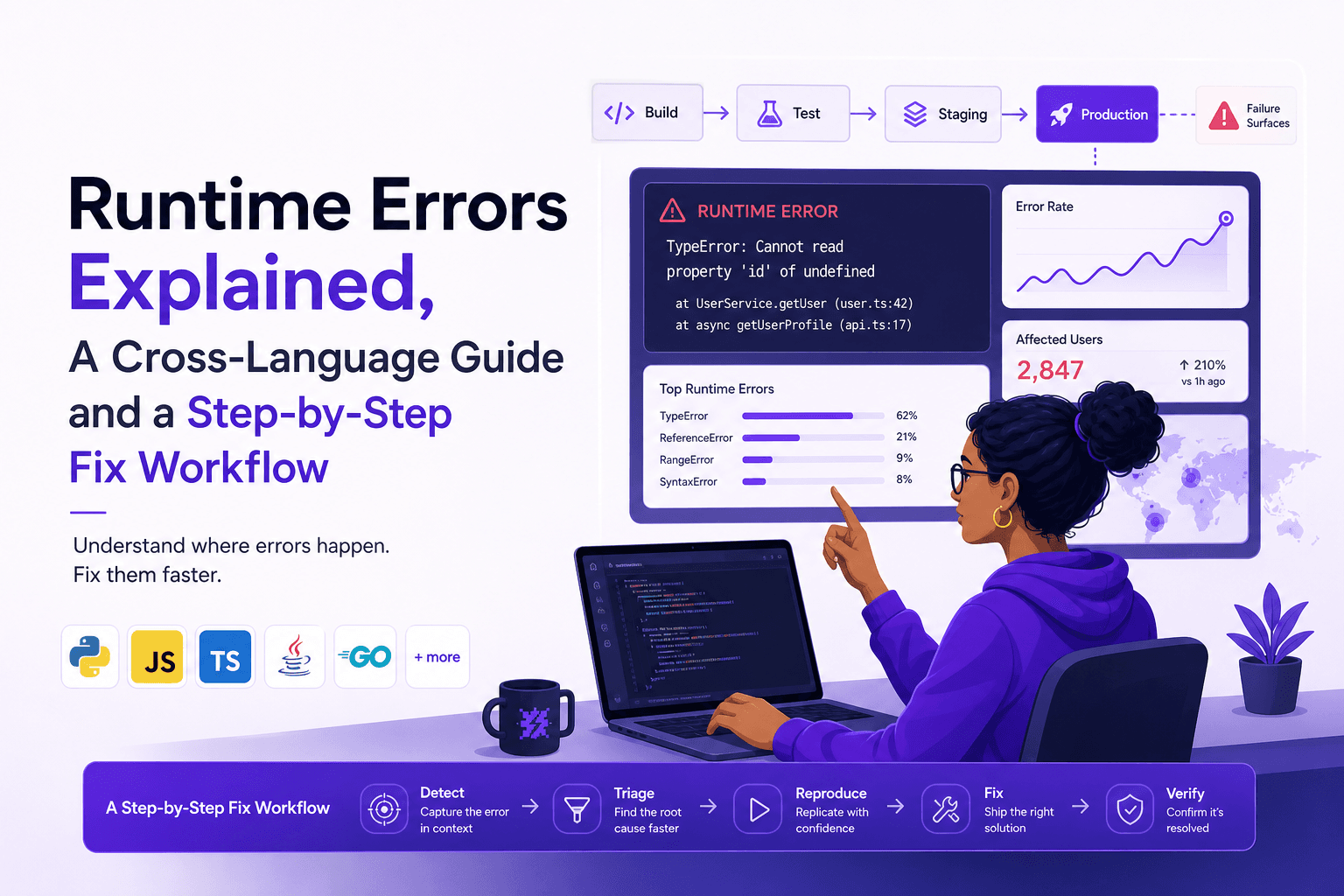
Runtime Errors Explained, A Cross-Language Guide and a Step-by-Step Fix Workflow
Learn what runtime errors are, how they differ from compile-time issues, and a repeatable workflow to reproduce, diagnose, fix, and verify them.

Defect Tracking Software That Actually Reduces Triage Time, A Buyer Checklist
A decision-ready guide to defect tracking software: checklist, auto-capture criteria, and a 14-day pilot plan to pick a clear winner.

Web Session Replay, A Practical Tutorial and Debugging Workflow for Engineering Teams
Learn a practical web session replay workflow to capture context, reproduce bugs, and fix production issues faster with privacy-safe governance.