
Runtime Errors Explained, A Cross-Language Guide and a Step-by-Step Fix Workflow
Runtime errors are failures that occur while software is running, often after code has already built and shipped, which is why they can be so expensive to diagnose in production.
- Runtime failures usually need three things to debug fast: a reliable repro, a stack trace, and the environment and request context.
- You can classify most runtime errors across languages into a small taxonomy (null, bounds, type, I/O, memory, concurrency, dependency, and configuration).
- A repeatable workflow (reproduce, capture, isolate, patch, verify) reduces time-to-fix more than any single tool.
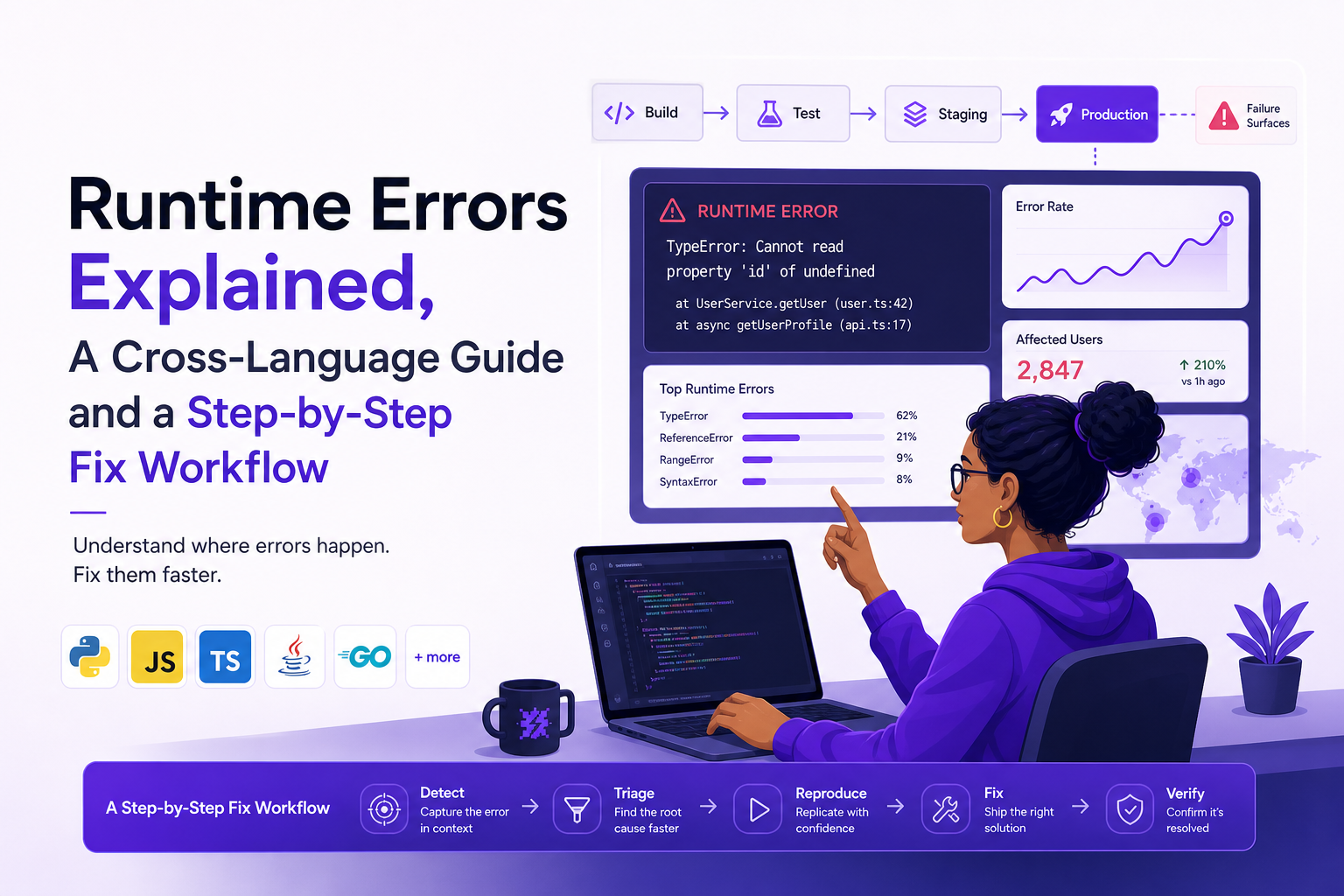
What Runtime Errors Are and Where They Happen in the Build-to-Run Pipeline
Definition and how they differ from compile-time, syntax, and logic errors
A runtime error is any failure that happens after the program starts executing. That includes crashes (process terminates), unhandled exceptions (language runtime aborts the current flow), and hard failures like segmentation faults. In contrast:
- Syntax errors: the code cannot be parsed (for example, missing a bracket). These are usually caught by the compiler or interpreter before execution.
- Compile-time errors: the compiler rejects the program (type mismatch in a statically typed language, missing symbols, invalid generics, etc.).
- Logic errors: the code runs but produces the wrong result (for example, an off-by-one bug). These are not “errors” to the runtime, so they do not always throw.
The tricky part is that runtime errors often sit at the intersection of code and context: a specific input, a specific database state, a missing environment variable, a dependency outage, or a race condition.
Where they occur in a typical pipeline
Most teams discover runtime errors in these stages:
- Local run: fastest feedback, but the environment is rarely identical.
- CI test run: catches deterministic issues if tests cover the path.
- Staging: closer to production, but traffic patterns and data shape differ.
- Production: real users, real data, real concurrency, real timeouts.
Interpreted vs compiled nuances (why both still have runtime errors)
Compiled languages (C/C++, Go, Rust, Java with JIT) can still fail at runtime due to invalid memory access, unchecked exceptions, or environment and I/O failures. Interpreted or VM-based languages (Python, JavaScript, Ruby, JVM bytecode) often surface runtime errors as exceptions with stack traces, but the root cause is still frequently “context missing”: the input and state that triggered the path.
When we audited incident postmortems for a web backend, the pattern was consistent: the “error message” alone rarely explained the failure, but the request parameters, timing, and environment details usually did.
A Practical Runtime Errors List You Can Recognize Across Java, C or C++, Python, and JavaScript
A unified taxonomy you can apply in any language
If you can quickly classify runtime errors, you can pick the right first checks. The table below maps common categories across Java, C/C++, Python, and JavaScript, including symptoms, typical triggers, and the first thing to verify.
Cross-language runtime errors taxonomy table
| Category | Java | C / C++ | Python | JavaScript | Typical symptom | Typical trigger | First checks |
|---|---|---|---|---|---|---|---|
| Null / None dereference | NullPointerException | Segfault (null ptr) | AttributeError on None | TypeError: cannot read properties of undefined | Crash or unhandled exception | Unexpected missing object | Validate inputs, add guards, inspect object lifecycle |
| Out of bounds | IndexOutOfBoundsException | Buffer overflow, UB | IndexError | RangeError / undefined access | Exception or corrupted behavior | Off-by-one, wrong length | Log lengths, assert invariants, fuzz edge cases |
| Type mismatch | ClassCastException | Bad cast, UB | TypeError | TypeError | Exception at conversion/use | Unexpected payload shape | Inspect schema, add validation, tighten contracts |
| Arithmetic | ArithmeticException (divide by zero) | SIGFPE, UB | ZeroDivisionError | Infinity/NaN leading to later failures | Crash or bad values | Zero, overflow, NaN | Check inputs, add clamps, handle NaN explicitly |
| I/O and filesystem | IOException | errno failures | OSError / IOError | Fetch/network errors (client) | Timeouts, missing files | Permissions, path, disk full | Verify permissions, paths, quotas, retries |
| Network / HTTP | SocketTimeoutException | ECONNRESET, ETIMEDOUT | requests.exceptions.Timeout | TypeError: Failed to fetch | Slow requests, 5xx | Dependency latency/outage | Check upstream health, timeouts, circuit breakers |
| Dependency / module loading | NoClassDefFoundError | Missing shared lib | ImportError / ModuleNotFoundError | Cannot find module, bundler errors | Fails on startup/deploy | Bad build, missing artifact | Verify build outputs, lockfiles, runtime image |
| Memory pressure | OutOfMemoryError | bad_alloc, OOM killer | MemoryError | Tab crash, heap OOM | Crashes under load | Leak, unbounded caching | Heap profiles, cap caches, analyze allocations |
| Concurrency / race | ConcurrentModificationException | Data race, deadlock | Deadlocks in threading | Async ordering bugs | Intermittent failures | Timing-dependent code | Reproduce with stress, add tracing, lock discipline |
| Configuration | IllegalArgumentException (bad env) | Misread config, UB | KeyError / ValueError | Undefined env, wrong base URL | Only fails in prod | Missing env var, wrong feature flag | Diff configs, validate on startup, safe defaults |
Fast classification checklist (30 seconds)
- Deterministic? Same input, same failure.
- Boundary-related? Empty list, null field, large payload, slow network.
- Environment-specific? Only on one OS, browser, release, or region.
- Dependency-related? Correlates with upstream latency or 5xx.
If you want deeper reading on exception handling patterns and noise reduction, see runtime exceptions.
How to Fix Runtime Errors Using a Repeatable Debugging Workflow
The 5-step workflow: reproduce, capture, isolate, patch, verify
Most runtime errors feel chaotic because the evidence is scattered. A repeatable workflow makes them routine. Here is the sequence that holds up across languages and stacks.
- Reproduce: lock down a minimal input and a minimal environment that triggers the failure.
- Capture: record the stack trace, failing request, and environment metadata at the moment it fails.
- Isolate: reduce the surface area until one component or one assumption is clearly wrong.
- Patch: fix the root cause, not just the symptom, and add a regression test.
- Verify: confirm the fix in production-like conditions and monitor for recurrence.
Step 1: Reproduce with a “minimum failing example”
- Start with a single failing input (request payload, file, user action sequence).
- Remove optional fields and steps until the failure disappears, then add back the last removed element.
- Record the exact version: commit SHA, container tag, build number, or release label.
We initially assumed “just rerun it locally” would reproduce most runtime errors, but after running several incident drills the pattern was clear: the missing piece was usually production data shape or environment flags, not the code path itself.
Step 2: Capture the evidence engineers actually need
- Stack trace with line numbers and symbols (ensure source maps for frontend, debug symbols for native).
- Request and response details for networked systems: method, URL, status, latency, relevant headers.
- Environment: OS, browser, device, runtime version, release version, region, and feature flags.
- Timeline: what happened immediately before the failure (user actions, retries, redirects).
For a concrete walkthrough of reading stacks, link to a stack trace example when you need to teach newer engineers what to look for.
Step 3: Isolate with a binary-split strategy
Isolation is where time is won or lost. Use a binary split to cut the problem space in half repeatedly:
- Input split: halve the payload or dataset until the failure stops, then narrow to the smallest trigger.
- Code-path split: add temporary guards or feature flags to disable half the path.
- Dependency split: stub the upstream call or swap to a mock to see if the failure persists.
Step 4: Patch with a regression test and a safety check
- Add a test that fails before the fix and passes after.
- Add a runtime guard where appropriate (schema validation, null checks, bounds checks).
- If the fix changes behavior, document it and consider a feature flag rollout.
Step 5: Verify in production-like conditions
- Replay the minimum failing example against staging with production-like config.
- Verify observability: error rate, latency, and any new logs or metrics.
- Watch for recurrence for at least one deploy cycle, especially for intermittent runtime errors.
Runtime Errors on Websites, Client vs Server Checks That Actually Narrow It Down
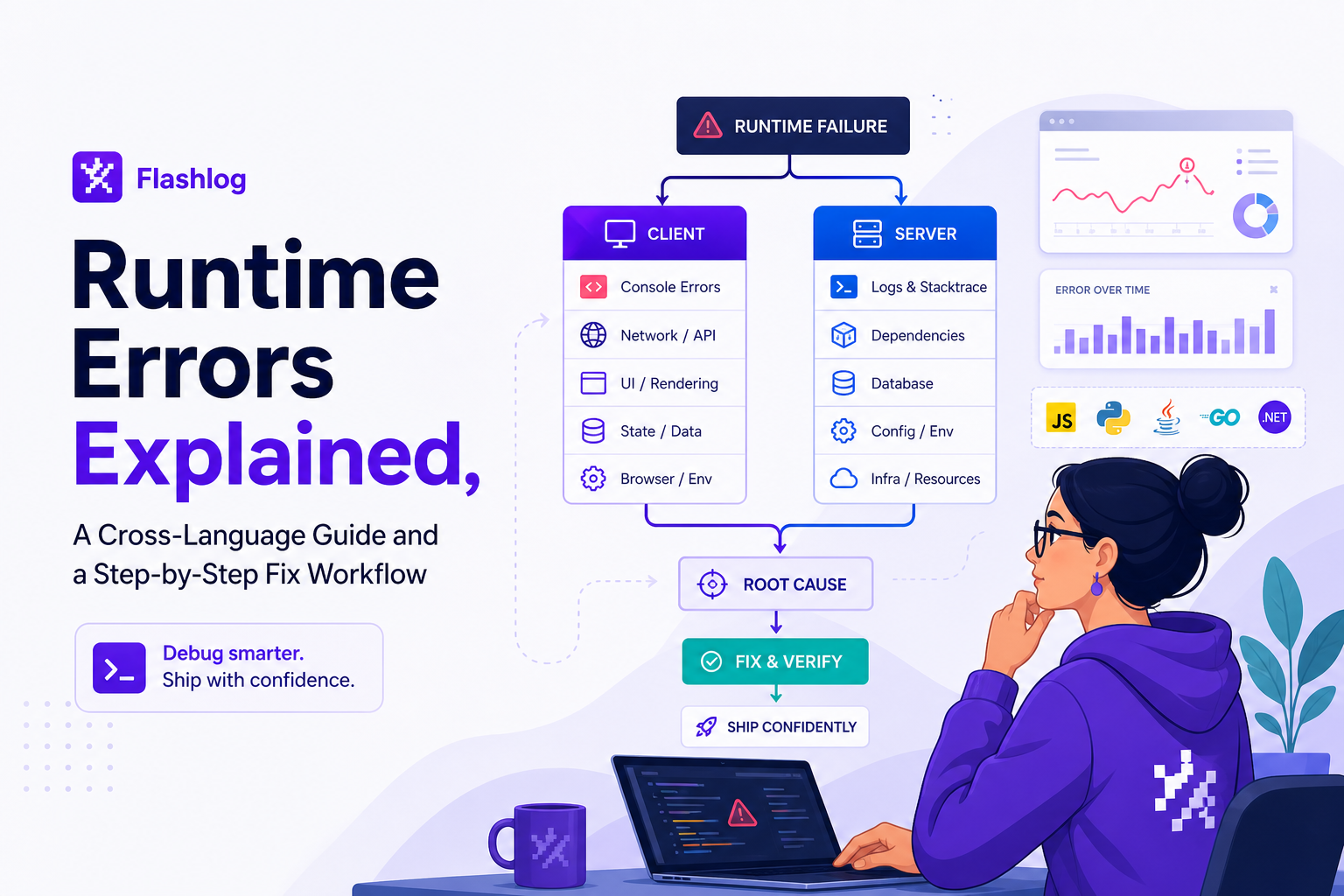
A decision tree for web runtime failures
On websites, “runtime error” can mean frontend JavaScript exceptions, backend 5xx responses, or failures in between (CDN, CORS, extensions, caching). Use this decision tree to narrow quickly:
- Is there a visible HTTP failure? Check Network tab for 4xx/5xx and the specific endpoint.
- Is there a JS exception? Check Console for uncaught errors and the stack.
- Is it user-specific? Try incognito, disable extensions, and test another device.
- Is it release-specific? Compare behavior across the last two releases.
Client-side checks (browser)
- Console stack trace: confirm source maps are uploaded so stacks resolve to real lines.
- Repro with clean state: incognito, cleared storage, disabled extensions.
- CORS and mixed content: verify blocked requests and preflight failures.
- Cache and CDN: confirm the JS bundle version matches the HTML referencing it.
Server-side checks (API and backend)
- Correlate request IDs across gateway, app logs, and database traces.
- Look for timeout patterns: spikes in latency before 5xx often indicate dependency issues.
- Validate payload shape: schema drift between frontend and backend is a common runtime error trigger.
- Check deploy diffs: config changes cause a surprising share of production runtime errors.
If you are debugging without a local repro, the techniques in production debugging can help you rebuild the missing context systematically.
What to capture for a web runtime error report (minimum useful bundle)
- Last 5 to 10 user actions and page path
- Failing request: method, URL, status, latency, and response snippet
- Browser, OS, device, viewport, and release version
- Any feature flags or experiment variants
That bundle tends to eliminate the “can you send a screenshot and steps?” loop and makes runtime errors actionable in one pass. For a template teams can standardize on, see reproduction steps.
Is a Runtime Error Always a Bug, Crashes vs Handled Exceptions vs Environment and Input Issues
Three buckets to reduce blame and speed up resolution
Not all runtime errors are equal, and treating them as the same kind of bug slows teams down. Classify each incident into one of three buckets and route accordingly:
- Crash or unhandled exception: the process or request fails hard. Usually a code defect or missing guard.
- Handled exception with user impact: the app catches the error but still fails the user flow (for example, checkout blocked). Often a dependency or validation issue.
- Environment or input issue: bad config, expired credentials, unexpected payload, corrupted cache, or third-party outage. Often fixed by hardening and better validation.
Responsibility boundaries (who owns what)
- Engineering: invariants, input validation, safe defaults, and graceful degradation.
- Platform/DevOps: deploy safety, config validation, secrets rotation, and runtime limits.
- Vendors/Dependencies: outages and API changes, but you still own retries, timeouts, and fallbacks.
After running multiple on-call rotations, what surprised our team was how many “runtime errors” were actually contract mismatches between services or frontend and backend, which is why payload validation and versioning pay off quickly.
Verification criteria (done means done)
- The minimum failing example no longer fails.
- A regression test covers the trigger condition.
- Error rate returns to baseline and stays there for at least one full release cycle.
- If the fix is a guard, you can measure how often the guard would have triggered before the patch.
To keep this process fast under pressure, teams often pair the workflow above with a lightweight issue triage routine so runtime errors get sorted by impact and reproducibility first.
| Signal | Likely category | Best next action |
|---|---|---|
| Fails only for one user or one account state | Input/data-dependent runtime errors | Capture request payload and account state, add validation |
| Fails only on one browser/device | Environment-specific runtime errors | Capture browser/OS/viewport and bundle versions, verify source maps |
| Spikes correlate with upstream latency | Dependency runtime errors | Check timeouts, retries, circuit breakers, and upstream status |
| Intermittent, hard to reproduce | Concurrency/race runtime errors | Stress test, add tracing, reduce shared mutable state |
FAQ
If you want to reduce back-and-forth on runtime errors in real user flows, Flash Log focuses on capturing the surrounding reproduction context (user journey, failing request, environment details, and privacy-safe replay context) so engineers can start from evidence instead of guesses.
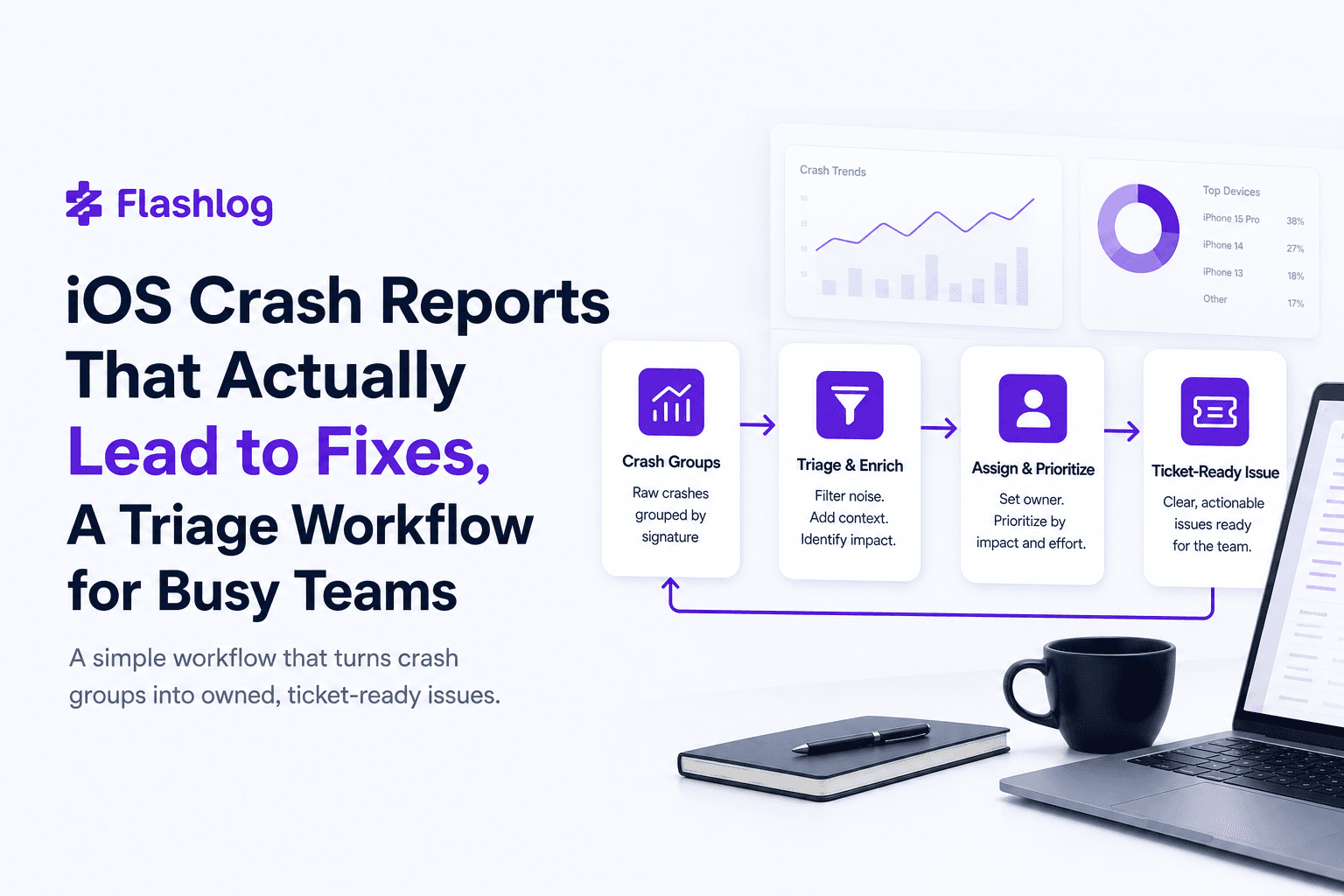
iOS Crash Reports That Actually Lead to Fixes, A Triage Workflow for Busy Teams
Turn ios crash reports into actionable tickets with a simple triage rubric and a minimum context bundle your iOS team can trust.

Stack Trace Explained, How To Read It And What To Collect When It’s Not Enough
Learn what a stack trace is, how to read it, and what context to collect when a stack trace isn’t enough to fix production bugs.
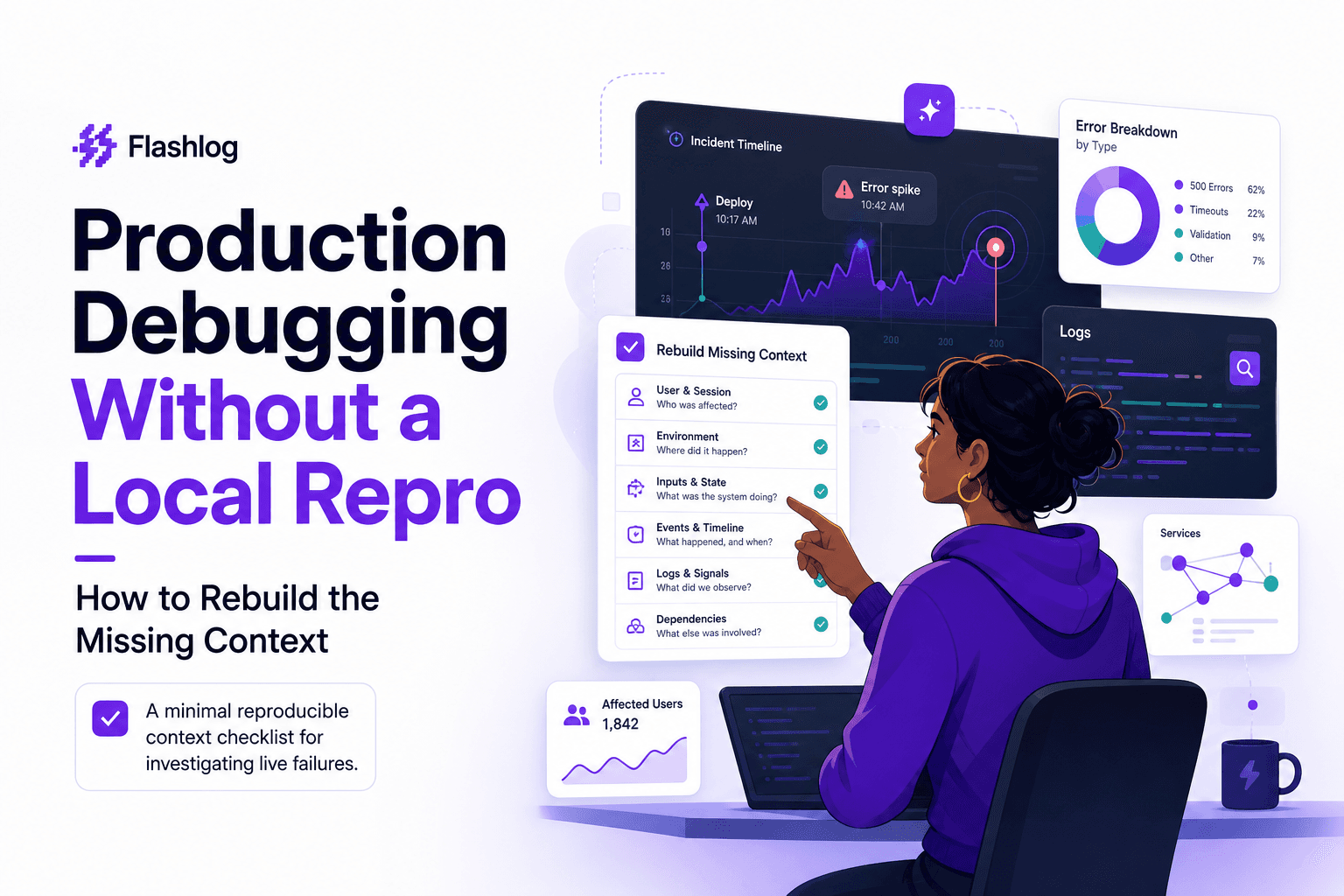
Production Debugging Without a Local Repro - How to Rebuild the Missing Context
Learn a minimal reproducible context framework for production debugging when you can’t reproduce locally, and narrow hypotheses fast.