
iOS Crash Reports That Actually Lead to Fixes, A Triage Workflow for Busy Teams
Most teams collect ios crash reports, but still lose days turning them into fixes. The pain is familiar: a pile of stack traces, dozens of duplicates, unclear ownership, and missing context like what the user did right before the crash. The result is slow triage, noisy alerts, and a backlog full of “can’t reproduce” tickets. This guide shows a repeatable workflow to move from crash signal to ticket-ready work: a triage rubric to prioritize the right crashes, a minimum context bundle to shorten investigation, and a lightweight handoff format that reduces back-and-forth between QA, iOS, backend, and support.
- Use a simple rubric (Impact, Severity, Confidence, Effort) to prioritize ios crash reports consistently and avoid alert fatigue.
- Require a minimum context bundle (app state, user path, device/OS, build, breadcrumbs, and symbolicated stack) so engineers can act without guessing.
- Convert each prioritized crash into one deduped, owned ticket with clear reproduction clues, affected versions, and a verification plan.
What are ios crash reports
ios crash reports are structured records created when an iOS app terminates unexpectedly. They typically include a stack trace (the call stack at the time of the crash), exception type (for example, EXC_BAD_ACCESS or an uncaught Objective-C/Swift exception), thread state, and metadata about the device and OS.
What a crash report is and is not
- Is: evidence of a failure in production or testing that caused the app to terminate, plus technical context around the moment of termination.
- Is not: a full reproduction, a root cause analysis, or a complete picture of user intent. Without extra context, it often answers “where it crashed” but not “why it happened.”
Why teams still struggle even with a crash SDK
Crash tooling is necessary, but the workflow around it is usually the bottleneck. Common failure points:
- Duplicates inflate noise: one underlying bug can produce dozens of signatures across versions, devices, or slightly different stacks.
- Missing context: the stack trace alone rarely includes the user path, app state, feature flags, or network conditions that triggered the crash.
- Ownership gaps: the crash lands in a general channel with no clear owner, so it sits until it becomes urgent.
- Alert fatigue: too many notifications train teams to ignore new ios crash reports until ratings drop or revenue is impacted.
How it works, from crash signal to a ticket engineers can ship
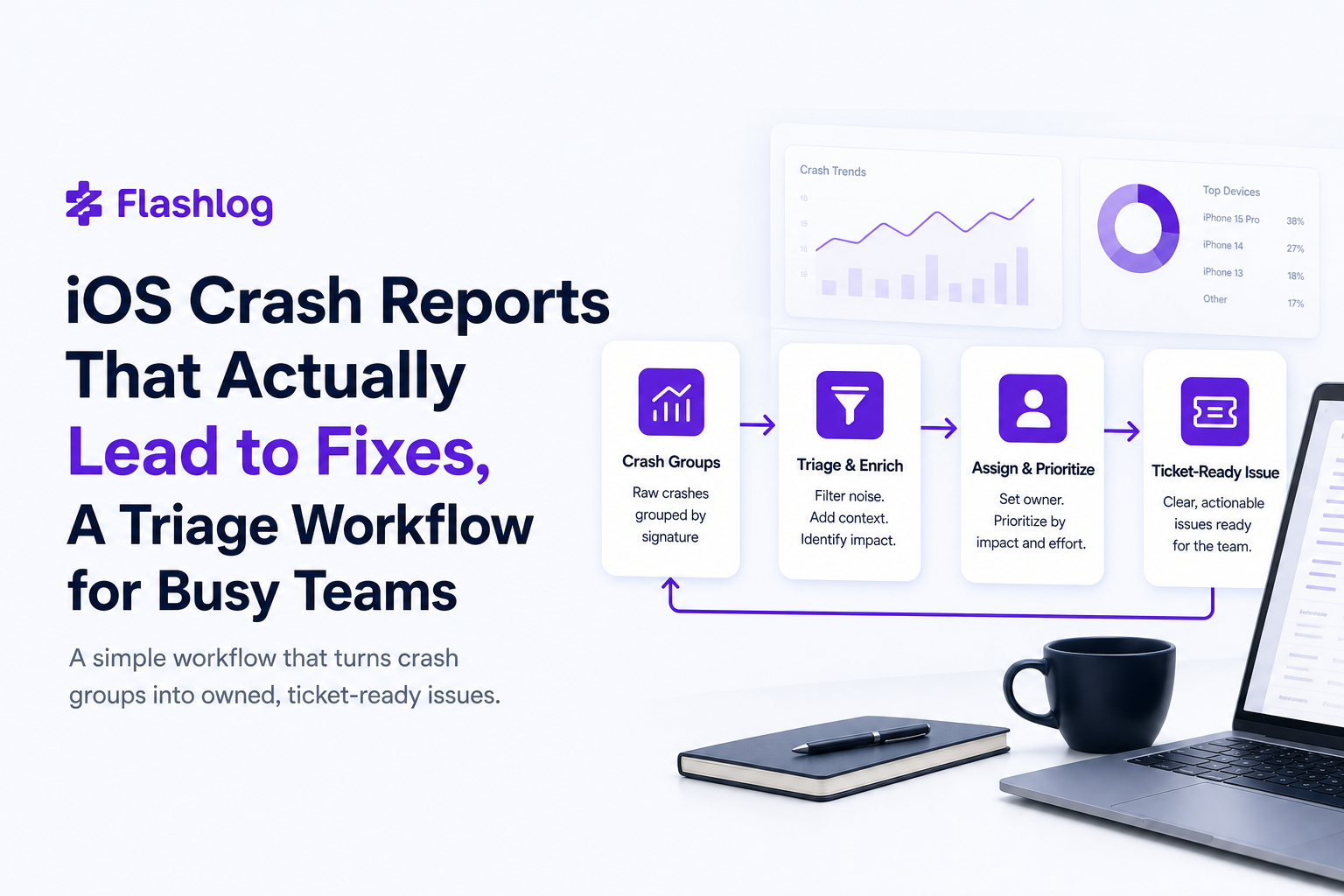
The goal is not “collect more crashes.” The goal is to convert ios crash reports into a small number of prioritized, deduped, owned issues with enough context to fix and verify. Use this 5-step workflow.
Step 1, Normalize and symbolicate every crash
Before triage, make sure every crash is comparable:
- Symbolicate: confirm the stack trace resolves to function names and line numbers for the specific build. Unsymbolicated stacks waste time and lead to mis-triage.
- Attach build identity: app version, build number, commit SHA (or build pipeline ID), and distribution channel (App Store, TestFlight, enterprise).
- Capture exception taxonomy: group by exception type (for example,
fatalError,NSInvalidArgumentException,EXC_BAD_ACCESS) to route to the right investigator faster.
Step 2, Deduplicate with a clear rule
Deduping is where most workflows break. Use a deterministic rule so the same crash does not become 10 tickets.
Recommended dedupe key:
- Primary: top N frames of the crashing thread after symbolication (commonly 5 to 10 frames).
- Secondary: exception type + module + app version range.
- Guardrail: if the top frame is in system libraries (UIKit, libswiftCore), include the first non-system frame as the anchor.
This creates one “crash group” that can be tracked over time. If you want a deeper workflow for turning crashes into fixes, see crash reporting.
Step 3, Triage using a rubric instead of opinions
When ios crash reports arrive, teams often prioritize based on who shouts loudest or which stack trace looks scary. Replace that with a rubric that produces the same decision regardless of who is on call.
Use four scores, each 0 to 3, then compute a Priority Score.
- Impact (0 to 3): how many users and how often.
- Severity (0 to 3): how bad the outcome is for the user and business.
- Confidence (0 to 3): how likely you can reproduce or narrow the cause with available evidence.
- Effort (0 to 3): estimated engineering effort to fix and verify, where higher means harder.
Priority Score formula: (Impact + Severity + Confidence) - Effort
Then map to action:
- Score 6+: create a ticket immediately, assign owner, target next patch.
- Score 3 to 5: add to weekly triage, gather missing context, monitor trend.
- Score 2 or less: park it, but keep a watch for growth after releases.
Step 4, Convert to a ticket-ready issue format
Each crash group that passes triage becomes one issue with a consistent structure. This reduces back-and-forth and prevents “needs more info” loops.
Ticket template (copy/paste):
- Title: Crash in [Feature/Screen] when [Action], [Exception Type]
- Impact: affected users count, crashes per session, first seen, trend over last 7 days
- Affected: app versions, iOS versions, devices
- Reproduction clues: last 10 breadcrumbs, last network request, app state
- Stack: symbolicated stack trace + link to a stack trace example style annotation if needed
- Owner: team or engineer
- Fix hypothesis: 1 to 2 likely causes
- Verification plan: steps to confirm in QA plus a guardrail test
Step 5, Close the loop with verification and trend checks
A fix is not done when the PR merges. It is done when the crash group drops in the next release. Add two checks:
- Pre-release: QA verifies the reproduction path on the same iOS version and device class where it was most common.
- Post-release: monitor the crash group for 7 to 14 days to confirm it is trending to zero, accounting for adoption lag.
When you cannot reproduce locally, use a structured approach to rebuild context from production signals. This guide complements that: production debugging.
Key benefits of a workflow-based approach
Implementing this workflow changes ios crash reports from “noise” into a predictable input to engineering planning. Here are the practical benefits, tied to real team pain.
1, Faster time to first action
With a rubric and a ticket template, you can go from crash alert to an owned issue in minutes, not days. Teams that standardize triage often aim for a measurable target like “new crash group triaged within 24 hours” and “high priority crash ticket created within 1 business day.”
2, Fewer duplicate tickets and fewer re-triage cycles
Deduping by a consistent key prevents the same underlying crash from reappearing as separate issues after each release. This reduces the weekly triage load and makes trends meaningful.
3, Less back-and-forth between iOS, backend, QA, and support
The minimum context bundle (next section) reduces the number of “need device details,” “which screen,” “what user action,” and “which build” comments. That is especially important when the crash is triggered by an API response shape or a feature flag mismatch.
4, Better prioritization aligned to user impact
Instead of picking the scariest stack trace, you prioritize by impact and severity. That prevents over-investing in rare crashes while ignoring high-frequency issues that quietly damage retention.
5, More reliable post-release validation
Because each crash group maps to one owned ticket with a verification plan, you can confirm whether the fix worked by watching the same group trend down. This is also where log correlation helps when crashes relate to network failures or backend incidents.
Common mistakes teams make with ios crash reports
These mistakes show up repeatedly in iOS organizations of all sizes. Use the checklists below to diagnose your current workflow.
Mistake 1, Treating “number of crashes” as the only priority signal
High crash counts matter, but without severity and impact context, you can prioritize the wrong thing. Example: a crash that happens 500 times in a background screen that users rarely see may be less urgent than a crash that blocks checkout 50 times.
Fix: require both Impact (how many users) and Severity (what they were trying to do) in the rubric.
Mistake 2, Creating one ticket per stack trace instance
This is how backlogs explode. You end up with 20 tickets that all describe the same bug, each with slightly different stacks across iOS versions.
Fix: enforce one crash group equals one ticket, with the group key defined in your dedupe rule.
Mistake 3, Missing the user path and app state
A symbolicated stack trace can still be ambiguous. For example, a crash in a JSON decoding function might be caused by a specific endpoint response, a cached payload, or a feature flag. Without breadcrumbs and last network request metadata, engineers guess.
Fix: adopt the minimum context bundle and do not accept tickets that lack it.
Mistake 4, No clear ownership or SLA
If nobody owns triage, ios crash reports drift. If nobody owns a crash group, it becomes “someone else’s problem.”
Fix: assign a rotating triage owner and define lightweight targets (example: triage within 24 hours, high priority within 1 day, fix within 1 to 2 sprints depending on severity).
Mistake 5, Not validating fixes against the same crash group
Teams sometimes close tickets after merging without confirming the crash group trend. That leads to regressions and repeated work.
Fix: require post-release monitoring for 7 to 14 days, and reopen if the same group persists.
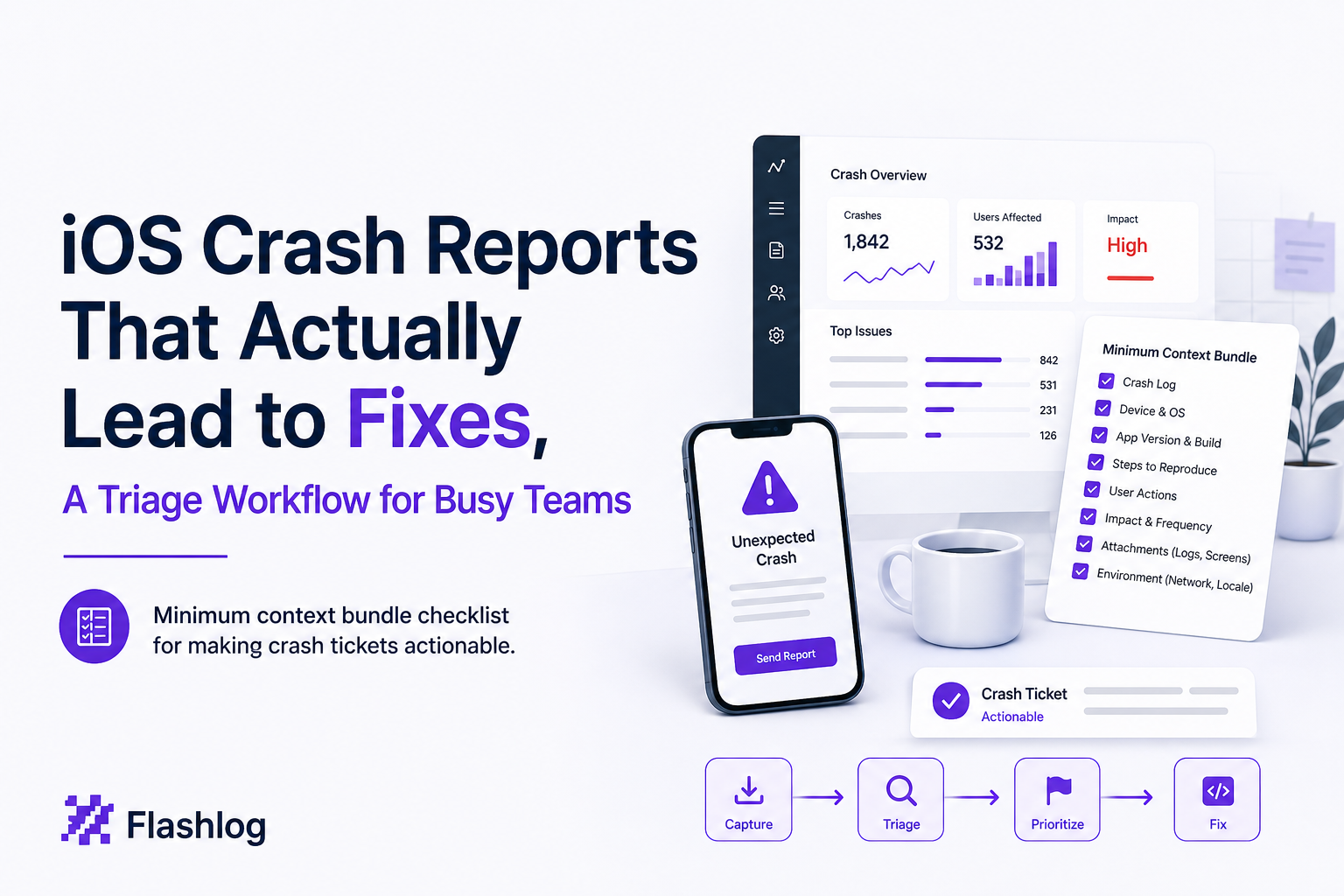
The minimum context bundle every iOS crash report should include
If you want ios crash reports to lead to fixes, define a minimum context bundle that must be present before a crash becomes a ticket. This is the smallest set of data that reliably reduces “cannot reproduce” outcomes.
Context bundle checklist
- Build identity: app version, build number, commit SHA, build date
- Device and OS: device model, iOS version, locale, memory class if available
- Exception details: exception type, crashing thread, signal, termination reason
- Symbolicated stack trace: with the first non-system frame highlighted
- Breadcrumbs: last 10 to 30 user actions and navigation events (screen opens, button taps)
- App state: foreground/background, logged-in state, feature flags, key configuration
- Network context: last request (method, endpoint, status), latency, offline state
- Release context: first seen timestamp, trend over last 7 days, affected versions range
- Privacy controls: redact or hash sensitive fields before storage or upload
A practical example of “minimum viable” crash context
Below is what “enough to act” can look like in a ticket, even if the crash is hard to reproduce:
- Title: Crash on Checkout confirmation after promo apply,
fatalErrorin PricingViewModel - Affected: iOS 17.5 to 18.0, iPhone 13 to 15, app 4.12.0 (build 812)
- Impact: 1.8% of checkout sessions on 4.12.0, first seen after release on 2026-06-20
- Breadcrumbs: Cart opened, Promo applied, Checkout opened, Shipping selected, Confirm tapped
- Last network:
POST /api/checkout/pricereturned 200 with missingdiscountBreakdownfield - Hypothesis: decoding assumes
discountBreakdownnon-null, crashes when backend omits it for certain promos - Verification: add decoding guard + unit test for missing field, QA with promo codes A and B on iOS 17.5
Where this context usually comes from
Some of this data comes from Apple crash logs and symbolication, and some comes from your app instrumentation. Apple’s crash report format and symbolication pipeline are described in Apple’s documentation for diagnosing issues and using crash reports. For background, see Apple crash reports and device logs.
| Crash workflow stage | Common failure | What to standardize | Output artifact |
|---|---|---|---|
| Capture | Unsymbolicated or missing build info | Symbolication + build identity required | Comparable crash group input |
| Deduplicate | One bug becomes many tickets | Dedupe key using top frames + exception type | One crash group |
| Triage | Priority decided by intuition | Rubric: Impact, Severity, Confidence, Effort | Priority score + action |
| Ticketing | Missing reproduction clues and ownership | Ticket template + minimum context bundle | Owned, ticket-ready issue |
| Validation | Fix merged but crash persists | Post-release trend check for same group | Verified resolution |
FAQ
If you want this workflow to run with less manual effort, Flash Log can help by capturing production failures with the surrounding context, grouping duplicates into cleaner issues, and producing a ticket-ready summary so engineers spend less time translating ios crash reports into actionable work.
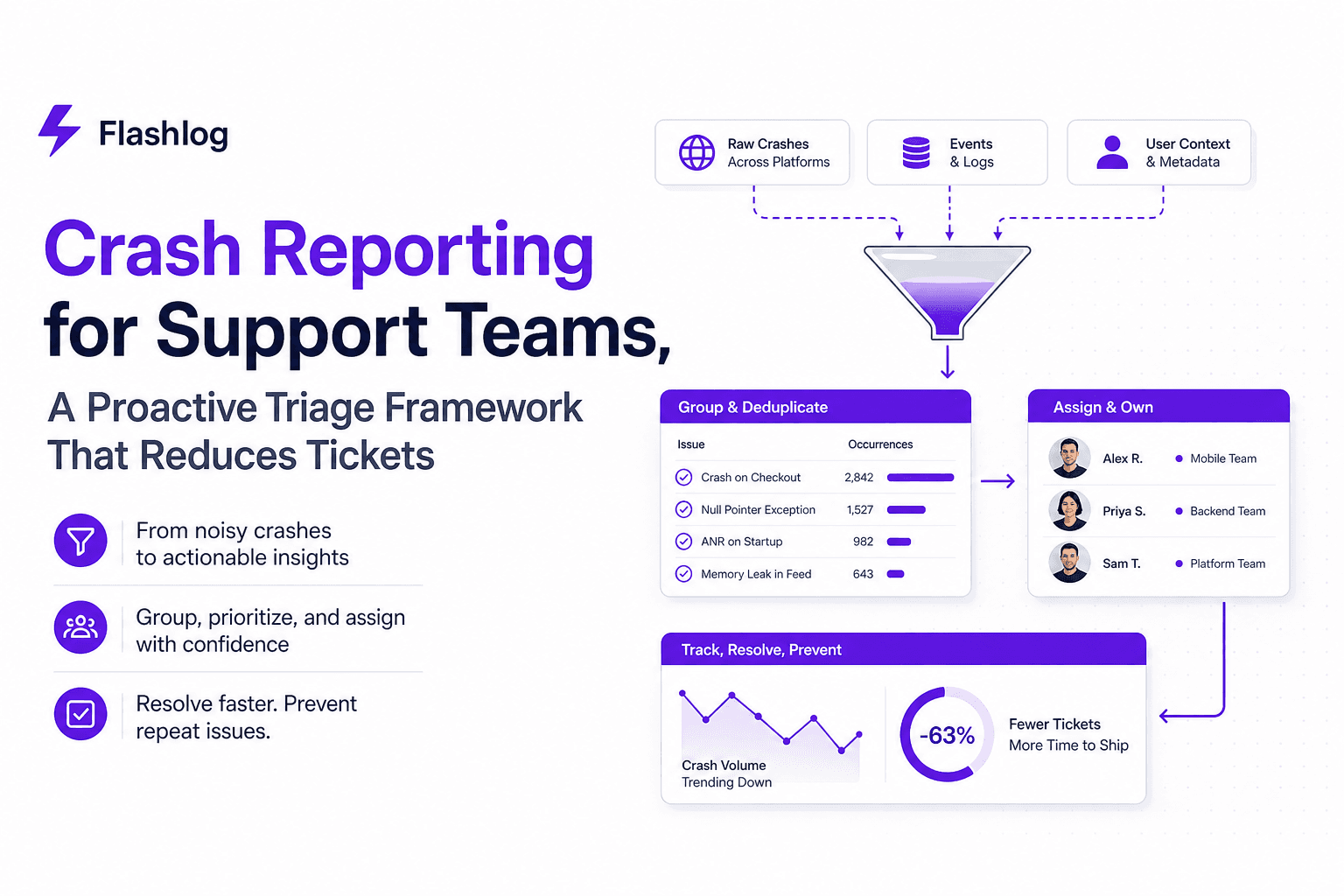
Crash Reporting for Support Teams, A Proactive Triage Framework That Reduces Tickets
Make crash reporting proactive with a support-led triage framework: dedupe, severity rules, routing, and metrics that reduce ticket back-and-forth.

Session Replay Tracking Explained, What It Shows and Why It Matters
Learn session replay tracking: what it captures, how playback works, and a starter checklist for debugging and UX insights without guesswork.
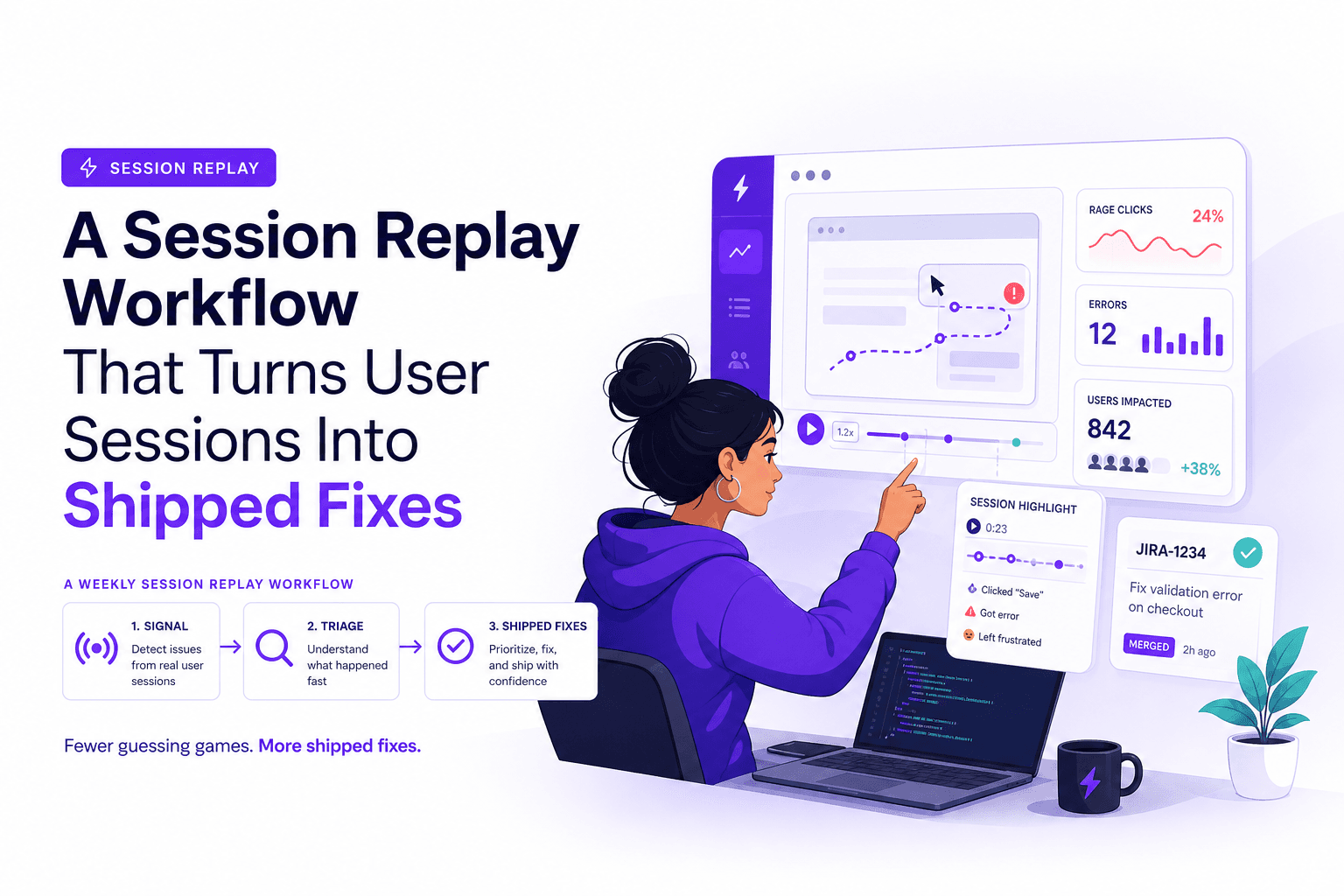
A Session Replay Workflow That Turns User Sessions Into Shipped Fixes
Use session replay as a weekly workflow: triage, tagging, reproduction context, and KPI impact so fixes ship faster with less back-and-forth.