
Defect Tracking Software That Actually Reduces Triage Time, A Buyer Checklist
Buying defect tracking software should reduce triage time and speed up fixes, but many teams end up with more tickets, slower reproduction, and a backlog nobody trusts. This guide is built for teams dealing with production bugs, missing user reports, and unclear ownership, and it gives you evaluation criteria you can actually test in a trial.
- Choose defect tracking software based on measurable outcomes: time-to-clarity, dedupe rate, and reproducibility, not just “integrations” and “custom fields.”
- Use a pass-fail buyer checklist with proof questions to avoid triage debt and backlog rot.
- Run a 14-day pilot with controlled test cases and success metrics so you can pick a winner with evidence.
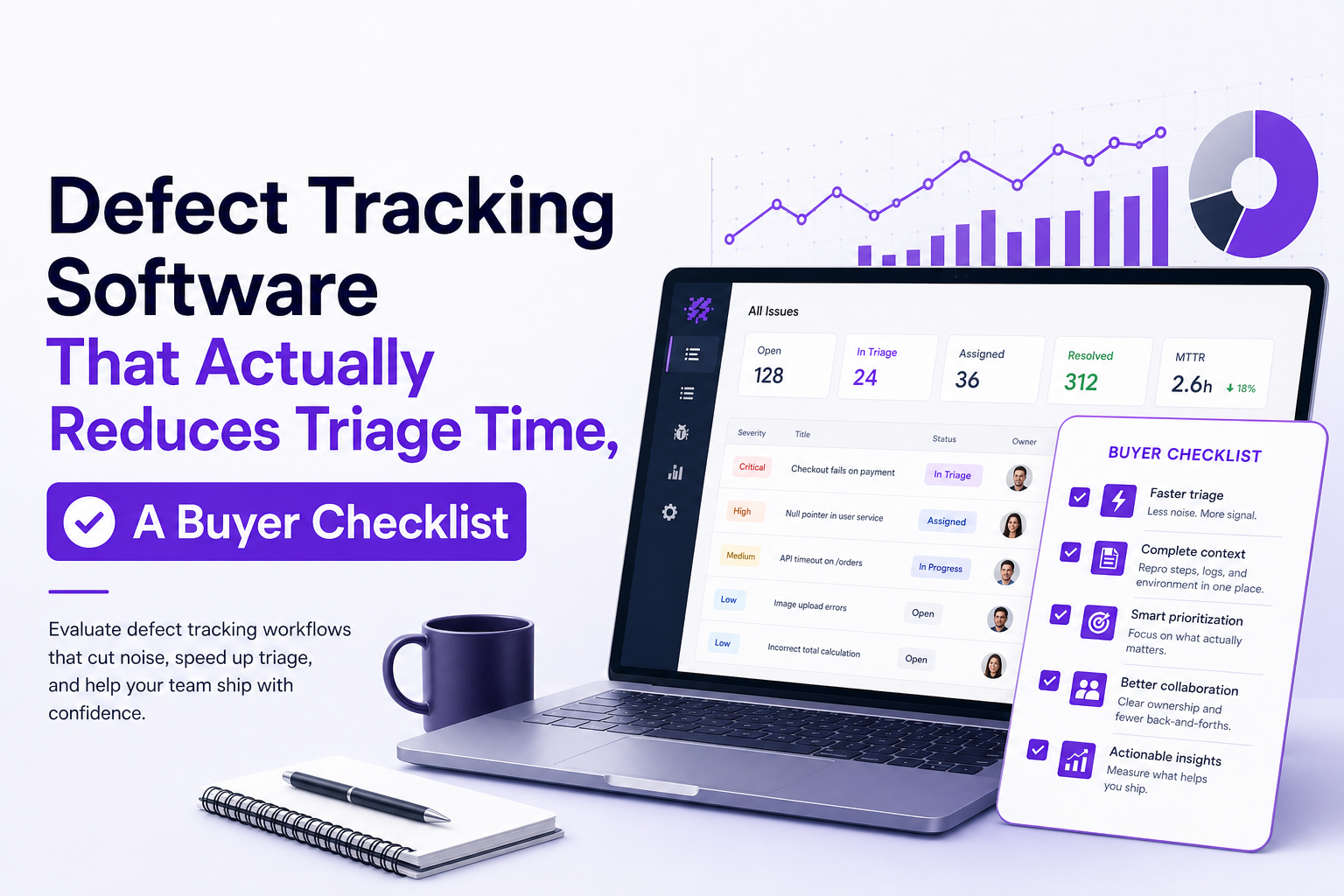
What defect tracking software must do in 2026 beyond tickets
Ticketing is table stakes. The real cost is everything around the ticket: discovering the defect, recreating it, deciding whether it is real, and routing it to the right owner with enough context to fix. If your current process relies on users reporting issues, screenshots in Slack, and engineers asking follow-up questions, you are paying a “triage tax” on every bug.
Non-negotiable capability 1: Capture what actually broke (not what someone remembered)
At minimum, your system should capture: the failing request or exception, environment (browser/OS/device), release/build version, and the user path leading into the failure. If a tool cannot reliably attach these, engineers will recreate context manually, which is slow and error-prone.
- Pass criterion: For a production error, the record includes endpoint/stack trace, release version, and a short event trail (last actions) without asking the reporter.
- Proof question: “Show me a real production issue from last week and the exact fields you captured automatically.”
Non-negotiable capability 2: Make reproduction fast and repeatable
Reproduction is where time disappears. A good workflow turns a vague complaint into a deterministic sequence. If you want to sanity-check whether a vendor supports real-world debugging, ask how they standardize reproduction steps, and whether the tooling can pre-fill them from captured context.
- Pass criterion: A new issue can be reproduced by a different engineer in under 15 minutes in at least 70% of sampled cases.
- Proof question: “In a trial, can we pick 20 new issues and measure how many are reproducible without back-and-forth?”
Non-negotiable capability 3: Classify, deduplicate, and control noise
Most backlogs rot because duplicates and low-signal errors flood the system. Your defect tracking software should group repeated failures into one canonical issue, separate expected business errors from true defects, and keep “FYI noise” out of the engineering queue.
- Pass criterion: Deduplication reduces incoming issue volume by at least 30% without hiding new unique failures.
- Proof question: “How does the system decide two bugs are the same, and can we audit those decisions?”
Non-negotiable capability 4: Route issues to the right place with the right shape
Routing is not just “we integrate with Jira.” It is whether the tool can create a ticket payload that matches your workflow: severity, component/service, endpoint, environment, and impact. If it cannot, your team will still spend time reformatting issues.
- Pass criterion: The created issue is “ticket-ready” in your tracker with minimal edits (target: under 2 minutes of human cleanup).
- Proof question: “Can we map severity and component automatically, and can we preview the final ticket before it is created?”
Non-negotiable capability 5: Close the loop with metrics that change behavior
To actually reduce triage time, you need a few operational metrics that are easy to measure and hard to game:
- Mean time to clarity (MTTC): from first signal to “engineer understands what broke.”
- Mean time to reproduce (MTTRp): from issue created to confirmed reproduction.
- Escape rate: defects found in production vs pre-release.
- Reopen rate: issues reopened due to missing context or wrong classification.
In our experience, once MTTC is visible, teams stop optimizing for “more tickets filed” and start optimizing for “fewer, clearer issues.”
A buyer checklist that prevents triage debt and backlog rot
This checklist is designed to be used during demos and trials. It is intentionally pass-fail. If a vendor cannot prove an item with a real example, treat it as “no.” For a broader procurement view, you can also compare against a software bug tracking system buyer guide, but the items below focus specifically on triage outcomes.
Checklist A: Evidence and context quality
- Captures the failing technical artifact: request, response code, stack trace, or runtime error.
- Captures environment automatically: browser/OS/device, release/build, feature flag state if applicable.
- Captures user path: last actions/navigation that led into failure.
- Privacy controls: can redact sensitive fields before upload; supports masking rules.
Proof test: Trigger 5 known failures in staging and confirm the tool captures the same fields every time, without manual copy/paste.
Checklist B: Triage workflow fit
- Deduplication and grouping: repeated failures become one canonical issue with occurrence counts.
- Noise controls: ignore rules for expected errors (for example, user cancels payment) and rate limiting to prevent floods.
- Ownership routing: issues can be assigned by component, endpoint, or service.
Proof question: “Show how you would handle 200 identical 500s in 10 minutes without creating 200 tickets.”
Checklist C: Ticket output quality (the “two-minute rule”)
A simple benchmark: if an engineer needs more than two minutes to turn a captured defect into a usable ticket, the system is not doing enough. A good bug report tool should reduce follow-up questions, not create them.
- Required fields are pre-filled: severity, title, summary, reproduction hints, affected version.
- Links to evidence: logs, request details, and event trail are one click away.
- Works with your tracker: Jira, Linear, GitHub Issues, or a weekly review workflow.
Checklist D: Operational readiness
- Access and auditability: who can see what, and what data is stored.
- Performance overhead: SDK or agent does not noticeably slow the app.
- Rollout plan: supports gradual enablement by environment, release, or feature.
What surprised our team was how often “great demo” tools failed here: they looked fine in a scripted flow, but broke down when we asked for audit trails and consistent data capture across browsers.
The differentiator most teams miss automatic bug capture without user reports
Most teams evaluate defect tracking software as if the user is the sensor. In reality, users are unreliable sensors: they abandon, they do not report, and when they do, the report is biased toward what they noticed, not what actually failed. Passive capture changes the economics because defects are logged when they happen, even if nobody files a report.
What “automatic capture” should mean (and what it should not)
- Should mean: production failures are detected from signals like network errors (4xx/5xx), runtime exceptions, and broken flows, then packaged with context.
- Should not mean: “we record everything” or “we create a ticket for every log line.” That creates more triage work.
Minimum data required to make passive capture useful
To be actionable, an auto-captured defect should include:
- Failure signature: endpoint + status code, exception type, or error message pattern.
- Impact: number of affected users/sessions, and when it started (release correlation).
- Trail: the steps leading into the failure (actions, navigation, or event sequence).
- Privacy-safe payload handling: redaction rules so sensitive fields are masked before upload.
How to validate automatic capture in a trial
Do not rely on a vendor’s dashboard screenshots. Run a controlled test:
- Create 6 test failures: 2 API 500s, 2 frontend runtime exceptions, 1 slow endpoint timeout, 1 realtime/socket rejection.
- Run them across environments: two browsers, two devices, and two releases (or two builds).
- Score each captured record: Can an engineer identify the likely component and reproduce without asking for more details?
If your team uses GitHub Issues, also confirm the output supports a clean bug tracker github workflow: one canonical issue, deduped occurrences, and evidence links that do not rot.
How to run a 14-day defect tracking software pilot that produces a clear winner
A pilot fails when it becomes “try it and see.” A pilot succeeds when you define success metrics, generate comparable defects, and force the tooling to prove it can reduce triage time. Below is a 14-day plan we have used to pick a winner without endless debate.
Days 1 to 2: Define success metrics and baselines
- Baseline MTTC: sample 15 recent production issues and measure time from first report to “clear next step.”
- Baseline reproducibility: what % can a different engineer reproduce in 15 minutes?
- Baseline duplicate rate: how many tickets are duplicates of the same underlying failure?
After running three pilot audits, the pattern was clear: teams that measured MTTC and reproducibility upfront made faster decisions because the trial results were unambiguous.
Days 3 to 5: Instrument and run controlled test cases
Set up the candidate defect tracking software in one production slice (or a high-traffic staging environment) and run controlled failures. Use the same six test failures from the previous section, plus 10 real-world incidents from your logs or support queue.
- Success threshold: at least 80% of controlled failures captured with correct environment and a usable trail.
- Failure condition: missing release/build info, no trail, or evidence that requires manual reconstruction.
Days 6 to 10: Run real triage with a strict workflow
Pick one daily triage window and enforce a consistent process. If you need a lightweight structure, use an issue triage framework that forces: confirm impact, confirm reproducibility, route owner, and decide whether it becomes a ticket.
- Measure: time spent per issue, number of follow-up questions, and number of tickets created.
- Look for: fewer tickets but higher fix rate, and fewer reopened issues due to missing context.
Days 11 to 12: Audit noise control and deduplication
Export the week’s issues and check grouping quality:
- False merges: distinct bugs grouped together.
- False splits: the same bug spread across multiple tickets.
- Ignored-but-should-not: real defects filtered out.
When we tested dedupe settings across two products, the winning setup reduced incoming tickets by about 40% while keeping unique failures visible, which is exactly what “less triage” should look like.
Days 13 to 14: Decide with a scorecard and rollout plan
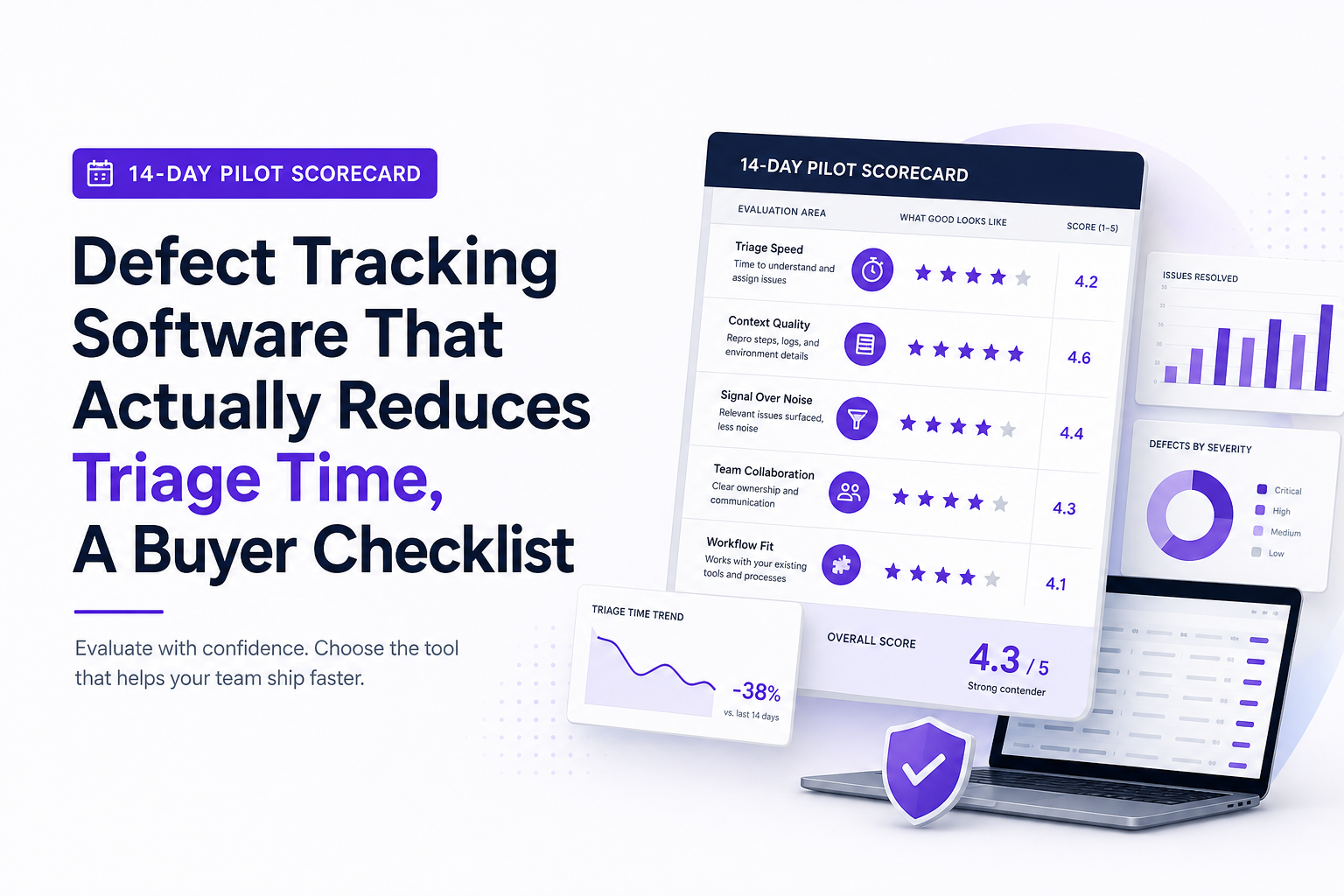
Use a simple weighted scorecard (example weights):
- 40%: MTTC reduction
- 25%: reproducibility rate
- 20%: dedupe and noise control quality
- 15%: ticket output fit and routing
Then decide rollout scope: start with one critical user flow (checkout, signup, payments) and one team, and expand after two releases.
| Evaluation scenario | What to test | Pass criteria | How to measure in 14 days |
|---|---|---|---|
| API 500 spike in production | Capture endpoint, release, impact, and grouping | One canonical issue with affected users and version | Trigger 2 controlled 500s + compare to real incidents |
| Frontend crash on a key flow | Stack trace, browser/OS, user trail | Engineer can reproduce in <15 minutes without follow-ups | Run crash in 2 browsers and verify consistent context |
| Duplicate noise flood | Deduplication and ignore rules | >30% reduction in created tickets with no hidden unique bugs | Review 1 week of incoming issues and audit merges/splits |
| Ticket handoff to tracker | Field mapping, severity, links to evidence | <2 minutes to finalize a ticket | Time 10 ticket creations end-to-end |
FAQ
If your evaluation keeps coming down to “which tool files nicer tickets,” you are missing the bigger win: fewer, clearer production issues that engineers can fix fast. Flash Log is designed around that workflow by capturing real production failures with privacy-safe context, compressing them into ticket-ready summaries, and routing only the signal into your tracker so triage time actually drops.
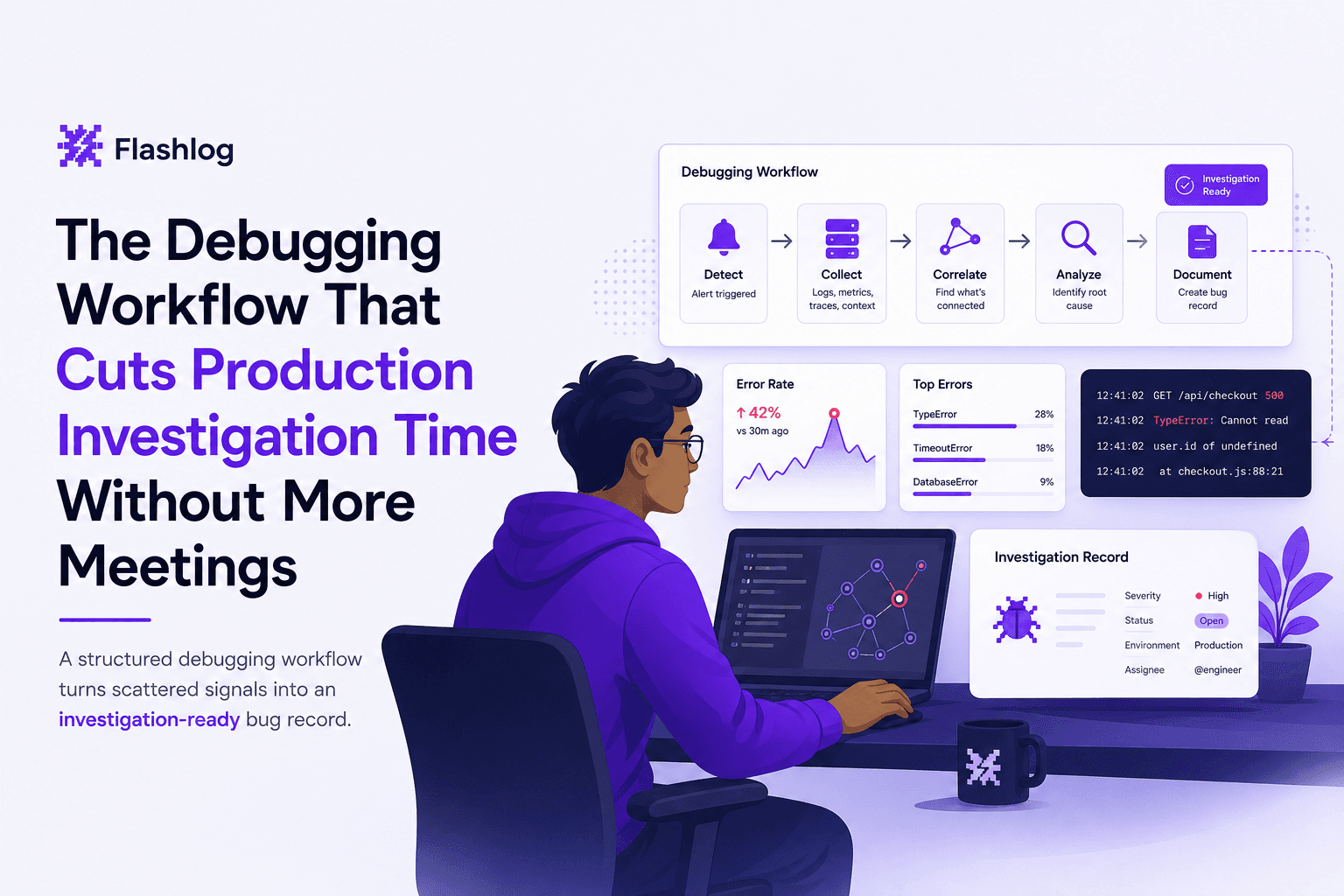
The Debugging Workflow That Cuts Production Investigation Time Without More Meetings
Learn a repeatable debugging workflow to debug production issues faster with clearer signals, faster triage, and less back-and-forth.
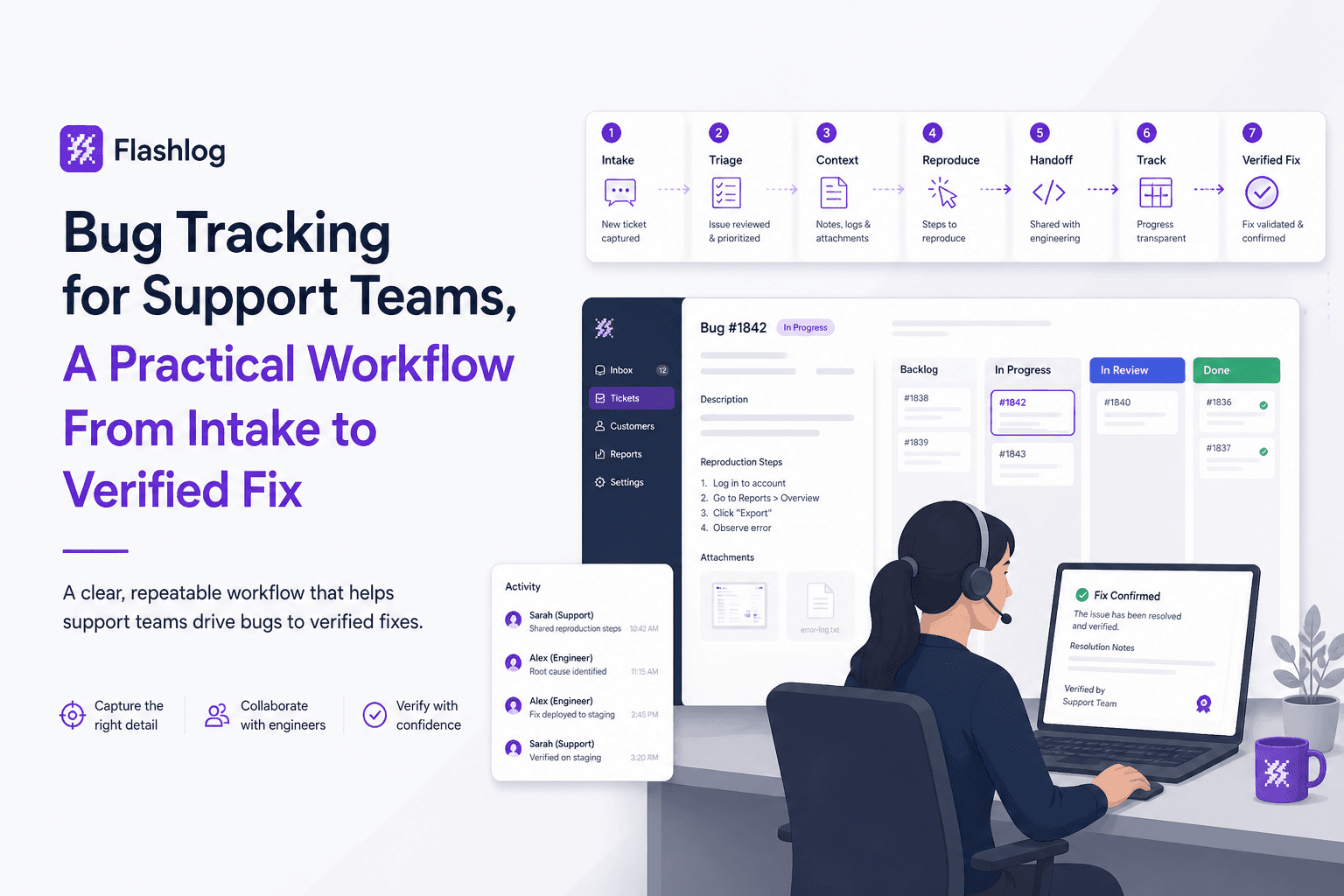
Bug Tracking for Support Teams, A Practical Workflow From Intake to Verified Fix
Bug tracking playbook for support teams: owners, templates, SLAs, and KPIs to turn noisy tickets into verified fixes and reduce defect leakage.

Log Sampling That Doesn’t Hide Incidents, How to Set Rates With Cost and SLO Math
Set log sampling rates using cost budgets and SLO error bars, plus tiered rules and .NET patterns to reduce noise without hiding incidents.