
How Session Replay Works, The End-to-End Pipeline From Capture to Playback
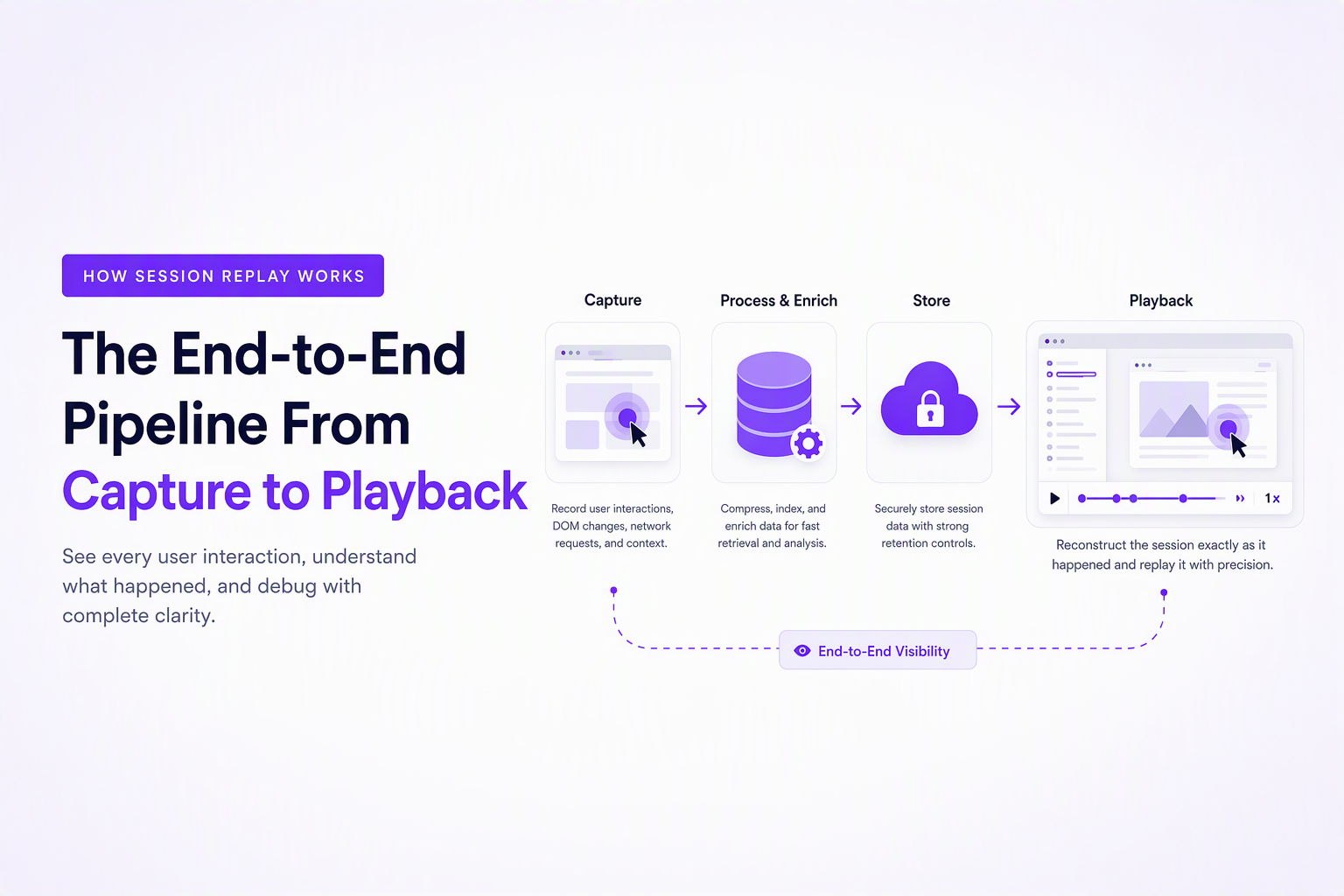
How session replay works is by capturing structured UI and interaction data (not pixels), sending it to a backend, and reconstructing a playable timeline that approximates what the user experienced.
- Session replay is typically event + state reconstruction, not a screen video, which is why it can be searchable and maskable.
- The core pipeline is consistent across vendors: snapshot, incremental events, batching/compression, transport, storage/indexing, and a renderer that replays time.
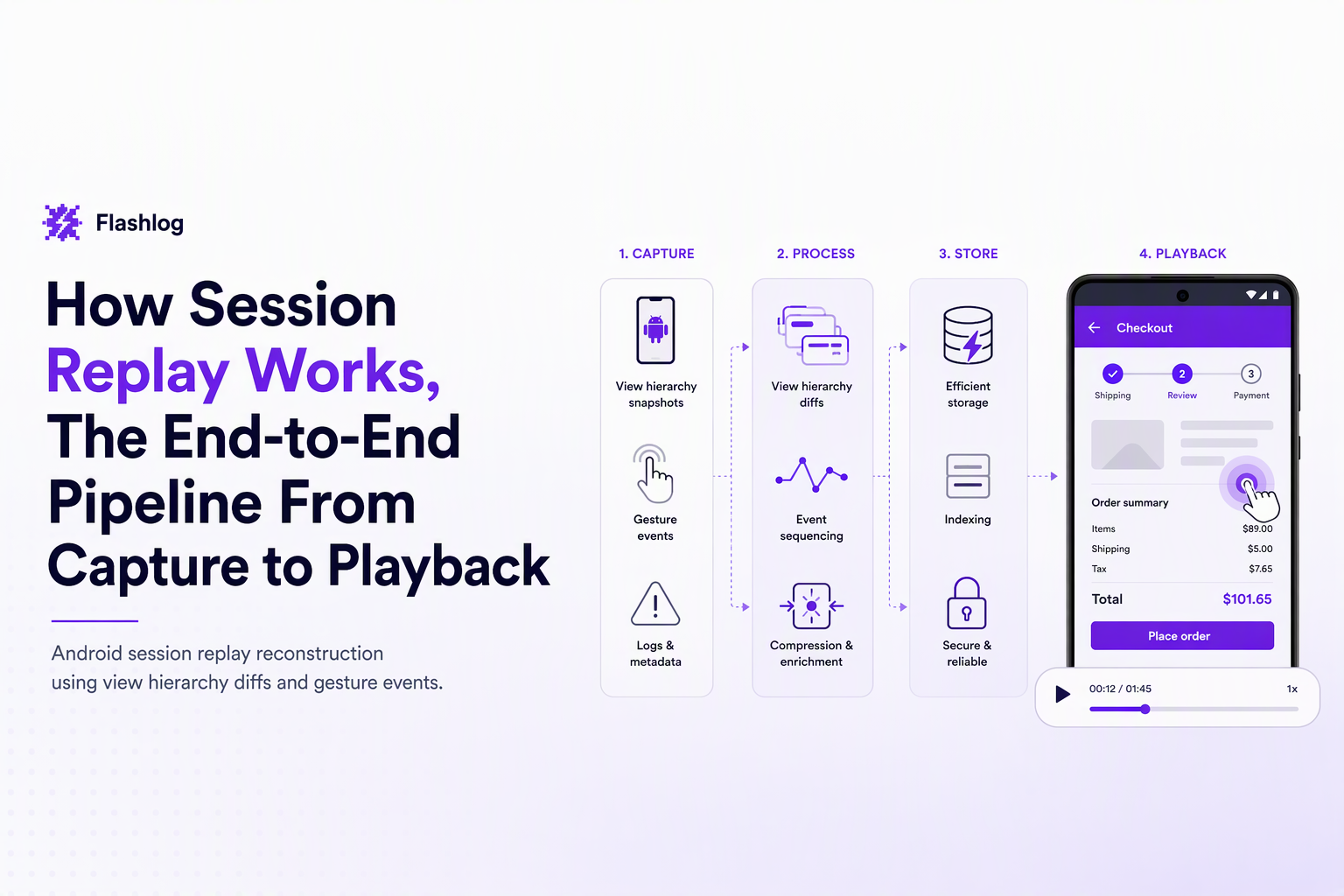
- Android replay usually relies on view hierarchy snapshots and UI diffs plus gesture events, with different constraints than DOM-based web replay.
Session Replay Basics, What It Is and Why It’s Not a Screen Recording
Session replay reconstructs a user journey from serialized state and events, which is why it behaves more like “time travel for UI” than a video file.
A practical mental model: state + deltas on a timeline
The easiest way to understand session replay is to picture a timeline made of two ingredients:
- A baseline snapshot: the UI state at time T0 (for the web, a DOM snapshot plus key attributes; for native apps, a UI tree or view hierarchy).
- Incremental changes: small “deltas” that describe what changed (clicks, scroll positions, input changes, DOM mutations, navigation, network events, errors).
Playback is the act of applying those deltas back onto the snapshot with the same timing they occurred.
Why it’s usually not pixel video
A true screen recording stores pixels for each frame. Session replay tools usually store structured data so they can:
- Search and segment sessions (for example, sessions with a 500 response or a specific click path).
- Mask sensitive inputs before data ever leaves the device.
- Reduce bandwidth by transmitting compact events instead of video frames.
In our experience working with product and engineering teams, confusion comes from the player UI: a replay “looks like a video,” but the underlying data is closer to logs plus UI state.
The Under-the-Hood Pipeline From Capture to Playback
How session replay works under the hood is a six-stage pipeline: capture, serialize, batch/compress, transmit, store/index, then reconstruct and render.
Stage 1: Capture a snapshot and start a clock
Most implementations begin with a full snapshot so the system has a known starting point. On the web, that snapshot typically includes:
- DOM structure (nodes, attributes, text)
- Computed layout hints needed for rendering fidelity
- Viewport size and device metadata
The system also establishes a session identifier and a monotonic timeline so later events can be replayed in order.
Stage 2: Record incremental events (the “deltas”)
After the snapshot, the recorder subscribes to event sources. A typical event stream includes:
- User input: clicks/taps, scrolls, key presses, focus changes
- UI mutations: DOM mutations, route changes in SPAs, visibility changes
- Diagnostics: frontend exceptions, console errors (if enabled), long tasks/perf markers (if enabled)
- Network breadcrumbs: request URL/method/status/timing metadata, usually without raw bodies by default
Each event is timestamped and linked to identifiers from the snapshot (for example, a node id in the DOM tree), so playback can target “the same element” later.
Stage 3: Serialize into a compact format
To make replays portable and versioned, events are encoded into a schema (often JSON-like logically, but not necessarily JSON on the wire). Practical recorders also normalize noisy data:
- Coalesce scroll events (many small moves become fewer larger moves)
- Debounce rapid mutations (avoid sending every intermediate state)
- Deduplicate repeated strings (URLs, CSS class names)
Stage 4: Batch and compress
Most vendors avoid sending every event immediately. They buffer events into batches and compress them to reduce overhead. Batching choices affect:
- Reliability: too-large batches can be lost if the tab closes; too-small batches increase request overhead.
- Timeliness: security teams often prefer smaller batches if near-real-time detection is needed.
What surprised our team was how often “missing the last 2 seconds” of a replay traced back to batch flush timing on unload, not to the replay renderer.
Stage 5: Transmit and store with indexing
Batches are typically sent via HTTPS to an ingestion API. On the backend, the system stores raw chunks and also creates indexes so teams can find sessions by:
- Time window
- Release/build version
- Error signature or HTTP status
- User journey metadata (page path, key events)
Indexing is the step that makes replay operationally useful, because “a folder of blobs” is not searchable.
Stage 6: Reconstruct and render in a player
Playback rehydrates the snapshot, then applies events in order, respecting timestamps. A good player must handle failure modes such as:
- Out-of-order chunks: reorder by timestamp and sequence number
- Missing assets: render fallbacks if fonts/images were blocked
- Version drift: recorded schema differs from player schema, requiring migration or compatibility layers
What Session Replay Captures (and What It Usually Doesn’t)
Session replay typically captures interaction events, UI structure, and environment metadata, while avoiding raw secrets and high-risk surfaces unless explicitly enabled.
A concrete capture checklist (web-focused)
| Category | Usually captured | Often excluded or limited by default | Why it matters |
|---|---|---|---|
| User interactions | Clicks/taps, scroll, focus, navigation | Raw keystrokes in sensitive fields | Reconstructs intent and sequence |
| UI state | DOM snapshot and mutations | Canvas pixel content | Explains “what the user saw” |
| Network breadcrumbs | URL, method, status, timing | Full request/response bodies | Correlates action to failing call |
| Environment | Browser, OS, viewport, release/build | Stable device identifiers | Reproduces environment-specific bugs |
Tricky surfaces that break “perfect fidelity”
If you want a realistic expectation of how session replay works in production, plan explicitly for these hard cases:
- Canvas and WebGL: a DOM mutation stream does not contain pixels, so canvases may appear blank unless the tool adds special capture modes (which can raise privacy and payload costs).
- Iframes: cross-origin iframes are often not introspectable due to browser security rules, so the replay may show an iframe boundary without internal detail.
- Single-page apps: route changes may not trigger full page loads, so the recorder must track history API changes and component-driven DOM churn.
For a deeper walkthrough focused specifically on the browser side, see web session replay.
How Session Replay Works on Android (Without Recording the Screen)
Android session replay works by snapshotting the view hierarchy and recording UI diffs plus gestures, then reconstructing a synthetic playback, rather than saving screen pixels.
What gets captured: view tree, properties, and gestures
Instead of DOM nodes, Android has a view hierarchy. A practical Android replay pipeline usually records:
- Hierarchy snapshots: view types, bounds, visibility, text (often masked), and stable identifiers where available
- UI diffs: property changes (text changed, enabled state changed, view moved), view added/removed
- Input events: taps, scrolls, swipes, back presses, and focus changes
- Lifecycle markers: activity/fragment transitions to keep the timeline coherent
Reconstruction constraints to expect
Android replays tend to be “close enough to debug” rather than pixel-perfect because:
- Custom rendering (OpenGL, maps, camera previews) does not map neatly to a view-property diff stream.
- Dynamic content (for example, remote images) can load at slightly different times during playback unless asset timing is tracked.
- OEM differences can change layout behavior across devices, so environment metadata (OS version, device model, app build) is essential context.
After running audits on mobile instrumentation, the pattern was clear: the most useful Android replay is the one tightly paired with crash/ANR and network breadcrumbs, because that combo reduces guesswork when visual fidelity is imperfect.
Performance and Payload Overhead, The Tradeoffs Vendors Manage
Session replay overhead is controlled through sampling, throttling, batching, and fidelity limits, because capturing every event at full detail can impact CPU, memory, and network usage.
A decision framework: fidelity, cost, and risk
When teams evaluate how session replay works in their own app, three knobs matter most:
- Fidelity: how accurately the replay matches the original experience (more detail means more data).
- Cost: bandwidth + storage + compute for ingestion and playback.
- Risk: privacy exposure and compliance scope as capture becomes richer.
Common controls vendors use (and what to look for)
- Sampling: record 1% to 100% of sessions, often boosting sampling when errors occur.
- Event throttling: cap high-frequency streams like scroll/mousemove; keep “semantic” events like clicks.
- Adaptive snapshotting: take a fresh snapshot after major DOM churn so replays do not depend on a long chain of diffs.
- Compression and chunking: smaller chunks reduce loss on abrupt exits; larger chunks reduce HTTP overhead.
Failure modes to test before rollout
- Single-page navigation loops creating huge mutation logs
- Weak-network sessions where batches queue up and flush late
- CPU-heavy pages where recording adds measurable main-thread contention
If you want a concrete way to operationalize the tradeoffs, align capture quality to intent: analytics-grade for broad sampling, and debugging-grade for sessions that include errors or high-value flows.
Privacy and Compliance Checklist for Session Replay
Session replay privacy is managed by default masking, targeted allowlists, and verification audits that ensure sensitive inputs never get captured or stored.
A practical masking and exclusion checklist
- Mask by default: password fields, payment fields, auth tokens, and any field that can contain secrets.
- Exclude high-risk DOM regions: chat widgets, notes fields, free-text areas that can contain health or financial info.
- URL hygiene: avoid capturing full query strings if they can include emails, tokens, or identifiers.
- Network capture boundaries: store request metadata (method, endpoint, status, duration) but restrict bodies unless you have a clear, reviewed need.
- Role-based access: limit who can view replays, and log access for audits.
Verification steps that catch real leaks
- Pre-production audit: generate synthetic PII (fake emails, fake card formats) and confirm it never appears in stored payloads.
- Production spot checks: sample replays from sensitive funnels (signup, checkout, account settings).
- Schema review: ensure masking happens before transmission, not only in the player UI.
For a deeper framework you can hand to security and legal, see hiding masking personally identifiable information.
FAQ
If you like the debugging value of understanding how session replay works but want fewer missed bugs and less back-and-forth, Flash Log complements replay with AI-based automatic bug capture and classification, packaging the user journey, failing request context, and environment details so engineers can reproduce issues even when users never report them.
Detection Of Anomalies Without Alert Noise, A Practical Workflow For Teams
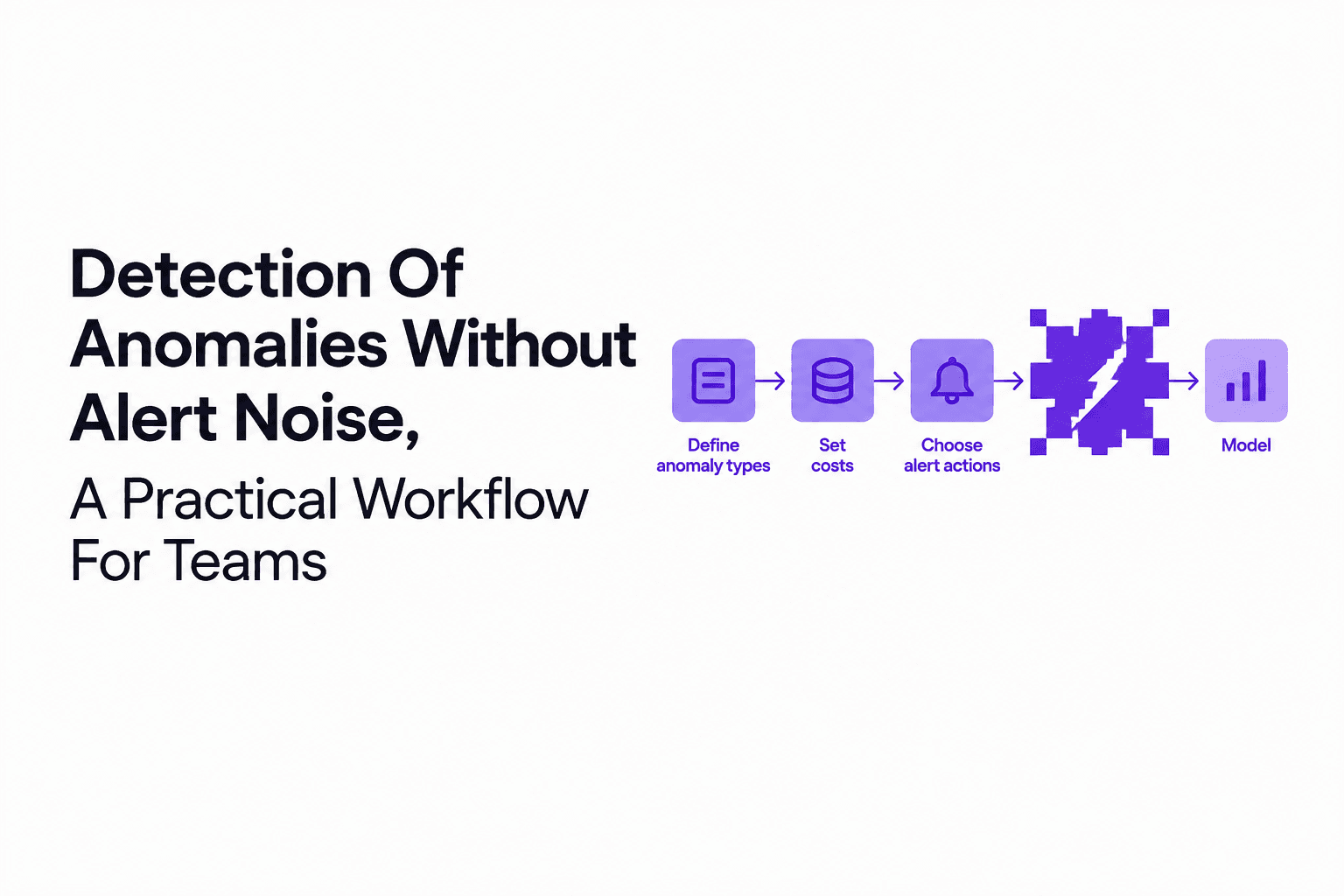
A practical workflow for detection of anomalies that reduces alert noise with cost-based thresholds, scarce-label validation, and ops-ready triage loops.
Session Replay Explained, How It Works and When You Should Use It
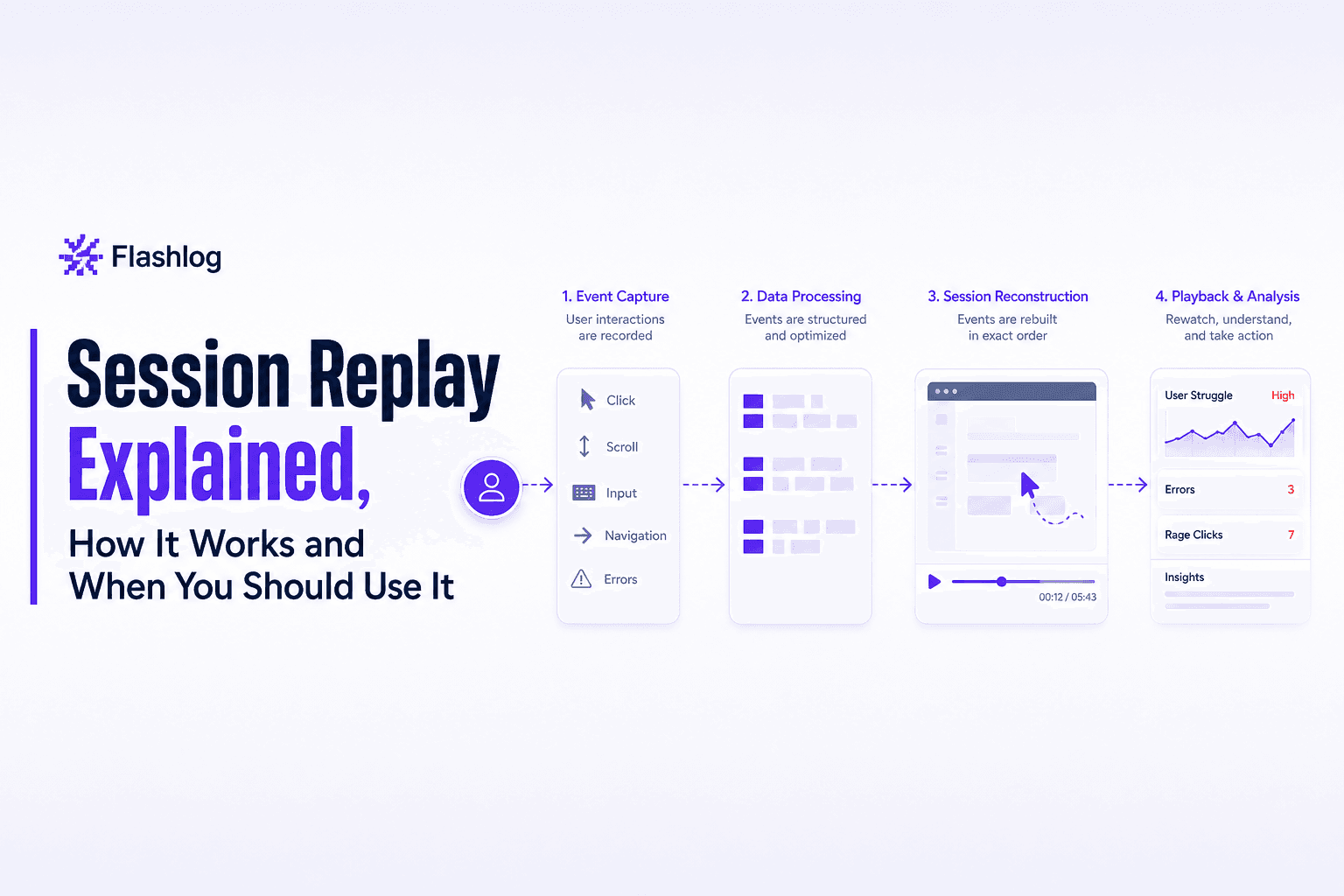
Learn what session replay is, how it works, top use cases, and the privacy basics you must get right before rolling it out.

Bug Tracking Software for Support Teams - A Proactive Intake and Triage Framework
Bug tracking software for support teams: a proactive intake and triage workflow, severity standards, and tool scorecard to prevent backlogs.