
Alert Management That Engineers Actually Trust - A Noise-Reduction Blueprint With Templates
Alert management that engineers actually trust is built by filtering noise before notification, grouping duplicates into one issue, and routing only actionable signals with measurable rules.
- Design alert management as a decision pipeline: normalize, classify, dedupe/group, then route.
- Use concrete noise controls (suppression rules, fingerprint grouping, confidence gates) with defaults you can start using today.
- Track a small KPI set (pages, actionable rate, duplicates per incident) to prove improvements and prevent backsliding.
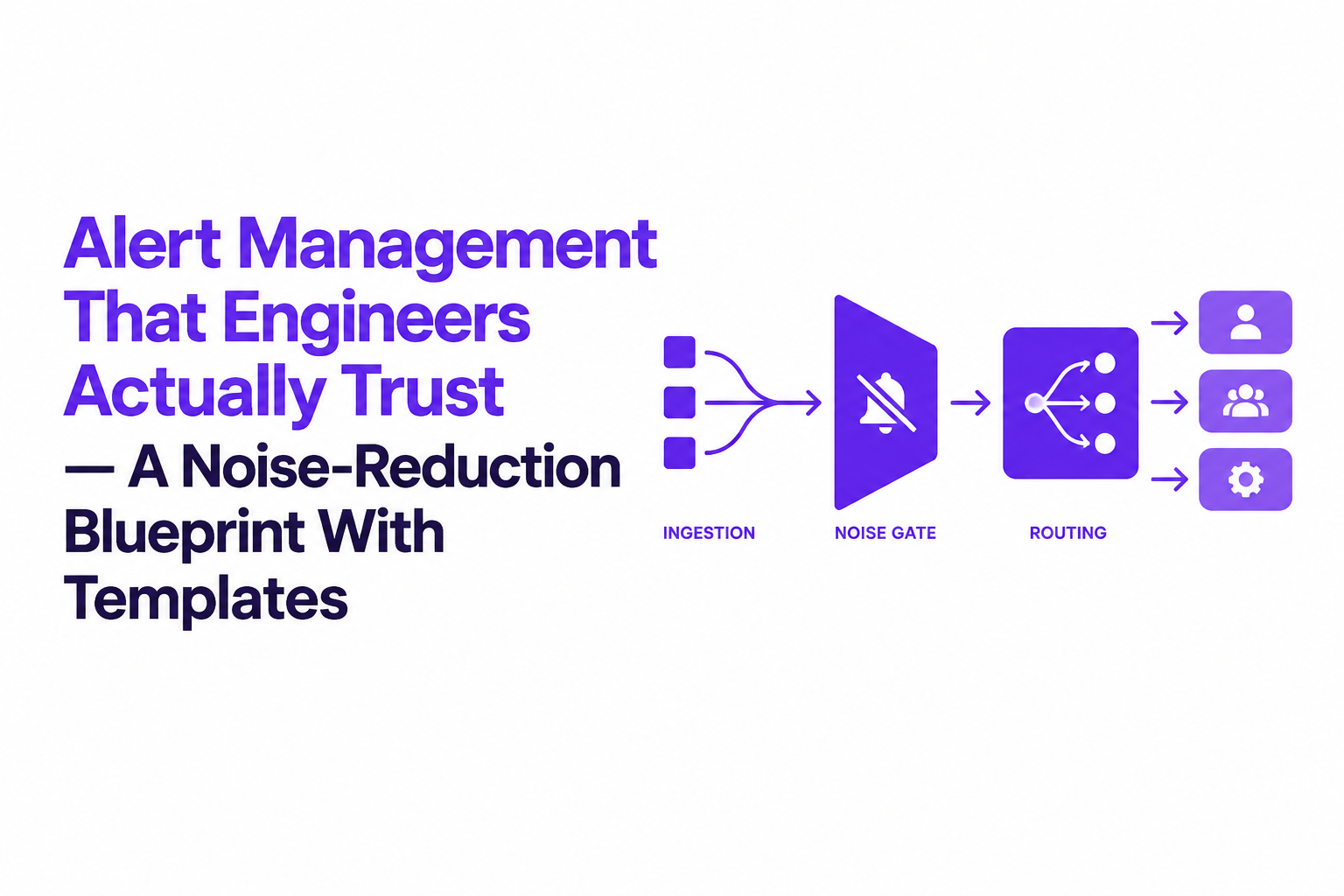
Alert Management In Practice - The End-To-End Flow From Ingestion To Incident
Alert management works best as a pipeline where every event must earn the right to page a human. The implementation goal is simple: raw signals can be high volume, but notifications must be low volume and high confidence.
A vendor-neutral reference architecture
- Ingest: metrics, logs, traces, synthetics, and app error events land in an intake endpoint (webhook, Kafka topic, or an alert aggregator).
- Normalize: convert to a canonical schema so downstream logic is consistent.
- Decide: suppression rules, dedupe/grouping, correlation, and confidence gating.
- Route: map severity and ownership to a target (PagerDuty/Opsgenie equivalent, Slack, ticketing).
- Execute: on-call acknowledges, investigates, mitigates, and closes with a reason code.
- Measure: compute noise KPIs and tune rules weekly.
Decision flow diagram you can implement
Event
  -> Normalize
  -> Suppression? (ignore/mute rules)
     -> yes: store + metrics
     -> no:
        -> Grouping key exists?
           -> yes: increment occurrence count on group
           -> no: create group
        -> Confidence/severity gate
           -> page / create ticket / route to batch review
Canonical alert payload template
Canonical fields reduce brittleness because routing, grouping, and suppression can all run on the same keys.
{
  "event_id": "uuid",
  "timestamp": "2026-10-04T12:00:00Z",
  "source": "service|monitor|sdk",
  "service": "checkout-api",
  "environment": "prod",
  "region": "us-east-1",
  "signal_type": "error|latency|availability|security",
  "severity": "S1|S2|S3|S4",
  "title": "POST /api/checkout 500 rate elevated",
  "description": "p95 latency and 5xx increased above threshold",
  "fingerprint_inputs": {
    "endpoint": "/api/checkout",
    "status": 500,
    "exception": "NullPointerException",
    "deploy_version": "2026.10.04.1"
  },
  "labels": {
    "team": "payments",
    "runbook": "https://internal/runbooks/checkout"
  },
  "observations": {
    "occurrences_5m": 238,
    "users_affected_est": 120
  }
}
AI Noise Reduction Techniques That Actually Lower Pages - Dedupe, Grouping, Suppression, Correlation
AI noise reduction in alert management reduces pages by combining deterministic rules with context-based classification so only actionable, high-confidence issues route to humans. The practical trick is to use rules for the obvious cases and reserve AI for ambiguity.
1) Dedupe vs grouping: treat repeats as pressure, not new work
Dedupe drops identical alerts; grouping keeps one alert open and increments an occurrence counter, which preserves urgency without spamming.
- Default: group within a rolling 30 to 60 minutes for the same fingerprint.
- If-then example: if
service=checkout-apiandexception=NPEandendpoint=/api/checkout, then group under one issue key. - Output: one thread with
occurrence_countand a last-seen timestamp.
When we audited noisy on-call rotations, the biggest win came from grouping crash storms into one evolving issue and surfacing the live occurrence count in the notification instead of emitting hundreds of near-identical pages.
2) Suppression and mute rules: stop expected business outcomes at the gate
Suppression rules prevent pages for outcomes your team is not going to fix, such as validation failures, permission denials, and payment declines.
- Default: suppress by endpoint + status, and add allowlists for known bad-but-acceptable flows.
- If-then examples:
- If
endpoint=/api/payments/chargeanderror_code=card_declined, then mute and record metrics. - If
status=404andpathmatches/cdn/optional/*, then ignore. - If
status=429andclient=partner-x, then route to ticket (not page) unless sustained for 30 minutes.
- If
3) Confidence gates: hold back low-signal alerts instead of forwarding uncertainty
Confidence gating keeps low-confidence events out of paging channels while still logging them for later review. This is where AI helps: it can inspect context around an error (request intent, user impact, recent deploy, known patterns) and produce a reasoned classification.
- Default: if confidence < 0.7, do not page; create a “needs review” queue item.
- Escalation rule: if low-confidence events repeat (for example, same fingerprint exceeds a frequency threshold), promote to ticket or page.
4) Correlation: page once when multiple signals share one root cause
Correlation prevents multi-monitor page cascades by linking symptoms to a single incident candidate.
- Default: correlate by service + region + deploy_version for a 15-minute window.
- If-then example: if latency breach and error-rate breach happen for the same service within 5 minutes, page once with both observations attached.
For deeper routing and lifecycle mechanics, see the incident alerting guide and the breakdown of an alert storm response pattern.
Templates You Can Copy Today - Alert Payload, Grouping Rules, And Escalation Policies
Templates make alert management improvements stick because they turn “be less noisy” into reviewable, testable configuration. Start with these three copy-paste building blocks.
Three grouping strategies (pick one per alert family)
- Exception fingerprinting (best for app errors)
- Key:
service + exception_class + top_stack_frame + endpoint - Use when: many user sessions hit the same crash
- Watch out: stack traces can be noisy; normalize line numbers
- Key:
- SLO burn grouping (best for reliability paging)
- Key:
service + slo_id + region - Use when: multiple monitors represent one user-facing SLO
- Default window: group for the whole incident until recovered
- Key:
- Dependency grouping (best for third-party outages)
- Key:
dependency + operation + region - Use when: many services fail due to one provider
- Routing: page platform/on-call commander, not every service owner
- Key:
Copy-paste grouping rule examples
# Example: app error grouping
IF signal_type == "error" AND environment == "prod"
THEN fingerprint = hash(service, endpoint, exception_class, normalized_stack_top)
GROUP BY fingerprint FOR 60m

# Example: suppress known business outcomes
IF error_code IN ["card_declined", "invalid_coupon", "permission_denied"]
THEN decision = "mute"; notify = false

# Example: confidence gate
IF ai_confidence < 0.70
THEN decision = "hold"; route = "review_queue"
Two-level escalation policy template
A simple escalation policy beats a complex one because it is easier to run consistently at 2 a.m.
- Level 1: primary on-call for the owning team, 10-minute acknowledge target.
- Level 2: secondary or incident commander if not acknowledged in 10 minutes, or if severity is S1.
- Auto-actions: attach runbook link, current deploy version, and last 50 occurrences summary to the page.
Escalation Policy: Payments On-Call
- If severity == S1: page L1 immediately; if no ack in 10m -> page L2
- If severity == S2: page L1; if no ack in 20m -> page L2
- If severity == S3: create ticket; notify Slack channel
- If severity == S4: log only; weekly review
Prioritization, Routing, And On-Call Execution - Getting The Right Human On The First Page
Prioritization and routing in alert management should be deterministic enough that two engineers would route the same alert the same way. The fastest way to improve outcomes is to define severity mapping, ownership mapping, and “ticket vs page” thresholds in writing.
Severity mapping criteria you can operationalize
- S1: active user impact with no workaround (checkout blocked, auth down), or a security incident. Page immediately.
- S2: degraded experience with partial workaround (elevated 5xx, latency breach) sustained beyond a time window. Page during on-call.
- S3: limited blast radius, internal users, or recoverable errors. Ticket with SLA.
- S4: informational, flaky, or low-confidence. Log and review.
Routing conditions that work across ITSM tools
Most ITSM systems use similar concepts even when labels differ: assignment group, category, impact, urgency, and priority. Map your canonical payload to those fields before creating the record.
- ServiceNow-style mapping: set
assignment_groupfromlabels.team; computepriorityfrom severity; setcategoryfrom signal_type. - Freshservice-style mapping: map severity to
impactandurgency; route bygroupanddepartment. - Paging rule: only page if (severity in S1,S2) AND (not suppressed) AND (group occurrence_count crosses threshold OR user-impact signal present).
We initially assumed routing mistakes were mostly “wrong team,” but our team found the bigger failure mode was “right team, wrong channel”: S3 issues that paged instead of ticketed drove the most resentment and fastest alert fatigue.
Minimal on-call execution checklist (per page)
- Acknowledge and set an initial status (investigating, mitigated, monitoring).
- Confirm user impact: what action is failing and for whom.
- Check recent deploy/version context and correlate with other grouped alerts.
- Mitigate (rollback, feature flag off, capacity, dependency failover).
- Close with a reason code: real incident, expected business outcome, duplicate/grouped, low confidence.
If you need a deeper operational playbook for ownership and follow-the-sun, the alert management system guide pairs well with a structured escalation policy matrix.
| Control | Best for | Default starting setting | Failure mode to watch |
|---|---|---|---|
| Suppression (ignore/mute rules) | Expected business errors, harmless endpoints | Endpoint + status + error_code allow/deny lists | Over-suppressing real incidents due to broad patterns |
| Grouping (fingerprinting) | Crash storms, repeat failures | 60-minute grouping window with occurrence count | Over-grouping distinct root causes if fingerprint is too coarse |
| Confidence gating | Ambiguous signals, noisy detectors | Hold if confidence < 0.70; promote on repeats | Holding too long without a promotion threshold |
| Correlation | Multiple monitors per incident | 15-minute correlation window by service + region | Missing cross-service dependencies if keys are too narrow |
FAQ
If you want an optional accelerator after you implement the blueprint, Flash Log can capture bugs automatically in production (even when users do not report them), classify and cluster duplicates, and attach context so your alert streams contain fewer repeated interruptions and more actionable detail.
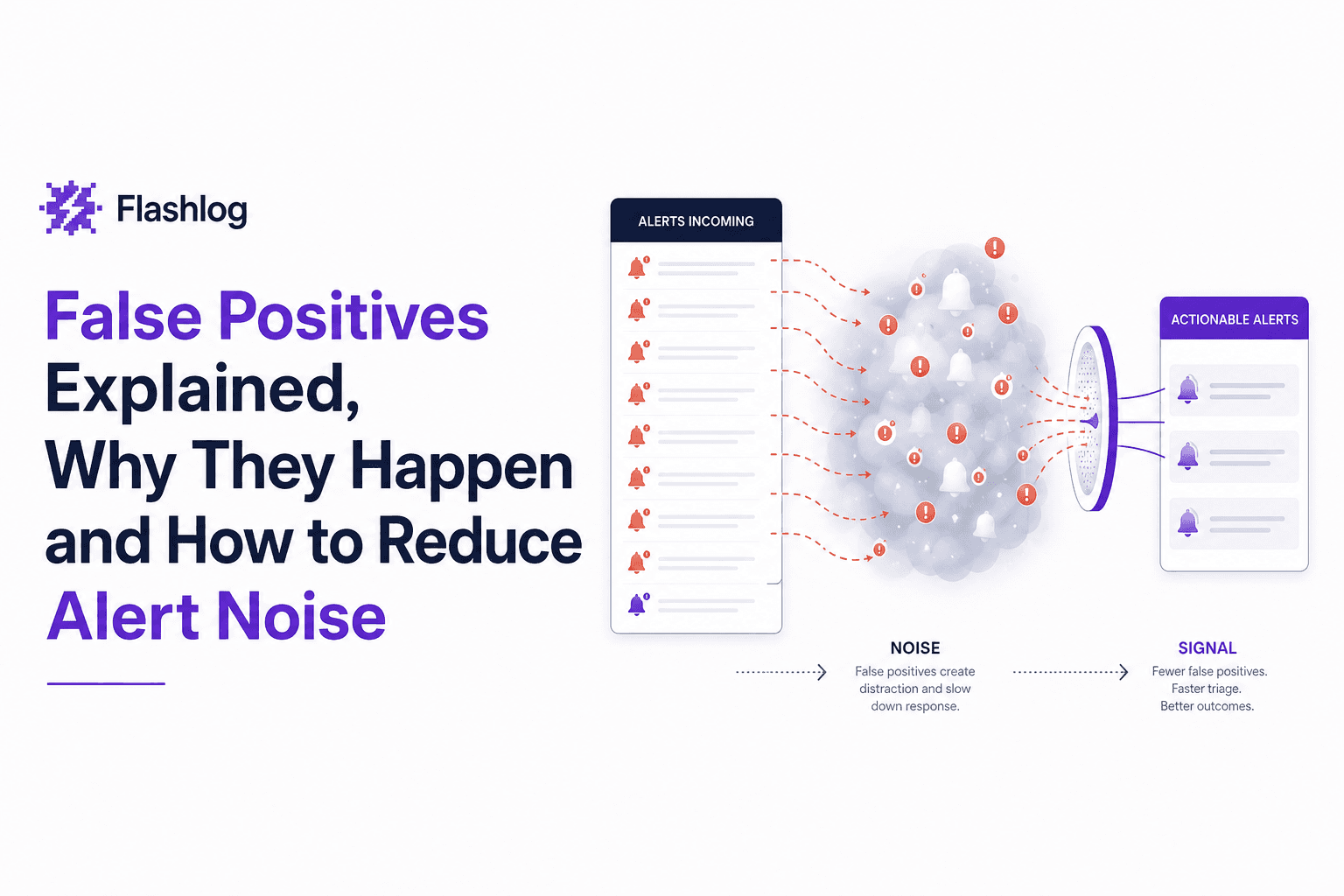
False Positives Explained, Why They Happen and How to Reduce Alert Noise
Learn what false positives are, why they create alert noise, and how to reduce false positives without missing real issues.
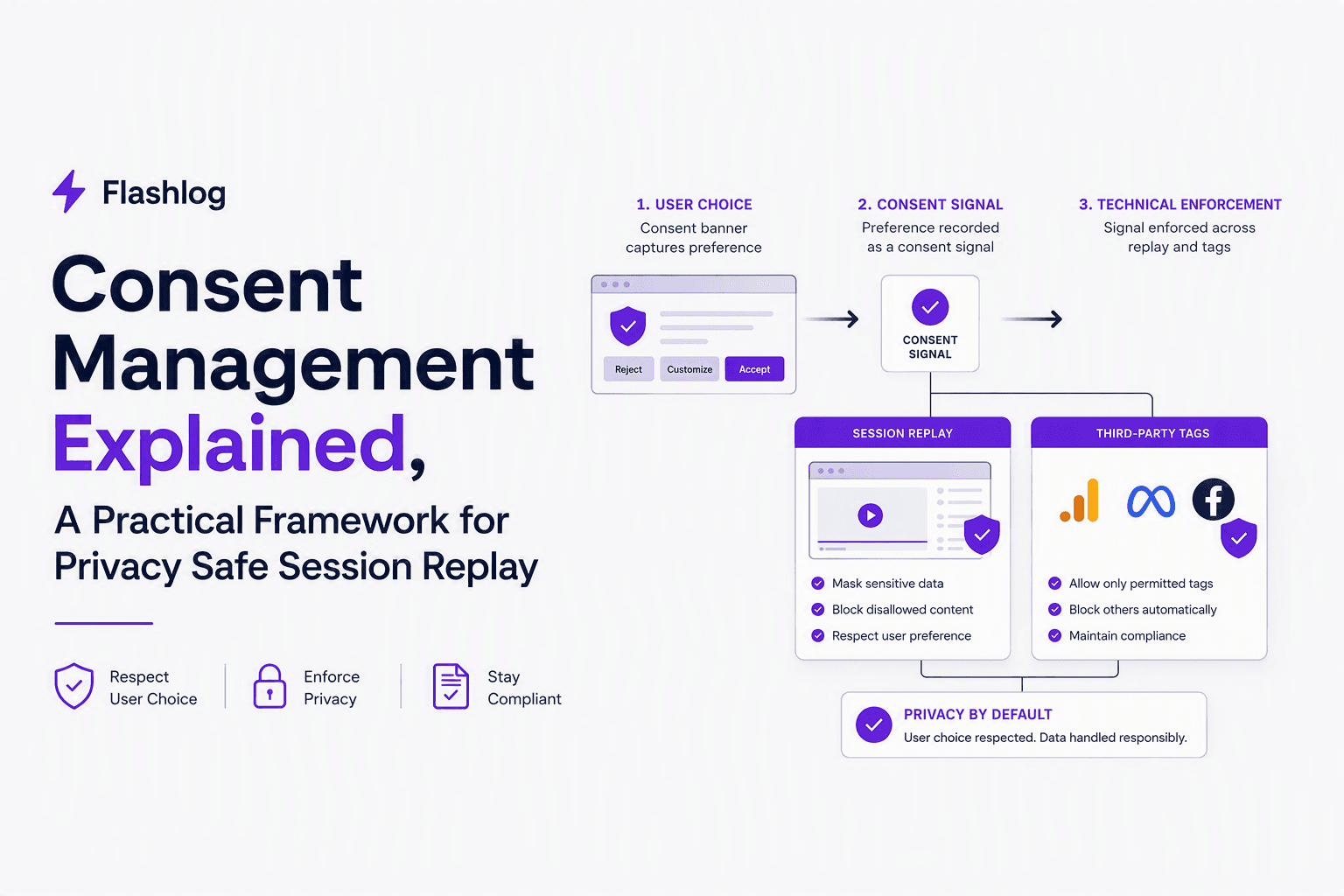
Consent Management Explained, A Practical Framework for Privacy Safe Session Replay
Learn consent management for session replay: laws, lifecycle architecture, examples, and standards (TCF, GPP, GPC, Consent Mode) with checklists.
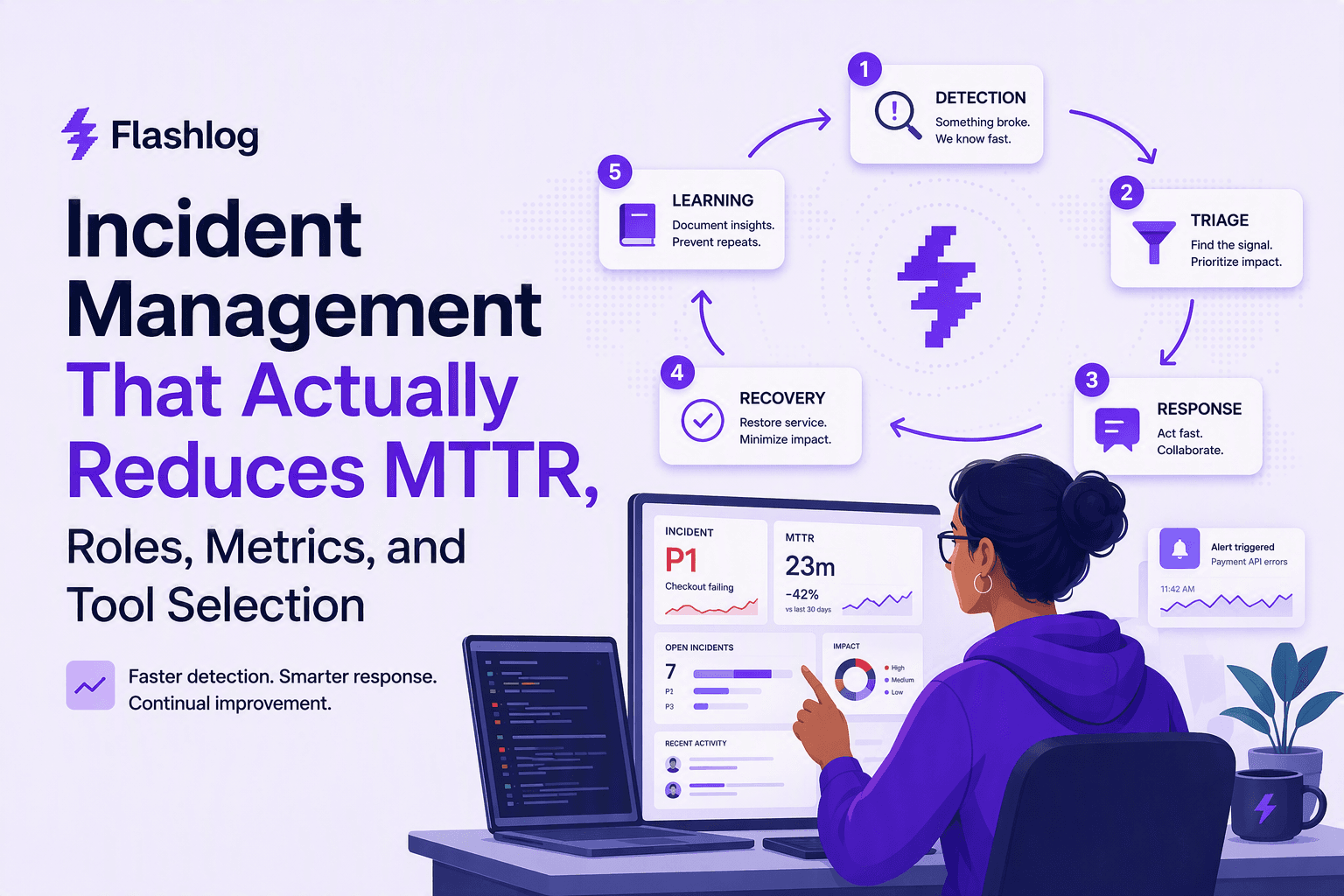
Incident Management That Actually Reduces MTTR, Roles, Metrics, and Tool Selection
A practical incident management playbook: 5-step loop, RACI ownership, MTTR metrics, and tool selection criteria for on-call, ITSM, and AIOps.