
Bug Detect for Support Teams, A Proactive Triage Workflow to Catch Issues Early
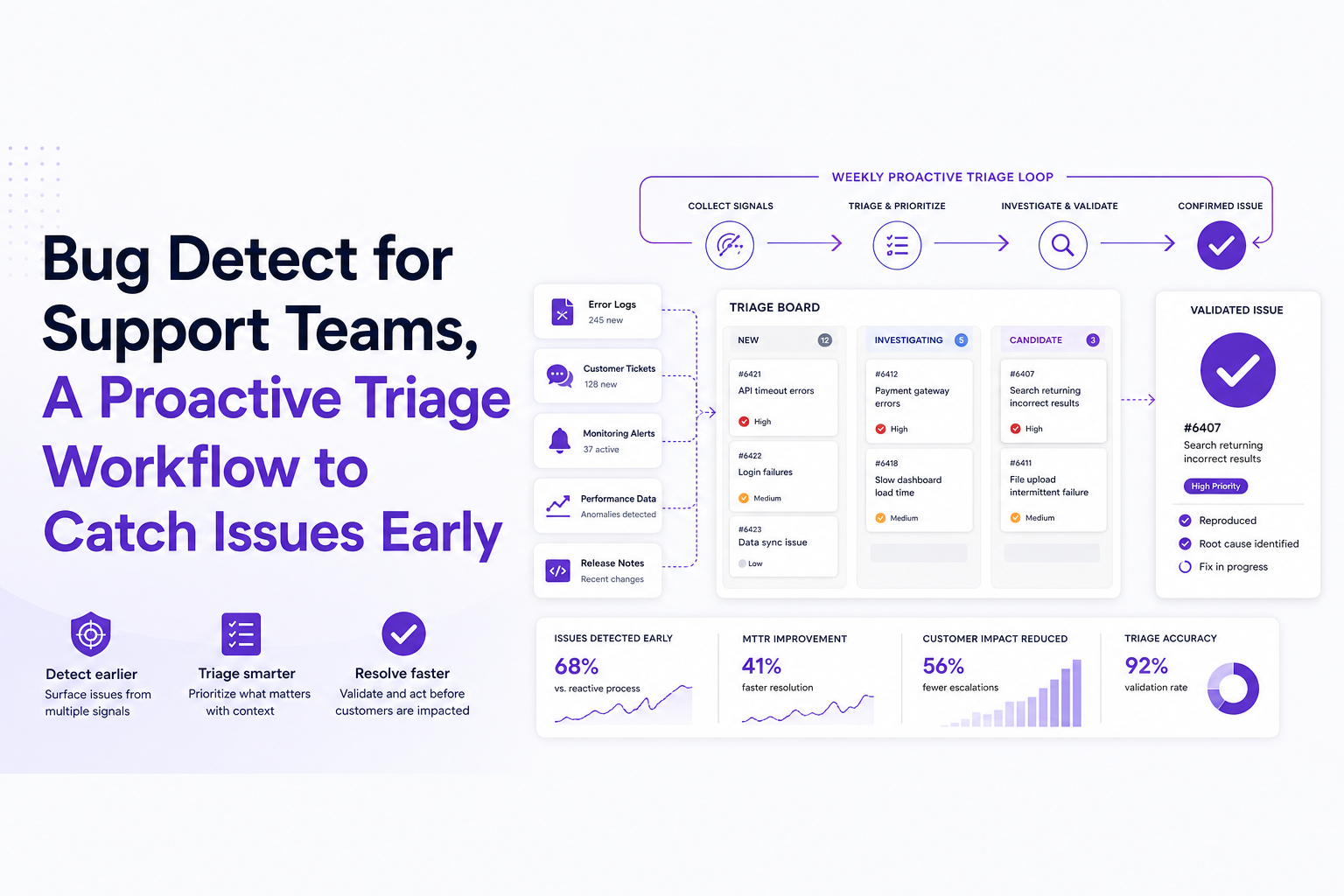
Bug detect for support teams means finding, validating, and escalating real product defects before customers report them, using a repeatable triage loop that reduces false positives and speeds engineering handoffs.
- Define bug detect outcomes in support language: severity, scope, ownership, and the exact moment a “signal” becomes a tracked issue.
- Run a weekly proactive triage loop that converts scattered signals into a short, prioritized incident list with clear SLAs and handoff standards.
- Prove impact with operational KPIs you can dashboard: ticket deflection, MTTR, reopen rate, and CSAT movement tied to specific fixes.
What Bug Detect Really Means for Support Teams
Bug detect works for support when it produces fewer surprises in the queue and faster, cleaner escalations, not when it simply increases the amount of monitoring data. In practice, the support outcome is a short list of validated issues that are (1) customer-impacting, (2) scoped to affected segments, and (3) owned by an engineering lane with a clear SLA.
Define “bug” as a decision, not a label
To avoid endless debates, set a decision rule that any support lead can apply in under 60 seconds:
- Customer impact: Does it block a workflow, corrupt data, charge money incorrectly, or break trust?
- Reproducibility: Can you reproduce it, or do you have deterministic evidence (logs, session, stack trace) showing it happened?
- Product responsibility: Is the failure caused by your system (including integrations you own), not a customer’s misconfiguration?
If all three are true, it is a bug candidate. If impact is unclear but evidence is strong, it becomes an “investigate” item with a timebox.
Align severity and scope with a simple matrix
Support needs a severity rubric that maps to customer promises. Use a 2x2 matrix you can paste into your runbook:
- Severity (impact): P1 = hard block/data loss/security; P2 = major workflow degradation; P3 = minor defect with workaround.
- Scope (blast radius): Single account, segment (plan, region, browser), or widespread.
Severity decides urgency; scope decides communications. A P2 widespread issue may demand faster comms than a P1 single-account defect with a known workaround.
Set ownership boundaries so bugs do not stall
Support-owned bug detect usually fails at the handoff boundary. The fix is to pre-assign “first responder” lanes:
- Support: validate, scope, quantify impact, assemble evidence pack.
- Engineering triage: confirm root area, label priority, accept or reject with a reason.
- Product (optional): decide tradeoffs for P3 backlog and customer messaging.
In our experience working with SaaS support teams, the most common stall is “who owns this?” rather than “what happened?”, so putting names or rotations in the rubric removes days of latency.
A Proactive Bug Detect Workflow Support Can Run Weekly
A weekly bug detect loop works when it starts from a fixed set of signals, applies the same validation gates every time, and ends with a small, prioritized set of engineering-ready issues. The point is not to catch everything; the point is to catch the same class of high-impact issues earlier and with less noise.
Step 1: Pull signals from 5 sources (same day, same window)
Choose a consistent lookback window (for example, the last 7 days) and pull signals from:
- Support tags: tickets labeled “bug”, “crash”, “broken”, “billing error”.
- Refunds/credits: operational records that often reveal silent failures.
- Status and incident channel notes: internal chatter and partial investigations.
- App store / review snippets (if relevant): cluster repeated complaints.
- Error/exception summaries: only if they are grouped (avoid raw event spam).
Use the same extraction method each week (saved views, exports, or scheduled reports) so trend comparisons are meaningful.
Step 2: De-duplicate into “issue candidates” before you judge severity
Do not score severity on individual tickets. Group first into issue candidates by “same symptom + same surface area”. A lightweight grouping checklist:
- Same feature area and user action (for example, “checkout submit”)
- Same error signature (message, code, stack snippet) when available
- Same environment slice (browser, device, region, plan tier)
When we tested this grouping-first approach in our team workflow, the triage list typically shrank from dozens of noisy items to a handful of actionable clusters, which made prioritization discussions faster and calmer.
Step 3: Validate each candidate with a 15-minute SLA
Give each candidate a strict validation timebox so the loop does not consume the whole week. Within 15 minutes, aim to answer:
- Repro or evidence: can you reproduce, or do you have strong telemetry evidence?
- Impact statement: who is affected and what breaks?
- Workaround: exists, unknown, or none.
If you cannot validate, park it as “watch” and define what new evidence would promote it (for example, “3 more accounts affected” or “one recorded crash”).
Step 4: Prioritize with a consistent scoring rule
A simple scoring rule beats an argument. Use a 1 to 3 scale across three factors, then sum:
- Severity (1-3)
- Scope (1-3)
- Escalation cost (1-3): how disruptive is it if unfixed (refunds, churn risk, manual ops)?
Escalate anything scoring 7+ the same day; 5-6 goes into a weekly engineering triage review; under 5 stays in watch unless it trends upward.
Step 5: Close the loop with a weekly “bug review” ritual
End the loop by reviewing: what was escalated, what engineering accepted, what was rejected, and why. Rejections should be tagged into one of three buckets:
- Not a bug (expected behavior)
- Insufficient evidence
- Known issue (already tracked)
This taxonomy is your anti-noise system because it tells you what to improve in next week’s bug detect pass.
Evidence Pack Standards That Cut Back-and-Forth With Engineering
Evidence packs reduce false positives and speed fixes by making every escalation answer the same engineering questions up front: “Can I reproduce it?”, “Where in the stack is it happening?”, and “How often is it happening?”.
The minimum evidence bundle (support-owned)
Support can standardize on a minimum bundle that is strict enough to prevent vague escalations but small enough to collect quickly:
- One-sentence symptom: “Users see X when doing Y” (no theories).
- Exact scope: number of accounts or tickets, plus segment notes (plan, region, browser).
- Timestamp range: when it started and last seen (include timezone).
- Repro attempt: steps tried, expected vs actual, and whether it reproduces.
- Artifact: screenshot, short video, log excerpt, or stack trace snippet.
When possible, attach recorded sessions for the failing journey, because they compress the “what did the user do?” cycle into something engineering can inspect directly.
A template that forces clarity (copy/paste)
Use a single template in your ticketing system or bug tracker so every escalation reads the same:
- Title: [Surface] [Action] -> [Failure] (Example: “Billing Checkout Submit -> 500 error”)
- Impact: who is blocked, and what business operation is impacted
- Scope: counts + segments
- Reproduction: link to reproduction steps or paste steps
- Evidence: artifacts and timestamps
- Support notes: workarounds, customer comms needed, urgency
Acceptance criteria for engineering triage
Support teams reduce ping-pong when they agree on explicit acceptance criteria with engineering. A pragmatic set:
- P1/P2 acceptance: requires a reproducible path or deterministic evidence artifact (logs/stack/session) plus scope.
- “Insufficient evidence” response: must specify what evidence would make it actionable (for example, “need request id”, “need exact timestamp”).
- Duplicate handling: duplicates get linked to the canonical issue, not closed silently.
For speed, pair this with a lightweight issue triage routine on the engineering side so the first response is consistent.
How to Automate Bug Detect Without Waiting for User Reports
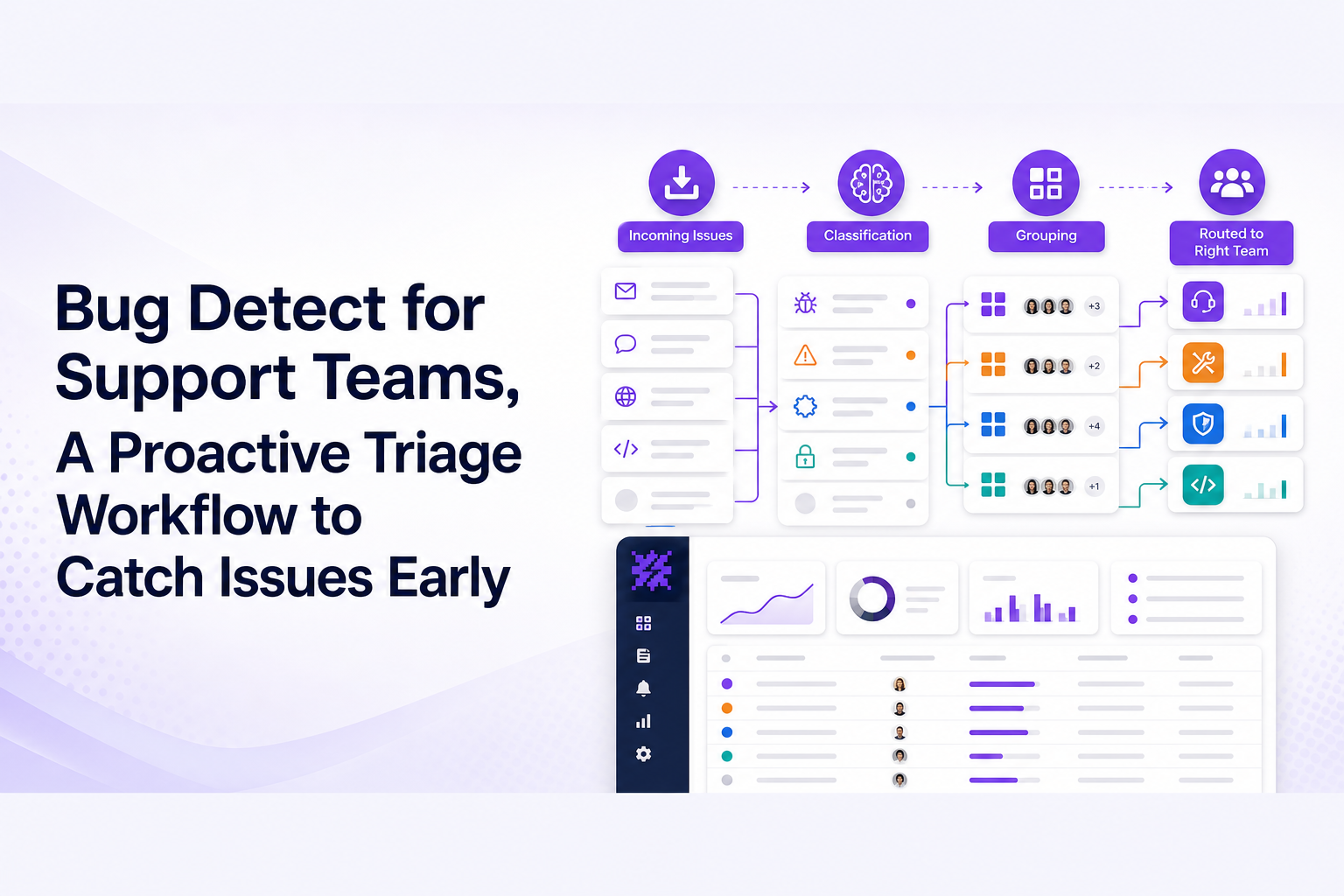
Automation improves bug detect when it captures failures that never become tickets and reduces noise before humans see it, through classification, grouping, and channel routing. The goal is “fewer, better interrupts”, not “more alerts”.
Design automation around three gates: classify, group, then route
Raw errors are rarely actionable for support. A durable automation design has three gates:
- Classification gate: separate likely product defects from expected business errors (for example, validation failures, user cancellations).
- Grouping gate: dedupe repeated failures into a single evolving issue with an accumulating count.
- Routing gate: notify only when issue pressure crosses a threshold (for example, “P1 issues >= 5”).
This is also where better production debugging inputs matter, because the fastest fixes happen when context is captured at the moment of failure.
Build vs buy criteria (support-led)
Support should push for objective criteria instead of tool preference. Use this checklist to decide whether to build internal scripts or buy a system:
- Can you auto-capture failures without user reporting? If not, you will miss silent breakages.
- Can you prevent alert spam? Look for grouping and threshold-based triggers, not per-event notifications.
- Can you attach evidence automatically? The more context you can bundle (timestamps, sessions, stack snippets), the fewer clarification loops.
- Can support control routing rules? If changes require engineering deploys, the system will drift.
We initially assumed “more alerts earlier” would help, but operational reality showed the opposite: unless automation suppresses expected noise first, the team starts ignoring the channel and true incidents become slower, not faster.
Where Flash Log fits (one practical mention)
If you want to automate capture and classification, Flash Log is designed to capture and classify bugs automatically with AI, including failures that users never report, then group them into issue pressure you can route and threshold. That pairing is useful when your weekly workflow is solid but you are still missing silent breakages or spending too much time deduping the same defect.
Metrics to Prove Bug Detect Is Working
Bug detect is working when you can show earlier detection and lower support load without sacrificing customer experience, using a small set of operational KPIs tracked consistently. Choose metrics that connect support effort to business impact, not vanity counts like “number of bugs filed”.
Core KPI set (what to measure weekly)
- Ticket deflection from fixes: number of tickets prevented after a fix ships, measured by comparing pre vs post volume for the same tag/topic.
- MTTR for validated issues: time from “validated by support” to “fixed in production”.
- Reopen rate: percent of issues reopened within a set window after closure (choose a window you can maintain consistently).
- False-positive rate: percent of escalations rejected as “not a bug” or “insufficient evidence”.
Because teams vary, avoid absolute benchmarks unless you have your own baseline. The key is trend: deflection up, MTTR down, reopen and false positives down.
Dashboard structure that makes action obvious
A useful dashboard ties each metric to the exact workflow stage:
- Intake: candidate count, sources, top segments affected
- Validation: validated vs watch vs discarded
- Engineering response: accept time, first-response reasons for rejection
- Outcome: ticket volume change and CSAT notes for the affected journey
In our experience, the fastest way to improve the program is to make “rejection reasons” visible, because it tells support exactly what evidence is missing and prevents repeating the same low-signal escalations.
One table to connect metrics to decisions
| Metric movement | Likely cause | Workflow change to test next week |
|---|---|---|
| False positives rising | Vague symptom reports or missing artifacts | Enforce minimum evidence bundle; require timestamps + one artifact |
| MTTR rising | Handoffs unclear, missing ownership, or slow first response | Add explicit engineering triage SLA; pre-assign responders per area |
| Reopen rate rising | Fixes shipped without verifying real-world reproduction | Include post-fix verification steps and affected segment retest |
| Ticket volume not dropping after fixes | Mis-tagging tickets or fixing symptoms not root cause | Improve tagging; group by user journey and error signature before escalation |
FAQ about proactive bug detection for support
Implement the weekly workflow and evidence pack first, then automate the parts that waste the most time: capture, classification, and deduping. If you need a system that can capture bugs even when users do not report them and classify and group them into actionable issue pressure, Flash Log can help you operationalize bug detect with cleaner signals and faster time-to-fix.
Runtime Exceptions Are Not a Backlog, A Workflow to Turn Noise Into Fixes
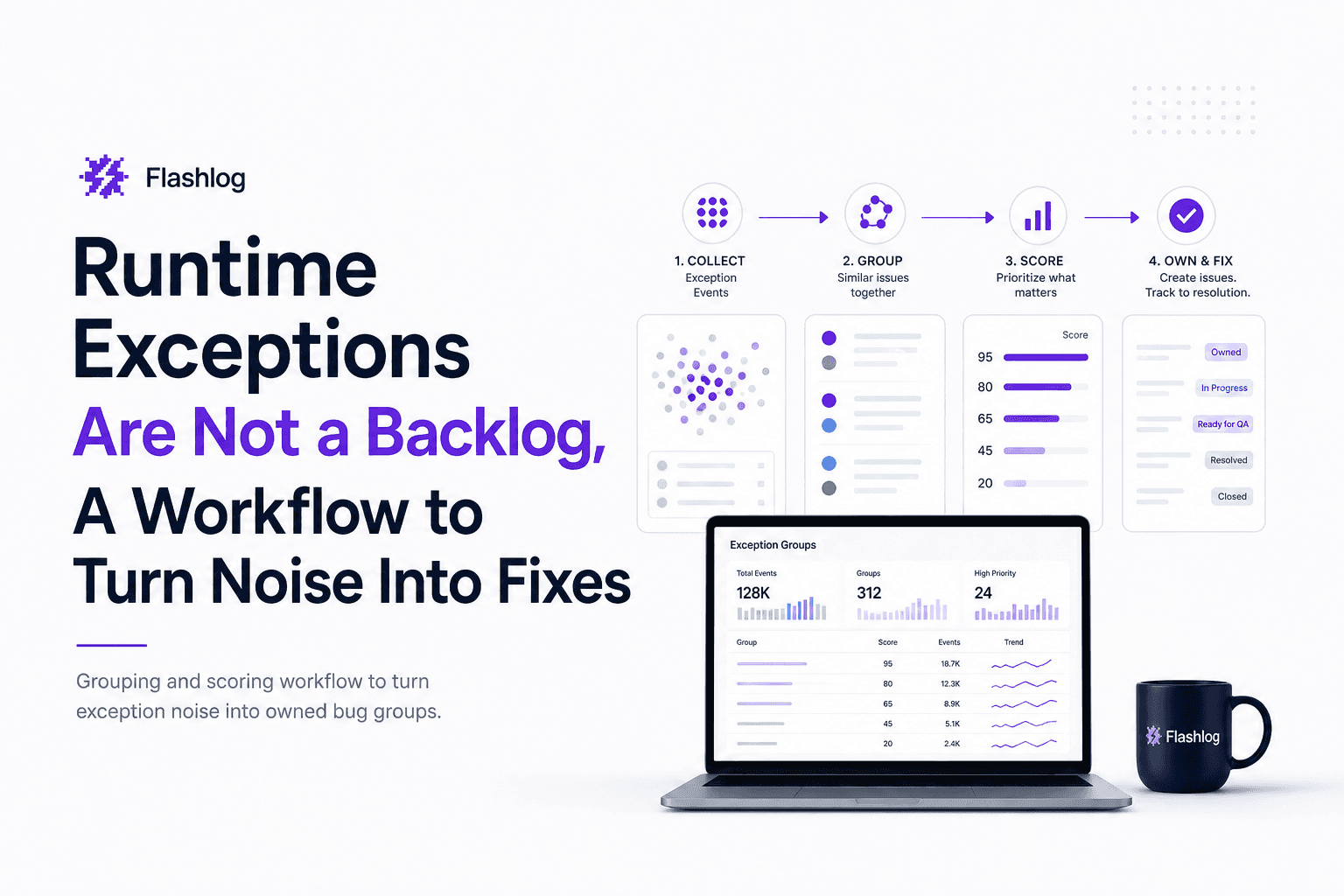
Learn a practical workflow to triage runtime exceptions into actionable bug groups using fingerprinting, impact scoring, and routing rules.
AI Alerting That Cuts Noise, A Practical Setup Playbook for SRE and DevOps Teams
ai alerting playbook for SREs: reduce noise with dedup, suppression, baselines, routing, runbooks, and a 2-week quality eval checklist.
Alert Fatigue Explained - Symptoms, Causes, and How to Measure It
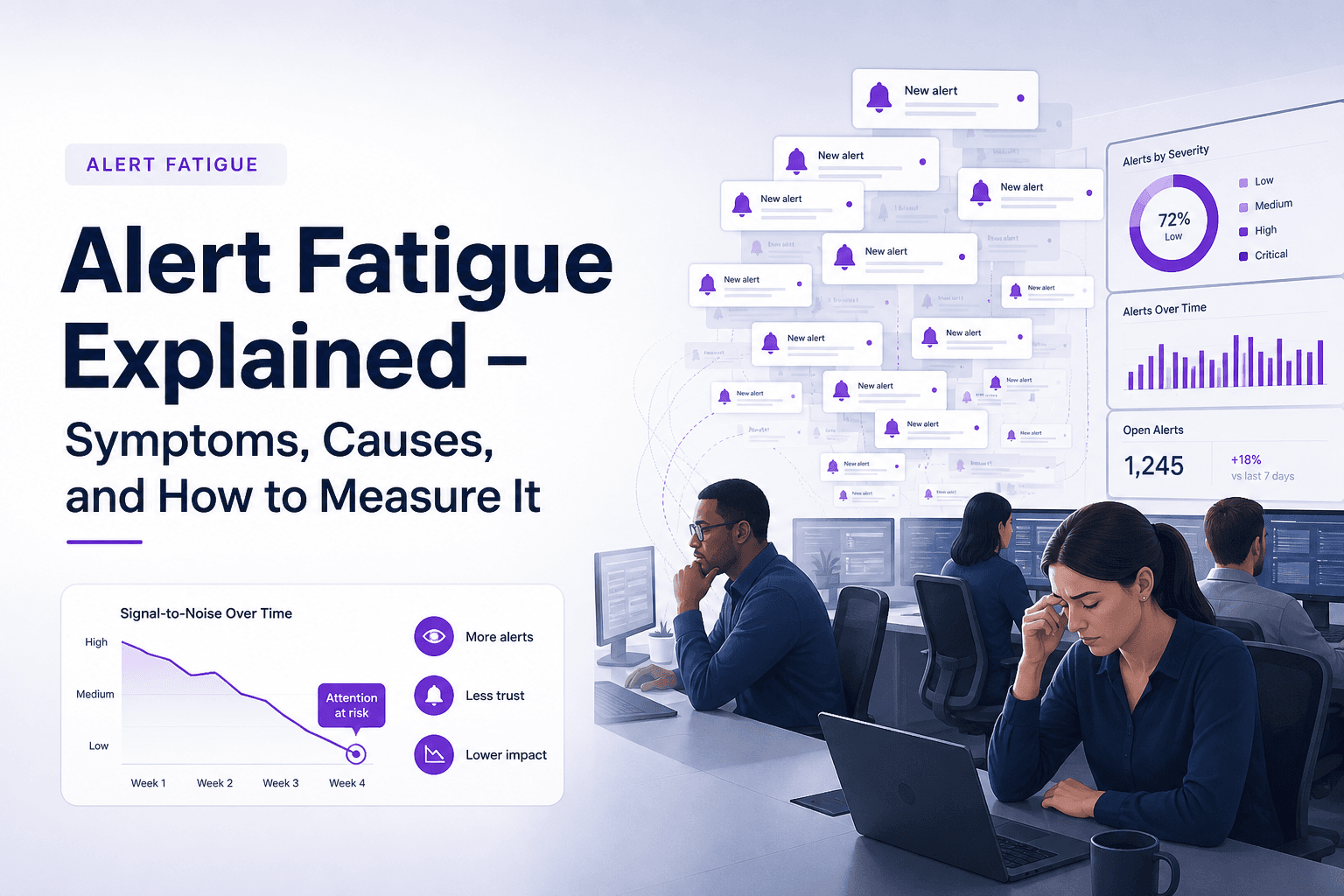
Learn what alert fatigue is, the symptoms to watch for, the main causes, and how to measure alert fatigue before incidents are missed.