
Issue Tracker Software for Support Teams, A Proactive Bug Detection Workflow
Issue tracker software works for support teams only when it captures bugs before customers churn, enforces reproducible evidence, and routes ownership with clear SLAs instead of becoming another ticket graveyard.
- Define a support-to-engineering schema (owner, priority lane, repro quality, and SLA) so every bug is actionable and auditable.
- Add proactive bug capture so issues can be created with context even when users never file a report.
- Measure impact with a small set of checkpoints (time-to-triage, duplicate rate, and reopen rate) and iterate weekly.
What Support Teams Need From Issue Tracker Software Beyond Ticketing
Issue tracker software for support-led bugs must guarantee four outcomes: clear ownership, time-bound response, reproducible context, and a decision trail that survives handoffs.
Support-driven requirements checklist (copy and paste)
- Ownership: every issue has a single engineering owner and a support owner (two names, two responsibilities).
- Service level: define time-to-triage and time-to-first-fix targets by priority lane (P1 to P3).
- Repro quality: the tracker must store environment, steps, expected vs actual, and evidence (logs, screenshots, session link).
- Auditability: every status change is attributable (who changed it, when, and why).
- Deduping: repeated failures consolidate into one issue record, not 20 near-identical tickets.
- Customer impact: link affected accounts, plan tier, and revenue risk fields so prioritization is not guesswork.
A minimal issue schema that prevents 80% of support-engineering friction
Issue records fail in support contexts because they lack fields that let engineering decide quickly; the fix is a compact schema with strict definitions and dropdowns, not free text.
| Field | Type | Definition (support-friendly) | Why it matters |
|---|---|---|---|
| Issue type | Dropdown | Bug, Incident, Data issue, UX defect | Stops mixing product questions with defects |
| Priority lane | Dropdown | P1 blocks core flows, P2 degrades, P3 cosmetic/edge | Enables SLA and alert thresholds |
| Support severity | Dropdown | Customer-visible impact level | Separates internal error noise from real pain |
| Affected scope | Dropdown | 1 user, 1 account, multiple accounts, global | Prevents under-prioritizing systemic issues |
| Repro confidence | Dropdown | Confirmed, Likely, Unconfirmed | Sets expectations for engineering time spent |
| Environment | Structured text | App version, OS/browser, region, device | Speeds root cause isolation |
| Evidence link | URL | Log/session/screenshot bundle | Replaces back-and-forth in chat |
| Customer impact list | Multi-value | Accounts, plan tier, workaround exists? | Makes triage business-aware |
| Owner (Eng) | User | Single accountable engineer | Prevents “someone should look” limbo |
| Owner (Support) | User | Single support point of contact | Ensures customer loop closure |
Statuses that match how support actually works
Status design should encode handoff points so the support team can tell customers what is happening without chasing engineers in Slack.
- New: captured or reported, not yet triaged.
- Triage needed: missing fields or unclear repro, support is collecting context.
- Triaged: priority lane, owner, and next action set.
- In progress: engineer actively working, ETA optional.
- Fix pending release: merged or ready, waiting deployment.
- Needs validation: support or QA verifying in production.
- Closed: validated fixed or explicitly won’t fix with reason code.
In our experience working with support teams that escalate into engineering daily, the single biggest reducer of pinging and rework was making “Triaged” impossible without an owner, a priority lane, and an evidence link.
A Proactive Bug Detection Workflow That Feeds Your Issue Tracker Automatically
Proactive bug detection reduces support-driven bugs by creating issues from real user sessions and grouped failures, so engineering sees pressure even when users never report the problem.
The end-to-end flow (from user session to actionable issue)
- Capture: collect runtime signals from production (errors, failed requests, UI crashes, performance outliers) alongside session context.
- Classify: separate genuine defects from expected business errors (for example, declined payments that are not system faults).
- Group: dedupe repeated failures into one evolving issue so the tracker reflects accumulating pressure, not spam.
- Enrich: attach reproduction signals (steps, environment, request payload snippets where safe), impact scope, and timestamps.
- Create or update: open a new issue only when grouping rules say it is new; otherwise update the existing issue with new occurrences.
- Route and alert: notify the right channel only when issue counts cross a threshold that represents operational risk.
What to store so proactive capture is useful to support
Proactive capture is wasted if it only produces stack traces; support needs customer-facing context and engineering needs reproducibility in the same record.
- First seen / last seen timestamps and a running occurrence count.
- Priority lane suggestion plus the rule that produced it (for example, “P1 because checkout flow and multiple accounts”).
- Top affected environments (browser, app version) as a short ranked list.
- Session or log bundle link that support can share internally without exposing sensitive data.
- Customer-facing symptom written in plain language, not just an exception string.
Alerting rules that prevent “error spam” and drive action
Alerting should trigger from issue pressure, not from every failure event, so the team gets interrupted only when accumulated risk crosses a defined line.
- Threshold-based by priority: alert when P1 open issues >= 5, or P2 open issues >= 12, tuned to your team size.
- Channel-aware routing: send P1 to Slack and backup email; send P2 to Slack only during business hours.
- Templated messages: include placeholders for priority and running count so the alert is readable at a glance.
- Test dispatch: require a test notification before enabling a new rule in production.
We initially assumed raw error alerts would speed response, but repeated audits showed the opposite: engineers learned to mute channels, while support still had to build cases manually for the same underlying bug.
Issue Tracking System Examples You Can Copy Statuses Fields SLAs Automations
Issue tracker software becomes support-friendly when you implement one of three repeatable workflows that match your product risk profile and support volume.
Example 1 High-urgency production bug lane (P1)
Use when: payment, login, onboarding, or data loss paths are impacted.
- Statuses: New → Triaged → In progress → Fix pending release → Needs validation → Closed
- SLA targets (define in hours): time-to-triage and time-to-work-start; pick numbers your on-call can actually meet and publish them internally.
- Required fields at Triaged: owner (Eng), owner (Support), priority lane, affected scope, evidence link, customer impact list.
- Automation: if priority = P1 and affected scope = multiple accounts, auto-create an incident channel and set watchers (support lead + on-call).
Example 2 Support queue to engineering backlog (P2)
Use when: recurring customer pain is real but not an immediate outage.
- Statuses: New → Triage needed → Triaged → Scheduled → In progress → Closed
- Escalation rule: if the same issue links to 3+ distinct accounts, raise priority or schedule review.
- Required fields at Scheduled: workaround exists (yes/no), support macros updated (yes/no), release note needed (yes/no).
- Automation: weekly job that posts top 10 P2 issues by affected accounts into a shared channel for support and engineering review.
Example 3 “Suspected bug” intake lane that protects engineering time
Use when: your support team receives many reports that are configuration errors, misunderstandings, or third-party outages.
- Statuses: New → Triage needed → Closed (Not a bug) OR Triaged
- Reason codes for Not a bug: user education, configuration, third-party dependency, expected behavior, duplicate.
- Required fields before escalation: steps attempted, expected vs actual, environment, evidence link, repro confidence.
- Automation: if reason code = duplicate, force linking to an existing issue and add the customer to the impact list.
For a deeper handoff blueprint, the workflow in bug tracking for support teams is a useful reference for turning “support reports” into verified fixes without bloating the backlog.
Build An Issue Tracker In Excel or Sheets Template Formulas And a Simple Dashboard
Issue tracker software can start in Excel or Google Sheets if you enforce dropdown fields, calculate SLA timers, and review a pivot dashboard weekly.
Sheet structure: 1 tab for Issues, 1 tab for Lists, 1 tab for Dashboard
Issues tab columns (exact)
- Issue_ID (text)
- Created_At (datetime)
- Reported_By (support agent)
- Owner_Eng (name)
- Owner_Support (name)
- Status (dropdown)
- Priority_Lane (dropdown)
- Affected_Scope (dropdown)
- Repro_Confidence (dropdown)
- Environment (text)
- Evidence_Link (URL)
- Affected_Accounts_Count (number)
- First_Response_At (datetime)
- Triaged_At (datetime)
- Closed_At (datetime)
- Reason_Code (dropdown)
- Duplicate_Of (Issue_ID)
Lists tab: Status list, Priority list, Scope list, Repro list, Reason codes (for data validation dropdowns).
Formulas (5 to 8) that make the tracker operational
- Time to first response (hours):
=IF(First_Response_At="","",(First_Response_At-Created_At)*24) - Time to triage (hours):
=IF(Triaged_At="","",(Triaged_At-Created_At)*24) - Time to close (hours):
=IF(Closed_At="","",(Closed_At-Created_At)*24) - Open/Closed flag:
=IF(Status="Closed","Closed","Open") - SLA breach flag (example):
=IF(AND(Priority_Lane="P1",Status<>"Closed",(NOW()-Created_At)*24>X),"BREACH","")(set X to your P1 triage SLA) - Duplicate flag:
=IF(Duplicate_Of<>"","Duplicate","Primary") - Repro completeness score (simple):
=IF(AND(Environment<>"",Evidence_Link<>""),1,0)
Dashboard pivots you can build in 20 minutes
- Open issues by priority lane (counts), filtered to Primary only.
- Median time-to-triage by priority (use pivot with calculated field or summary in Sheets).
- Duplicates rate: count of Duplicate vs Primary per week.
- Not-a-bug reasons: reason code distribution to improve macros and documentation.
What surprised our team was how quickly a spreadsheet improved outcomes once SLAs were visible; the spreadsheet did not scale forever, but it made missing owners and missing evidence impossible to ignore during weekly review.
How To Evaluate Issue Tracker Software For Support-Led Bugs A Neutral Scorecard
Issue tracker software for support teams should be evaluated with a scorecard that tests real bug intake, deduping, routing, and reporting rather than feature checklists.
Scorecard categories and how to test each in 60 minutes
| Category | Test scenario | Pass criteria |
|---|---|---|
| Intake | Create an issue from a support ticket and from a form | Required fields enforced and editable roles are clear |
| Schema control | Lock dropdowns and reason codes | Support cannot create new “custom priorities” ad hoc |
| Deduping | Create 5 similar issues | Easy merge/linking and impact list preserved |
| Ownership and SLA | Assign owner and measure time-to-triage | SLA timers or automation available without manual math |
| Routing | Send P1 vs P2 into different channels/queues | Rules are testable and not noisy by default |
| Reporting | Weekly support-engineering review | Simple views for open-by-priority, breaches, duplicates |
| Audit trail | Inspect status history | Change log shows who/when and supports accountability |
How common tools typically fit (tradeoffs, not a ranking)
- Jira: strongest for complex workflows and reporting; risk is over-customization without governance.
- GitHub Issues: strong for engineering-native work; support needs guardrails for schema and intake consistency.
- Zendesk-style ticketing: excellent for customer comms; risk is bugs living as tickets without engineering ownership.
- Linear-style trackers: fast and clean for engineering; verify SLA, auditability, and support-facing intake paths.
If you are building a decision framework specifically for support orgs, the criteria in issue tracking software can help you standardize evaluation across teams.
A practical “pilot test” that avoids tool churn
- Pick one product area and one support queue for 2 weeks.
- Run 20 real issues through the candidate tracker.
- Measure: % triaged with evidence link, median time-to-triage, duplicate rate, and reopen rate.
- Keep the old system as record, but force new issues through the pilot path.
Is Issue Tracking Dead Or Just Evolving With AI and Chat Ops
Issue tracking is not dead, but chat-only workflows fail when you need auditability, deduping, and measurable SLAs across support and engineering.
Where chat works and where it breaks
- Chat works for rapid triage coordination and quick questions.
- Chat breaks for long-lived bugs, repeated occurrences, ownership clarity, and anything that needs reporting.
How AI changes the tracker boundary (without replacing it)
AI is most valuable upstream of the tracker: classifying noise, grouping duplicates, and enriching issues with reproduction signals, so the tracker contains fewer but better issues.
- Noise gating: filter expected business errors before they become issues.
- Grouping: repeated failures increase “pressure” on an existing issue instead of spawning duplicates; see the mechanics discussed in duplicate issues.
- Faster issue triage: structured summaries and evidence links help engineers decide quickly, aligning with a lightweight framework like issue triage.
Rule of thumb for teams deciding between “Slack only” and a tracker
- If more than one team touches the bug, use issue tracker software.
- If a bug can reappear, use issue tracker software.
- If you must report trends monthly, use issue tracker software.
- If the work is a one-off question with no recurrence, chat is sufficient.
Implementation Plan for the Next 14 Days Metrics Pitfalls And a Safe Pilot
Support teams can implement issue tracker software safely in 14 days by piloting one queue, locking the schema, and reviewing a small set of operational metrics weekly.
Day-by-day rollout checklist (two weeks)
- Days 1 to 2: agree on priority lanes, statuses, and required fields; publish the definitions in an internal doc.
- Days 3 to 4: configure the workflow in your chosen tool or Sheet; add data validation dropdowns and required-field rules.
- Days 5 to 6: set SLA expectations (time-to-triage, time-to-first-response) and define breach handling.
- Days 7 to 10: run the pilot with one support queue and one engineering group; hold a 30-minute daily triage.
- Days 11 to 12: review dashboard results; fix the top two failure points (usually missing evidence links and unclear owner).
- Days 13 to 14: decide: scale to a second queue, or tighten definitions and rerun the pilot.
Baseline metrics to capture before you change anything
- Median time-to-triage by priority lane.
- Duplicate rate: duplicates divided by total new issues.
- Reopen rate: closed issues reopened within 14 days (proxy for weak repro or weak validation).
- Repro completeness: % of triaged issues with environment + evidence link.
Pitfalls and the fix for each
- Pitfall: support opens issues without evidence to “get it on the radar”. Fix: make “Triaged” impossible without evidence link and repro confidence.
- Pitfall: engineering treats the tracker as optional and relies on chat. Fix: declare the tracker the system of record and require issue IDs in incident channels.
- Pitfall: backlog fills with duplicates. Fix: enforce linking and track duplicate rate weekly; escalate when it rises.
- Pitfall: customers do not hear back. Fix: add an owner (Support) field and a “customer update sent” checkbox at key status changes.
Where proactive capture fits in the pilot
Proactive capture is easiest to pilot when it feeds the same schema and routing rules you already defined, rather than forcing a new workflow on day one; support can then compare “reported” vs “captured” issues for missed-bug coverage and repro quality.
| Support bug intake method | Strength | Weakness | Best use |
|---|---|---|---|
| Manual tickets only | Simple and familiar | Misses silent failures; inconsistent repro | Low volume products or early stage |
| Tickets + structured issue tracker | Better ownership and reporting | Still depends on user reporting | Most support teams with steady volume |
| Proactive capture feeding issue tracker software | Catches unreported bugs; richer context | Requires noise gating and grouping | Products where reliability is a differentiator |
FAQ about issue trackers for support-led bugs
If you want to pilot proactive bug capture alongside your existing issue tracker software without changing your whole stack, Flash Log can automatically capture and classify bugs even when users never report them, then help your team triage grouped issues with richer context; start with one support queue and one product area for two weeks and compare missed-bug coverage and repro quality.
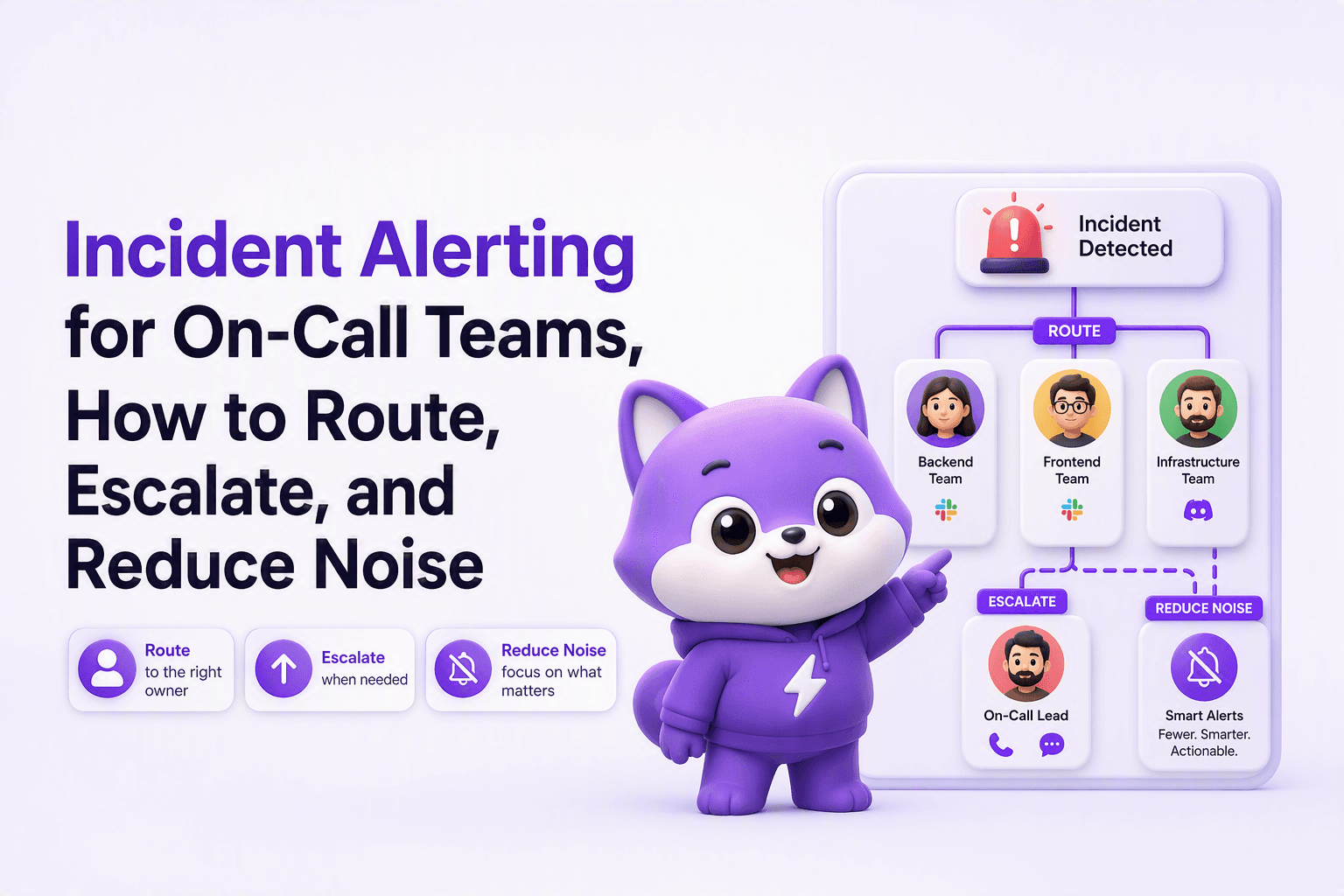
Incident Alerting for On-Call Teams, How to Route, Escalate, and Reduce Noise
A practical incident alerting framework: route by owner, set severity thresholds, dedupe noise, and escalate alerts into incidents with clear rules.
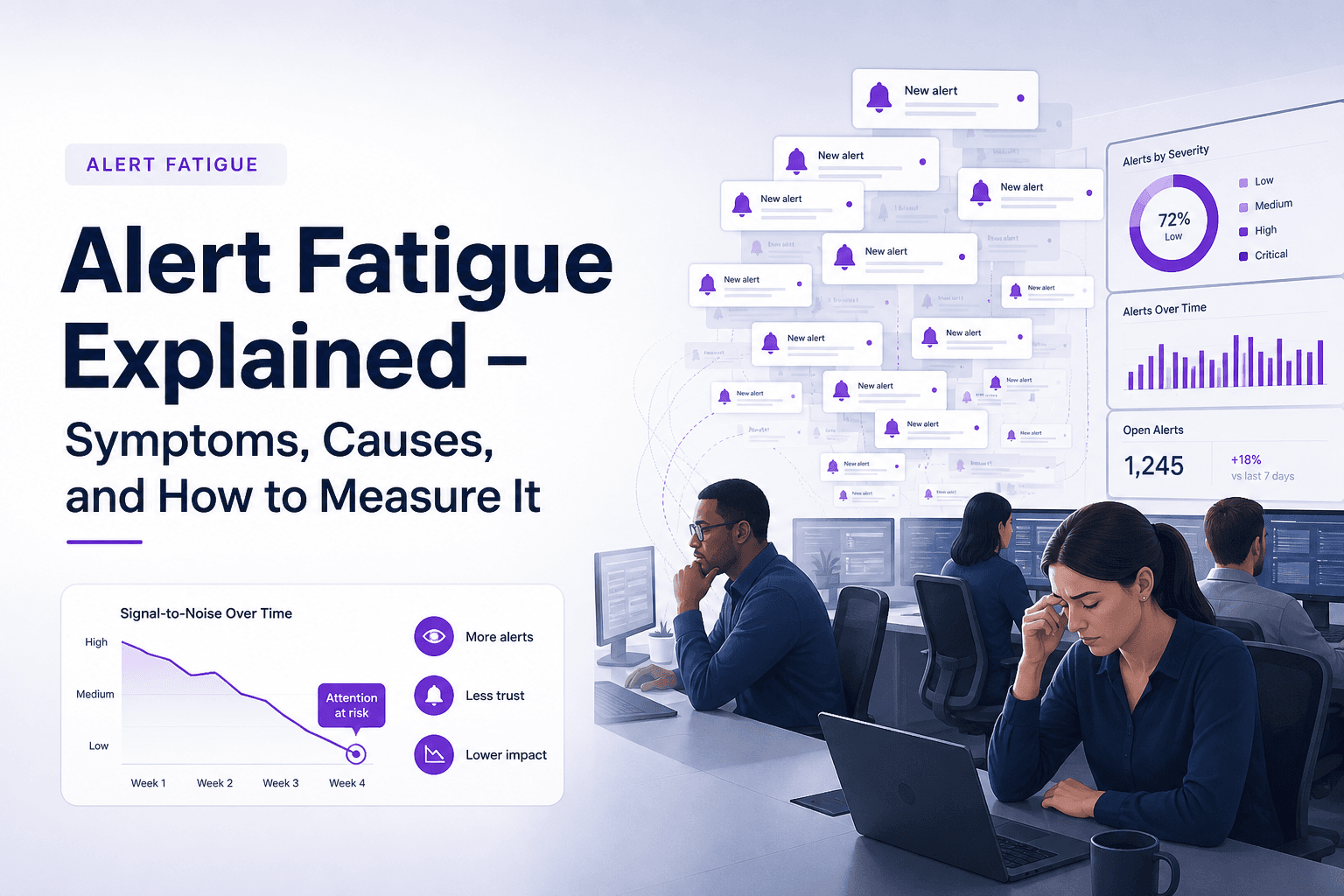
Alert Fatigue Explained - Symptoms, Causes, and How to Measure It
Learn what alert fatigue is, the symptoms to watch for, the main causes, and how to measure alert fatigue before incidents are missed.
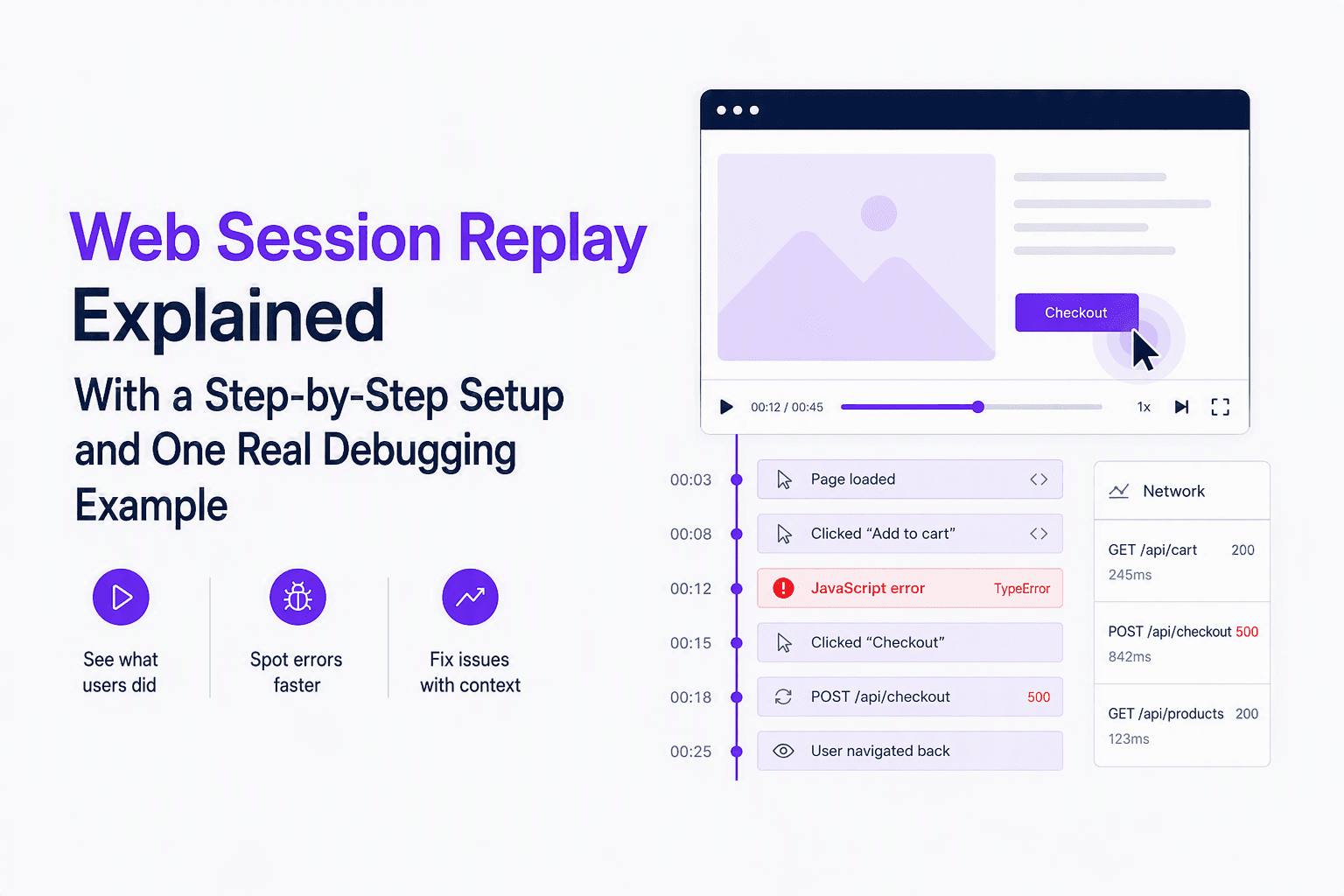
Web Session Replay Explained With a Step-by-Step Setup and One Real Debugging Example
Learn web session replay fundamentals: what it captures, how it works, and a step-by-step setup plus a real timeline walkthrough to find root cause.