
Bug Detection for Support Teams, A Proactive Workflow to Catch Issues Before Users Report Them
Bug detection for Support teams works best when it is proactive, evidence-based, and designed to reduce escalations, not to turn Support into a shadow QA function.
- Define “support-owned” bug detection outcomes (early warning + evidence) and a strict handoff contract to Engineering.
- Run a four-layer workflow: detect, verify, package evidence, and escalate using explicit entry and exit criteria.
- Cut false positives by standardizing evidence standards, setting thresholds, and measuring impact with a weekly cadence.
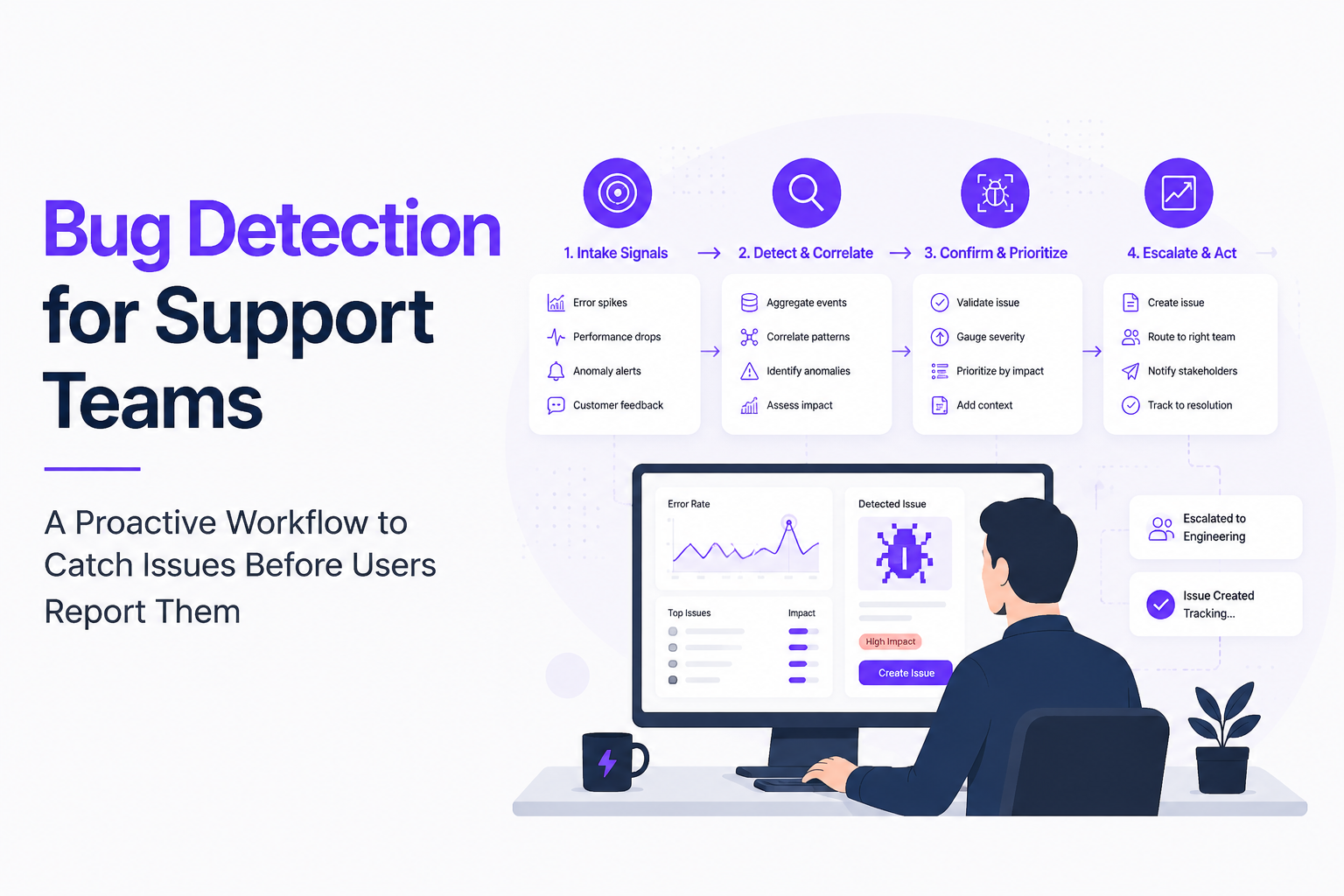
What proactive bug detection means for Support teams
Proactive bug detection for Support is a repeatable way to surface production issues before ticket volume spikes, while keeping ownership boundaries clear.
Define the outcome and the boundary
The outcome is not “find every defect.” The outcome is: (1) catch user-impacting issues earlier than inbound tickets, and (2) hand Engineering a report they can act on in one pass. To keep Support from becoming a QA backlog, set a boundary statement in writing:
- Support owns: detection signals, customer impact assessment, evidence packaging, and routing.
- Engineering owns: root cause, fix, release, and post-incident prevention.
A practical boundary rule we use: if a suspected bug cannot be reproduced within 15 minutes or cannot be tied to a measurable customer impact, it stays as “watch” until more signal arrives.
Establish a handoff contract engineers will accept
Engineering trust is earned through consistency. Your handoff should look the same every time and contain the minimum evidence to start debugging immediately:
- Impact: who is affected, how often, and what users are blocked from doing (use segments like plan, region, device).
- When it started: first seen timestamp, and whether it correlates with a release, config change, or third-party incident.
- Evidence pack: logs, error signatures, and user context; plus a tight set of reproduction steps when possible.
- Routing: clear priority (P1/P2/P3) based on user impact, not on how scary the error text looks.
A four-layer workflow to catch bugs before tickets pile up
A proactive workflow beats ad hoc monitoring because it forces every bug detection signal through the same entry and exit criteria.
Layer 1: Signal intake (catch early, but don’t escalate yet)
Create a single intake view that aggregates signals Support can see without interrupting Engineering. Typical inputs:
- New error signatures from logs or client errors
- Checkout or signup drops (if you have funnel monitoring)
- Support-adjacent signals: chatbot “rage click” phrases, refund reasons, or repeated macros
- Community and social mentions (only if you can tie them to a product area)
Entry criteria: a signal repeats (same signature) and appears to be user-impacting. Exit criteria to Layer 2: repeated within a defined window (for example, multiple occurrences in 30 to 60 minutes) or correlated with a spike in contacts for the same workflow.
Layer 2: Verification (confirm it is real and scoped)
Verification is where most Support teams lose time. Use a short checklist so you do not rabbit-hole:
- Can we reproduce in a clean environment (incognito, no extensions, default permissions)?
- Is it limited to one browser/OS/app version?
- Is it a third-party dependency (status page, payment provider, auth) versus your app?
- Is it expected business behavior (validation, permissions) mislabeled as “bug”?
When we tested “time-boxed verification” with Support Ops, the biggest win was not faster debugging, it was fewer premature escalations because we stopped treating single occurrences as incidents.
Layer 3: Evidence packaging (make it debuggable)
Engineers move fastest when the report includes the same artifacts every time. Use an evidence bundle with hard requirements:
- Identifier: error signature, stack trace hash, or stable message key
- Environment: app version, device, browser, locale, network type when available
- User path context: last meaningful actions (3 to 7 steps), feature flags, and permissions
- Logs: relevant request IDs and timestamps
- Session context: if you have it, link web session replay or equivalent user journey evidence
Support should not guess the root cause. The goal is to make the first engineering response “I can start,” not “I need more.”
Layer 4: Escalation (route by priority and “bug pressure”)
Escalation should happen from accumulated issue pressure, not from raw error noise. A simple routing rule that works operationally:
- P1: core workflow blocked for many users, or financial/security impact. Escalate immediately with paging rules.
- P2: degraded experience with workarounds, escalating frequency. Escalate when volume crosses your threshold.
- P3: minor or edge cases. Batch into a weekly triage queue.
If your stack supports it, set alerting based on counts of grouped issues, not individual events. This is where tools that deduplicate, classify, and group bugs reduce interruption cost. For context, structured alerting in Flash Log can trigger from priority issue counts and route messages to Slack, Telegram, Discord, or email using templates with live placeholders.
Reduce false positives with evidence standards and triage rules for bug detection
False positives drop when bug detection uses shared evidence standards and explicit “do not escalate” rules that Support can apply consistently.
Adopt an evidence standard engineers can enforce
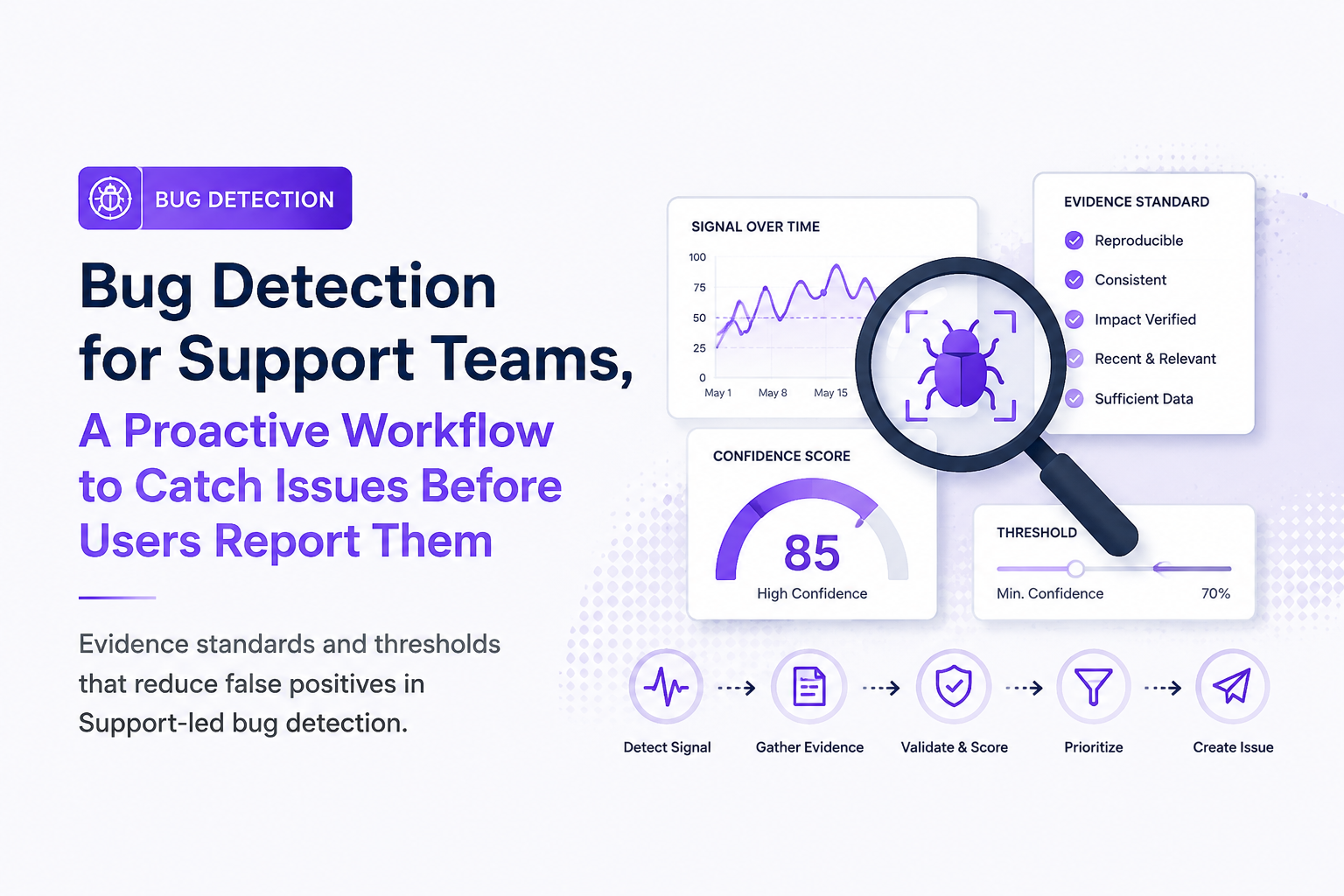
Put your standard in a one-page rubric and make it the definition of “ready to escalate.” Here is a practical minimum that works across most SaaS products:
- Must-have: stable signature (or screenshot of the exact error), timestamp, environment, and user impact statement.
- Should-have: request ID or correlated logs; exact step where it fails; expected vs actual.
- Nice-to-have: session replay link, console/network traces, HAR file.
In our experience working with Support teams, the single biggest quality improvement comes from forbidding escalation without an impact statement, because it forces a quick check against “is anyone actually blocked?”
Use triage rules that treat noise as a first-class problem
Standardize how Support interprets noisy sources like client errors and partial failures. A ruleset that is easy to teach:
- Ignore known junk: bot traffic, outdated app versions below your support floor, and expected permission denials.
- Group repeats: one issue with a running count is actionable; 300 identical events are not 300 problems.
- Escalate on thresholds: trigger when an issue count crosses a priority-specific line, rather than on first sighting.
To make this operational, define thresholds in writing (per product area if needed). For example, “Escalate P2 when the grouped issue count crosses the team’s interruption line,” and review the line weekly as contact volume and release cadence change.
Standardize the Support to Engineering packet
Support can create a consistent packet with a single template (ticket or incident note). Include these fields in this order:
- One-line summary: user action + failure mode
- Impact: who, how many, what is blocked
- Scope: environments, versions, and whether it is new since last release
- Evidence: logs, IDs, screenshots, session context
- Repro: numbered steps or “not reproducible, see evidence”
When the packet is consistent, Engineering can run faster triage, and Support can measure what gets accepted without rework. For deeper alignment on this step, pair the packet with an explicit issue triage routine.
Operationalize bug detection with playbooks, ownership, and weekly cadence
Operational bug detection succeeds when Support owns a lightweight cadence, clear roles, and a dashboard that proves the workflow reduces tickets and time-to-fix.
Define roles and SLAs so the work does not disappear
A common failure mode is “everyone watches signals, nobody owns the close.” Assign explicit ownership:
- Support On-Call (Signals Owner): monitors intake and runs Layer 1 to 2.
- Support Ops (Quality Owner): enforces evidence standards and maintains ignore rules and templates.
- Engineering Triage Lead: accepts or rejects escalations within an agreed SLA.
Document two SLAs: (1) time-to-acknowledge for P1/P2 escalations, and (2) time-to-feedback when Engineering rejects a report (what was missing). The goal is to reduce “ping-pong” between teams.
Track a small set of KPIs that reflect real operational value
Choose metrics Support can influence directly. A practical set:
- Acceptance rate: percent of escalations Engineering accepts without asking for more evidence
- Time-to-escalate: first seen signal to engineering-ready packet
- Duplicate rate: percent of escalations that were already known issues
- Deflection indicator: contacts avoided for an issue (measured via tag trend, macro usage, or topic volume change)
What surprised our team was how quickly acceptance rate becomes the leading indicator: when it goes up, time-to-fix often follows because engineers stop re-triaging the same incomplete reports.
Run a weekly review that continuously reduces noise
A 30-minute weekly cadence is enough if you keep it structured:
- Review the top 5 escalations: what evidence was missing, what was most helpful.
- Update ignore rules and grouping rules based on last week’s false positives.
- Adjust thresholds if alerts were too chatty or too quiet.
- Pick one systemic fix: template update, new field in the packet, or new signal source.
Keep the output tangible: a changelog of rule updates and one updated playbook page per week. If you rely on crash-level signals, align this review with your crash reporting workflow so evidence formats do not diverge.
| Workflow layer | Support deliverable | Entry criteria | Exit criteria |
|---|---|---|---|
| Layer 1: Signal intake | Normalized signal record | Repeated signature or correlated spike | Meets repeat window or contact correlation |
| Layer 2: Verification | Scoped “real vs expected” decision | Signal qualifies from Layer 1 | Repro confirmed or strong impact evidence |
| Layer 3: Evidence packaging | Engineering-ready packet | Verified bug or high-confidence impact | Meets must-have evidence standard |
| Layer 4: Escalation | Routed escalation with priority | Packet ready and threshold met | Engineering acknowledges and takes ownership |
FAQ on proactive bug detection for Support
If you want to pilot this workflow with less manual chasing, Flash Log can help by automatically capturing and classifying bugs even when users do not report them, so Support can focus on verifying impact and sending Engineering an evidence-ready packet. Set up one priority threshold alert, run it for two weeks, and use your acceptance rate and duplicate rate to decide whether to expand.

Notification Spam Explained and How to Stop It on Any Device
Notification spam explained in plain English, with steps to find the source and stop it on iPhone, Android, browsers, email, and SMS.

Alert Management System Playbook for On-Call Teams, Routing, Deduping, Escalation, Metrics
Build an alert management system in a week with routing, dedupe, escalation timelines, and KPIs like MTTA and noise ratio.
Session Replay Explained, How It Works and How to Use It Safely
Session replay explained for buyers: what it captures, how it works, and a practical privacy checklist and decision tree for safe deployment.